

Low End Mac Reader Specials
TypeStyler For Mac OS X is Now Shipping! Download The Free Fully Functional 60 Day Tryout at www.typestyler.com
Don't install Parallels to play poker online! Poker Mac will show you how
to download and install a native Mac poker application such as Full
Tilt Poker Mac.
Compare products like desktop computers, apple laptops, apple macs, and LCD Monitors side by side! All the information and reviews to make the best purchasing decision for new mobile phones, sat nav systems, or MP3 players. The Ciao online shopping community makes searching products easy for you.
PowerBooking in China
Korin Hasegawa-John - 2002.05.03
My Turn is Low End Mac's column for reader-submitted articles. It's your turn to share your thoughts on all things Mac (or iPhone, iPod, etc.) and write for the Mac web. Email your submission to Dan Knight .
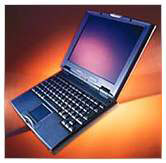
I recently spent a month in China. My PowerBook 2400c came along for the ride. Here is a short guide about taking your PowerBook to a foreign country based on my experiences.
When I was away, the PowerBook was mostly used to save images from
my Fuji 1400 Zoom digital camera. The problem with this was that the
camera ordinarily attaches to a Mac via a USB cable,
but my 2400 doesn't have USB. I invested in an
inexpensive ($25) SmartMedia PCMCIA (or PC Card) adapter, which works
well and doesn't need a driver. (CompactFlash adapters are even
cheaper, about $10.) If your PowerBook has USB, it would be easier to
just plug the camera into a USB port and transfer files that way.
The second problem with using the PowerBook is that the electrical outlets in China are a different shape. They look sort of like this: \/ instead of Edison plugs that look like this: ||. The friendly (or not-so-friendly) people at Radio Shack stock a ton of adapters. I got a travel kit for $20 that includes adapters for Japan, England, Europe, Australia, and China. They all work really well.
One thing you have to beware of is the voltage difference. Most of the rest of the world runs on 220v or 240v current. Almost all PowerBook AC adapters run fine on this higher voltage, but double check. On the bottom of the adapter is "Operating Voltage" followed by, for example, 90-240v. This tells you that the adapter will function with 90-240v current, meaning that you can travel anywhere in the world and use the adapter.
If you can, try to obtain an extra AC adapter, especially if you're going for an extended amount of time. Sometimes the outlets are a little flaky and can damage your adapter. Another good piece of advice is to use a surge protector. My original 36w Apple adapter was blown by a flaky outlet in Inner Mongolia, but I had a backup brick from my old 1400 that I switched to. If I hadn't had, I would have been stuck without power for two weeks.
AirPort cards must run on different channels in different countries. To avoid problems, if you have an AirPort card installed, turn it off using the AirPort Utility. If you have a third-party card, leave it at home or disable it using the driver software.
Other pitfalls include power rationing (not fun) and bad phone lines (if you're trying to use a modem). The information above should help you in case you go to another country with your trusty PowerBook.
Share your perspective on the Mac by emailing with "My Turn" as your subject.
Recent My Turn articles
- Using Low End Macs for Internet Radio, 08.18. When the local public radio station moved classical music to HD radio, it was time to find another way to listen. An old iMac with iTunes solved the problem.
- 'That's Not a Computer', 07.30. Salvaging a broken PowerBook by turning it into a desktop computer.
- Upgrading a Digital Audio G4 to work better in Leopard, 06.02. In its original configuration, the dual 533 MHz Power Mac G4 was slow with Mac OS X 10.5, but add the right upgrades, and it runs Leopard quite nicely.
- My 4 favorite PowerBooks, 05.28. The PowerBook 150 has a big screen for a vintage PowerBook, the 165c has color, the 100 is diminutive, and Lombard has USB and a great keyboard.
- More in the My Turn index.
Links for the Day
- Mac of the Day: Mac IIfx, Mar. 1990 - This 'wicked fast' 40 MHz Mac trumped the 33 MHz DOS world.
- Group of the Day: StarMax List is for anyone using Motorola StarMax Mac clones.
- March 19 in LEM history: 90: Mac IIfx - 99: Fool me twice? - 01: Add FireWire, USB to older Macs - Time to replace your iMac? - 02: The Mac Challenge - Installing Linux on a low-end Mac - 03: Value of the Lombard PowerBook - Your portable should have WiFi - PowerBook 1400 upgrades - 04: The video iPod - 07: Troubleshooting an iMac - 08: Intel Mac mini value
- Support Low End Mac
Recent Content on Low End Mac
- The Mobile System Stampede, Lithium Battery That Can't Explode, Affordable SSD Options, and More, The 'Book Review, 03.19. Also June 2007 MacBook Pro external display issue, laptop stands, 1 TB ultraportable hard drive, Mini DisplayPort/HDMI adapter, and more.
- Could iPad Replace the Mac?, Mac Sales Up in 2010, Avoiding Windows 7 'Whenever Possible', and More, Mac News Review, 03.19. Also why your next Mac may be an iPad, science blogger abandons Apple, the benefits of standing while working, and more.
- CardBus WiFi, the Shiira Browser, Ridding the Web of Flash, and Macs vs. PCs, Charles W. Moore, Miscellaneous Ramblings, 03.18. Mac longevity, Shiira speed, ambidextrous Mac and Windows use, and how Flash benefits Apple.
- How to Zoom Your Browser for a More Readable Web, Steve Watkins, The Practical Mac, 03.18. Instructions for zooming text and pages in Safari, Firefox, Camino, and Opera.
- How Ad Blocking Hurts Your Favorite Websites, Charles W. Moore, Miscellaneous Ramblings, 03.18. Ad income keeps the Web free. Blocking online ads hurts your favorite websites.
- Taking Apart the 12" PowerBook, John Hatchett, Recycled Computing, 03.17. There are a lot of steps involved in disassembling a 12" PowerBook. Proceed with caution.
- More links in our archive.
Recent Deals
- Best Intel iMac Deals, 03.17. Used 17" from $600; 20" from $750; 24" from $825; refurb 21.5" nVidia, $999; new, $1,099; refurb Radeon, $1,299; new, $1,399; refurb 27" 3.06, $1,499; more.
- Best G5 iMac Deals, 03.17. 17" 2.0 GHz, $380; 1.9 GHz iSight, $479 shipped; 20" 1.8 GHz, $509 shipped; 2.1 GHz iSight, $549 shipped.
- Best Time Capsule Deals, 03.17. Close-out 500 GB, $140; new 1 TB, $279; used 2 TB simultaneous dual-band, $400; new, $455. Shipping included.
- Best iPad Deals, 03.16. 16 GB iPad, $499; 32 GB, $599; 64 GB, $699; 16 GB with 3G, $629; 32 GB 3G, $729; 64 GB 3G, $829. Free ground shipping.
- Best iPod classic Deals, 03.12. Used 20 GB, $119; 40 GB, $139; 60 GB, $159; 30 GB video, $129; 60 GB, $159; 80 GB, $169; refurb 120 GB, $189; new, $214; 160 GB, $228 shipped.
- Best G3 iBook and AirPort Card Deals, 03.12. 366 MHz 12" clamshell, $89; 466, $125; 500 white CD, $100; 600, $199; 800 Combo, $239; 14" 900, $225.
- Best Xserve Deals, 03.12. Used 1 GHz dual G4, $499; 2.0 dual G5, $599; 2.3, $749; refurb 2.26 4-core Nehalem, $2,499; new, $2,699; 8-core, $3,449; refurb 2.66, $4,299; new, $4,799; more.
- More deals in our archive.
About LEM | Support | Usage | Privacy | Contacts
Navigation
Used Mac Dealers
Apple History
Video Cards
Email Lists
Favorite Sites
MacSurfer
MacMinute
MacInTouch
MyAppleMenu
InfoMac
Macs Only!
The Mac Observer
Accelerate Your Mac
RetroMacCast
PB Central
MacWindows
The Vintage Mac
Museum
DealMac
DealsOnTheWeb
Mac2Sell
ramseeker
Mac Driver Museum
JAG's House
System
6 Heaven
System 7 Today
the pickle's Low-End
Mac FAQ
Abandonware
Petition
Mac vs. PC Info
Affiliates
The Apple
Store
Mac
Connection
B&H
MacMall
TechRestore
ExperCom
Crucial
Memory
batteries.com
MacMinute
MacInTouch
MyAppleMenu
InfoMac
Macs Only!
The Mac Observer
Accelerate Your Mac
RetroMacCast
PB Central
MacWindows
The Vintage Mac
Museum
DealMac
DealsOnTheWeb
Mac2Sell
ramseeker
Mac Driver Museum
JAG's House
System 6 Heaven
System 7 Today
the pickle's Low-End
Mac FAQ
Abandonware
Petition
Mac vs. PC Info
Mac Connection
B&H
MacMall
TechRestore
ExperCom
Crucial Memory
batteries.com

