

Progress and the Right Handed Mac
Frank Wells - 2002.01.21
My Turn is Low End Mac's column for reader-submitted articles. It's your turn to share your thoughts on all things Mac (or iPhone, iPod, etc.) and write for the Mac web. Email your submission to Dan Knight .
After spending the last three years using a Power Mac 8600, my desk was laid out in a comfortable manner. The 19" monitor had it's place on center stage, the 8600 sat directly to its left, with a external CD-RW drive on top of it, and a Umax scanner on top of that. To the right of the monitor was my Lexmark printer and fax machine. Squeezed between things was a Zip drive and an external 2 GB SCSI drive.
Ever since I got my first Tower Mac, an 840AV, I've
positioned the computer to the left side of the monitor, as this always
seemed the most comfortable. When the 8600 arrived, 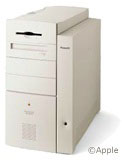 it assumed the same spot on the desk. This worked
out perfectly, as the 8600 has a removable door on its left side that
allows easy access to its internals.
it assumed the same spot on the desk. This worked
out perfectly, as the 8600 has a removable door on its left side that
allows easy access to its internals.
For three years I went on haply upgrading the computer with more RAM, faster processor cards (as they became available), faster video cards (to help with the gaming), and so on. I even vacuumed the insides 2-3 times a year, something I never did on older Macs that were more difficult to get into.
Well the day came when I needed FireWire ports. This is a simple matter of adding a PCI card; then you're off and running. I thought this over for awhile: Do I want to upgrade the 8600 any further or should I upgrade to a newer model?
The choice was a tough one. The 8600 had been a great computer, but I longed for a change. After all, it'd been three years! As a dyed in the wool eBay-aholic, I checked what was available online at the time.
As luck would have it there was a B&W 400 available with 256
MB RAM at a "Buy It Now Price" of $425. I'd always 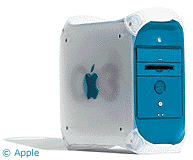 admired the B&W model in the ads, but I had never
seen one in person After careful thought (about 30 seconds), I found I
could not resist. My bid was placed immediately; it was mine! The
B&W 400 has everything I need: fast processor, good video, two USB
ports, and two FireWire ports - not to mention good looks!
admired the B&W model in the ads, but I had never
seen one in person After careful thought (about 30 seconds), I found I
could not resist. My bid was placed immediately; it was mine! The
B&W 400 has everything I need: fast processor, good video, two USB
ports, and two FireWire ports - not to mention good looks!
After a short wait, it arrived. It is a thing of beauty! Apple did itself proud with the smooth flowing lines, the beautiful color combination, the handles to make it easy to carry, and the easy access door on the right side.
WHAT? On the right side? Can't be? No, tell me it isn't so! It doesn't fit into my desk layout.
What genius changed sides?
Why would Apple change something that worked so well?
Why didn't they ask me?
After pondering these questions for awhile, the only answer was to change the desk around. This was not as easy as it sounds. Over the years I'd minimized cable lengths to keep things neater on and under the desk. This was corrected with the addition of another power cord and a longer phone line for the B&W's internal modem.
Because of the handles on the B&W, the CD-RW and scanner did not fit on top as they did on the 8600, but a small table added to the side of the desk cured this problem.
The new computer sits to the right of the monitor, and the printer and fax are on the left. It took a few hours, but after everything is said and done, it works! I can access the door, and all I need to do is move a lamp and I'm inside.
Now if I can stop trying to shove CDs into the printer 2-3 times a day, it will be a perfect setup.
Progress?
Share your perspective on the Mac by emailing with "My Turn" as your subject.
Join us on Facebook, follow us on Twitter or Google+, or subscribe to our RSS news feed
Today's Links
- Mac of the Day: PowerBook 500 Series, introduced 1994.05.16. 'Blackbird' includes a 25 to 33 MHz 68040 along with smart batteries and grayscale or color displays.
- Support Low End Mac
Recent Content
About LEM Support Usage Privacy Contact
Follow Low End Mac on Twitter
Join Low End Mac on Facebook
Favorite Sites
MacSurfer
Cult of Mac
Shrine of Apple
MacInTouch
MyAppleMenu
InfoMac
The Mac Observer
Accelerate Your Mac
RetroMacCast
The Vintage Mac Museum
Deal Brothers
DealMac
Mac2Sell
Mac Driver Museum
JAG's House
System 6 Heaven
System 7 Today
the pickle's Low-End Mac FAQ
Affiliates
Amazon.com
The iTunes Store
PC Connection Express
Macgo Blu-ray Player
Parallels Desktop for Mac
eBay

