
1997: Three months ago I wrote an editorial, “Why Macs Need Parallel Ports.” It struck a nerve. In response to “To Print or Not To Print” by JM Pierce, I present an updated version.
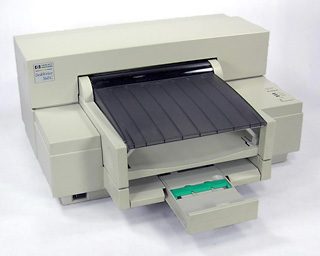 Apple, Hewlett Packard, and Canon have abandoned the low-end Macintosh printer market. Epson seems to be doing the same thing.
At a time when Macs represent an unparalleled value, it is becoming increasingly difficult to buy an inexpensive printer. I learned the hard way because last weekend my HP DeskWriter died.
Six months ago I could have picked an Apple StyleWriter, HP DeskWriter, or Epson Stylus. If I scrounge, I can find a few StyleWriters and DeskWriters on close-out.
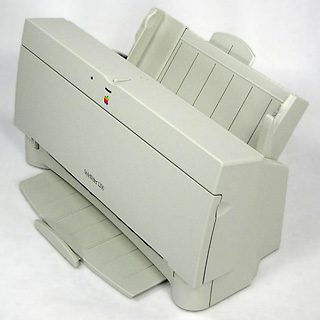 My options today are limited. The StyleWriters and DeskWriters had LocalTalk, which is perfect in a house with several Macs. The Epson Stylus series doesn’t include LocalTalk, although it is a $150 option. Entry-level parallel port printers can be adapted to a single Mac with Infowave’s PowerPrint software and cable for $100, or put on LocalTalk with PowerPrint Pro for $220.
Apple’s History
Apple has been a trailblazer in many areas among personal computers: color (Apple II), inexpensive floppies (Apple II), a GUI interface (Lisa), a mouse (Lisa), 3.5″ disks (Macintosh), built-in networking standard (Macintosh), SCSI (Mac Plus), SIMMs (Mac Plus), and NuBus expansion slots (Mac II).
Of course, Apple has followed the leader as well. Apple didn’t invent the mouse, the graphical user interface (GUI), 3.5″ disks, networking, SCSI, NuBus, or RISC. But it took great ideas and made them popular. Most of these have since been embraced on the Intel/Microsoft side.
With a tip of the hat to the Wintel monolith, Apple has embraced IDE hard drives, PCI expansion slots, and ATAPI CD-ROM players. The new G3 computers even use the same SDRAM popular on the Wintel side – Apple is not averse to using someone else’s ideas.
Why Not Parallel Ports?
The question is, “Why has Apple failed to adopt the parallel port?” It is an industry standard that predates the IBM PC. Older CP/M computers including the Osborn and Kaypro had parallel ports. Apple made parallel cards for the Apple II. But with the Mac, they turned their back on parallel ports in favor of serial ports.
Apple had a convincingly pragmatic argument: In terms of real throughput, a serial port could send data faster than it could be printed.
But today the lack of a parallel port prevents Mac owners from taking advantage of the all-in-one office device of the 1990s: the combined printer/scanner/copier/fax machine. These have become a staple in the small office/home office (SOHO) market. I’d certainly like a nice $500 color printer, 24-bit scanner, fax machine, and color copier in a single box (the HP OfficeJet 600 fits the bill).
I can buy it, but I can’t use all it has to offer.
Hewlett Packard, Xerox, Canon, Brother, and the others are building these to a price point and have to remain competitive with each other. So they only use one interface, the nearly universal parallel port that every Windows computer has. The parallel port is bidirectional, meaning that it can both send and receive data. This means you can print from your computer or scan to it.
In many ways, the Mac has this kind of capability with SCSI, which is how almost every Mac scanner connects to the computer. But SCSI is not standard on the Wintel side.
Sadly, parallel ports were to be an option on the CHRP computers, which will only see the light of day in a stripped down form.
Why Macs Need Parallel Ports as a Standard Feature
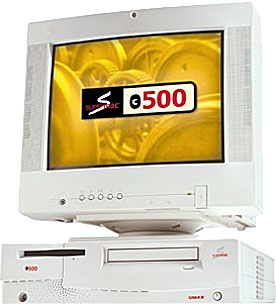 Apple has rightly targeted SOHO with computers such as the Power Mac 4400 and 6500. Umax has made significant inroads in the under-$1,500 market with its SuperMac C500 and C600. These are the buyers who are most interested in having a single device that can print, fax, scan, and copy.
But unless they go Windows 95, they can’t scan or fax from the Mac using one of these devices. A parallel port would allow Mac owners to connect such devices, leaving it to H-P, Xerox, and others to write the drivers. Building a parallel port into the Mac gets us halfway there.
Unfortunately for us, every Wintel box already has a parallel port, so it is unlikely there will ever be much market for a parallel card for the PCI bus found in Power Macs and most Mac clones.
An interim solution
You can take advantage of some of the capabilities of a printer/copier/scanner/fax machine with PowerPrint from Infowave ($100). The basic PowerPrint package comes with a serial-to-parallel cable that connects the Mac printer port or modem port to the parallel port on the printer. The included software lets you print to almost every popular parallel printer and most all-in-one devices. (One reader notes that PowerPrint 4 is up to four times faster than PowerPrint 3 was.)
For those with two or more Macs, PowerPrint Pro ($220) comes with a LocalTalk-to-parallel adapter, allowing you to add the parallel printer to your LocalTalk network.
I’ve worked with both – and they work beautifully, specifically with an H-P OfficeJet Pro 1150C. (If you’re interested in such a machine, look into the less expensive H-P OfficeJet 600, which is their lowest cost all-in-one unit with color copying.) The device still works as a conventional fax machine and copier. It is smart enough to put one job on hold while it finishes another (e.g., the print spooler waits until copying is finished).
What you lose are the ability to scan and to print to fax, which is what a Macintosh parallel port would make possible. Essentially, you’re paying for capabilities you can’t access, then spending $100-220 for the software that allows your Mac to use one feature of the all-in-one machine.
This is not a bad solution, but it certainly isn’t an optimal one.
That’s why Macs need parallel ports.
Until then, we can be grateful for the efforts of Infowave that let us use most parallel printers and some of the features of these all-in-one devices. (If only someone would write a driver to allow scanning via the serial-to-parallel or LocalTalk-to-parallel adapter.)
Other Solutions?
There are apparently two parallel port cards available for PCI-equipped Macs.
The first is the MultiPort/PCI from the Silicon Valley Bus Company (gotta love that name!). The card provides four serial ports, one parallel port, and a copy of PowerPrint to drive parallel port printers. However, at $400 this is an expensive way to obtain a parallel port. A parallel-only card bundled with a version of PowerPrint that supports print, fax, and scan would be ideal.
The second is Apple’s M5934LL/A PC Serial/Parallel PCI Card, which was announced in November at $100. “This card allows customers to hook up legacy IBM compatible or PC system peripherals to a PC Compatibility Card.” Whether it works from the Mac OS is unknown.
Until Apple makes a parallel port standard on each desktop Mac, there will be few inexpensive printer options for Mac users – and very little reason for anyone to write drivers for the fax and scan capabilities of the OfficeJet and its like.
UPDATE 2/24/98
This article has received some excellent feedback since I first posted it.
- One reader pointed out that there simply isn’t room on a Mac’s motherboard to add a parallel port. Point well taken. A parallel port on a card would solve this problem.
- Another reader noted that the serial-to-parallel adapter that comes with PowerPrint (at least version 3) isn’t bidirectional. A bidirectional adapter would make scanning a possibility.
- Some commented that FireWire and USB are just around the corner. My response: A great solution for the future, but we need parallel ports today.
UPDATE 1998.03.05
A reader has confirmed that Apple’s parallel card is specifically designed for use with their DOS card and has no support from the Mac OS.
UPDATE 1998.04.13
Read the article in MacWeek (no longer online) about Apple, Hewlett Packard, and Infowave teaming up to increase Mac support for HP printers.
UPDATE 1999.05.10
Canon has announced the first multifunction peripheral for Macs. Since this article was first written, Apple has adopted USB, making parallel ports moot. Third-party PCI cards allow many older Power Macs to use USB devices, making the Canon MultiPASS C635 an option for a majority of Mac users.
Readings on USB
- USB and the OfficeJet, Mac Musings
- USB: Where No Mac Has Gone Before, iMac Musings
- USB: Adequate at the Low End, Online Tech Journal
