
1999 – I cut my teeth on personal computers in 1979 on an Apple II+. Back then, the computer (not including floppy drive and monitor) cost over $1,500. Today, the 300 MHz Power Mac G3 is about the same price without floppy and monitor.
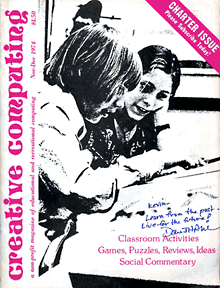
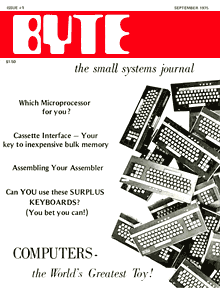

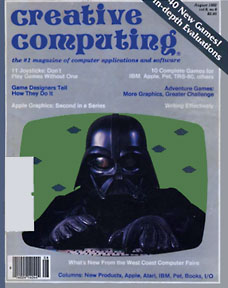
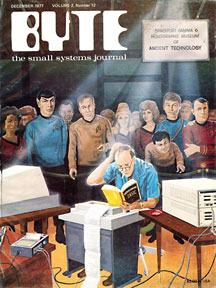
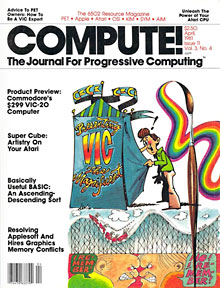
A lot has changed in the past 20 years of computing. Back in the late 1970s, almost all of us were hobbyists. We wrote programs in BASIC, played games (many typed in from program listings in Compute!, Creative Computing, Byte, and other magazines of the era), and read magazines and attended user group meetings so we could learn more about our computers.
We were mostly geeks and nerds, hackers in an era where that term had no negative connotations.
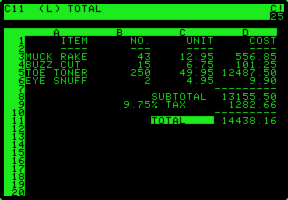 Then came VisiCalc, the first electronic spreadsheet. Businesses started buying personal computers. Word processing, databases, and spreadsheets became the hot applications. There was a new breed: the computer user.
The end user was celebrated every month by Jerry Pournelle’s “The User’s Column” in Byte, although the articles quickly revealed that Jerry knew a lot more about hardware than the average user.
Then came the IBM PC, MS-DOS, the Macintosh, and the graphical interface. In no time at all, users outnumbered geeks.
What Is a Geek?
My college roommate knows cars. He’s not a certified mechanic, just the backyard variety, but he understands them inside and out. (At least the old ones without all the computerized gadgets.)
Tim “the Tool Man” Taylor knows tools, although he doesn’t seem to know much about safety.
I’d consider them the equivalent to computer geeks in their own fields.
A geek is someone who really knows something, although the term is mostly used for those who are gurus of something electronic – and most often computers.
Bill Gates, Steve Jobs, Steve Wozniak, Adam Osborn, and a host of others are geeks. They are masters in specific areas.
I’m a geek. A lot of Mac webmasters are geeks. And a lot of people still using older Macs have developed a geek streak to keep their old Macs going in this day of ever increasing technology.
What’s the Point?
The problem is, we’re technicians first, users second.
That’s great for our friends, family, and coworkers when there’s a computer problem. “Dan can fix it.”
And, through persistent application of logic (a favorite Pournelleism), we usually pull it off. We restart, disable, zap, rebuild, reinstall – whatever it takes to make the old Mac smile and run properly.
And we’re good at it.
But we forget that we’re a minority. Most users want to know as much about their Macs as I do about my car. Frankly, I know how to use my car, not how to fix it or tweak it. I’m not a car geek.
I can talk on and on about backup strategies, optimizing throughput, system upgrades, hardware upgrades, benchmarks, performance, and so on (and on and on).
I used to do it with camera equipment, later with audio gear, and then got hooked on computers 20 years ago.
“My name is Dan, and I’m a geek.”
I’m comfortable with that. A lot of the people I work with are more than comfortable with it – they depend on my skills to troubleshoot their Macs. I’m good at it, although sometimes it does get tedious.
Geeks don’t give up. If there is a problem, we will solve it.
The Problem Again?
Oh, yeah, the problem is that 99% of users aren’t geeks and don’t care at all about MHz, RAM, drive size, networking protocols, backup speed, monitor resolution and pitch, or OS version.
Like me with my car, they just want it to work. It’s best if it doesn’t work too slowly, but unless they’ve worked with a faster computer, they’re generally satisfied with whatever they are using. (Exceptions: the few LC IIIs and PowerBook 180s we still have at work. No matter how you slice it, they’re slow – and even slower on the network.)
They don’t want to learn how to tweak cache size, partition a hard drive, create a RAM disk, install a font, or change network setup. They just want to use the tool.
For geeks, the right tool almost becomes an end in itself. It works, and it works the best I can make it work. If this is too slow or that is too small, I know what to change, what to buy, what to replace it with.
Geeks are more common in the Wintel world, since you need to know a lot more to keep those machines running. We’re less uncommon in the Mac world, but we have a significant function: Like the automotive mechanic, we fix things when they break, recommend preventive maintenance, and provide advice on making things better.
We do find it hard to understand ordinary users and their disinterest in all the things that fascinate us.
Just like my college roommate, who simply rolls his eyes when some comment betrays my automotive ignorance.
We’ve got to remember that we’re all in this together, users and geeks. Because of the Mac, users don’t need to know much about hardware – and we geeks shouldn’t hold it against them.
We’re wired different. If we weren’t, we wouldn’t be geeks.
Geek Like Me? An Introduction to Aspergers
2016 update: When I wrote this, I had no idea what Aspergers was, let alone that might be one. Aspergers Syndrome was only coming into its own as a diagnosis in the late 1990s, and as of 2015 the diagnosis has been changed to high functioning autism.
There’s a story behind that, one perhaps best told in NeuroTribes, which explains that Hans Asperger was working with social delinquents at the University Children’s Hospital in Vienna, Austria, where he became the director of special education. Boys were sent to him in the late 1930s and early 1940s for help in staying out of trouble with the law. These were mostly social misfits.
Leo Kanner was the American psychiatrist who first used the label of autism for children, which he characterized as an inability to relate to people and situations in an ordinary way. Kanner worked primarily with children on the low-functioning end of the autism spectrum.
It wasn’t until the 21st Century that people began to see autism as a spectrum disorder with some severely impaired by it and others nearly normal – whatever that is.
Aspergers (a.k.a. high functioning autism) is characterized by above average intelligence, precise use of language, poor nonverbal communication skills, clumsiness, and difficulty demonstrating empathy. Those with Aspergers often fixate on one or a few areas that they become experts in – perhaps Macintosh computers. Hans Asperger used the label “little professors” for these children.
Aspergers and autism are not caused by cold, distant mothers, as Kanner once believed, nor is it something individual grow out of. Whatever it is that puts us on the spectrum takes place in the womb. Those on the spectrum have brains “wired” differently from neurotypical people (a term those on the spectrum use for those not on the spectrum – regular people, in other words). Brain scans clearly show that where most neurotypicals have similar wiring, for those on the spectrum those patterns are very clearly different – and that can vary significantly from on person on the spectrum to the next.
As someone diagnosed with Aspergers/high functioning autism, I see how it has always shaped my life. Autism is not a disease to be treated or cured; it is a difference in how the brain functions that has often driven science forward thanks to out-of-the-box thinking.
I gladly embrace the label. It is a big part of my identity. #IamAspergers
For more on Aspergers and autism, I recommend:
- Temple Grandin, a movie about a woman on the spectrum
- Hugo Gernsback, the Father of Social Media here on Low End Mac
- Aspie Quiz, a tool that can help you determine if you might be one of us. This online test is constantly being tweaked and improved.
Keywords: #iamaspergers #aspergerssyndrome #highfunctioningautism #geek
Short link: http://goo.gl/4iFtwn
searchword: geeklikeme
