
There are pros and cons to working with an external hard drive. On the plus side, you can easily move your operating system, applications, and work files from one computer to another. And you can pick as big and fast a drive as fits your budget. And you can avoid having to open up a Mac mini, eMac, or iMac.
On the negative side, it’s one more piece of hardware plus cables, and an external drive costs more than buying a raw drive. But the biggest drawback I’ve discovered is spindown. You don’t want to have the drive spinning when there’s no reason for it, but neither do you want it going to sleep while you’re working.
I have a NewerTech miniStack connected to my eMac, and I follow one of the oldest mantras in computing: “Save early. Save often.” That means saving every few minutes, but sometimes OS X puts your external drive to sleep sooner than you’d like, and that means that you have to wait for the drive to spin up to speed before your file can be saved.
 That’s a nuisance, but the Energy Saver system preference gives you no control over the spindown setting. You can enable or disable “Put the hard disk(s) to sleep when possible,” but that’s it.
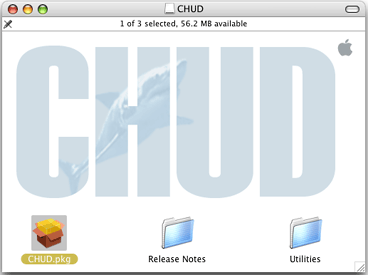
There is a way to change that setting, and all you have to do is download and install Apple’s free CHUD Tools (Computer Hardware Understanding Developer Tools). Once you’ve installed CHUD in Developer > Applications > Performance Tools, you can open the Hardware Tools folder, where you’ll find SpindownHD.app.
This is the program that lets you control how long your external hard drive(s) spin before Energy Saver puts them to sleep. You might want to try settings in the 10-15 minute range so you’ll be able to save your files while working without the spinup delay.
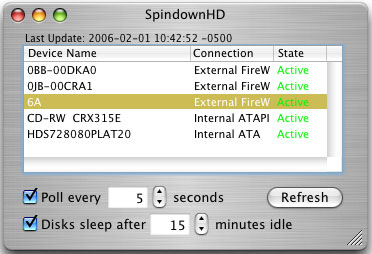 This gives you most of the benefit of Energy Saver without the save delay. The only drawback is that the hard drive sleep setting applies to all of your external drives. That means if you have two or more external hard drives, they’ll all spin up together – which is exactly their behavior under Energy Saver anyhow. It would be nice if you could set each drive separately – maybe in a future version of OS X.
Even with the longer spindown setting, the 200 GB 7200 rpm drive in my NewerTech miniStack enclosure rarely gets warm enough for the miniStack’s fan to kick in. It isn’t quite as quiet as using an internal hard drive, but I think it’s worth it for the flexibility – and avoiding the hassles of opening up that eMac one more time.
searchword: spindown
