
As my marriage was going down the drain, I figured that my best bet for meeting women would be the Internet. After all, I worked alone and on the Internet, and I wasn’t into the bar scene.
I started with something familiar. I’ve been using Yahoo! since it was just a search engine, and for a long time my home page was My Yahoo. I was a member of an online euchre league that played in Yahoo Games, and I had Yahoo Messenger on my computer. So it made sense to look at Yahoo! Personals.
Update: Yahoo Personals was acquired by Match.com and ceased as a separate service on July 21, 2010, at which point all Yahoo profiles were automatically merged into Match.com – including inactive ones.
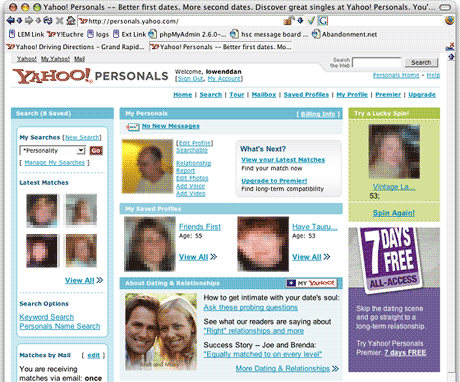
I’ve been using Yahoo Personals on and off since January 2004, and I really like the way the service works. The home page (below) has text links for running searches, taking a guided tour, checking your mailbox, looking at profiles you’ve saved, editing your profile, and upgrading to premier service.
On the left, you have access to your saved searches, as well as thumbnails showing four of the latest matches Yahoo has suggested to you. In the center column, you see your own primary photo along with edit links. Directly below your photo is the most recently added person among your saved profiles, and to the right of that might be another saved profile or a suggested match similar to your saved profiles.
Profiles
Matches are based on profiles, and you can see part of mine below. (Except for my own photo and Yahoo’s ads, I’ve deliberately blurred and used a mosaic filter on the photos in these screen shots. I’ve also removed IDs.) You can see my picture on the left with my headline and “about me” information to the right of it.
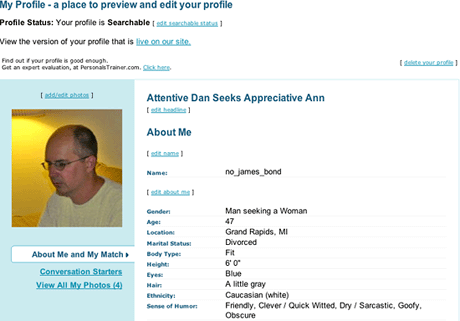
Data includes my ID, orientation, age, location, marital status (there are no “married” options on Yahoo, although they do offer “I’ll tell you later”), body type, height, eye color, hair color, ethnicity, and lots more. These are the fields others will use to search for compatible profiles.
There is also a text section where you can talk about yourself and your ideal match. Yahoo has to screen and approve any changes here, so don’t change it too often, because it could take your profile offline for up to 24 hours.
Yahoo allows up to five photos. My primary isn’t a great shot, but it’s the only one I have that’s less than a year old. It nicely shows off my cleanly shaved scalp, which I didn’t have in the earlier shots. Photos 2 and 3 were shot in May 2004, and photo 4 is from July 2004. (It’s hard to get a good shot when you’re usually the one behind the camera.)
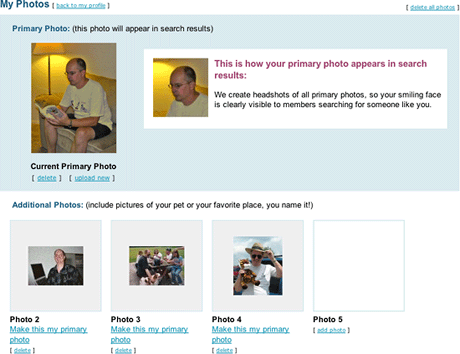
Not only do photos increase the likelihood that your profile will be searched, they also increase the likelihood that someone you reach out to will respond. Some subscribers simply don’t reply if you don’t have a photo posted. (One of my favorite profiles has four shots of what appears to be a cute woman using her camera phone to shoot herself in the bathroom mirror – and the camera is focused on the mirror, so she looks blurry.)
Some people put in family pictures, sunsets, cars, motorcycles, and other things that let you know a bit more about them.
Searching
There are only two ways to find matches – you can hope they find you, or you can search for them yourself. Here’s what a starter search window looks like. All of this data comes from your personal profile and what you’re looking for in a match. (No, you can’t include “drop dead gorgeous” or “abs of steel” – you’ll have to look within profiles for phrases like that.)
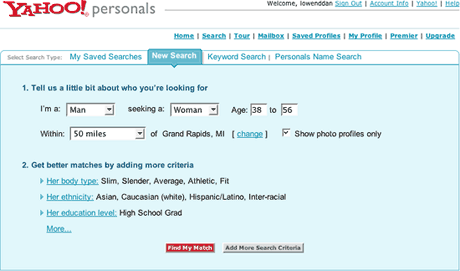
One thing to note – and this is true of all the online services I’ve tried – is that distance is a ballpark figure. If I put down 50 miles, which I think is reasonable, Yahoo might suggest matches 70 to 80 miles away. Not only that, but they measure as the crow flies, so a 200 mile radius gets me people in Wisconsin – as though there isn’t this huge lake between here and there.
If I say 50 miles, I want that to be road miles, and with a lot of small towns off the beaten path, a town less than 50 miles away as the crow flies might be 70 to 75 miles away when I drive on existing roads.
My suggestion, and one that Yahoo could probably implement more easily than any of the other services, is to use driving distances – and maybe even let the user choose a drive time. I’m willing to drive an hour, but depending on the roads, sometimes that’s 40 miles and sometimes it’s 70. Integrating personals with Yahoo Maps would make it easy to calculate distances and drive times – and let you locate those small towns you’ve never heard of.
Distance is an important thing to keep in mind. I tend to check with Mapquest or Yahoo Maps if I’m unsure how far away a prospective partner is.
Search Results
Here’s part of the first page of my primary search:
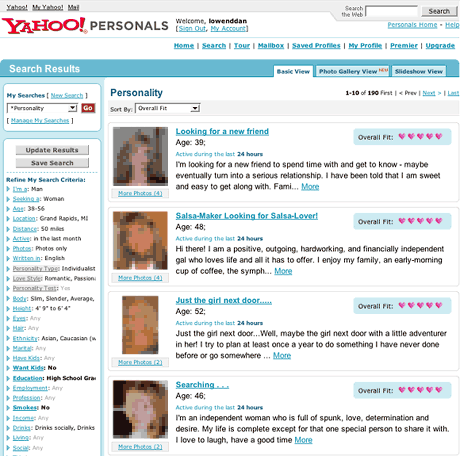
Yahoo has come up with 190 matches, and it displays ten per page. It also use a “five heart” scale to show how well that person matches my search factors. Five hearts means it might be a very good fit – but you’ll need to read profiles to get a feel for the people Yahoo suggests.
On the left, Yahoo shows your search factors, and you can change them on the fly. That’s a nice way to turn a search that’s too broad into one with more focus or take one that’s too narrow and widen your scope.
Another nice feature of Yahoo is that after you’ve identified someone you’re interested in, you can ask for similar profiles. I’ve found a few intriguing ones that way – and also a lot out in left field (much older or younger than I search for or way too far away).
Personality
One really nice feature added to Yahoo in the past year is a set of personality tests that help idenitfy your personality type (I’m an individualist) and love style (I’m a romantic). They also have information on which types and styles tend to be more compatible – and which ones you might want to avoid.
These tests also measure what Yahoo calls your personality dimensions. I rate very low on the extroversion scale (one more reason to use online personals), very high on the openness scale, in the middle when it comes to conscientiousness, and very high on agreeableness.
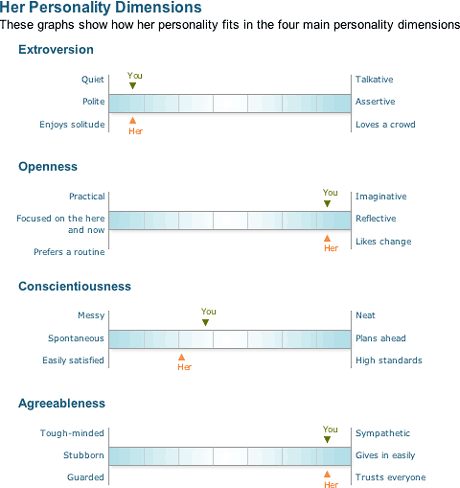
I actually found someone this week who is a romantic individualist and matches me on three of the four personality dimensions – and the fourth one is very close (see chart above). It will be interesting to see how this works out, especially since she’s 60 miles (but 85 minutes) away – we plan to meet somewhere in the middle. We’ve already spent quite a bit of time messaging, and we’ve both been pleasantly surprised at the similarities in our life stories.
Favorites
Yahoo lets you collect your favorite matches as saved profiles. This page includes thumbnails of your matches, their headlines, their IDs, their ages, their locations, the first several lines of their profile, and an indicator if they are currently logged in with Yahoo Messenger.
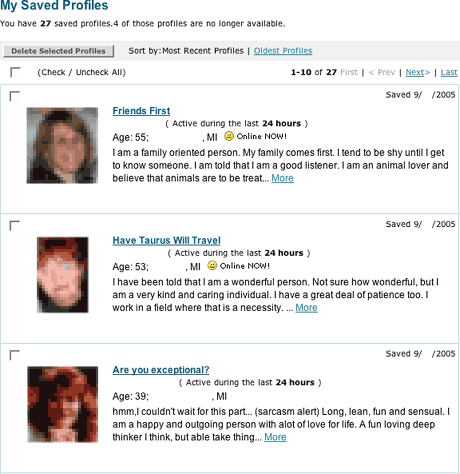
This is one of my favorite features. I made first contact with someone yesterday by email and then spent an hour or two messaging late in the evening. It’s a much more dynamic process than using email, and I began to feel a connection forming like I haven’t felt since last summer. And now I don’t have to be logged into Yahoo Personals to chat. As long as she and I both have Yahoo Messenger open, we can chat.
Speaking of email, Yahoo gives you several ways to sort your mailboxes. I sort by most recent correspondence, but there are other options. Here’s what my mailbox looked like Wednesday morning:
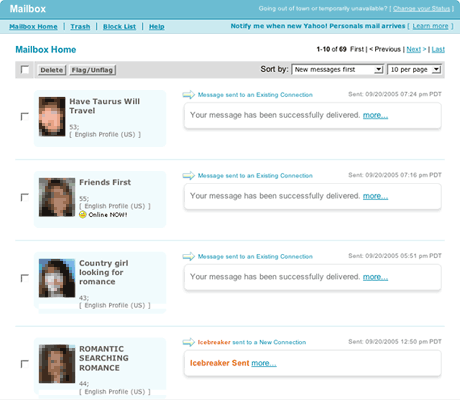
Not only can you send full-fledged emails, but Yahoo (like most services) lets you send an icebreaker as well. Icebreakers and emails are all stored in your mailbox.
As a security measure, Yahoo requires you to type in a distorted password before it will send out your email, and that’s my biggest bone with the service. I try to be as careful as I can, but sometimes the characters are simply not clear and other times it just doesn’t accept what I’ve entered.
I’d guess Yahoo rejects half of my messages because I’m not matching their passkey. And you can’t go back to resend your email – it’s gone. My habit now is to select all (Cmd-A), copy to my clipboard (Cmd-C), and then try to send the message.
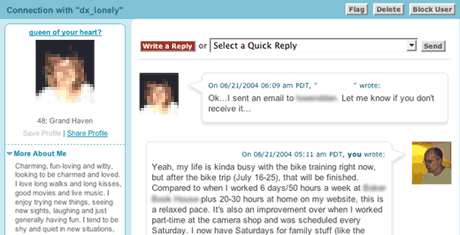
Last summer, Yahoo Personals implemented a cartoon-like balloon-based format for its email system. I like it, although I wish it would let you put messages in chronological order instead of reverse chronological order. Here’s a snippet from June 2004:
Value
Yahoo Personals is the most affordable online personals service I’ve signed up for. You can get one month for $20, three months for $45, or a whole year for $100. Compared to eHarmony, where it’s $50 for one month, $100 for three, or $250 for a year, Yahoo is a steal. Of course, there are more factors than price, and we’ll take a look at eHarmony soon.
Based on my time with Yahoo Personals, I’d recommend it as a great place to start looking for a partner. I’ve made a couple friends and met a soulmate. And I’ve made a few new contacts just this week. We’ll just see how they pan out.
- Online Personals: Dating for the Internet Generation
- Looking at Match.com
- eHarmony Is Different
- Tips for Getting the Most Out of Online Personals
Keywords: #onlinepersonals #datingsites
searchword: yahoopersonals
