
Matt's Macs
My Performa Coffee Break
- 2001.04.12 - Tip Jar
This column was first published in the MUGOO Newsletter in December 2000.
Lights, camera, whoa wait a minute!
Something like that happened on the entrance ramp to the Information
Superhighway. It was very 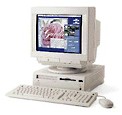 disconcerting
to have my Mac - my Performa -
act up when it was needed the most: to send in this column.
Specifically, it couldn't find my modem. That set in motion the
following sequence of events and a lesson learned.
disconcerting
to have my Mac - my Performa -
act up when it was needed the most: to send in this column.
Specifically, it couldn't find my modem. That set in motion the
following sequence of events and a lesson learned.
It was a comfort to know that my Performa booted up. As of late, however, there has been spikes in power while working on my Mac, and my surge arrestor worked to the extent where there was a momentary flicker on the monitor. However, my machine has acted weird lately, posting weird error messages, and the Recent Document file not listing recently opened files were symptoms that all was not well with the System Folder.
The System file in the System Folder itself was twelve months old, enduring let's say about 1,000 startups and restarts over the past year. Is there a possibility of file corruption? You bet! Next step, start cleaning house.
Where to start? After all, My Performa has a 4.3 GB hard drive divided into four volumes and runs three different operating systems (Mac OS 8.1, 7.6.1, and 7.5.5).
Where to start was to use my Zip Drive and a specially created
back-up disk containing a System Folder and  several utilities. This is the same
principal as using the Utilities disk that came with System 7.1.2P,
7.5, 7.6, and 8.0. Avoid booting from hard drive to diagnose problems
on the drive itself by using a floppy disk with its own System
Folder.
several utilities. This is the same
principal as using the Utilities disk that came with System 7.1.2P,
7.5, 7.6, and 8.0. Avoid booting from hard drive to diagnose problems
on the drive itself by using a floppy disk with its own System
Folder.
The advantage of using the Zip Drive is that a full sized copy of the Finder and the System file itself resided on it, as well as copies of Tech Tool 1.1.7, Disk First Aid, and Drive Setup, as well as backups of the control panels and extension folders, and some applications like SimpleText. Try fitting that on one floppy disk.
By holding down the Delete-Option-Shift-Apple keys at startup, the Mac looks for a System Folder on a something other than the primary hard drive, in this case my Zip disk. Onward and upward.
At this point, my Mac had the "8.1 Rescue" disk icon sitting prominently on the desktop in the upper right hand corner. The next step in troubleshooting and giving it a general housecleaning, was to remove the System and Finder file from the volumes running 8.1 software, and going into the Preferences folder and removing the Finder preferences as well. I put the files into the Trash. I then copied the System and Finder from the Zip disk into the System Folder of the volumes that had Mac OS 8.1 installed.
The next step was to run Disk First Aid, which found and corrected several errors on the volume that exhibited the original symptoms. Next was to run Tech Tool to rebuild the desktop on each volume. After the desktop was rebuilt, I ran Drive Setup to ensure the latest drivers were installed.
I booted my Mac from the hard drive. It seemed to run faster and experienced no problems booting up. However, the Free PPP set up could not find the modem. So, back to the Zip Disk to run Tech Tool to zap the PRAM. I went through this procedure and tried the modem again. This time I was puzzled; what was going wrong? Then I ran through what actions I had taken on my computer in the last 24 hours. One action was to remove a serial cable in order to hook my QuickTake camera to the Performa, then reinstalling it. What would happen if I switched the modem and printer cables?
After switching the serial port cables from the printer to modem ports and vice versa, my ramp to the Internet was opened again. My monitor flickering problem was still with me, but at least this article met the drop dead deadline.
About LEM Support Usage Privacy Contact
Follow Low End Mac on Twitter
Join Low End Mac on Facebook
Favorite Sites
MacSurfer
Cult of Mac
Shrine of Apple
MacInTouch
MyAppleMenu
InfoMac
The Mac Observer
Accelerate Your Mac
RetroMacCast
The Vintage Mac Museum
Deal Brothers
DealMac
Mac2Sell
Mac Driver Museum
JAG's House
System 6 Heaven
System 7 Today
the pickle's Low-End Mac FAQ
Affiliates
Amazon.com
The iTunes Store
PC Connection Express
Macgo Blu-ray Player
Parallels Desktop for Mac
eBay

