
Matt's Macs
At the Movies, Act 2
- 2001.03.29 - Tip Jar
This column was first published in the MUGOO Newsletter in October 2000.
Don't touch that mouse! Let's jump in. Several movies (well, snips
from movies) can be found at http://home.att.net/~myperforma.
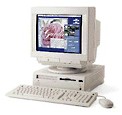 In order to view or hear the movies, either Movie
Player 2.5.1, SimpleText 1.4, or QuickTime 2.5 software must be
installed as a minimum!
In order to view or hear the movies, either Movie
Player 2.5.1, SimpleText 1.4, or QuickTime 2.5 software must be
installed as a minimum!
There are several choices for creating movie files on my Performa. My choices are limited by the type of digitizing hardware used to convert data received from a device which is the source that generates or stores the audio/video data. The two parts must be compatible in order to create a readable file.
The table below matches digitizing hardware with the data source, whose output can be saved as a file that can be played by an appropriate application such as QuickTime.
|
|
|||||||
|
|
|
|
|
|
|
||
|
Recording or Storage Device |
|
|
|||||
|
|
|
|
|||||
|
|
|
|
|||||
|
|
|
||||||
|
|
|
|
|
|
|||
|
|
|
|
|||||
The Connectix QuickCam is connected by a serial cable to the motherboard via the serial port. An Apple TV/Tuner Card is not required. The output is audio/video recorded as a "Quick Movie" file. Note that my QuickCam records in black and white as well as shades of gray.
Several different ways to record or retrieve video and/or sound are possible using the Apple TV/Tuner Card. Movies are recorded in millions of color by using a VHS video camera. I use a Panasonic PV-320D (circa 1987) video camera to either record video or as a VCR on the fly to play back previously recorded movies. I then hook the camera to the video card input ports using cables with RCA jacks. The output is a SimpleText movie file.
By hooking up a TV antenna, hooked into the TV card, which in turn, is installed directly onto the motherboard, my Performa can be used as a VCR to record a TV show, let's say M*A*S*H. The output again is a SimpleText movie file, albeit quite large. The same is true of audio files generated from using a plain talk microphone or CD-ROM the device to generate data that is then digitized. The files saved are large files.
Reading and playing back files is a matter of hardware and software. And fun to use!
Next Time: Software and editing movies.
About LEM Support Usage Privacy Contact
Follow Low End Mac on Twitter
Join Low End Mac on Facebook
Favorite Sites
MacSurfer
Cult of Mac
Shrine of Apple
MacInTouch
MyAppleMenu
InfoMac
The Mac Observer
Accelerate Your Mac
RetroMacCast
The Vintage Mac Museum
Deal Brothers
DealMac
Mac2Sell
Mac Driver Museum
JAG's House
System 6 Heaven
System 7 Today
the pickle's Low-End Mac FAQ
Affiliates
Amazon.com
The iTunes Store
PC Connection Express
Macgo Blu-ray Player
Parallels Desktop for Mac
eBay

