
Matt's Macs
My Performa, Take No. 2
- 2001.03.09 - Tip Jar
This column was first published in the MUGOO Newsletter in September 2000.
Don't touch that mouse! It's My Performa at the Movies, Take No. 2. Movie camera. Action. Take 3!
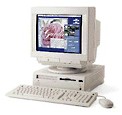 Hey, where's the popcorn! It's time for the
movies with my Performa!
Hey, where's the popcorn! It's time for the
movies with my Performa!
That's right. My Performa, with the QuickCam and the Apple TV Tuner/Video hardware and associated software installed, is a virtual recording studio. Digital movie making and recording was possible on Macs for many years prior to iMovies on iMacs and iBooks. Yes, movies, with a small "m," compared to an iMovie. Movies nonetheless; QuickTime movies to boot.
Mix together some creativity, patience, practice, and the necessary hardware and software, and a movie can be created and captured on your Mac, and then transferred to video tape before your eyes. Several items are required to create a movie on your Mac: digitizing hardware, a source to capture video to and from, software players, and software editors.
- (Before I start, there is a secret of mine to share. The reason why I bought my Performa was Apple's marketing campaign promoting the Quadra 630 series multimedia prowess. I thought neat, the this could be a lot of fun. Well, I can say Apple delivered with my Performa!)
Back to the story: to make a movie you have to have the hardware to digitize video and then the source to capture video. The Mac for your digital studio either must have built-in circuitry, an optional Apple TV Tuner/Video Card, a third party digitizing video card, and/or a peripheral that connects through your Mac's modem or printer port.
If you have an Audio/Visual (AV) Mac, whether 68K or Power PC, your Mac has built-in digitizing circuitry. The Quadra 660AV or 840AV Macs come to mind immediately as Macs with digitizing circuitry built-in. Other AV models include the Power Mac 6100, 7100, and 8100 AV models. There are other Power PC models, such as the 8500, that came equipped with built-in digitizing circuitry as well.
Other Macs however come with digitizing circuitry, but require installation of an optional Apple TV Tuner/Video card. Macs in this category are the Quadra 630 series, such as my Performa, or the 6200 and 6300 series Power Macs.
If you don't have a Mac with digitizing circuitry, digitizing capability can be added by installing a video card into an expansion slot. By the way, this is the only way to get video capability for some 68K through G3 Macs. Last, but not least, is to add a third party peripheral such as Connectix QuickCam camera. This device provides digital movie making capability by connecting to your Macs motherboard through the Macs modem or printer serial ports.
The other half of the hardware equation is the source from which to capture video. The source of video can be TV, which can be captured built-in your computer if you have a Apple TV Tuner or third party video card installed. Another source is connecting your TV, VCR, video camera or other video devices that have video out put jacks to the RCA port or video input port on your Mac. The last source for video is through a third party peripheral device, such as a Connectix QuickCam that connects through the Macs serial port.
Next week: Act 02. Software and Movies.
About LEM Support Usage Privacy Contact
Follow Low End Mac on Twitter
Join Low End Mac on Facebook
Favorite Sites
MacSurfer
Cult of Mac
Shrine of Apple
MacInTouch
MyAppleMenu
InfoMac
The Mac Observer
Accelerate Your Mac
RetroMacCast
The Vintage Mac Museum
Deal Brothers
DealMac
Mac2Sell
Mac Driver Museum
JAG's House
System 6 Heaven
System 7 Today
the pickle's Low-End Mac FAQ
Affiliates
Amazon.com
The iTunes Store
PC Connection Express
Macgo Blu-ray Player
Parallels Desktop for Mac
eBay

