
Matt's Macs
Resources and Upgrading by a Weekend Warrior
- 2001.03.01 - Tip Jar
This column was first published in the MUGOO Newsletter in June 2000.
I was thrilled to have my
Mac when I brought it home in 1994. Gee whiz, 5 megs of RAM, System
7.1.2P, a 68LC040 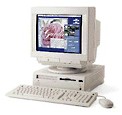 chip, a 250 megabyte hard drive,
Claris Works 2.0, and Quicken 4 - not to mention a 9600 baud modem.
Wow!
chip, a 250 megabyte hard drive,
Claris Works 2.0, and Quicken 4 - not to mention a 9600 baud modem.
Wow!
Boy, looking back at those heady days, it seem so long ago - now that I have 36 megs of RAM, 8.1 OS, a 68040 processor, a 4 gig hard drive, AppleWorks 5.0, and Quicken 2000. The path from old Performa to new Performa had several loops, dead ends, and plenty of lessons learned from upgrading hardware and software. What made it successful was being resourceful, having a willingness to learn, and focusing on requirements, not desires.
When there were problems along the way, it was the result of a serious bout of LAGS (Latest and Greatest Syndrome) and CPU envy. Lessons learned are: Make sure that hardware is adequate for software; Plan the upgrade and the tradeoffs; and Patience, patience, patience. Now a walk into the past
Software Upgrade/Hardware Upgrade Tango
The first upgrade was upgrading my operating system from System 7.1.2P to 7.5. This was the first of several OS upgrades. The process went smoothly. All my old applications worked fine, and I downloaded the subsequent 7.5.3 and 7.5.5 releases. There were no problems running old applications under System 7.5; the problem was that my machine kept crashing from insufficient memory! It turned out while 7.5 ran on my Performa with 5 MB of RAM, 8 MB was the recommended minimum. There were two solutions at the time; upgrade RAM by installing an 8, 16, or 32 MB SIMM or choose the software solution.
Apple technical support recommended the hardware solution. It was, in fact, more than a recommendation; it was policy. Apple support was noncommittal regarding how a software solution, like RAM Doubler, would work. Well, it seemed clear: Buy the SIMM, and don't take a chance on a software solution. The next factor to consider was cost.
At the time, RAM was $25 a MB; a 8 MB SIMM would cost $200. RAM Doubler was $50. The question now became, do I tradeoff quality and the sanctioned solution or go with the unknown quality, low cost, and questionable solution? I opted for the less costly route by installing RAM Doubler. Now may machine ran as though it had 10 MB of RAM.
The choice for RAM Doubler was reasonable. Nearly all my crashes were eliminated, and my applications ran well. There was another tradeoff, though, in performance. My Mac now seemed to run slower, because, in fact, it was running slower. The virtual memory scheme which RAM Doubler employed came at the expense of speed. Fair is fair, though, and I saved $150.
Next Time: Resources and Upgrading by a Weekend Warrior, Part 2, or 7.6 to 8.1: only megabytes from success.
About LEM Support Usage Privacy Contact
Follow Low End Mac on Twitter
Join Low End Mac on Facebook
Favorite Sites
MacSurfer
Cult of Mac
Shrine of Apple
MacInTouch
MyAppleMenu
InfoMac
The Mac Observer
Accelerate Your Mac
RetroMacCast
The Vintage Mac Museum
Deal Brothers
DealMac
Mac2Sell
Mac Driver Museum
JAG's House
System 6 Heaven
System 7 Today
the pickle's Low-End Mac FAQ
Affiliates
Amazon.com
The iTunes Store
PC Connection Express
Macgo Blu-ray Player
Parallels Desktop for Mac
eBay

