Miscellaneous Ramblings
Are the White iBooks Still a Good Bet or Should You Steer Clear of Them?
Charles W. Moore - 2007.08.20
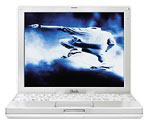
The dual USB iBook has turned out to be not only the longest-in-production Apple notebook computer ever - on the market in various versions for just over five years - but also one of the most controversial.
 It has to be
acknowledged that the reliability record of some "iceBook" models is
simply horrendous - so bad that Apple offered an unusual extended
repair program (now expired) through which iBook G3 users within a
specified serial number range could get their computers' logic boards
replaced if the defect materialized, something the company hadn't done
for a laptop model since the infamous PowerBook 5300.
It has to be
acknowledged that the reliability record of some "iceBook" models is
simply horrendous - so bad that Apple offered an unusual extended
repair program (now expired) through which iBook G3 users within a
specified serial number range could get their computers' logic boards
replaced if the defect materialized, something the company hadn't done
for a laptop model since the infamous PowerBook 5300.
It was widely believed (or at least hoped) that the problem had been licked with the introduction of the G4 iBook in late 2003. From time to time the odd complaint about a G4 iBook logic board failure has come to my attention, but a certain incidence of such failures can be anticipated with any computer model.
A Design Flaw?
However, earlier this year Denmark's Consumer Complaints Board reported in a press release that it has documentation showing that there is a design fault in the G4 iBook; it demanded that Danish consumers be able to return computers with this fault to Apple. Danish bureaucrats claim that a substantial percentage of of iBook G4 users experience the the computer shutting down spontaneously and the display screen going blank afterwards, a problem that allegedly manifests at just over one year's use. Apple rejects the complaint, maintaining that there is no question of a design fault and that the 12 month warranty has expired (although users who purchased AppleCare would be covered for three years).
The test laboratory that investigated the iBook for the Danish government determined that a solder joint between two components on the logic board is prone to breaking after the computer has been turned on and off a sufficient number of times and that the joint eventually severs completely,
This story, which was widely reported on the Mac Web, naturally caused some anxiety for owners of G4 iBooks and caused persons who had been considering the purchase of one of these machines as a used or refurbished unit to have second thoughts.
Should you steer clear of the dual USB iBook? There are certainly a lot of them out there on the used market, many at very attractive prices.
Personal Experience
It still looks great and works perfectly - and is surprisingly lively running Mac OS X 10.4.9. The display is still bright and sharp, and even the long-suffering 20 GB IBM hard drive remains whisper-quiet. I still really like this computer, except for the mediocre keyboard, but I mostly just hook up an external keyboard anyway.
However, the 700 MHz G3 iBook has just about the worst reliability record of any Apple laptop ever, so go figure.
 On the
other hand, my daughter has a 1.2 GHz G4 iBook that she has
used hard with little maintenance since she purchased it in October
2004. She carried it in a backpack through Europe in the summer of
2005, used it as her workhorse during her two last years of university,
and has had it with her in Japan, where she is living and working, for
the past year. For the first two-and-a-half years, her iBook was a
reliable performer, but recently, sad to relate, it has begun to
manifest the sudden shutdown disease.
On the
other hand, my daughter has a 1.2 GHz G4 iBook that she has
used hard with little maintenance since she purchased it in October
2004. She carried it in a backpack through Europe in the summer of
2005, used it as her workhorse during her two last years of university,
and has had it with her in Japan, where she is living and working, for
the past year. For the first two-and-a-half years, her iBook was a
reliable performer, but recently, sad to relate, it has begun to
manifest the sudden shutdown disease.
A friend of mine who got one of the very last 1.33 GHz G4 iBooks in May 2006 - actually delivered just as the MacBook was introduced - got barely more than a year of use from it before the logic board failed.
Apple's Most Repaired Model Ever
Of course, a handful of anecdotal cases can't be regarded as conclusive one way or the other. The white G3 iBook was statistically the least reliable Apple laptop of the 1999-2005 era, and by a wide margin, with the absolute nadir being the 2002-2003 models (mine was purchased on the cusp of those two years). I've heard of users who have had up to four logic boards replaced under either AppleCare or the extended service program.
In the MacInTouch iBook and PowerBook Reliability survey, which was not scientific (since respondents were self-selected), more than 10,000 readers reported on 41 models, which should be more than broad enough to give a fairly reliable statistical indication of relative reliability. At the time the survey was conducted, the G4 iBook scored from middle-of-the-road to better than average - doing roughly as well as the PowerBook G3 Series, which is widely lauded for reliability, and substantially better than the PowerBook G4 Titanium models. However, the G4 iBook was relatively young as a model at the time of the survey, and I expect its reliability record would be worse were a similar survey conducted today.
Recommendations
However, if you like the iBook form factor and are looking for a 'Book in the $200 to $650 range, I think that even G3 dual USB iBooks make better sense than a Pismo or early revision Titanium PowerBook for roughly the same price. The 700 MHz G3 and later iBooks had a much better video card with 2-4 times the video RAM of a Pismo or Mercury TiBook, and the screen on the 12" model is superb.
The last revision 1.33/1.42 GHz G4 machines have 512 MB of RAM soldered to the motherboard (expandable to 1.5 GHz), Apple's Sudden Motion Sensor and Scrolling Trackpad technology, and a Radeon 9550 graphics processor fully supporting Core Image in OS X 10.4 Tiger, which is a pretty decent list of attributes for $600 or so.
On the other hand, especially if you're planning on using the machine routinely as a mobile device, I would be inclined to steer you toward a 12" PowerBook, even at a somewhat higher price.