
1999: Adobe Type Reunion and Apple’s Font Manager turn out to be the culprits.
My PowerBook 3400c-owning friend in Minnesota, Chris Long, recently talked his boss into buying him a new 400 MHz Yikes! Power Mac G4 workstation. Lucky guy.
 However, the transition to the G4 has not gone as smoothly as Chris would have liked. All went well until Chris began running the combination of Adobe Type Reunion (ATR) and Quark XPress 3.32r5. He tried installing (and ripping out) ATR (the latest version: 2.51) four times, but couldn’t get Quark XPress to run without hard-crashing his Yikes – on two occasions rendering the machine unbootable from its hard drive.
Chris finally concluded that ATR simply would not run on the G4. He wasn’t sure whether it was Mac OS 8.6, Quark XPress, or the G4 that ATR objected to, but he simply could not get it to work properly.
An alternative was obviously required, and Chris happily found one that worked quite similarly to ATR: Power-On Software’s Action WYSIWYG, a font utility designed to give you total control of your Font menus, allowing you customize the menu the way you like it, grouped the way you want, in a multi-column menu showing fonts in their actual typefaces.
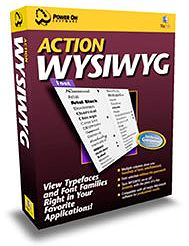 Action WYSIWYG features include:
- Multiple column font menus. See hundreds of fonts on the screen at once with up to ten columns of fonts per menu.
- Customizable for each application. Display only the fonts you need for each application.
- Group fonts. WYSIWYG automatically groups fonts into sub menus by font family for fast access.
- Show fonts in WYSIWYG or non-WYSIWYG typefaces – Display fonts in WYSIWYG or normal typefaces and then switch between modes instantly with a keystroke.
- Rearrange font menus. Reorder fonts in menus and assign size and color to each font.
- Supports most major applications, including Adobe products and Microsoft Office applications.
Chris downloaded the free Action WYSIWYG trial version and found that it worked just fine, so one problem was solved. Chris decided that if Adobe didn’t update ATR within the next 30 days, he would buy the Action WYSIWYG utility ($30) and use it permanently.
However, he wasn’t out of the woods yet. Chris found that using Quark XPress (even without ATR) on the G4 was no joy at all. “Selecting a simple item on the screen would take 6, 8, 10 seconds from the click to the actual select,” he says. “Even my old 601 machine did better than that by a long shot.” Chris tried reinstalling a bunch of things and pulling several nonessential extensions and control panels, but to no avail.
The solution to this problem turned up in the monthly newsletter Design Tools Monthly, which pointed out that the Apple Font Manager plug-in that Chris had downloaded and added to OS 8.6 (which is supposed to fix a font-corrupting bug) was in fact causing problems. The newsletter pointed him to another vendor, DiamondSoft, which had a free plug-in to fix the problem, so Chris tossed Apple’s Font Manager and installed DiamondSoft’s Font Fixer plug-in.
Chris was delighted with the results. “This G4 hasn’t crashed once – not one time since the switcheroo,” he told me. “That was a few days ago, and Quark XPress is now racing along at top speed, as it should. All problems are solved!
“What kills me,” says Chris, “is my innocence (naiveté?) in thinking that Apple’s posted ‘fix’ was in fact actually a fix and not a problem-causing piece of junk. I never in a million years would have considered it as the source of all these problems – primarily because I’d already forgotten I even added it to OS 8.6 (duh).
“Those guys better get their stuff together. It took me a good week of hair-pulling to get this thing up and running properly.”
Now that the teething problems are dealt with, Chris says that the G4 is a wonderful machine, and he’s cranking out work like never before.
Appendix
DiamondSoft’s statement on the Apple Font Manager bug:
DiamondSoft has uncovered a bug in Mac OS 8.6. The bug, which is in the Mac OS 8.6 Font Manager, can cause certain fonts to become corrupt, leading to application and system crashes. The problem occurs with older style fonts, specifically fonts which have “FONT” resources in them. Using Mac OS 8.6, if one of these fonts is “looked at” by any application, the system puts a corrupt resource into the font. From that point on the font is corrupt and can crash your application or your system if used by any application.
The problem can also occur with older style fonts embedded within applications. For example, Adobe PageMaker 6.5 has an embedded font containing a FONT resource. This problem can make PageMaker crash on startup when running on Mac OS 8.6.
Certain applications which provide password protection dialog boxes use an embedded font to display the “bullets” which hide a users password. Some of these programs are also prone to the problem.
DiamondSoft has released a small System Extension, called “FONT Fixer for 8.6”, which automatically fixes the problem by fixing the corrupted fonts immediately after Mac OS 8.6 has corrupted the font. This fix is being made available, free of charge, to all users of Mac OS 8.6.
To download “FONT Fixer for 8.6”, go to <http://www.fontreserve.com/update/info.html> and download under the date heading “June 23, 1999.”
