
1999: While Apple’s new AirPort wireless LAN system is only directly supported so far by Apple on the iBook and G4 Power Macs, that doesn’t mean that owners of earlier Macs are shut out.
Apple developed AirPort cooperatively with Lucent Technologies based on the IEEE standard 802.11b network protocol, which is compatible with wireless networking products made by several manufacturers (including Lucent) for both Macs and PCs. Consequently, owners of non-AirPort Macs – especially PowerBooks – can still connect to AirPort networks.
However, users of current third-party wireless LAN products should not expect performance matching AirPort’s amazing throughput of up to 11 Mbps. Earlier 802.11 (without the “b”) products deliver 2 Mbps or less, but we can safely expect manufacturers to be scrambling to close the gap.
Currently available third-party Wireless Networking Products include:
SkyLine, 2 Mbps
 The only third-party wireless solution so far that explicitly claims AirPort compatibility is Farallon Communications’ SkyLine Wireless PC Card for portable computers, which provides PowerBook users wireless access to network resources such as file servers, email, printers, and the Internet.
SkyLine offers PowerBook users interoperability with AirPort. Additionally, SkyLine-equipped computers can connect to a wired Ethernet network through IEEE 802.11 DSSS compatible access points from manufacturers such as Nokia, Lucent, Maxtech, Nortel, and Zoom. SkyLine users can also create an ad hoc peer-to-peer network between two or more portable computers. A Control Panel provides a real-time signal strength meter (Macintosh version only), network statistics, and dynamic configuration, omitting the need to restart.
SkyLine Wireless PC Card specifications and features include:
- 2 Mbps Type II PC Card (PCMCIA) with the Harris PRISM chip set for advanced Direct Sequence Spread Spectrum (DSSS) technology in the 2.4 GHz radio frequency band
- IEEE 802.11 standard, including translation and encapsulation addressing modes, for seamless integration with any Ethernet network – Compatibility with 802.11 DSSS access points from manufactures such as Apple, Nokia, Lucent, Maxtech, Nortel (formerly Bay Networks), and Zoom – Support for peer-to-peer ad hoc networking – Range of up to 1000′ in open air and up to 300′ indoors to an access point or other wireless device
- Farallon test utilities and at-a-glance status LEDs simplify troubleshooting
- Unique Control Panel with real-time signal strength meter (Macintosh version), statistics and dynamic configuration
- Free Dr. Farallon technical support and 3 year warranty
Farallon’s SkyLine Wireless PC Card has a US Estimated Street Price of $299.00, and is available through major distributors and resellers worldwide, dependent on individual country certification requirements.
Lucent WaveLAN Bronze, 2 Mbps
Lucent’s own line of 802.11 compliant wireless networking products are mostly PC-oriented, but some of their Ethernet/wireless adapters should be cross platform compatible, especially since Lucent was Apple’s partner in developing the AirPort technology.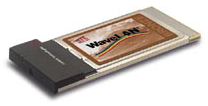
Lucent’s WaveLAN IEEE 802.11 PC Card (Bronze) features 5.0V support for multiple host platform power supply options, and an external antenna connector allows you to add an external antenna when a different antenna location or a range extension is required.
The WaveLAN PC card can be used with the following Lucent products:
- WaveLAN Range Extender Antenna
- WavePOINT-II Access Point
- WaveACCESS LINK WP-II
BreezeCom Wireless Networking, 3 Mbps
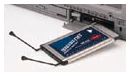 BreezeCom Wireless Networking offers hubs that combine Ethernet with wireless networking and devices that utilize a computer’s Ethernet port to use wireless networking. These products are very likely platform transparent, being based on the 802.11 protocol. However AirPort compatibility is not claimed so far by BreezeCom.
BreezeCom’s PC Card Adapter SA-PCR PRO.11 offers a claimed data throughput rate of 3 Mbps, is compliant with the 802.11 standard, and supports wireless connectivity for both peer-to-peer and server-based local area networks. The SA-PCR PRO.11 allows direct wireless communication of a laptop computer through a BreezeNET PRO.11 Access Point AP-10 PRO.11
No Wires Needed Pelican 1100 WLAN Hub, 11 Mbps
Any device that can be connected to Ethernet can interface through a Pelican 1100 Wireless WLAN Hub.
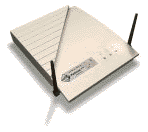 Pelican 1100 features include:
- High speed, 11 Mbps, wireless Hub
- Links Ethernet-based devices to the wireless network
- Interoperable with IEEE 802.11 (DSSS) compliant equipment
- Three LEDs for immediate status reporting
No Wires Needed’s Pelican 1100 802.11 based hub seems to be similar in function to Apple’s AirPort Base Station.
keywords: #80211 #80211b #airport
