Miscellaneous Ramblings
Adventures in Mac Antiquity, More Thoughts on Computer Depreciation
Charles W. Moore - 1999.08.27
NOTE: This Miscellaneous Ramblings columnoriginally appeared on MacOpinion on August 27, 1999.It is republished here by permission of the author andMacOpinion.
I've been thinking about computer depreciation again. Whatsparked this latest reverie was a letter fromreader Jeff Trott (which appears in the mailbagsection below) about how he bought a mint 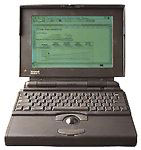 condition PowerBook165 at a yard sale for $150. What a deal - so long as what youwant the 'Book as a portable word processing and email machine. Ihave a friend who has been using a PB165c for this sort of duty for years, and he has no intentionof upgrading as long as the tough old PowerBook keepspercolating.
A customer of my son's has a PowerBook145 that has been through two motherboards and sundry otherrepairs. Last year he dropped it, and some stuff (like the floppydrive) came adrift inside. This guy wouldn't give up on the old'Book, however, and brought it to Tristan to fix. Tristan took itapart, found a thin piece of ash in the backyard scrap lumber pile,and used the wood to anchor the 145's guts to the broken plasticcase. The old Mac booted up fine, and the customer left happy.
Last night my brother-in-law showed up with four old Macs in towthat he had picked up at a university yard sale for $40 (actuallyit was $60 Canadian, but I'll keep things in U.S. equivalents tominimize confusion). The 128k,two SEs and a IIsi would have cost a sum total ofUS$13,700 new, and all but the 128k still work. One of the SEsturned out to have a 68020 upgrade card in it, so who knows whatthat cost new! This old Mac extravaganza was in aid of getting acheap word processing and email box organized for my niece to taketo university with her next week.
Initially, an SE/30 (costnew $4,900) was purchased on eBay, but did not turn out so well. Ithad been used as a server and was not in great shape. There is anelusive motherboard problem that causes it to take forever to boot,and the power supply expired last week with a loud bang. The theorywas that a used SE would be found to cannibalize a power supplyfrom.
Plan B (or C, or D - I've lost track) is to use the SE with theupgrade as an alternate, since it appears to work fine, although itwon't support the ethernet card from the SE/30. Another possibilityis to use the IIsi, which makes reassuring booting sounds whenpowered up, but is still an unknown quantity because the Apple 13inch monitor purchased with it (for $5) cannot be coaxed to work(or perhaps it's the video in the IIsi), and this PowerBook andall-in-one centric family has no other monitors handy to check itout. It seems bizarre, but by rough count I think there are 15 Macsin the house as I write this, and the only freestanding monitoramong them is the IIsi's $5 jobbie! One of the disadvantages ofliving 50 miles from town in the depths of Wintel country is thatyou can't come up with things like Mac monitors for testing onshort notice.
Anyway, this saga is ongoing as I submit this column, and Iexpect that a PowerBook will be connected to the 13 incher in orderto check it out.
Getting back to the issue of depreciation, if you count theSE/30, plus the original purchase price of the questionable monitorand the 68020 upgrade card, we're talking a collection of hardwarethat cost some $20,000 less than 15 years ago, and now itessentially has scrap value. I suppose you could say the same ofcars, stereos, TVs, or various other high-end "consumables" ofsimilar vintage, but the hard cash figures still make me swallowhard.
The upside of this is that all these machines, if they can bemade to work, are still useful machines on a limited basis, and iftheir usefulness is useful to you, then depreciation has worked inyour favor. Indeed, I read somewhere 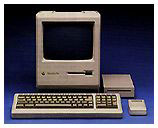 recently that 78 percent of Macintoshes ever builtare still in service. My wife still uses our old Mac Plus for word processing and email,which is pretty much the extent of her interest in computers, andthe venerable Plus with its whopping 2.5 MB of RAM runs EudoraLight and MS Word 5.1 nicely.
The question occurs as to whether today's G3 PowerBooks and iMacs will be as usable when they're10-12 years old as the ancient compact Macs are. If not, at leastthey were cheaper to purchase than the old SEs and IIsi.
iBook FAQ Web Page
EveryMac.com has posted an iBookFAQ page, where you can get answers to your iBook-relatedquestions. For a limited time, you can also enter to win an ixMicroix3D RoadRocket, an ATI RAGE Orion, or an XLR8 MACh Carrier G3 400in EveryMac.com's Third Anniversary Contest. Entry is free.
Use Your Newton or Palm PDA as a Handwriting Recognition Enginefor Your Mac
Foundation Systems has announced WriteHere Suite 1.0, asuite of applications for Mac OS, Palm OS, and Newton OS computersthat allows you to use your handheld PDA as a handwritingrecognition engine for your desktop Mac or PowerBook.
This idea certainly appeals to me as a potential way to give myhands a break from typing, since writing with a pen or pencildoesn't seem to aggravate my peripheral neuritis nearly as much astyping does. In fact, hearing about this software has me lookingfor a deal on a used Newton or Palm.
By connecting the PDA to the computer's serial port andlaunching the WriteHere Server software, you get handwritingrecognition in all of your applications. You can also use your sendcommand-keys or use your handheld as a game controller. TheWriteHere Server application runs in the background on your Mac andlistens for input from your Palm organizer or Newton.
WriteHere features include:
- Handwriting Recognition on the desktop. Use you handheldcomputer as a HWR engine for your desktop applications.
- Control your computer. Send keyboard commands from yourhandheld to the desktop.
- Gaming. Use your handheld computer as a game controller foryour desktop.
- Convenience. Bring the convenience and simplicity of thehandheld to the desktop world.
WriteHere System Requirements:
Mac OS
- Mac OS 7.x or higher
- AppleScript Support.
- Serial port or USB port with serial adapter.
- 2 Megabytes (MB) of memory
Palm OS
- Palm OS 2.0 or greater.
- 14 KB of storage space.
Newton OS
- Newton OS 2.0 or greater.
- 70 KB of storage space.
WriteHere Suite 1.0 is available now for Mac OS, Palm OS, andNewton OS users, priced at $19.95. Registered users of previousversions of WriteHere for Newton OS can upgrade for free. A Windowsversion of WriteHere Server is currently under development.
Free Word Processors
As promised back in July, Corel Corporation last week posted theWordPerfect3.5 Enhancement Pack for Mac on their website as a freedownload.
Despite some "minor incompatibilities" with the latest releaseof the Mac OS (8.6), Corel believes that WordPerfect 3.5 forMacintosh continues to provide great value to the Macintoshcommunity. Certainly one cannot argue with the value if it's freeand it works. There are quite a number of reports that thoseincompatibilities aren't as minor as Corel suggests, but others saythat WordPerfect works just fine on their Macs, even running OS8.6. It is possible that the problems encountered are due toconflicts with third party software, which is of course an almostinfinite variable.
Corel WordPerfect 3.5 Enhancement Pack for Macintosh, releasedin August, 1997, is the latest version of Corel's WordPerfect, thevenerable word processing program that once virtually owned the DOSmarket, and which was first out of the blocks with a native PowerPChigh-end word processor for the Mac back in 1994 when Novell ownedthe program. Corel has tried hard to compete with the MS Wordjuggernaut on the Windows side, but development of WordPerfect forthe Mac under Corel's stewardship has been limited to a few minorupgrades that are basically specific bug fixes (see below). On theother hand, Corel has developed a new port of WordPerfect forLinux, and will also support the new generation Amigas withWordPerfect.
Presumably, Corel's lack of interest in continuing support ofWordPerfect for the Mac can be attributed to lukewarm interest inWordPerfect from the Mac community, although there is achicken-or-egg dynamic that obtains here.
The downloadable version of WordPerfect 3.5 is a completeproduct and not just a patch, update or add-on pack to a previousversion, and incorporates all updates and patches issued by Corelsubsequent to the original product release.
The free download consists of the WordPerfect application andutilities only. Clipart, web art, sounds, templates and some fontsthat are included with the full product are included in thedownloadable package. Customers who wish to purchase the fullproduct on a CD-ROM for $25, or the boxed version with printedmanuals for $175, may do so through resellers, Corel CustomerService (1-800-77-COREL), or through Corel eStor until Oct. 29 oruntil supplies run out.
Corel will only offer technical support for the Mac version ofWordPerfect until October 29, 1999.
Corel says that "aging source code" and increasing differencesin functionality between the Macintosh and Windows versions ofWordPerfect have made it no longer feasible for Corel to enhance orbuild on the WordPerfect 3.5 Macintosh code base. Therefore, nofurther versions of WordPerfect for Macintosh will be releasedbased on the 3.5 code base.
That would seem to leave the door open just a crack for apossible new WordPerfect for the Mac at some future date, but I'mpersonally not holding my breath.
I haven't used WordPerfect 3.5 a whole lot, but I rather likedWordPerfect 3.0 (the Novell version) which I used to use with OS7.5 a while back. WordPerfect doesn't include all the bells andwhistles that Word 98 does, but its still-impressive feature setcomes in a less ponderous, bloated, and overbearing package thanWord's.
The current version, WordPerfect 3.5.3, is an evolutionaryrefinement of version 3 and 3.1. The program's features includecustomizable tool bars and keyboard shortcuts; a built-in graphicseditor; tables; style sheets; a macro language; full Macintosh dragand drop support; an equation editor; envelope printing; bookmarksand hyperlinks within a document or other documents; AppleScriptsupport; WorldScript (foreign language) support; text-to-speech, anHTML editor, a grammar checker, automated tables of contents,on-the-fly spelling correction and watermarks. A "Make It Fitcommand" automatically reformats documents that are just a littletoo long to fit on the desired number of pages.
I find WordPerfect's clean interface attractive, and itseasy-to-use toolbars with their plain-English labels more to mytaste than Word's cryptic icons. A master tool bar allows you toselect with a simple click which other toolbars you want todisplay.
WordPerfect 3.5's HTML editor allows you to import HTMLdocuments from the Web and edit them, or to create your ownformatted Web pages from directly within WordPerfect withoutfooling around with manual HTML coding. Missing in WordPerfect areintegrated outlining, character styles, and the extremely usefultrue glossaries found in Word and Nisus Writer.
If you already have an older version of WordPerfect , and wouldrather not bother downloading the whole application, you can stillupdate to the latest version 3.5.4 by downloading free patches from Corel's Website. Use the Get Infocommand under the File menu, with the Corel WordPerfect applicationicon selected, to verify which version number you currentlyhave.
You must upgrade sequentially, For instance, if you haveWordPerfect 3.5.2, you must install the 3.5.3 patch before youinstall the 3.5.4 updater. Fortunately, the update patches aresmall and quick to download. For more information on the updatepatches check out Corel's file info page.
Nisus Software, which unlike Corel has pledged its continuedsupport of the Macintosh platform, is offering WordPerfectusers a competitive upgrade to the latest 5.1.3 version ofNisus Writer for $59.95, including printed manuals.
You can also order the WordPerfect/Nisus Writer competitiveupgrade by calling 1 800-922-2993, or faxing 619-481-7485.
And if free, slightly superannuated word processors are your cupof tea, you can download a really good version of get my personalfavorite, Nisus Writer (which unlike WordPerfect has a futureupgrade path), for free from Nisus Software as well. The free NisusWriter version 4.1.6 comes complete with a registration number andthe developer's blessing. Like the WordPerfect 3.5 download, thisis not crippleware or nagware, but rather full-fledged, completelyfunctional, no excuses, high-end word processor.
Of course, Nisus hopes you'll like NW 4.1.6 so much that you'llupgrade to Nisus Writer 5.1.3, and my guess is that once you'rehooked on Nisus, you probably will.
However, the free NisusWriter 4.1.6 runs happily on both 68k and PowerPC Macs, andit's speed and low memory requirements make it a natural for oldermachines as well as the latest ones.
in one stuffed file or five stuffed segments. Nisus emails youyour registration number.
Will Conventional Desktop Computers Someday Be a Thing of thePast?
Longtime Road Warrior readers will recall my columns about thePowerBook being the "logical Mac," a very powerful computer packedinto a small and portable form factor.
Jason O'Grady was singing from the same hymnbook in his MacWeek columnlast week.
Jason says that many people he talks to are saying that theywill probably never buy another desktop computer again. Indeed,unless you have very specialized needs, or the higher price of aPowerBook compared with an equivalently powerful desktop iscompletely prohibitive, desktop machines make little senseanymore.
Something I would really like to know is how much of the highprice of PowerBooks is really justified by the engineering andmanufacturing costs associated with miniaturization and smallerproduction runs. My guess is that PowerBooks are probably Apple'shighest-profit models.
Of course, the flat screen TFT monitors that PowerBooks requireare grossly expensive at the OEM level, and if you factor in thecost of a freestanding flat-screen monitor for a desktop machine,the latter's price advantage diminishes considerably. As I havesaid before in this column, I have absolutely no interest in goingback to a CRT monitor, even if I were to get another desktopcomputer again someday.
However, despite the hike in flat-screen prices earlier thisyear, the latest professional PowerBook G3s are priced much moreaggressively than their predecessors, especially considering whatyou get features and performance wise. iBook is cheaper yet,although it leaves out a lot of stuff I prefer to have in aPowerBook (I know, I know, the iBook is an iBook, NOT aPowerBook).
Nevertheless, if you really don't need the connectivity andexpandability of a full PowerBook, the iBook packs an incredibleamount of processing power for the price, and if you refer back tomy opening comments about depreciation above, I think thatultimately a simple computer covering the basics solidly is morelikely to hold its value and usefulness longer than one loaded withbells and whistles that quickly become dated by even fancier bellsand whistles.
O'Grady's Likes The Farallon SkyLine Wireless Card
O'Grady's PowerPage recentlytested two Farallon SkyLine wireless networking cards with NokiaA020 Access Point. They report that the cards were easy to installin PowerBooks, and while significantly slower than Apple's AirPortwireless networking system, it had ample speed for everydayInternet use.
The Nokia access point worked well, PowerPage says, even fromoutside their building., and they rate the SkyLine card's soliddesign and performance as a good investment at US$299 when itbegins shipping ("late August"), although as we reported last week,Outpost.com is taking pre-orders for the SkyLine Card now.
Road Warrior Mailbag
The ol' mailbag was a bit thin this week, at least partly due toa nonfunctional reply form in last week's Miscellaneous Ramblingsthat we were unaware of until Saturday evening. Our apologies toreaders who tried to use the form. It has now been fixed. You canalways reply using the email link at the top of the column.
From Jeffrey Harris:
Dear Charles,
My PB 5300 power connector gotbumped, and the internal connection got wobbly, so the batterywould not charge. I emailed the Apple person who handled the 5300standard recall repair that my 5300 went thru late last year, whichincluded a fix of this, but was told that as it was out of warrantyI would have to pay for a motherboard swap ($$). So I took themachine apart (using the excellent PDF file from Apple, availablefrom my by e-mail on request) and extracted the motherboard.Indeed, the solder connections were broken. I took it to work (I ama physics & eng prof) and our electronics shop quicklyresoldered the connection, and solidified the whole thing with abig blob of hot glue (this is standard in electronics, take a lookat and old Mac Plus analog board, why didn't Apple do this?) Andvoilà, the thing is more solid than ever.
On the software side, I have definitively found that OutlookExpress (much as I love it for desktops) is a crasher on the my5300/greyscale/24/1 gig running sys 8.1 and Ram Doubler. So I havegone back to a multiple account configuration of Eudora Lite(latest version)-this just means multiple Eudora Folders. Thisworks very well, indeed, seems a deal faster than Outlook.
I may be selling the 5300 to someone who needs a cheap PB for fieldwork, we will see. I'd be sorry to see it go, but it would be niceto get something a little faster with color.
Cheers
Jeffrey Harris
(outside Canberra Australia)
From Daniel Morris:
I have found a case [in iCab] in which dragging a link to asecond window apparently passes a truncated URL. I am running the1.6a version of the US preview on a PowerBook G3/233. My PowerBookhas 96 MB of RAM, with virtual memory turned on, a 512 KB backsidecache, and I'm running MacOS 8.6 on it. Follow these steps to seewhat I'm talking about:
1. Go to [this URL]
2. Select "Open Link In New Window" from the contextual menu on anyof the links below "Sorry, we cannot find your exact address, pickone of the following" (e.g., "3300 - 3399 IOWA ST, NEWORLEANS").
3. Go back to the first page, and drag that link, or any of theother links to the new window you opened in step 2.
4. The result is an error from the server ("bad map request type").Notice that the address in the URL field of the Location tool baris a truncated version of what you tried to drag into the newwindow. I also observed that the URL is truncated at the same placethat an ellipsis is inserted into the URL in the information bar atthe bottom of the iCab window.
[whatappears to have been dragged]
It gets even weirder. Copying the URL from the contextual menuwon't work, either.
5. Go to the first page, and copy the URL of any of the links tothe clipboard using the contextual menu.
6. Select File->Open URL..., or key command-L. SelectEdit->Paste, or key command-V (it doesn't work for me . . . Iget the standard error beep). Clearing the URL already displayed inthe dialog (by hitting the delete key), and then trying to pasteshows that no part of the URL is pasted into the dialog before theerror occurs.
Ciao,
Dan Morris
From Jeff Trott:
It always amazes me, but the prices on used Mac equipment areoutrageously high. Even when I look in the newspaper at used pricesfor both Wintel and Mac equipment, people want more than what itcosts to buy something new it seems. I think so many people arereally unrealistic about what their used equipment is worth.
I feel the same way about upgrading. The price of the cards for my6500 to turn it into a G3 are so high, I would rather sell themachine and buy a brand new G3. I'd get a faster CD, larger harddrive, faster system bus, and on and on and on.
Luckily, I found a PB 165 at a yard sale for $150, it looks almostnew and had lots of extras, (carrying case, books, software, etc.)A lot slower than my desktop system but I am only using it forNotebook purposes anyway. I intend on using this until afterChristmas if I can and then I will take another look at iBookprices
Be seeing you-Jeff Trott
I think Jeff is right that many people have an unrealistic ideaof what their computer is worth. Perhaps they're in denial over theastonishing rate of depreciation. See my Road Warrior column "TheValue Scandal" in the Road Warrior archives, and checkout this column too.
Of course, Macs have historically remained useful computers forabout twice as long as PCs
I have mixed feelings about upgrading especially with the recentdecline in upgrade card prices. For a 6500 you probably gave a good point, but ifyou need slots, an 8600 or 9500 with an upgrade is pretty compelling.In any case, an upgrade path should be an option.