Miscellaneous Ramblings
Speed Bump Rumors, iBook Peripherals, Wireless Options, and Lots More
Charles W. Moore - 1999.07.30
NOTE: This Miscellaneous Ramblings columnoriginally appeared on MacOpinion on July 30, 1999.It is republished here by permission of the author andMacOpinion.
The next PowerBook
Now that iBook has beenunveiled, the rumor focus shifts to the next generationprofessional 'Books - 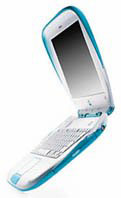 Lombard's replacement - and, some of ushope, to a possible "eBook" or thin executive PowerBook. ThePowerBook Zone has published a page of very early speculationabout "102," which will probably replace Lombard sometime in2000.
The new professional PowerBook, expected to be evolutionary andnot revolutionary, may include:
- AirPort wireless networking as standard equipment.
- FireWire, including a FireWire-based SCSI Disk Modereplacement
- DVD improvements
- 14.1" TFT continued
- 400 MHz processors on up
- 100 MHz bus
- Improved battery life
Blue & White speed bump should mean a faster Lombardsoon
Meanwhile, MacInTouch reports thatApple will announce a blue & whiteG3 speed-bump update about the time you read this. The new blue& whites are rumored to range in speed from 450 MHz to 550 MHzwith a 56K modem as standard equipment, at the following estimatedprices:
- Power Mac G3/450, 64/6 GB/CD/16/56K, $1599
- Power Mac G3/500, 64/6 GB/DVD/16/56K, $1999
- Power Mac G3/500, 64/12 GB/ZIP/16/56K, $2499
- Power Mac G3/550, 64/9 GB Ultra2/CD/16/56K, $2999
If this speculation is accurate, we may further speculate that aG3 Series III (Lombard) PowerBook speed bump to 450 MHz is probablycoming soon, although the current 333 MHz and 400 MHz models willprobably be maintained as low and mid range units, restoringApple's customary "three-speed" lineup in it professionalPowerBooks.
Griffin's iMic adds sound input to iBook
Griffin Technology's iMic universal audio adapter is a USBdevice that allows the connection of virtually any microphone orsound input device to the new iBook, which does not includesound-in support.
Griffin says that iMic will ship when the iBook is released, andwill have 1/8" and RCA inputs and supports both line and mic levelinput.
iMic features include:
- Supports better than CD quality at up to 48 KHz sampling.
- Works with virtually any microphone.
- Both 1/8 " stereo and stereo L&R RCA inputs.
- Priced at $25.
iMic Supports:
- Line Level Microphones
- Mic Level Microphones
- Multimedia devices
- Headsets
- Communications devices
The iMic can be preordered now but will not ship until the iBookis released. Griffin says that advance orders will not be chargeduntil they ship.
For more information, visit GriffinTechnology's Website.
VST announces twelve new iBook peripherals
VST Technologies, Inc. hasannounced 12new peripheral products designed for the Apple's new iBookportable.
The new products include a series of ultra-compact USB harddrives available in matching Tangerine and Blueberry colors in avariety of capacities. A new USB Floppy Drive will also beavailable in matching colors for under $90. VST will also providetwo types of Battery Chargers for iBook, as well as Lithium Ion(Li-Ion) Batteries and AC and DC (Automobile) Power Adapters.
"With the announcement of iBook at Macworld New York, Apple isproviding the user community with a powerful, full-featured,lightweight, and wireless Internet capable portable computer,"according to Vince Fedele, founder and chairman of VSTTechnologies, Inc. "With the iBook, Apple has created a productthat virtually every student and consumer will want."
"Apple has an exceptional winner here, and every school systemin the world stands to benefit," adds Fedele. "The pure educationalvalue of the new iBook will provide added assurance for theirstudent's future. Apple's commitment to education was built on thefoundation of a truly superior (Mac) operating system, and iBook isthe perfect complimentary hardware."
VST's new iBook products are:
Product | Description | Price | Availability |
USB Hard Drive | 4 GB Tangerine | $329.95 | Sept. 1999 |
6 GB Tangerine | $429.95 | Sept. 1999 | |
USB Floppy Drive | Tangerine | $89.95 | Sept. 1999 |
iBook Base Station Charger | Charges multiple iBookssimultaneously | TBA | Q4 |
iBook Battery Charger | iBook Smart Charger | $149.95 | Oct. 1999 |
iBook Auto Adapter | 12V DC Auto Adapter | $79.95 | Sept. 1999 |
iBook AC Adapter | World Wide AC Adapter | $69.95 | Oct. 1999 |
iBook Battery | iBook Li-Ion Battery | $149.95 | Oct. 1999 |
Newer Technology announces BookEndz docking station forLombard
Newer Technology, Inc. has unveiled a new BookEndz dockingstation for Lombard. An evolution of the previous BookEndz line ofdocking stations, the new BookEndz features a stiffer chassis forlonger life and better support of connectors.
The Lombard BookEndz replicates all the PowerBook's ports: twoUSB ports; 25-pin female SCSI (identical to desktop Macs), RJ-45Ethernet, RJ-11 modem port, 4-pin S-video, RCA composite video,3.5mm (Walkman-style) audio in/out and a SVGA video connection.Additional features include cable routing channels for PC Card use,computer reset switch on the rear of the dock, illuminated dockindicator and a security slot.
The following PowerBook features can be used when docked: IRdevices, expansion bays and the PowerBook security slot (rear doorneed not be removed prior to docking). As with previous BookEndzmodels, the factory power supply shipped with the 1999 PowerBook G3should be used when AC power is required. Newer has endeavored tomake the color and texture of the BookEndz an accurate match thenew PowerBook G3 so when docked, it appears as an integratedsystem.
The Lombard BookEndz will have an estimated street price of $229and is scheduled to ship in September.
For more information, visit Newer Tech's site.
VST to build DVD-ROM upgrades for 333 MHz Lombard
A new DVD-ROM Kit from VST is scheduled to ship in October at anestimated price of $439.95. The kit will include:
- A hot-swappable, second generation PowerBook DVD-ROM modulecapable of reading CD-ROM discs, including CD-R, CD-i, PhotoCD, andaudio CDs, as well as DVD-ROM disks.
- A PowerBook DVD-Video PC Card: providing high performanceMPEG-2 decoding technology capable of delivering full screen, 30frames per second playback, plus quality audio via synchronizedDolby Digital audio decoding.
Avermedia's USBPresenter offers USB video support
AVerMedia Microsystems, Inc. introduced AVerMediaUSBPresenter this week.
USBPresenter is suitable for a diverse variety of applications,mirroring computer screen images to TVs and other video display andrecording devices. It will be able to be used to provide video outcapability for the new Apple iBook, which does not support externalmonitors.
AVerMedia's USBPresenter uses advanced video compressiontechnology to mirror and transfer image data, providing superiorimage quality on TV screens compared with traditional scanconversion technology generally used in other products. It featurestrue plug-and-play support, and is compatible with a variety ofvideo sources, including quick and easy installation onto blue& white G3 Macintosh, iMac and the Lombard PowerBook, as wellas the iBook. USBPresenter is powered by the USB port, and doesn'trequire an external power supply.
"USBPresenter is the perfect solution for mobile presentationsneeded in the corporate training and educational arenas," notesC. S. Wu, President of AVerMedia MicroSystems, Inc. "No otherproduct currently matches its quality, or its capabilities."
Offering still image mirroring and full motion video display atup to 30 frames per second, USBPresenter supports all availableresolutions offered on Macintosh computers, with output to NTSC orPAL (composite or S-Video) video source. It is fully compatiblewith Apple QuickTime Playback as well as many popular QuickTimeapplications.
A versatile suite of integrated application software allows fullcontrol of digital scaling with PAN and ZOOM functions, along withadjustable sharpness/brightness, hue and color contrast controls,adjustable USB bandwidth and gamma correction.
Wireless modems coming for PowerBooks
The PowerBook Source reports that MCE PowerBook Products isdeveloping Macintosh-compatible drivers for their new CDPD WirelessPC Card Modem for PowerBooks. The product is already shipping forWindows, and will provide PowerBook users with a 19,200 bps digitalInternet connection over unused analog cell phone frequencies
To use the wireless modem, you will need a wireless account witha mobile provider (about $59 per month). The MCE modem card shouldsell for about $399 and be shipping two to three months fromnow.
Farallon's SkyLine wireless PC Card supports PowerBooks
Farallon's SkyLine Wireless PC Card wireless LAN networkingsolution for Macintosh PowerBooks and Windows notebooks, using thesame standards-based IEEE 802.11 protocol supported by Apple'sAirPort networking system, is to be introduced with the iBook.
SkyLine transmits like a small radio station on the 2.4 GHz bandusing the Direct Sequence Spread Spectrum protocol or DSSS. 802.11is the IEEE (Institute of Electrical and Electronics Engineers)standard for wireless networking - comparable to the 802.3standards for wired Ethernet LANs. This standard currently includesthree different types - diffused infrared (DFIR), Frequency HoppedSpread Spectrum (FHSS) and DSSS (Direct Sequence SpreadSpectrum).
The standard ensures interoperability among systems of the sametype. Therefore, even though the three types all follow the same802.11 specification, DSSS systems, such as SkyLine, are compatiblewith each other but not compatible with DFIR or FHSS systems andvice-versa.
Farallon says that their preliminary tests show that SkyLine iscompatible with AirPort, and guarantees compatibility by the timeAirPort ships.
While AirPort offers 11 Mbps solution for iBooks with anoperating range of 150 feet, SkyLine is a 2 Mbps solution witha 300-500 ft. range. All current vendors with 802.11 DSSS wirelessproducts are shipping 2 Mbps solutions, and the 11 Mbps 802.11standard was only recently ratified. Farallon says that as 11 Mbps802.11 silicon becomes available and vendors move towards thisstandard, Farallon will follow suit. IEEE 802.11 11 Mbps solutionswill be backwards compatible with the 802.11 2 Mbps solutionsshipping today.
With wireless networking, the higher the data throughput speed,the shorter the operating range. Consequently, at 11 Mbps, Apple'sAirport has a range of 150 feet while at 2 Mbps, Farallon'sSkyLine has an indoor range of 300-500 ft. SkyLine's operatingrange is up to 1000 feet outdoors.
SkyLine supports the following Macintosh PowerBook models usingMac OS 7.5.5 or later: 5300,3400, 2400, 1400,and G3 Series. It also supportsWindows PCs with a PC Card slot (PCMCIA) using Windows 95/98 orNT.
With the SkyLine PC Card, two or more SkyLine-equipped notebookcomputers can communicate with each other directly for filesharing. A robust control panel provides a real-time signalstrength meter (Macintosh version), network statistics as well asdynamic configuration, omitting the need to restart. SkyLineequipped notebooks can also use an access point radio receiver andtransmitter that connects to your wired Ethernet network,SkyLine-equipped notebook computers can tap into wired networkservices, such as email, Internet access, and printing bycommunicating wirelessly through the access point. Any number ofSkyLine-equipped notebook computers can share a single accesspoint. Multiple access points are area coverage can increasebandwidth for larger numbers of users.
SkyLine has been tested for compatibility with 2.4 GHz DSSSaccess points from Nokia (formerly InTalk), Lucent, Maxtech andZoom. As noted, preliminary tests show that SkyLine is compatiblewith Apple's AirPort wireless solution for iBook.
As an alternative to buying an access point, a second PowerBookoutfitted with a SkyLine Wireless PC Card and wired to an Ethernetnetwork could provide access to Internet, LocalTalk, andAppleShare/IP file sharing. Internet access could be achieved usinga software application such as Vicomsoft's SurfDoubler and accessto printers could be achieved with Apple's LocalTalk Bridge.
Ad hoc wireless networks use the file sharing security featuresprovided by your computer's operating system. In addition, there isthe added security protection of the limited range of the radiotransmitter as well as the fact a DSSS system is difficult tomonitor and decode because it is broken up into differenttransmitting frequencies.
Infrastructure networks can have substantially more securitydepending on the access point and how it is configured. Somerequire a password, while others only allow wireless card whosehardware addresses have been previously entered into the accesspoint by the administrator access the LAN.
SkyLine features and specifications include:
- Type II PC Card (PCMCIA) with the Harris PRISM chip set foradvanced Direct Sequence Spread Spectrum (DSSS) technology in the2.4 GHz radio frequency band
- IEEE 802.11 standard, including translation and encapsulationaddressing modes, for seamless integration with any Ethernetnetwork
- Compatibility with 802.11 DSSS access points from manufacturessuch as Nokia (formerly InTalk), Lucent, Maxtech & Zoom
- Robust Control Panel with real-time signal strength meter(Macintosh version), statistics & dynamic configuration
- Multiplatform drivers for use in Macintosh PowerBooks &Windows 95/98, NT notebooks
- Range is approximately 1000 ft in open air; 300-500 ft indoorsto an access point or other wireless device
- Farallon test utilities & at-a-glance status LEDs simplifytroubleshooting
- Support for peer-to-peer ad hoc networking
- Free Dr. Farallon technical support & 3 year warranty Dr.Farallon offers free cross-platform technical support (1800-613-4954).
SkyLine should ship by the end of August and will carry a pricetag of about $250.
Lucent WaveLAN IEEE 802.11 PC Card (Bronze) wireless LAN PCCard
Lucent Technologies' WaveLANIEEE 802.11 (Bronze) PC Card will be another wireless LANoption for PowerBook users and will be compatible with allPowerBook models from the 190 up,except for the 2400. Apple is currently using the WaveLAN PC Cardin its bronze keyboard PowerBook G3 Series demo units - along withApple's own AirPort Base Stations, which were developed incooperation with Lucent.
WaveLAN PC Card features include:
- Increased message reliability and more robust interferencemanagement via Carrier Sense Multiple Access/Collision Avoidance(CSMA/CA) with Acknowledge.
- Guaranteed quality of service through eliminating lost messagesas a result of "hidden node" collisions using Request to Send/Clearto Send (RTS/CTS) mechanism.
- Increased performance reliability (the system will always work,but at lower data rates) and choice of network design (user canchoose coverage & cost or performance) through Automatic RateSelection (ARS).
- Improved resilience to interference.
- Increased network capacity and performance via seamless,multichannel roaming.
- Advanced Security though Wired Equivalent Privacy (WEP)*
The WaveLAN/PC Card features low power consumption and alsoprovides software download support to simplify future functionalityupdates and 5.0V support for multiple host platform power supplyoptions. An external antenna connector allows you to add anexternal antenna when a different antenna location or a rangeextension is required. A 2 Mbps version of the card runs $295,while the Turbo 8-10 Mbps version is priced at $395. Both versionsare currently shipping.
Apple Computer will not be offering an Apple-branded IEEE 802.11wireless AirPort PC Card for PowerBook use. Instead, PowerBookusers who want wireless networking support will have to purchase aMacintosh compatible card from third-party vendors such as Lucentand Farallon.
More Mac wireless networking options
An O'Grady's PowerPagereader reports that Aironet will soon release Mac drivers for theirPC card 11 MB wireless access products. The reader says thatAironet products "rock," and that he feeds his customers anythingfrom 128k to dedicated 2 MB internet access. Sounds good.
Nisus Software rereleases free Nisus Writer 4.1.6
Regular Road Warrior readers know that I am a big Nisus Writerfan, and Nisus Software is reprising their offer of Nisus Writer 4.1.6 as a freedownload.
This generous giveaway will provide you with one of the bestword processing programs ever written for the Mac absolutely free,complete with a registration number and the developer's blessing.This is not crippleware or nagware; it's a full-fledged, completelyfunctional, no excuses, high-end word processor. Tell yourfriends.
Nisus Writer 4.1.6 is the last-generation version of NisusWriter Of course, Nisus hopes you'll like NW 4.1.6 so much thatyou'll upgrade to the current Nisus Writer 5.1.3 version, which youcan do for a modest $41.95, including a printed manual - anincredibly sweet deal when you consider that Nisus Writer 4 wasselling for $495 just four years ago. The Nisus Writer 4.1.6 manualis available for $8.95.
Nisus, like beer, is an acquired taste, but once you've got it,nothing else quite does it for you. Nisus does not have a lot offancy bells and whistles like Word 98, but under its unassumingappearance lurks incredible power, especially for text-editing.
If you're interested in what features you get in version 5.1.3that aren't in the free 4.1.6, here is Nisus's own top tenpicks:
- A more intuitive interface (You may customize to suit yourneeds)
- Improved footnotes
- Save as HTML
- Optional background color to all documents.
- Easier Power Find Pro (find/replace, the best in thebusiness)
- Multiple Macro Files (automate repetitive tasks with oneclick!)
- Form Paragraph (easily remove extra returns from youre-mail)
- More Keyboard Shortcuts (designed to simplify)
- Immediate WYSIWYG Font Menu (see font names in theirfonts)
- Mac OS 8.5 compatible
If none of these is of major interest to you, you'll probably bejust as happy with the free version, which is otherwise prettysimilar to the current one.
I've personally found Nisus to be a great PowerPC-nativereplacement for Word 5.1 and it's speed and low memory requirementsmake it a natural for older machines as well as the latestones.
Nisus takes a bit of getting used to if you've cut your wordprocessing teeth on Word, WordPerfect, or ClarisWorks, but itquickly grows on you. The free version is downloadable here in one stuffedfile or five stuffed segments. Nisus emails you your registrationnumber.
Among things Nisus Writer (either version) does better than Wordare:
- Speedier document opening
- Faster, more intuitive spell checker
- Electronic "bookmarks" in text
The "lite" version of Nisus Writer, Nisus Compact, is stillavailable as a free download as well, for those who need a smaller,faster word processor, and is available at this link.
Microsoft offers new "consumer" Word 98 SE
Speaking of Word 98 as we just were, Microsoft has announced"Word 98 Special Edition," a consumer version of the ponderous wordprocessor that ships with Microsoft Office 98. The new applicationis targeted especially toward iMac and iBook users.
Word 98 Special Edition will include the complete version ofWord 98 for the Mac plus 5,000 clipart images and greeting cardtemplates. Also included on the CD are Internet Explorer 4.5 andOutlook Express 4.5. The Word 98 SE package will be offered fromAug. 26 to Jan. 31, 2000 at a special introductory price of $99(after an in-the-box $30 rebate).
WordPerfect for Mac headed for the last roundup?
Still with word processors, Corel Corporation has announced thatit will soon offer a Corel WordPerfect 3.5 Enhancement Pack forMacintosh as a free download from its website. Corel WordPerfect3.5 Enhancement Pack for Macintosh, WordPerfect 3.5, released inAugust, 1997, is the latest Mac version of this once-mighty,high-end word-processor.
Despite some minor incompatibilities with the latest release ofthe Mac OS, Corel believes that WordPerfect 3.5 for Macintoshcontinues to provide great value to the Macintosh community. Inparticular, WordPerfect 3.5 for Macintosh offers compatibility witholder, non-power PC-based Macintoshes, as well as speed,customizability and rich functionality. Corel will make thedownload available as of August 16, 1999.
If you would like to be notified when the download is available,gohere to be notified by email.
"We recognize that WordPerfect for Macintosh remains popularwithin the Macintosh community," said Dr. Michael Cowpland,president and chief executive officer of Corel Corporation. "We areoffering the free download because we believe it can continue tooffer value to the Mac community as an alternative word processorwhere few competitors exist."
Aging source code and increasing differences in functionalitybetween the Macintosh and Windows versions of WordPerfect have madeit no longer feasible for Corel to enhance or build on theWordPerfect 3.5 Macintosh code base. Therefore, no further versionsof WordPerfect for Macintosh will be released based on the 3.5 codebase.
The free download will consist of the WordPerfect software only.The clipart, webart, sounds, templates and fonts that are includedwith the full box product will not be included in the downloadablepackage. Customers wishing to purchase the full box product maystill do so through the CoreleStore while quantities last.
Technical support for WordPerfect 3.5 Macintosh will no longerbe offered as of October 29, 1999.
MacSpeech signs license deal with Philips SpeechProcessing
Being afflicted with chronic typing pain, I have been takingkeen personal interest in the progress of continuous speechdictation technology for the Mac.
MacSpeech, Inc., theBarre, Massachusetts, based startup which has been developingcontinuous speech recognition technology for the Mac for more thana year, has entered into a cooperative effort with Philips Speech Processingdivision of the Dutch electronics giant, Royal Philips Electronics,for licensing Philips' natural speech recognition technology tocreate continuous speech applications for the Macintosh.
"We are delighted to announce this major step closer torealizing our dream. Thanks to this arrangement, Macintosh userswill enjoy continuous speech recognition by the end of 1999!" saidMacSpeech's President Andrew Taylor. "As the only exclusiveMacintosh developer, we are proud to announce this newrelationship," "and we look forward to continuing our long-termcommitment to the Macintosh market."
By working with Philips Speech Processing, MacSpeech will gainaccess to more than 40 years of experience in the development andmarketing of speech products. Philips has established itself as aworld leader in speech recognition, natural dialogue and languageunderstanding technologies for the consumer and professionalmarkets.
"Philips is answering the demand for state-of-the-art speechrecognition in every operating system" said Ron van den Bos,president and CEO of Philips Speech Processing. "Macintosh usershave always been eager adopters of new technologies and Philips'speech recognition engine will play an important role in providinga powerful productivity tool for Macintosh users around theglobe."
An industry leader in research/development and linguistics,Philips is active in the establishment of global speech technologystandards and offers 13 different language versions in itsportfolio of speech recognition applications. The Philips portfolioof products is built upon innovative technologies that combinenatural speech recognition and computer applications for desktopand client/server environments in the professional and end usermarkets. The company also produces speech Software Development Kitsused by developers worldwide to create cutting edge, speech-enabledapplications.
"We are delighted to be working with Philips," added Taylor."Their state of the art technology and wide array of languages willenable us to quickly develop and implement various applications andprovide our customers with cost-effective solutions that takeadvantage of the Macintosh platform and high-performance PowerPCarchitecture."
"Speech recognition is a rapidly growing market. It offers amore natural way for educational organizations, professionals,consumers, and businesses to work with their computers," explainedSidney Falthzik, Vice President of Sales.
"Philips is excited to work with an industry pioneer likeMacSpeech to bring Philips leading-edge speech recognition to a newmarket and to an expanding user base," said Tom Stolk, programmanager at Philips Speech Processing. "The Philips development teamworked closely with MacSpeech to create a speech utility that wouldtake full advantage of the versatile Macintosh hardware andoperating system in order to offer a truly valuable addition to Macusers."
MacSpeech's products target educational, medical, and legalaudiences, as well as the general consumer market. The initialreleases planned are an American English version and a separatespecial-vocabulary Medical Edition. Additional languages, includingFrench, Italian, German and Spanish and other special vocabularyeditions will follow. The planned shipping date for the initialrelease is Q4, 1999.
"We expect speech to become the primary way that consumers andbusinesses use their computers, because of its simplicity, andbecause it is quick and efficient at accessing information withinthe computer, on the Web, and over networks," said Andrew Taylor."We are delighted to announce this major step closer to realizingour dream. Thanks to this arrangement, Macintosh users will enjoycontinuous speech recognition by the end of 1999!"
The MacSpeech development team has been working in the field ofspeech recognition since 1993. The company is committed to themission of "Speech Everywhere." To that end, MacSpeech'sprofessional team is dedicated to building superior dictationproducts with a continuous speech recognition engine running onApple's Macintosh computer. The company's engineering team,developed Dragon/Articulate Systems' now-discontinuedPowerSecretary and Voice Navigator products for the Mac, and hascontinued ongoing work with speech including this agreement withPhilips.
Philips Speech Processing is a pioneer and one of the globalmarket leaders in speech recognition, natural dialog and languageunderstanding technologies. A developer of voice-enabled telephonyapplications, Philips has a large installed base of speechrecognition and natural dialog systems in Europe and is a majorspeech technology provider in North America.
Philips has more than 40 years experience in the development andmarketing of speech products and developed the first commerciallyavailable PC-based natural, continuous speech recognition enginefor speech to text applications in 1993.
Eudora Pro email client released
Qualcomm Incorporated has announced the release of Eudora ProEmail 4.2 in both Macintosh and Windows 95/98/NT versions. Asubstantial upgrade, Eudora Pro 4.2 offers several new features andfunctions, including automatic spell check, enhanced searchcapabilities, graphics and web page viewing, and an option thatwill read messages aloud. Registered users of Eudora Pro 4.0 or 4.1can download the free upgrade from Qualcomm's web site. Eudora Pro 4.2will be available from resellers the first week of August, as wellas for electronic download from Beyond.com. The suggested retailprice is $49.95.
Features new to both the Macintosh and Windows versions ofEudora Pro 4.2 include:
- Automatic Spell Check - automatically double-underlinesmisspelled words as the user types outgoing messages
- Speak Filter Action - speaks the name and subject of anincoming message
- Auto-wrapping Plain Text Messages - adjusts received plaintextmessages to the computer's display width automatically
- Improved Search/Find - allows searching for text in messageslocated in one or all mailboxes and folders. Up to five levels ofsearch criteria can be entered and a powerful Regular Expressionsfunction allows complex character-string searches.
Features new to the Macintosh version of Eudora Pro 4.2include:
- Internet Message Access Protocol (IMAP) - allows Eudora toaccess and manage email messages on a server and permitsmanipulation of remote mailboxes as if they were local
- Automatic Email Delivery in Background - Eudora now retrievesemail, filters it and delivers it to specified mailboxesautomatically in the background; Speak Option - allows Eudora toread entire email messages aloud; and Animated Graphics InterfaceFormat (GIF) Images - animated GIF images embedded in HTML messagesare displayed.
"Eudora Pro remains the leader in email communications softwarefor business and personal use because it allows consumers to takecontrol of their email," said Jeffrey K. Belk, vice president andgeneral manager of Eudora Products. "Eudora Pro provides a broadarray of features that support Internet and multimedia standardsand allow users to be more productive, organized andefficient."
Road Warrior Mailbag
Regular RW readers may recall that our Indonesian correspondent,Albert Juwono, recently succumbed to the cheap PC bug and bought aCeleron based Wintel box. Happily, Albert has repented and is goingto replace the Celeron with a used PowerBook 3400/180 "in mintcondition" at a great price.
From Albert:
I'm going to get the 3400c/180 today. I can't believe I'm goingto own a PowerBook 3400c for the price of my junk Celeron PC :)BTW, I sold the Celeron 450 MHz PC to a client for about US$700. Itcrashed a lot, and backing up to 300 MHz doesn't solve the problem.I guess I always gonna be a true Mac user; other type of computersdoesn't seem to like me very much :)
Later:
I have the 3400 here in front of me. The first thing to do isordering more RAM, I just checked OWC and they sell 128 MB modulefor only US$239, impressive!! I faintly remember that it used tocost US$800 bucks or something. Maybe I'll go for the 96 MB module,which is enough for me.
The 3400c is huge, and heavy, but despite it being rather uglylooking, it's definitely looks more luxurious than 1400 IMO (maybebecause it's bigger?). But the greatest disappointment for me isthe keyboard. It feels cheap compared to 1400. Also the screenhinge doesn't feel as firm as that of 1400's. Overall constructionIMO is somehow not as good as the 1400, but I really enjoyed thebigger screen, snappy hard drive, CD ROM (I've almost paid 200bucks to get a 1400 CD ROM). Well, it's a great machine overall andI really enjoyed having a look at my room which becoming more andmore like Apple Service Center. My father's duo 280c is also here,he asked me to install MacOS 8.0 in it, so I have three PowerBooksside by side right now :)
Albert J
No More Celerons!!
I wouldn't call the 3400 exactly *ugly.* "Functionally angular"maybe. These evaluations are of course subjective. The 1400keyboard is thought by some to be the best PowerBook keyboard ever.The 3400 has the not-so-great keyboard inherited from the 500Series, the 190/5300, and the 20th Anniversary Mac - not the 3400'sbest feature.
From Scott Atkinson:
Fine column, but I have a question - where do these folks gettheir money?
I'm a reasonably well-heeled professional with an appetite forMacs... but even I couldn't spend at the clip your PowerBookcorrespondents do and still sleep at night.
Is this the kind of spending one writer (I think it was JohnSeabrook) called 'Computer Money' a few years back, in whichincrements of $300, $400 or $500 seems like a lot, unless you'retalking about computers - in which case, it seems perfectlynatural.
From Jeffrey Harris:
Couple of PB topics for you.
1. I have tried numerous versions of iCab, egged on by yourcolumns. But it never seemed that much faster to me (and I tried iton a 5300 with 24 megs and RAM doubler, just like your setup), andit crashes. And if I am connected, each crash costs me 15 cents -Australian phone system is not unlimited local calls like US - atleast they are not metered like Europe. Anyhow, while I support theidea of a compact browser from a start up, there needs to be morework to make it viable.
2. I have not told you about my favorite ultra portable set up. Itis a Psion 3a palmtop, now nearly 5 years old. Runs 40 hours on twoAAs, and weighs 10 ounces. Has decent word processor and Excelclone, and a very nice POP mailer and primitive (HTML 1.1) browser.I use it with a small 2400 baud battery modem I got used, but alsohave a 14400 (got that cheap from an Ontario company). Caninterface well with Macs and PCs. I also have a keyboard interfacethat I can use for typing on a compact (laptop size) PC keyboard Ihave, but the wires are a bit bulky to use on a plane. Veryreasonable used prices, and the newest models (Psion 5mx) give muchlarger keyboard and real browser and Java. For many people, this isthe portable they really need - I know it is for me, and I am aphysicist and engineer. And it goes nicely on a plane across thePacific. I also have a tinier Psion Siena I use just for anorganiser, uses same software and data as the 3a.
The Psion is much more reliable than the WinCE machines, and morepowerful for real tasks than the Palm. Might be worth taking a lookat for your readers.
The place to start looking into Psion hand helds is http://3lib.ukonline.co.uk/
BTW, I have found that Psion software reliability puts even the Macto shame.
From Nathan Baes:
I recently found your article on the PowerBook 5300 series onthe MacOpinion site and I'm thinking of buying a 5300cs 16/750(factory reconditioned, 90 day warranty). You mentioned in thearticle that the trackpad button can break, and that it can bereplaced. What is the procedure for doing this? Do you know whatpart number it is?
Thanks,
Nathan
To replace the trackpad button, you pretty much have todisassemble the PowerBook - a job for professionals unless you arevery handy.
I don't recall the part number, although I had it written downsomewhere, but I understand that The MacZone has (had?) them.Otherwise, your local Apple dealer should be able to get one.
On the bright side. The 5300 I'm typing this on has over 10,000hours and still no TP button problems.
From Brian Donnelly:
Hi, Charles. I just read your report on the iBook. I agree thatit'll probably sell well, but Apple should have made it smaller& lighter. Apple has a habit of doing things like this.Remember the original iMac? It had a 33.6 Kbps modem (and severalother shortcomings) until consumers complained. I guess Apple'sthinking is "Give them as little as they will likely bear. If theycomplain, then and only then will we give them what they want."Hence, the iBook.
I'll stop ranting now. My purpose in writing to you is this: I'veused a Performa 637CD (my second Mac after my SE) since just sixmonths before it was discontinued. Both my Macs have been "homecomputers." However, I've grown tired of the bulkiness of myPerforma and want something smaller. Even today's Tower model wouldbe too bulky for me, I think. This leaves me with four options: theiMac; the Wall Street (I or II, I don't know); or the iBook. Couldyou recommend one of these, keeping in mind that I don't want tospend a fortune? I should also tell you that I have peripherals --a La Cie external hard drive; a Supra FaxModem external modem; aZip drive; and an HP LaserJet III connected via a PowerPrint cableto my Mac.
Charles, thank you in advance for any assistance you might be ableto give. I truly appreciate it.
These decisions are largely subjective, but my personal choicein this general price range would be a used or refurb. WallStreet.Most versatility for the money, lots of legacy ports for yournon-USB peripherals, and the WallStreet can be expanded to USB andFireWire support as well. Either a Series I or Series II machinecould be a good choice, depending on the deal and condition.
My general thesis is that PowerBooks are the logical Mac if youcan eat the extra cost over an iMac or other desktop machine withequivalent performance.
I'm skeptical about the iBook as an *only* computer, but if thelimited connectivity doesn't bother you....
Here's Chris Long's thoughts on similar matters:
Hey - have you heard ANYTHING more regarding an 'exec' versionof the iBook? I too still lust after the notion of a VAIO-styleultraportable from apple. I almost wish now that I'd bought a 2400instead of this 3400 ... ALMOST ...
re: iMacs/iBooks: I've played with a few at the stores ... we justgot our first iMac at the office last week - WOW!!! those thingsare truly FAST and even the bizarre design is kind of appealing. Iwork on a 7200 (7600?) all day every day and it's a DOG incomparison. For $1199 that iMac is a great little box. Butultimately I personally will probably NEVER (?) buy a desktopcomputer, even an iMac. I just adore the laptops too much. The rawpower/speed of the iBook (my NOTION, anyway) is quite appealingwhen compared to this twice-as-expensive 3400 ... True, I haveoptions/potentials the iBook won't have ... but I rarely useanything beyond the basics anyway. ALTHO the new 'Quark-killer'from Adobe is coming out very soon ("InDesign")and I got a chanceto play with it recently at an all-day seminar in Minneapolissponsored by Adobe - InDesign will REQUIRE 48 MB ram (!!!) andpreferably 64 MB (!!) - and a FAST (not my 3400) processor - so I'mstuck with Quark Xpress on this thing until/unless I upgrade - andI'm NOT spending $3G on my next laptop; I'm going CHEEP.
From Neil Barham:
Why or how or when will Macintosh users of MSIE 4.5 be able toview Web sites that use the new DHMTL? Please go to:http://www.useractive.com/ and read the warning for users of MSIE4+for Macintosh. I just spent a day putting a site together usingCyberstudio 4.o and a PB 400. Works great when viewed from a Macwith 4.5 Communicator. Or a PC using MS 4+ or Netscape 4+. Youshould really do research before running your mouth off on MS'ssite about how great their for Mac product is. They are not onlyholding Mac users off but sabotage their MAC offerings. In order tocomplete in today's world I will now have to buy a Wintel system.Apple is finished as a viable web platform if we don't get 5.0,with all-of-the-features soon. I have exclusively used Mac sincethe 80's - but how will I be able to continue if I can't providethe solutions that my customers demand? I doubt that webmastersusing Wintel hardware and IE 5 will write back up versions of theirsites for Mac people to see. I think this continual sabotage of Macsoftware by MSoft should be enough of a basis to break themup!!!!
Please make calls and hit the DHTML authoring sites via a Sherlocksearch.
Neil Barham
Frankly, I was blissfully unaware of this issue until Neilwrote. My usual browser MO would likely bring tears to Neil's eyes- images and Java turned off. Anyone who thinks this is odd shouldtry living at the end of noisy, copper, rural phone lines 50 milesfrom their ISP which still uses 33.6 modems.
Anyway, I'd be interested in feedback from readers about howimportant as issue this DHTML problem with IE 4.5 is to them. Myguess is that for most of us, it's not a big deal, although I'msure it is annoying for people like Neil.
MSIE 5 is reportedly coming in September, and hopefully it willremedy the problem.
From Joe Williams:
I'm wondering if in your various conversations with others, ifanyone has attempted to replace the ribbon cable connecting thescreen to the mother board in a 5300-series PowerBook. My screen isacting up again, giving me vertical lines compacted on one side ofthe display. The last time this happened, about 9 months ago, itcost me about $120 to send to Apple and get it done. I'd like to doit myself, if I can. I'm not sure who carries the ribbon cable - Ithought Other World Computing did, but I couldn't find it. I'dappreciate any light you might shed on this matter.
If worst comes to worst, I'll decommission my PowerBook as aportable and simply use an external monitor with it. I've beendoing that at work, anyway (as I mentioned in my previous note toyou several months ago).
My guess is that if anyone can help you with this it would bethe folks at MacResQ, who are sort of specialists in flat screensfor older PowerBooks.
The URL is www.macresq.com
You can check with them, and I'll be interested to hear how youmake out.
<