Miscellaneous Ramblings
Passive vs. Active Matrix, Batteries, G3 Upgrades, iCab, OS X, and More
Charles W. Moore - 1999.07.02
NOTE: This Miscellaneous Ramblings columnoriginally appeared on MacOpinion on July 2, 1999.It is republished here by permission of the author andMacOpinion.
Passive vs. Active Matrix Displays
Apple has updated its Tech InfoLibrary (TIL) article on the topic of passive vs. active matrixLCD displays.
The article begins with a general discussion of LCD technologycompared with the CRT monitors used with most desktop personalcomputers.
It goes on to describe the distinction between active matrix (orThin-Film Transistor [TFT]) displays and passive matrix (or FilmSuperTwist Nematic [FSTN]) displays. "One difference you may noticebetween passive and active matrix screens is that active matrix hasa much wider viewing range than passive matrix," says thearticle
Passive matrix (FSTN) displays utilize a grid of electroniccontrol wires. A pixel is located at the junction of each row andcolumn control lines, and just one transistor is used to addresseach row and one to address each column of pixels. This makes theFSTN display relatively cheaper than TFT technology, but residualelectrical current that travels down each control line can causecrosstalk at unselected pixels, which lowers the display's overallcontrast.
Active matrix (TFT) displays use a dedicated transistor for eachpixel. Because of the many transistors, pixels can be turned on andoff rapidly and accurately, and there is no crosstalk phenomenon.Understandably, TFT screens are also a lot more expensive toproduce than FSTN displays.
The article also includes a chart listing the type of displayeach PowerBook model is available with from the PowerBook 100 to the latest Lombard machines.
I was interested in a footnote about the PowerBook 5300c, which was available in twoconfigurations: one with 512 KB of built-in VRAM, the other with1 MB.
PowerBook Battery Information
Another Apple TILarticle discusses the four different battery types Apple hasused in PowerBooks, and provides an informative chart of theirrespective charge and shelf life characteristics.
Still on batteries, Todd Stauffer has posted a chapter from hisMacworld Mac Upgrade and Repair Bible (IDG Books) on MacSpeedZone'sThe Resurrected Mac Page, entitled There Are AMyriad Of Ways To Make Your PowerBook Battery Last Longer - TipsFor Extending Battery Life. Worth a look.
A G3 Upgrade Path For The PowerBook 3400c
While the PowerBook 3400 is notofficially upgradable, being as it is virtually identical in formfactor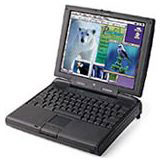 to theoriginal G3 (3500?) PowerBook, there is a workaround.
Some time ago, Road Warrior reader Daryl Walsh brought it to myattention that DT&T Macintosh Services, Inc. of Fremont,California was offering a 3400 upgrade to original G3 status byswapping in an original G3 motherboard. Comparing the 3400favorably to the officially upgradable 1400, Daryl noted the 1400's RAM limit of48 MB (64 MB if you can live without video-out), while the 3400 canhandle 144 MB, or 160 MB with upgrade. The 1400 is also not PCIbased, so LinuxPPC won't run on it; neither does it support CardBusPC Cards. The 3400 also has a built-in modem and ethernet. InDaryl's opinion, "the 3400 is way better than the 1400."
DT&T MacintoshServices, Inc. has dropped the price of their 3400-G3 upgradeto $600. In exchange for your 3400 motherboard, they will install amotherboard from an original PowerBook G3 Telephone: (800)622-7977.
However, compare the upgrade price with selling your 3400 andbuying a real G3 PowerBook. The upgrade could make sense if youhave an extensively tricked out 3400, but for a standard machineyou will probably do better to sell and repurchase.
iCab 1.6a Beta Released
Another week, another iCabbeta.
As I reported last week, I've found the German iCab Preview 1.5browser to be pretty much as stable as a rock and have used it asmy main browser since early May. I had high hopes that version 1.6,which was released last week, would add more speed and refinementto version 1.5's admirable stability. Alas not. iCab 1.6 turned outto be distressingly crash prone on my PowerBook 5300. I had acouple of nasty system freezes and lockups in my first day's use of1.6. So did others.
I reverted to iCab 1.5, but my hopes for version 1.6 wererekindled when iCab posted version 1.6a last weekend. No joy. I hada monster crasheroo within my first 20 minutes of surfing with iCab1.6a. There is also no mention in the "Changes in version 1.6a"document about a stability bug-fix.
For comparison, I tried iCab 1.6a on my PowerBook G3 233 running OS 8.6, andfound it even worse than on the 5300.
I notified Oliver Joppich of iCab and received this reply:
This should not happen. I believe you are using an extensionthat is making the trouble. Please turn off all non-Appleextensions. iCab should be very stable. Please tell us whichextension was responsible for the effect.
Well, I might be able to try that if I ever get a spare moment.However, what troubles me is that iCab 1.5 has almost never crashedsince I started using it in early May. I have gone a couple oftimes for 10 days without restarting while using iCab 1.5 everyday. Both iCab 1.6 and 1.6a crash frequently on the same machine(PB 5300), with exactly the same set of extensions and otherapplications running. The only variable is the new version of iCab.When I go back to iCab 1.5, the crashing problem goes away.
This indicates to me (a nonprogrammer) that there must besomething new in the 1.6/1.6a code that is instigating thecrashes.
While I run with a pared down set of extensions (my Mac OS 8.1system heap is only 9.3 MB), I need the ones I'm using in order todo my work, and iCab 1.5 seems to coexist happily with them.
Chris Long (I misnamed him "Chris Wood" when quoting him lastweek), who has been running iCab 1.5 on his PB 3400/180 is havingsimilar experiences with 1.6a.
Since iCab 1.5 is as stable as a brick on the 5300, and becausethe problem appears to affect other Macs as well, I have toconclude that there is a new bug in versions 1.6 and 1.6a. Ofcourse, that's what these public beta previews are intended toferret out. iCab is a great little browser, and I encourage RoadWarrior readers to help the developers out by trying the betaversions and reporting bugs and suggestions. However, don't throwyour copy of iCab 1.5 away yet!
Aside from the crashing, iCab 1.6a is still a nice little WebBrowser - small, RAM-parsimonious, and fast. I especially likeiCab's Download Manager, which I rate as better than MS IE's
iCab versions 1.5 will work until mid-August, and 1.6a till theend of September. However, I hope version 1.7 comes along soon witha fix for the stability glitch.
For questions concerning iCab, bug reports and suggestions:support@icab.de
For general questions concerning the concept, marketing etc.:info@icab.de
You can download a free evaluation copy of iCab preview 1.5 at:http://www.icab.de/download.html
MacOS X Client on a WallStreet
MacInTouch has an interesting article oninstalling a beta build of Mac OS X Client on a WallStreet G3PowerBook. Note that the article ends with "Good luck!"
Apple Releases ROM Update for Lombards
This week, Apple released a ROM update that applies especially to Lombard, inhope of solving some problematical issues like erratic USB supportfor input devices.
Mac OS ROM Update Version 1.0 (MacOS ROM 1.6 - why do they dothis?) can be downloaded as either MacBinary (2089 K) or BinHex (2841 K).
Lombard owners should to check their currently installed versionof Mac OS ROM before downloading this update, since Mac OS ROM 1.6may already be installed. OS 8.6 is required with this update.
The statement on Apple's webpage reads:
"Based on customer and developer feedback, Apple has madeimprovements to its software for the iMac, blue & white PowerMacintosh G3 and bronze keyboard PowerBook G3 Series customers. TheMac OS ROM Update 1.0 replaces the Mac OS ROM version 1.4 withversion 1.6, which includes the following fixes:
- Fixed an intermittent issue where after startup thekeyboard/mouse does not respond when a mouse is attached to the top(or left) USB port and a keyboard attached to the bottom (or right)USB port.
- A possible crash on the PowerBook G3 when removing an attachedUSB keyboard at the same time as putting the unit to sleep.
- Hot swapping a media bay device into a bronze keyboardPowerBook G3 would not always recognize the device.
- Using the Target Disk Mode feature on the bronze keyboardPowerBook G3, a user can only use the SCSI ID setting of 2.
Further noted:
When connecting a keyboard and mouse via USB, Apple recommendsconnecting the mouse to the keyboard, and the keyboard to thecomputer.
Lombard Screen Contacts Keyboard
Another Lombard issue has been raised on several websites thisweek. Apparently if you squeeze your Lombard tightly while carryingit, the key caps contact the screen and leave marks. There havebeen reports of this phenomenon with some WallStreets as well.
Another iMate Driver Update to Support PowerBook Sleep
Griffin Technology, Inc. has posted version 1.4b1 of their iMateDriver software today. Version 1.4b1 supports PowerBook sleep modefor the new PowerBook G3 (Lombard) models. Sleep support isprovided for all custom drivers as well as ADB dongles.
Version 1.4b1 Highlights:
- Version 1.3 is now compatible with the Don Johnston DiscoverSwitch and KENX. Additionally it now works with the PraxisCompassProfile dongle on the new Lombard PowerBook G3s. It may alsofix other devices with the PowerBooks including possible problemswith AppleVision and StudioVision displays. ADB reinits are nowsupported with version 1.3.
- Version 1.4 allows ADB devices with custom drivers and ADBdongles to continue to work after putting the new PowerBook"Lombard" in sleep mode and waking it back up. This version alsoallows for true ADB reinitializations (ADB reinits).
iMate driver Version 1.4b1 can bedownloaded free.
A FireWire PC Card from Orange Micro
Orange Micro recentlyannounced their new HotLink FireWire PCCard, a two 6-pin port IEEE 1394 compliant PC Card for thePowerBook G3 Series (both WallStreet and Lombard models).
The HotLink FireWire PC Card is designed to provide FireWiresupport to Mac PowerBooks and PC portables with a PC CardBus slot.The HotLink card features two 6 pin unpowered IEEE-1394 ports forall types of FireWire peripherals, including hard disks, DV stillcameras, DV camcorders, and FireWire printers. The HotLink FireWirePC Card will ship early in the 4th quarter of 1999, and will listfor $229.
Road Warrior Mailbag
My "Faint Scent of Citrus" column last week generated somereader comment.
From Vaughan Williams:
Charles all your questions can be answered in two or threelines.
1: Apple have their head firmly up their rectum.
2: Apple do not and never have cared or supported the people whomsupport them.
3: Apple always have and looks like they always will just makeboxes that they like and never listen to what they customer want,NEVER.
All this boils down to is Apple still think they are the best thingsince sliced bread. The sad truth is they are so far behind the 8ball that it may have been better for them and their supports forApple to have sold out long ago and let some real computer savvypeople run the company.
How many times do we have to keep hearing about Steve Jobs savingApple from the brink of disaster... Look around people. Yourbeloved Steve is setting the company up to be sold/merged. He doesnot care about Apple supports at all.
And about their great new OS X Server and OS X [whateverit's to be called]. It is a great idea in general, but hey! Apple,namely Steve Jobs, has made it only available to people who buy NEWG3 boxes (hell, Linux will run on a 386, for god's sake), so it notthat it needs the hardware horse power to run. Its because Stevewant to rip you off just that little (lots) bit more.
And when I buy a Apple notebook, I expect it to run all the MacOSes, including OS X Server. Well there's another thing thatalmost made me lose my mind. MacOS X Server - with NO NATIVESUPPORT for Windows PCs with it's bundled AppleShare.
Unless you know how to config SAMBA, Mac OS X Server ispointless as a mainstream server solution.
Gee I seem to have gone on just a bit.
You know the sad thing is. Is that I like the Mac and I like thenew OS X (in theory) but I just can not stand Apple as a companyand their god attitude towards the rest of the industry and theirsupports.
From Bob Semenak:
I believe that people may be reading too much into MarkFoster's separation from Apple. I have absolutely no insideinformation so the following is just speculation. However, it seemsto me reasonable.
I suspect the idea of merging desktop and portable hardwareengineering was probably in the works from the time Apple announcedits decision to pursue a Common Unified Architecture. I think it isimportant to acknowledge that the ultimate consolidation ofhardware engineering was a given when Apple announced this hardwaredesign strategy (whether or no one thinks this is a good idea).Considering the recently announced products from Gateway andPackard-Bell, it is reasonable that we will see more of this withinthe industry as "portable" technologies are employed across a widerarray of products. The newly-announced hardware group structure ofhardware engineering, ASIC development and industrial design(hopefully augmented by a small independent, cross-disciplinary QAteam) is quite rational. The question then became who would emergeto lead the engineering group.
Obviously, any delays or product shortcomings in the PowerBooksbecame strikes against Foster running a larger team responsible forall Apple hardware engineering and most likely led to Miranker'sappointment. Any differences in style with Jon Rubinstein orperceptions that he was less than a team player more than likelyprevented him from consideration for other management opportunitieswithin Apple.
I suspect that we will witness a few more missteps as Applestruggles through the convergence of two operating systems (OS 8.xand OS X) and two hardware designs (desktop and portable) intoa new whole which will be both more consistent and easier tomaintain than what we currently enjoy. I am concerned, however,that every change in design of both hardware and interface seems tobe met with such great resistance by the Mac faithful. Many of theparadigms and design decisions made in the days of 9 inch monitorsand file systems limited to floppy drives need rethinking in lightof today's (and tomorrow's) needs for managing networked,high-capacity, large-screen computers. I hope this is a problem ofinertia.
As Apple moves forward, it is important that it not abandon thethings which truly distinguish the Macintosh: careful considerationof user interface design (both hardware and software) andconsistency. Users however must not demand strict adherence to whatwe are now familiar with - forsaking the convenience of anair-conditioned automobile for a horse-and-buggy. Apple must beheld to high standards by users, but users must be willing to adaptin a changing environment.
Think Darwin. Think Evolution. Think Different.
From Con Rodi:
I'm not a regular reader, so I don't know all the context, butyour recent commentary which was launched in the direction of "Justmaybe there are a few product startup problems" seems to havelanded in the realm of "Let me list all my gripes about anythingthat bothers me with Apple." I think, perhaps, those of us devotedto using Apple's products have to embrace the fact that there isreally only one company in this industry. That's of necessity(i.e., recent demise of licensed clone producers) and desire (i.e.,a truly integrated user experience from stem (hardware) to stern(software)). Since there's only one company, and a rather smallproduct line at that, there will ALWAYS be design limitations inthe products and there will be NO WAY to please everyone. I'm justnot impressed with those in the Macintosh pundit circles who equatecorporately made product design choices with product failureissues. I recommend you take the high road and separate your "Ipersonally would rather they did it this way" comments from your"This is a problem with the product (as designed) and needs to befixed" alerts.
From Jess Doherty:
Here's another PowerBook 1400 love letter. We grew together, mylittle PB 1400 and I. As I gained more experience and knowledge,she kept up by increasing her RAM, upgrading her PC Card modem andslipping in a blazingly fast G3 processor. We worked hard andplayed hard, traveled together and spent quiet times at home. Wewere quite a pair until I put my hands on a WallStreet/300/DVD. Iwas seduced by the larger, clearer screen and the sleek curves (OK,so I'm a little superficial). And the DVD made me wild with desire.Rationale was replaced by desire. Yes, I jilted my 1400 for atrophy PowerBook. I think about her often (except when I'm watchinga DVD, at which time I have no regrets).
And this woeful tale from Duncan Dixon:
I live in Shizuoka, Japan and read your column on the 5300 andwould like to relate my own experiences with a PB 5300cs. It ranfine for a year and a half and then the HDD stopped workingfollowed quickly by the FDD. After I replaced these, the screenbezel cracked and had to be replaced in March this year. When I gotit back from Apple Japan, I noticed that periodically verticallines appeared in the bottom half of the screen. It happened onlyoccasionally and I couldn't reproduce it so I waited. Finally, itcame to the point where the lines were always visible and took itback to my local dealer (who has been very helpful). I just heardthrough my dealer that Apple Japan wants to charge me theequivalent of 650 dollars to replace the screen. Why should I haveto pay to replace something that worked fine until Apple repairedit? Are they financing their extended warranty by creating repairsthat aren't covered under warranty?
To add to my frustration, both of the local Apple resellers Ichecked with said there would be at least a one month wait before anew G3 PowerBook would be available. Another worry is that even ifI get it repaired, there's a cap locks key that keeps going on andoff whenever it pleases.
I used to be a loyal Apple customer, but my loyalty is wearing verythin.
Sincerely,
Duncan Dixon
Obviously not one of the better 5300s :-(.
I understand and empathize with Duncan's frustration.
I assume he has brought it to Apple Japan's attention that thescreen glitch showed up after they worked on it. If not, contactingtheir customer service department and asking to talk with asupervisor might help.
I very much doubt that the damage to Duncan's screen wasdeliberate. It was likely accidentally damaged when the technicianinstalled the new bezel. The bad key is a separate issue, andunfortunately not covered by the extended warranty.
Duncan's cheapest way out, if Apple won't play ball, might be tobuy a used 5300 and retire his old one as a parts machine. I wouldnot recommend spending $650 for a new screen, when you can buy awhole good, used 5300 for that price or less. Computers are justbig Legos - an assembly of parts. If you could find a junkermachine with a good screen and keyboard that could be swapped intoyours, that might be the way to go.
MacResQ had a special on PowerBook 5300C, CS and CE LCD Screens for $99 each with no exchangerequired, but the sale price expired June 30. MacResQ's normalprice for these screens is about $250 - much less than the $650(albeit probably installed) price quoted to Duncan by Apple.
At this writing, regular Road Warrior correspondent Albert Juwonoin Indonesia is still waiting to receive the Newer G3 upgrade cardfor his PowerBook 1400/117 that he ordered from OWC.
Albert writes:
OWC has been giving me a big headache regarding my NU Power1400 order. I placed my order on June 14. First their customerservice XXX, informed me that the processor will be available inThursday 06/18. Then for unknown reason I hadn't been able tocontact any of OWC's customer service. They had just stop replyingmy email. On next Tuesday, XXX replied that he hadn't been able tocontact their shipping department, and would contact me later thatday. I've waited and waited. I sent few emails to XXX and got noreply for another 3 days.
Then I tried to contact another customer service person listed inOWC's web. She replied to me that the item was still in back order(Friday, June 25). I was really disappointed at that time anddecided to cancel the order (I was going to order from anotheronline store). The next day, she replied and told me that she wouldcancel the order.
Today I received my Citibank Visa billing. To my surprise OWC hadauthorized my CC in Jun 18 then charged it on Jun 23. XXX had toldme that OWC would not charge CC until the order ship out. Iimmediately sent another mail to XXXXXXXX to get an idea what'sgoing on, did she really canceled my order. She replied that shewill give my email to XXX.
I'm confused right now. My previous experience ordering from OtherWorld Computing has been pure joy. I submit my order, a customerservice verified my order, the next day I received my online FedExTracking number and that's it. I hope everything will turn out OK.Have you ever heard anything bad on OWC? I thought they have greatreputation. Well, I just want to let you know why I haven't sent myNU Power 1400 review. Have you ever had bad experience makingonline orders?
Best Regards,
Albert
I wouldn't be too worried yet, Albert. This sounds like atypical mail order snafu, and I expect that you will get your cardsoon, although charging your credit card before the item ships isnot ethical business practice.