Miscellaneous Ramblings
P1 Rumors, PowerBook Survey, Lombard, and More
Charles W. Moore - 1999.06.18
NOTE: This Miscellaneous Ramblings columnoriginally appeared on MacOpinion on June 18, 1999.It is republished here by permission of the author andMacOpinion.
Some P1 Surprises?
O'Grady's PowerPage reportsthat Apple's long-awaited consumerPowerBook - P1 or iBook or whatever it will be called - may notbe quite what many pundits have predicted.
According to O'Grady's, the consumer 'Book:
- may not have any PC card slots
- does not have a stereo input jack
- does have the iMac style and is bigger than some areexpecting
- has great plastics for getting knocked around (a la the eMate300), with a retractable handle, in perhaps five entirely newcolors
- doesn't run right yet, so that's holding things up
- will have a final shipping price of US$1,299.
Apple's PowerBook Buyer Survey
Apple has posted a PowerBook Buyer SurveyWebsite, where you can tell Apple more about yourself and whyyou purchased a PowerBook. Apple says that this research will helpthem better understand and respond to user requirements andinfluence the design of future Macintosh portable products.
Lombard G3/400 Review
MacInTouch has posted a comprehensive review of the 400 MHzLombard by Rick LePage.
Rick's summary evaluation: "the new machine isn't anearth-shattering improvement over 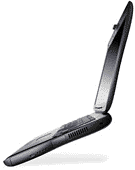 itspredecessor, it is a better portable computer than the older,'WallStreet' models itreplaces."
The review notes that many of Lombard's technical specs areunchanged (or have minor changes) from WallStreet - 66 MHz systembus, trackpad, 45-watt power adapter, no supplied floppy drive,external monitor support (up to 21-inch displays), and two SO-DIMMmemory slots, supporting up to 384 Mbytes of RAM.
$27,600 Lombard?
Speaking of Lombard reviews, Carolyn Ong of the South ChinaMorning Post has written a nice one.
"Notebooks cannot get any sexier than the new divinely builtApple G3 PowerBook," says Ms. Ong, who rates Lombard as "waybetter-looking than even the IBM ThinkPad 600," and dismisses theCompaq Armada 3500 as "basically ugly . . . fat, grey anddated."
Lombard, by contrast comes in a "standard black dress, [and] hascurves in all the right places," Ms. Ong enthuses. Not only that,she continues, "The G3 also moves like poetry," with "good hingesthat make opening and shutting smooth and effortless."
Ms Ong agrees with my evaluation of the G3 Series PowerBook'skeyboard as one of the best I've typed on, and she thinks Lombard'scopper-colored, translucent keys "give it a really chic look."
"You have to see it to believe just how great a movie can lookplayed back full-screen on the G3's TFT 1,024 x 768 pixel display,"she says.
Ms. Ong notes that the Lombard sells for $27,600 - Hong Kongdollars, I presume!
Buggy USB Implementation in Lombard?
Both Doug Landry's ThePowerBook Zone and O'Grady'sPowerPage are reporting hassles experienced by readers inattaching external USB keyboards and mice to their newLombards.
"Imagine something as basic as starting up your PowerBook andexpecting to use an external USB keyboard and USB mouse, and eitheror both don't work," complains one reader, declaring Lombard's USBsupport, "more of a liability than a feature."
This person was not able to get either his USB Contour UniMouseor his MacAlly iKey USB keyboard to work properly (or at all) withhis Lombard, and has reverted to connecting ADB peripherals withGriffin Technology's iMate adapter.
However, another PowerPage reader reports that ADB is notnecessarily a panacea, noting Lombard's incompatibility with someADB hardware key dongles.
A PowerBook Zone readercomplains that if you put Lombard to sleep with an Apple USB mouseplugged in, the mouse will no longer work when the PowerBook wakesup. The only remedy is a reboot. The problem was also noted with aMacAlly USB mouse.
ramBunctious Shareware RAM Disk Application
In last week's Road Warrior feature, I mentioned my partialityfor RAM Disks. Reader Gregory Santilli steered me to Clark WoodSoftware's ramBunctiousRAM disk program, which claims to maintain the advantages andeliminate the disadvantages of most other RAM disk programs.
ramBunctious offers several options that allow customization forthe individual user's desired balance of speed, security, safety,and versatility. For example, you can set ramBunctious to writethrough to a file on a (real) disk for safety in the event of acrash. You can mount as many RAM disks as you wish (or as many asyou have memory for) simultaneously.
Many RAM disk programs require you to reboot before you can seethe RAM disk. They also require you to reboot before you canreclaim the memory used by the RAM disk. ramBunctious uses the samememory that applications use,so it can create a RAM disk withoutrebooting, and you can reclaim memory used by the RAM disksinstantly by putting them away.
It should be noted that unlike the RAM Disk program built intothe Mac OS, ramBunctious can not be used as a boot volume. In orderto work around the limitation, the developer suggests that you setup a minimal Apple RAM disk to start up from, then use ramBunctiousRAM disks for all the stuff you typically work on.
The reason that ramBunctious cannot be used as a startup disk isbecause it uses temporary memory rather than system memory, for thefollowing reasons:
- It allows the user to reclaim the memory by simply unmountingthe RAM disk; with RAM disks using memory above BufPtr, thecomputer needs to be restarted to reclaim the RAM disk'smemory.
- It facilitates the ability to have multiple RAM disks onlinesimultaneously.
ramBunctious features include:
- You can have multiple RAM disks mounted simultaneously, limitedonly by memory available.
- ramBunctious has a "write-through" option. When activated,everything written to the RAM disk is saved to a (real) file. Thismeans that the next time you mount the RAM disk, all the contentsare still there. It also adds protection against data loss in theevent of a crash.
- ramBunctious uses normal application memory. This means thatwhen you're done using a RAM disk, that memory is available forother applications to use. In other words, you don't have to rebootto regain the memory.
- A Startup Items folder on the RAM disk behaves like the StartupItems folder in the System Folder, except that all the encloseditems are opened when the RAM disk is mounted. You can put aliasesto applications in this folder, and those applications will belaunched when the RAM disk is mounted.
- Each RAM disk may be configured to be mounted automaticallywhen the computer is started up.
- These options, and more, are fully user-configurable for eachRAM disk via a status/settings window.
ramBunctious menus, dialogs, and windows allow easy managementof your RAM disks, whether you use a single RAM disk or multipleRAM disks with customized settings for each.
When you create a RAM disk, you can specify initial settings.These settings can be adjusted later using the RAM disk's settingswindow.
In addition to the standard controls to navigate and enter a RAMdisk name, there are extra control protocols, including:
- The popup menu allows you to choose the size of your RAM disk.There are several preselected values, and you can enter any valueby choosing "Other..."
- If Startup Items Folder is selected, a folder called "StartupItems" will be created automatically on your new RAM disk. Anyfiles (or aliases) in this folder will be automatically opened whenthe RAM disk is mounted. This feature allows you to open documentsor applications when you start your RAM disk.
- The Open Status Window control determines if the settingswindow for the new RAM disk will be visible initially.
- The Automount Volume feature lets you start up your computerwith a RAM disk already mounted. It works by automatically placingan alias to the new file in the startup items folder of the Systemfolder.
- The RAM-only volume checkbox lets you create a RAM disk withoutall the contents in an image file.
ramBunctious can be fully controlled by using AppleScript. Formore information, see the ramBunctious dictionary (from theAppleScript Editor) and the example scripts included when youdownload ramBunctious.
ramBunctious also cooperates with Peek-a-Boo, a process analysisprogram. By running Peek-a-Boo and ramBunctious simultaneously, youcan see where the RAM disks exist in the Mac's memory.
Some suggested uses for ramBunctious are:
- Most web browsers use a cache to remember recently-visitedsites. Netscape (and Internet Explorer 2.1 and up) allows you tochoose where to put the cache. Using a RAM disk for a cache allowsvirtually instantaneous access to web pages you've previouslyvisited. Furthermore, some versions of Netscape are accessing thecache constantly, and using a RAM disk decreases the irritation ofthis constant hard-drive chatter.
- Programmers use ramBunctious to speed up project builds. When aproject file and all the source code for a project are on a RAMdisk, the development system can use the lightning speed of the RAMdisk to drastically reduce the time required to build aproject.
- Some users like the security implications of a RAM disk. If theRAM disk is not mounted, it is impossible to examine the disk; noone can pry into folders, no one can load sensitive files, and noone can undelete files.
- PowerBook users are often concerned with battery usage; a RAMdisk doesn't have the relatively high power requirements of a harddrive.
For more information about ramBunctious, go here.
Saintly PowerBooks?
Many of us consider the PowerBook to be an inspired piece ofengineering, thus it is interesting to note that a 100-series 'Bookis shown in a BBC article about the Vatican's possibly appointing a patronsaint of the Internet. St. Isodore of Seville is the most likelycandidate for patron saint of the Web.
Redneck Macintosh Users' Group
Corroborating my theory that conservative Mac users are a moresignificant and sizable faction of the Mac community than iscommonly acknowledged, which I expound at some length on in thisweek's View From the MacCave column on the MacTimes Network: "TheVolvo Syndrome: Is The Mac Really The 'Liberal's Computer?" - isTexas-based James G. Keene's Redneck Macintosh Users' Group Website"For the Rest of Us."
"And what if 'The Rest of Us' don't happen to be tree-hugginggranola-munching California types?" asks the site's welcoming statement.
"Yea, we use Macs, but you're not gonna find what you expect onours. No stinky love poetry, no Broadway musical lyrics, novegetarian recipes, no sissified crap like that: just the goodstuff: practical things to do with your Mac, links to great stufflike nra.org or nhra.org or any second amendment site, and tales ofthe great stuff we've been up to."
The RMUG staff state their credentials thus:
JGK
Founder, Webmaster, Ringmaster; PowerMac 7600/XLR8 G3/233 Card,PowerMac 7500/132(604), Performa 6116CD (overclocked to 84mHz) '91Chevy S10 Pickup, Ruger Blackhawk .357 magnum, Mauser '987.92mm
DICK
Entertainment head, site approver, pilot of the DickMobile.PowerMac G3/266/DVD, '99 Chevy Camaro SS, Browning M92FS 9mm, ColtAR-15 .223 Fireball
LARDOG
Hardware hacks, games, PowerMac 8500/XLR8 G3/233 overclocked to266+, Generic Windoze box, Abit BH board and PII/350, ToyotaSillycar Supra
PJ
Philosopher, software reviewer, PowerMac 6400/180, Vimage G3card waiting to be installed, 92 Ford T-Bird with a bad-ass stereo,Used to have a Winchester lever-action .44...
Ms THANG
Occasional dose of reality, PowerMac 8100/100, (the rest of herlife is quite mysterious...)
The RMUG site, which is brand new and a work-in-progress,features various reviews, commentary and "Non-wussy Mac Links."
I love it! You can check what the good 'ol boys and gals' are upto here.
WallStreet and Lombard Charging Problems?
O'Grady's has been postingstories about more than a few G3 Series 'Book users reportingbattery charging problems. Indeed, we experienced this glitch witha Series 1 233 demo unit that passed through our shop lastDecember.
O'Grady's notes that "over the last few weeks, there have beenmany posts about charging problems on PB G3s, in all threeversions." Apparently a temporary fix is to play with theAC-adapter plug and reset the power manager repeatedly until themachine begins charging.
While there are several possible malfunctions that can causethis problem, the most likely is reportedly the RF shielding insidethe opening for the AC-adapter coming unglued and shorting out.O'Grady's suggests putting some tape around the outside of theadapter plug, which will fix it unless the board has been damagedby short-circuiting.
A PowerBook Source reader named Paul Yoh reported that his newLombard would not recharge its batteries right out of the box.Apple has agreed to replace Mr. Yoh's 'Book, but this well-knownproblem should have been eliminated in the Lombard machines.
Apple Posts ATI Video Update 1.0 for Series II (PDQ) G3PowerBooks
Apple has posted the ATI VideoSoftware Update 1.0 to fix display issues with some PowerBookG3 Series IIs (PDQs), as well as iMacs, and Power Mac G3 systemswith the Rage Pro or Rage 128 based graphics systems.
The update corrects the following issues:
- A freeze when using CPUs with high processor speeds (>=400MHz) and high screen resolution (1280 x 1024) after heavily using offscreen graphics memory.
- A crash when millions of colors are used with a high resolutionmonitor.
- Instances with certain third party applications where scrollingcould result in a crash.
The upgrade requires Mac OS 8.6.
That Bronze Keyboard, and Lombard Connectivity Issues
Jason O'Grady's The O'GradyFiles column on MacWeek discusses Lombard's keyboard andperipheral connectivity issues arising from Lombard's shift fromserial/ADB to USB ports.
Jason notes that "the Lombard keyboard is the same size as theWall Street keyboard, and typing on it is a similar experience."However, the PC keys: Delete, Insert, Print Screen, Scroll Lock andPause/Break which appeared as function-key modifiers on WallStreet, are gone from the Lombard keyboard, which is stillADB-based despite Lombard's official USB support.
Jason notes that some external monitors require an ADBconnection to relay software commands from the Monitors & Soundcontrol panel to the monitor, and suggests Griffin Technology'siMate USB to ADB adapter as a workaround. For serial peripheralsthe Keyspan USB to Serial adapter will be a lifesaver.
Ratoc FireWire CardBus PC Card Now Available
The RATOC Systems CBFW2 FireWire CardBus PC Card we reported onhere last week is now available from Mac Components Engineered.
MCE is quoting a price of $279 ontheir Website, which is advertised as a discount from a MSRP of$299. Ratoc had been touting a MRSP $50 lower prior to the card'srelease.
Road Warrior Mailbag
As usual, The Road Warrior received some interesting emailfeedback from last week's columns.
Responding to my ongoing thesis that PowerBooks are the computerto have if you're only having one, at least for most of us, RobertA. Worrell, Ph.D., writes:
Obviously not everyone uses their computer thesame way, and for some people like "Dave" the PowerBook cannotreplace the desktop. However, I replaced my desktop computer, a7300, with a PowerBook G3 266 sevenmonths ago and haven't regretted it for a minute.
I am a scientist and have a long train commute. MyPowerBook contains all of my data (backed up of course) andaccompanies me everywhere. I always have my data and references atmy fingertips, in lab meetings or at home. My desk is no longeroccupied by a large box. I can quickly arrange and displaypresentations (with a projector). Because I do carry it so much, Ido wish it were lighter ( the new Lombard sounds great) but Iwouldn't sacrifice the 14 inch screen to do it.
I also find the keyboard easier on my hands thanthe old Apple extended, but the best part is the trackpad. Far morethan the keyboard, a mouse causes me great pain when used forseveral hours and I never could use a trackball. The trackpad haschanged all that. I bought a mouse when I bought the computer. Ithasn't left the drawer for 4 months.
Although we'll replace our aging home computer, a7100, with a Blue and White G3 later this year because ofits expandability, I expect a laptop to remain my primary computerand when the consumer laptop comes out, I'm sure my wife will becampaigning for one of her own.
From Chris Long:
Thanks again for your recent advice on the best OSfor my PowerBook 3400/180 - but givenyour RAMBLINGS #17 column of today Ithink I'll avoid OS 8.5 or 8.6 (re: "MacOS 7.6.1 through 8.6Performance Compared").
I had a hunch that each progressively newer OSwould be bigger & slower than the last - and the graphic chartsshow this. Given that I'm partial to simplicity & speed, Iguess I'll forego the slower fatter bigger heavier (? wow...) neweroperating systems and stick with OS 8.0 or perhaps plunge into 8.1(I've actually had VERY LITTLE trouble with the 'Book as it is -therefore little impetus to upgrade to 8.1).
Again, thanks, and KEEP UP THE GOOD RAMBLINGS - Ilove reading yer stuff - ESPECIALLY today's "PowerBooks andSubtlety" column. I agree with ALL your comments except that Istill prefer a standard full size Apple keyboard (with the 15function keys) to the keyboard on my PB 3400, which is kind ofmushy.
From Gregory Santilli:
Just got done with your article. I understand it,enjoyed it, but disagree.
The delight in a twin Cheetah Raid, the twomonitors, 21 and 19 inch Hitachi's, the DSL connection at 1 MB asec, all make me love my desktop.
I agree with your RAM disk comment. I use 1.32ramBunctious, and it works just about flawlessly.
I still get a bit of disk access, but loadingeverything into RAM, and using the RAM disc, is a true delight.
Try loading a RAM disc in under two seconds, 100MB disc, and then tell me the laptops are the way to go.
Video games are good with my Nexus GA card but notgreat.
Using two of three slots for 2940's for theCheetahs.
Wish Macs had more slots, not O like thePowerBooks.
I ran my home computer off a 540c, and for the same cost, as with theLombards, I have a full house G3 minitower, that I like a lot morethan the 540c, and can't get by the difference in value.
Course, I would probably have a Cray, or Big Blueif I could budget it.
Both have their place, and I know you are rightthat the majority doesn't need this stuff, or they wouldn't bebuying lame PC's with hard drives slower than molasses.
From Unix consultant and Mac user Jon Wright:
Love your columns. Sorry about the hassles youhave with computer stuff. Saw a reference to MYOB is your latestramblings. I have been an MYOB user as long as I have been a Macuser. Great package, Y2K compliant, tax updates (for Australia) aresupplied on time, great information booklets supplied with support,etc. etc. etc.
I believe that MYOB is the market leader downunder for accounting software on both Mac and Wintel.
From Will van Spronsen:
I ordered a 333 MHz Lombard with a leather casefrom Outpost today after having read your article espousing thisbeautiful simplicity. You made great sense and got me off thefence. The desktops, (266 G3, 7200/120, and Centris,) are all forsale now, to be replaced by the new PowerBook when it arrives; a17" ViewSonic at home and 20" Multiscan at the office to plug itinto when the need arises. All in all I'm coming out about evenmonetarily. not a bad move at all.
Again, thanks for the nudge!