Miscellaneous Ramblings
iBook, Speed Bumps, DVD, Memory, and More
Charles W. Moore - 4 June 1999
NOTE: This Miscellaneous Ramblings column originallyappeared on MacOpinionon June 4, 1999. It is republished here by permission of the author andMacOpinion.
There is plenty of ground to cover in this column after a two-weekhiatus, so let's get right to it.
Quanta to Lose Professional PowerBook Supply Contract?
Lombards are finallyshipping, about two weeks later than Steve Jobs said they would at theWWDC announcement, 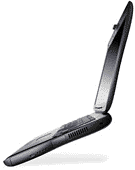 but all will soon be forgiven,I'm sure, as soon as eager customers get their hands on their newrocket-sled portables.
Whether Apple will forgive their Taiwan-based PowerBook contractor,Quanta Computer Inc., for the delay is another matter.
A recent AsiaBizTech articlereports that another Taiwanese firm, Alpha Top Corporation, hascontracted with Apple to manufacture the P1 ("iBook") laptopbeginning in June.
AsiaBizTech says that In addition to building the PowerBooks, AlphaTop Corp. also plans to source the computer's electronic components,including power supplies and computer cases, in Taiwan.
Reportedly, Apple is disgruntled with startup problems QuantaComputer Inc., is having with getting Lombard production ramped up, andfuture professional PowerBook production may be shifted to Alpha TopCorp., too, if all goes well with the consumer PowerBook contract.
While details are veiled in secrecy, it is widely expected that thenew consumer PowerBook, which may or may not be called "iBook," willcontinue the iMac's multicolor motif and be offered at a price in theneighborhood of US$1,500.
Apple's Taiwan representatives told AsiaBizTech that the newcomputer "will surprise the market" in the second half of 1999.
Alpha Top is reportedly planning to increase production capacity inorder to be ready for any increase in Apple's OEM orders.
433 MHz Lombards Coming Soon?
It has not gone unnoticed that while both the 3400c Series and G3 Series PowerBooks hadthree distinct processor speed versions, Lombard only has two - so far.While offering a 366 MHz model between the 333 and 400 versions wouldarguably have been an exercise in redundancy, rumor has it that a 433MHz Lombard is in the offing as soon as production and distribution arefirmly established.
Apple apparently has an unwritten policy of not offering PowerBookswith as high or higher-speed processors than are available in theirtop-of-the-line desktop machines, which I of course think isshortsighted, but there you have it. However, with a 450 MHz blue & white G3 introducedthis week, that clears the way for a 433 MHz Lombard.
The three-speed professional PowerBook model lineup should berestored "soon" - possibly in August or September, after initial demandfor the 333 MHz and 400 MHz models has been satisfied. The 433 MHzLombard may be priced at $3,499 like the present 400 MHz unit, withprice cuts (10%?) on the two existing models.
However, according to Mac OS Rumors (MOSR), the 433 MHz machinecould include 128 MB of RAM as standard equipment and should beintroduced at the same time as Apple's new FireWire CardBus PC Cardadapter, which would likely mean a higher price for the new speedleader.
With speed-bumped 450 MHz blue & white G3 released this week,and 500 MHz to 550 MHz versions debuting "just before or duringMacworld New York in July," according to MOSR, it seems plausible thatwe could see a 500 MHz PowerBook by early next year.
Consumer PowerBook Pricing
There has been much speculation about where Apple will slot theconsumer PowerBook price-wise. Some optimistic prognosticators havesuggested a price point as low as $1,299, complete with DVD-ROM, a TFTdisplay, and a wireless modem. Dream on, but that isn't going tohappen.
Here's why:
- Apple will not want to cannibalize sales of the low-end Lombard bylow balling a heavily-featured iBook.
- The price of TFT displays is going up, perhaps as much as 30%
- DVD kits retail for about $499 and are not even available (at leastyet)
- Apple may surprise me, but I'm skeptical that wirelessconnectability will be ready for prime time by July/August - the mostlikely introduction date for the iBook.
Look for an iBook price in the $1499 to $1899 ballpark with neitherDVD nor wireless included.
Consumer PowerBook's Modem (and Lombard's) Not the Same asWallStreet/iMac Modem
Doug Landry of The PowerBookZone informs us that contrary to previous reports (including here),Lombard does not use the same modem form factor as WallStreet and theiMac. According toDoug, the consumer PowerBook will use the same internal hardware modemas Lombard, and this modem will also be inside Apple's next generationof iMacs and PowerMac desktops.
Doug further notes that sharing the new modem across several productlines is part of Apple's new "core99" strategy which will further unifyhardware specifications across its product line. Various Mac modelswill use identical logicboards and software (the combined softwareeffort is called "Borg," says Doug, because it assimilates all fourproduct lines).
eBook and iBook Names Already Taken?
While I'm partial to the "iBook" nomenclature, no name has beenfinalized (at least publicly) for the new consumer PowerBook, andMacProviderreports that neither "iBook" nor "eBook" will likely fly as monikersfor Apple's new compact consumer/executive PowerBooks.
A little sleuthing turned up the website iBook.com, which apparently is not owned byApple, and eBook.com, which is owned by Card Security Center Inc. ofFlorida.
According to MacProvider, the eBook name has been patented and isalready used on a consumer product (a digital book). See: http://www.rocket-ebook.com/enter.html.
Oh well, WallStreet and Lombard were never Apple commercial tradenames either, but are popularly understood as referring to particularPowerBook models.
PowerBook G3 Series Troubleshooting Page
Apple Support has posted a Web page of troubleshooting infopertaining to G3 Series PowerBooks.
http://www.info.apple.com/support/powerbook/solve.html
The topics listed on this page link to the most commontroubleshooting tips requested from Apple technical assistance. MostPowerBook G3 issues and their resolutions can be found there.
DVD and the Lombard 333, the Upgrade Path, and the Quest forSpeed
A reader named Joe wrote:
I read your articles with great anticipation andrespect, I feel you are top authority on portable computing.
I have serious problems with the new PowerBooks. Firstof all the non DVD upgradable 333 is a disaster in my opinion. DVD is ahuge and getting bigger, I have to pay $1000.00 more to have thisfeature?
The loss of the other media bay is ridiculous andclearly a downgrade. I love the idea of having both a DVD and Zip in aPowerBook at the same time or other types of combinations.
A non-upgradable CPU speaks for itself.
The effect of not having Mac clones around to pushapple and themselves is clearly showing itself. We are the ones tosuffer, both in price and choic.e
I am glad Apple is well on its way back but we shouldstill offer criticism when needed.
Best Wishes
Joe
Joe is right. If you want DVD support in a PowerBook, your choicesare either a new 400 MHz Lombard or a leftover 300 MHz WallStreet. As notedabove, the 333 MHz Lombard does not support DVD, and there is noindication that it ever will. While someone may eventually offer athird-party DVD solution for the Lombard 333, don't count on thishappening, and govern your buying decisions accordingly.
However, it is only fair to keep in mind that last May theWallStreet 292 debuted at a whopping $6,396 (less DVD), so $3,499 ispretty friendly by comparison. Indeed the MainStreet 233 PowerBook G3Series I with passive matrix monitor and no L2 cache rolled out at only$200 less than the 333 Lombard!
On the media bay issue, I'm assuming that the second media baysupport was sacrificed to save weight. That two pound reduction had tocome from somewhere.
As for upgradability, like the WallStreet machines, Lombard couldtheoretically be upgraded, but since Apple has once again mounted thesystem ROMs on the daughtercard, this is unlikely. Apple will neverrelease the ROMs to third party upgrade card manufacturers, and wouldrather you buy the next processor generation with the next generationPowerBook bundled around it.
Speaking of upgrades in general, the only PowerBooks with a reallypractical and worthwhile upgrade path are the old 500 series, the1400, and the 2400.
Reader Al Cyford emailed me last week asking what possibilities wereavailable for upgrading PowerBook5300s.
Unfortunately, there is no upgrade path for the 5300. However, for alittle extra speed, Al could try the new OS 8.6, which reportedlyspeeds up Finder performance noticeably. There is also Connectix'sSpeed Doubler (an exaggeration), which improves performance in 68kemulation functions.
Keep the 5300's hard disk defragmented with Norton Speed Disk orAlsoft Disk Express, disable any System extensions you can do without,use less color depth if you can stand it (say 16 instead of 256).
PowerBook 1400 owner Dave Wyman writes:
Well, I've had Macs and PB's for years - and neverreally tried using a different color setting than the maximum allowed.I've got a PB 1400, w/ a Vimage 233 upgrade. It made it a lot faster.But I've just switched from thousands of colors to 16 - I still havecolor, and the 1400, at least for the Web, runs like crazy! Now I'mgoing to see what happens w/ Photoshop and some other programs.
However, for real speed, you will simply have to buy a fasterPowerBook than a 5300. The old 5300 is a good machine, at least mineis, but fast it is not.
Lombard Hard Drives Limited to 10 GB
Big hard drives are one area where WallStreet has an advantage overLombard. Because of its thinner profile, Lombard supports a maximumhard drive height of 12.7mm, making 10 GB the largest currentlyavailable drive that will fit. WallStreet can accommodate a larger IBM14 GB drive which is 17 mm tall.
Lombard can Support 512 MB of RAM
Tom Snyder writes:
I have a performance question that perhaps you or oneof your colleagues would address. I plan to purchase a PowerBook G3 andexpect to use the following tools: Excel, FileMaker Pro, PowerPoint, SPSS,MapInfo, and/or other products for similar number crunchingapplications. What are the performance tradeoffs of 1 MB backside cachevs 512k? As you probably infer, I am considering the G3 (II) 300, theLombard 333 or 400. I have seen the bar charts, but what do thedifferences mean in noticeable, real time performance differences.
Until a program maxes out the 512k cache capacity, there should bezero performance difference.
In my opinion, for the programs Tom mentions, the 512k should beadequate. The larger cache shines when you repeat the same task overand over again as in some games. There might be a small speedimprovement for what you want to do if you get a machine with 1 MBcache, but you have to evaluate whether the extra cache is worth theextra cash, as it were.
These machines are all very fast!
Lower-end WallStreets came with 32 MB RAM, which was barely enoughto run on, but upgrading to 64 MB (preferably more) is not expensiveenough to make that a make-or-break issue. While Apple says 384 MBmax., you can actually install 512 MB in either WallStreet or Lombardby using Simple Technology'slow-profile (1.5 inch) 256 MB SO-DIMM (part number SIT-STA-MAIN/256) inthe lower RAM slot of either model. With a larger (2.0 inch) 256 MBSO-DIMM in the upper slot, voila! - 512 MB.
Very few users will actually do this, since the Simple Technology256 MB module reportedly sells for a street price of about US$1,000 ifyou can find one (MSRP is US$795).
The Simple Technology module is unique as it reaches 256 MB capacitywhile maintaining the low profile necessary to meet the heightrestriction imposed by the PowerBook memory expansion slots. ThePowerBook G3 has two memory slots with height limitations of 1.5 inchesfor one and 2 inches for the other. Simple Technology's module is thefirst to meet the 1.5 inch specification that allows each memory slotto be filled with a 256 MB module.
The 256 MB module is a 144 pin SO-DIMM (Small Outline Dual InlineMemory Module). The module features 64-bit wide, non parity, 3.3 voltSynchronous DRAM. Additional capacities offered for the PowerBook G3include 16, 32, 64, and 128 MB memory modules.
"According to Apple, the PowerBook G3 is the industry's lowestpriced portable computer with a 14.1 inch screen," said RussellDroullard, director of marketing services, Simple Technology. "AddingSimple Technology's 256 MB memory modules maximizes the system's powerwhile maintaining its affordability."
Well, sort of. Having to cough up $795-1,000 for a RAM module isn'texactly an exercise in affordability, but five years ago we were payingthat much for 16 MB upgrades for the PowerBook 500 Series.
More Flaming Laptops? (and This Time They're Not PowerBooks!)
The PowerBook 5300 has been unfairly saddled with a reputation as"the incendiary PowerBook" since one test unit caught fire in an Applelab back in 1995. Actually, it was the Sony-supplied lithium ionbattery and not the 5300 itself that started the conflagration, butthat hasn't stopped even some Mac advocates who ought to know betterfrom propagating the "flaming 5300s" myth.
So wearily, once again, are the facts:
- Only one 5300 caught fire.
- Apple quickly recalled the few machines in distribution channels atthe time and replaced the suspect LithIon batteries with NiMHunits.
- No consumer machines caught fire.
- The 5300 has proved to be no more fire-prone than any other laptop- less so in fact than the G3 Series 'Books, a handful of whichactually have caught fire in consumer use.
However, when I reported a couple of cases of WallStreet machinesburning (the culprit was presumably a batch of bad capacitors in thepower management circuits, and/or shorted RF shielding - Apple hasnever made a public statement clarifying this issue), I receivedseveral snarky emails from PC advocates saying that even one burninglaptop was unacceptable.
That's true in principle, but stuff happens, and what goes around,comes around. According to a report on Mac OS Rumors, an anonymous sourcehas forwarded them a U.S. Air Force safety notice bulletin about somebatteries in Micron GoBook and GoBook2 Wintel laptop computerspresenting a potential "risk of burn to computer users."
The document quoted on MOSR states, in part, that "some LI-ION basebatteries (Part Number NBP001094-00 and NBP001094-01) may short circuitcausing sufficient heat within the battery to cause localized meltingof the plastic casing of the battery, even if the computer is off.Motorola (battery manufacturer) is aware of two base batteries in whichthe hazard was present."
"It seems as though the military has had no small shortage of PCproblems, from NT machines crashing left and right on Navy serviceships, to the latest with GoBooks bursting into flames," says MOSR."Now might be a good time for Apple to step in and try to offer up somesort of solution to this issue of flaming GoBooks, namely the newPowerBook G3s."
Well, maybe, but for plenty of other good reasons than fire worries.Both the WallStreet and the new Lombards are substantially superior totheir nearest PC competition in performance. Let's hope that the newLombard G3 PowerBook will be free of any fire hazard. And to be fair,as far as I have been able to determine, only three or four WallStreets(out of a production run of some 200,000) actually had fires. However,those in glass houses....
Kenwood 52x CD-ROM Drive Delivers the Goods
Not a specifically PowerBook topic, but xlr8yourmac.com haspublished a longand highly detailed review (including installation instructions) ofKenwood's 52X True-X IDE CD-ROM drive, which delivers 6.7 MB/Sec Ratesin a blue & white G3 PowerMac.
Unlike conventional fast CD-ROM drives that achieve their higherdata transfer rates by increasing disk rotation speed, with attendantnoise and vibration, the new Kenwood's unit takes a sophisticatedhigh-tech rather than brute force approach, with its patentedmulti-beam pickup (7 beams) and "ZEN" ASIC controller.
Because this setup can read 7 tracks in parallel, extremely highRPMs are unnecessary and performance exceeds anything possible with aconventional, high-RPM CD-ROM drive. Average random access is specifiedat 90ms and the drive's 2 MB cache is 4 to 8 times the size foundin most CD-ROM drives.
The Kenwood drive is available from both Hi-Val and Kenwood.
xlr8yourmac.com cautions that when purchasing a Hi-Val package, makesure you see the "True-X" designation to ensure you're getting agenuine Kenwood drive and not the 52X "Max" Hi-Val drive.
xlr8yourmac.com's reviewer, Michael Breeden, says that "this CD-ROMdrive feels as responsive as many hard drives in actual use and asshown below, MacBench 1 MB sequential read tests showed a transfer rateof 6.7 MB/sec, almost 3 times as fast as the standard DVD drive...Benchmarks don't tell all the story on this drive - it's noticeablymore responsive in actual use than any CD-ROM drive I've everused....Sustained rates were almost 3 times the performance of Apple'sOEM CD/DVD drive."
The unit is:
- Apple CD/DVD-ROM Extension Compatible (OS 8.5.1 and OS 8.6tested)
- Bootable from CD-ROM
- Reads CD-R Discs
- Plays audio CDs perfectly with the Control Strip CD Player
According to Kenwood, "Depending upon the operating environment andquality of media, the Kenwood 52X TrueX CD-ROM drive delivers a typicalperformance ranging from 45X to 52X across the entire disc. Anadvertised 48X "Max" CD-ROM drive performs at 19X on its innermosttracks, but achieves 48X performance only on the disc's outermosttracks (if the disc is full). "
Michael Breeden summarizes: "Without a doubt this is by far thefastest and most responsive CD-ROM drive I've ever used. On the PC itseemed literally as fast as a hard drive in actual use and on both Macand PC, sustained rates were about 3 times as fast as the stock DVDdrives.... It's refreshing to see an innovative product with a uniquedesign that lives up to hype."
A SCSI version of this drive is in the works and should be releasedby Summer 99. The real icing on the cake here is that the Kenwood 52X"True-X drive sells for a modest $129 SRP. Sounds cool.
Apricorn's EZ-Gig Data Transfer
Growing out of your PowerBook's present hard drive? Apricorn's EZ-Gig DataTransfer Utility Kit is a tool that can make the transition to an new,larger drive painless.
Apricorn is a official member of the Apple Developer ConnectionProgram. Along with EZ-Gig, Apricorn's hard drives and memory productsare also Mac compatible.
Apricorn's EZ-Gig allows users to make an exact mirror copy of theirPowerBook's internal hard drive to a new, larger-capacity drive in lessthan ten minutes. EZ-Gig connects through a PC Card interface andtransfers the operating system and all data, files and applications tothe new hard drive. The new drive is then installed and the systemboots exactly as before, with no reinstallation or reconfiguration.EZ-Gig is also equipped with important bidirectional capabilities andcan be used as an external hard drive and/or backup storage device.
All EZ-Gig components are contained in one package, external to thePowerBook. Hard drive capacities are: 2.1 GB, 3.1 GB, 4.1 GB, 5.1 GB,8.1 GB. The EZ-Gig hard drives are backed by a three-year warranty, andthe cable assembly by a lifetime warranty.
Prices for the new 3-in-1 EZ-Gig, including hard drive, begin at$329 SRP, and vary according to drive size and portable manufacturerand model. More information is available from http://www.apricorn.com.
Having Trouble Sorting Out All Those G3 PowerBooks?
Apple has stretched the "PowerBook G3" nomenclature well past itsreasonable limit by insisting on recycling that moniker for a fourthtime on their new professional PowerBooks, which many of us insist oncalling "Lombard" - its development code name.
In an effort to dispel confusion (lotsa' luck!) Apple has posted aTILarticle entitled: "PowerBook G3 & G3 Series: IdentifyingDifferent Models."
"Though the names are similar, there are significant differences,"the article helpfully notes. "There are two definitive ways todifferentiate the various PowerBook G3 models: by Family Number or byvisual inspection."
On the visual inspection front, here are the particulars:
A Macintosh PowerBook G3 (M3553) has a small,six-color Apple logo close to the case latch, it closely resembles theolder PowerBook 3400. The keyboard is similar in color to the outercase.
A Macintosh PowerBook G3 Series (M4753) has a largeembedded white Apple logo near the middle of the top cover. The G3Series has two PC Card slots on the left side of the unit, along with aModem port. On the rear of the computer, the microphone and speakerports are exposed. The keyboard is similar in color to the outer case.The PowerBook G3 Series computer is slimmer-that is, it is not as thickas the older PowerBook G3 computer. The PowerBook G3 Series computer isabout an inch longer and an inch wider than the older PowerBook G3computer.
The PowerBook G3 Series (Bronze keyboard) (M5343) alsohas the embedded white Apple logo similar to the PowerBook G3 Series.To differentiate it, there is a single PC Card slot on the left sideand no exposed Modem port. Also, the ports on the back side of thecomputer are fully covered by the I/O door. Additionally, the keyboardhas a translucent bronze or mocha color to it.
Got that straight? This could all have been avoided by simply addingan official name to each model of PowerBook G3.
An iCab Hotlist Tip
A reader named Judy sent this useful tip about coordinating the iCabbrowser with Netscape Bookmarks.
I am currently sharing them between iCab and NetscapeCommunicator 4.5. And I have the same favorites toolbar, and they bothare synchronized!
I generally use iCab, but occasionally, when itdoesn't work, I use Netscape. I'm using the same bookmarks for both.All I did was copy the Netscape bookmarks to the iCab Preferencesfolder, and rename it Hotlist.html. Then I made an alias of it in the"Netscape" folder and renamed the alias Bookmarks.html. It works great,and I have the same - same Favorites Toolbar, since I can select anyfolder in Hotlist. So I selected the Personal Toolbar folder, which isthe name of the folder that Netscape Communicator uses.
Incidentally, while iCab will import Internet Explorer Favorites and(reportedly) Netscape Bookmarks for its equivalent Hotlist duringinstallation, you can also make a copy if an existing ExplorerFavorites document (found in the Explorer preferences folder, in thePreferences folder in the System folder), rename it "Hotlist," and dragit into the iCab preferences folder.
Deals on Refurb. WallStreets
The Apple Store's refurbished andclearance department is offering refurb. PowerBook G3 Series IIs (266MHz) for the modest price of $1,999.00. Last week they had some 300 MHzmachines for $2,099, but those appear to be sold out.
The specification is:
- PowerBook G3/266/64/4 GB/20x CD/Enet/56K/14.1 TFT, $1,999.00
If you don't mind a bit less speed in what is still a very fastlaptop:
- PowerBook G3/233/32/2 GB/20x CD/Ethernet/56K/14.1 TFT,$1,599.00
While we're on the topic of deals on WallStreet PowerBooks, amongthe many unit configurations L.A.Computer Center is offering are the following machines:
- PowerBook G3/233/32/2 GB/20x CD/Enet/56K/13.3 TFT, $1,399(Refurbished)
- PowerBook G3/233/32/2 GB/20x CD/Enet/56K//12.1 TFT, $1,579(New)
- PowerBook G3/233/32/2 GB/20X CD/12.1 DSTN, $1,299.00 (New)
- PowerBook G3/266/64/4 GB/20X CD/Enet/56K/14.1" TFT, $2,199 (New -same price as Apple's refurb.)
- PowerBook G3/300/64/8 GB/20X CD/Enet/56K/14.1" TFT, $2,749(New)
And InfinityMicro has the cheapest price I've seen yet on any PowerBook G3Series machine:
- PowerBook G3/233/ 32/2 GB/20X CD/12.1 DSTN - $1169 (refurbished -this is the Series I "MainStreet" model with no Level 2 cache)
RAM Prices on the Way Down Again?
Factory-direct memory upgrade supplier Crucial Technology hasannounced price reductions up to 30% on many of its RAM upgradeproducts, including 32 MB, 64 MB, 128 MB, and 256 MB modules for over3,500 top-brand computers and workstations.
For example, the 144 pin SO-DIMM modules used in iMacs, PowerBook G3Series I and II portables, and Lombard, are available from Crucial atthe following prices (second figure in parentheses reflectsWeb-purchase discount).
- 32 MB SO-DIMM/CT136247/$53.99/($51.29)
- 64 MB SO-DIMM/CT136248/$92.99/($88.34)
- 128 MB SO-DIMM/CT136249/$429.99/($408.49)
Other capacities are available
Crucial, a division Micron Semiconductor Products, Inc., whichclaims to be one of the most efficient manufacturers of memory productsin the world, is throwing down the gauntlet to other memorymanufacturers.
"Crucial is once again committed to delivering the highest qualitymemory upgrades at the most competitive prices," says Scott Schoenherr,Crucial's General Manager. "Customers can take advantage of anadditional 5% savings over today's price reductions by orderingdirectly through our award-winning Web site. Corporations, governmententities and resellers can receive up to 15% additional savings byjoining our online purchase program."
Crucial is an OEM memory supplier to Apple, Gateway, HP, IBM, MicronElectronics and more.
The PowerBook G3 as a Digital Audio/Video Editing Platform
Mesa RidgeTechnologies, Inc. says that their Magma PowerBook PCI Expansionproducts make the PowerBook G3 an ideal platform for Digital AudioEditing or even video editing.
With a PowerBook G3/Magma setup, you can record and edit 32 tracksof audio on location with a portable rig that weighs only 52 pounds, asopposed to 200 pounds or more for conventional equipment.
Magma's typical audio editing configuration consists of:
- Apple PowerBook G3 Series, 292 MHz and 192 MB of RAM, running MacOS 8.5 (300 MHz or one of the new Lombard 'Books should work greattoo).
- MAGMA 4 slot PowerBook PCI expansion system with a four foot cable(PBGS-4-DRX-300V-C4)
- D24 card - slot 1
- DSP Farm card - slot 2
- DSP Farm card - slot 3
- ATTO UL2D SCSI accelerator - slot 4
- 2 Seagate Cheetah 4.5 gig LVD hard drives
- Digidesign 888/24 I/O Audio Interface
- Samson Servo 120 Amp
- Enclosed in a 6 slot SKB rack
Magma notes that their PowerBook PCI expansion system is notapproved by Digidesign, and that users should contact Digidesign formore information on support, and that Pro Tools|24 Mix does not work toit's full capabilities with a PowerBook at this time.
To use a PowerBook G3 for Digital Video Editing running Media 100'sxs system, you typically will need:
- Apple PowerBook G3 Series - 292 MHz and 192 Meg of Ram - runningMac OS 8.5 and Media 100's 4.5 software
- MAGMA 4 slot PowerBook PCI expansion system with a four foot cable(PBGS-4-DRX-300V-C4)
- Media 100 Vincent card - slot 1
- ATTO UL2D SCSI accelerator - slot 2
- Radius FireWire card - slot 3
- Empty - slot 4
- 2 Seagate Cheetah 4.5 gig LVD hard drives
- Media 100 Junction Box
- Samson Servo 120 Amp
- Enclosed in a 6 slot SKB rack
Magma notes that their PowerBook PCI expansion system is notapproved by Media 100 at this time.
Magma also suggests that you can use your PowerBook G3 for:
- Digital Audio
- Video Capture
- Disk Controller
- Digidesign Pro Tools|24 (TDM)
- Media 100 Vincent
- ATTO
- Digidesign Pro Tools III
- Pinnacle MiroVideo DC20
- Advansys
- Digidesign Audiomedia III
- Pinnacle MiroVideo DC30
- Promax TurboMax
- Digidesign SampleCell (TDM)
- MOTU 2408
- Video Display
- FireWire
- Sonorus Studio
- ATI Xclaim VR and 3D
- Radius
- ProMax
- FireMax
Magma's 4 SlotPowerBook PCI Expansion System for the PowerBook G3 Series allowsyou to increase the capabilities of your laptop computer without losingmobility. The PowerBook PCI expansion system expands your PowerBook byadding 4 PCI slots in a separate enclosure. No special software isrequired.
The 4 slot PCI expansion system includes a 300 watt power supply.Power connectors and mounting brackets are provided for a maximumconfiguration of one half-height 5.25 inch (external access) and two3.5 inch (internal/hidden) or four 3.5 inch (internal/hidden)peripheral devices. On the expansion backplane are four PCI slots thatwill support full-length or short-length PCI cards.
The enclosure for the 4 slot expansion system is a portable chassisthat can be used as a desktop or rackmount unit. When used as a desktopunit, the chassis will support the weight of a monitor. The rackmountkit creates a rugged 2U high system that can be used with confidence inracks that are routinely transported from location to location.
The Magma PowerBook PCI expansion system is connected to the G3Series PowerBooks through an expansion bay module and a specialexpansion cable. The expansion bay module plugs into the PowerBookthrough the 5.25 inch expansion bay. The standard expansion cable istwo feet long. Four and six foot cables are available at an additionalcost.
Imation SuperDisk Drive Gets a Speed Boost
Imation'sSuperDisk USB removable media drive is an excellent workaround forowners of recent floppy-less Macs, since it can read and write HighDensity 3.5" floppies as well as its own 120 MB SuperDisks. The onlycomplaint has been that the SuperDisk drive is slow.
However, Imation is now shipping an upgraded 2x SuperDisk drive,which is claimed to be "10 times faster" than a traditional floppydrive.
Aside from the speed boost, the only other significant change isthat the SuperDisk drive now comes in all "Ice" color instead of Iceand Bondi Blue, and is priced at $169.99, vs. $149.99 for the oldermodel.
No word yet on whether the faster SuperDrive guts will appear inVST's SuperDrive PowerBook expansion bay module.