Miscellaneous Ramblings
No New PowerBooks Yet
Charles W. Moore - 2 April 1999
NOTE: This Miscellaneous Ramblingscolumn originally appeared on MacOpinion on April 2, 1999.It is republished here by permission of the author andMacOpinion.
No New PowerBooks Yet
The latest scuttlebutt is that now that Mac OS 8.6 is almostready for consumer release, we can look for the new professional PowerBook G3 to debutaround the end of April or early May (i.e.: at Apple's WorldWideDeveloper's Conference (WWDC). That is the timing I 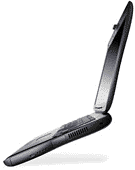 predicted last January, which will give theG3 Series I and Series II the one year production lifetypical of Apple portable models.
We will probably have to wait a bit longer (O'Grady's PowerPageis now saying July 21-23 at Macworld Expo New York) for the new consumer PowerBook, which I ambetting will be called "iBook." Apple registered the iBook name asa trademark last November.
At the Apple shareholders' meeting last month, Steve Jobscommented that the lightweight PowerBook's development has been "alittle like an arranged marriage - you know it's going to happen,but you don't get to see the bride until a little later thisyear."
"We're always trying to build lighter laptops, but we're pulledin some different directions," Jobs said, noting that the currentmain PowerBook clientele are from the design and publishingsectors, and "these guys all want 14-inch screens, CD-ROM or DVDdrives, room for a second battery for their presentations, and soon."
On the other hand, Jobs noted, consumers are "very focused onprice, and if you look at the lightweight Windows laptops like theSony VAIO [505], they cost $2,000 or more."
Jobs suggested that there might be potential laptop markets:
- A low-cost consumer model
- A professional, full-featured model for "digital road warriors"that can do everything
- A thin-and-light model for travelling people who just wantsomething light so they do word processing, number crunching, anddownload e-mail in their hotel rooms.
So will there be three new PowerBooks rather than the longanticipated two? Reportedly, Jobs did have two very differentlightweight laptop prototypes in a back room at Macworld Expo inJanuary.
Makes sense to me. Presumably the same basic guts of a new,small PowerBook could be packaged in two very different-appearingouter cases - a sleek, Vaio-like (there have even been rumors thatSony might be sub-contracted to build the new Apple subnotebook,not all that far-fetched considering that IBM Japan built the PB2400c for Apple) "thin" PowerBook for travelling executives and acolorful "iBook" for consumers.
You can read Jason O'Grady's latest MacWeek musings on alightweight PowerBook entitled Anatomy of anexecutive PB.
A Look at OS 8.6
Speaking of Mac OS 8.6, I have been trying out a recent beta ofthe new system on a PowerBook 5300.Visually, it's no revolution and looks pretty much identical to OS8.5. I didn't have much 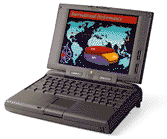 luck with OS 8.5 on the 5300 and foundit both significantly slower and buggier than OS 8.1, which I soonreverted to.
Consequently, I had high hopes for OS 8.6.
Have they been fulfilled? No, at least not in the beta I tried.The system seemed stable enough, and Finder speed is certainly alot faster than with either OS 8.1 or 8.5. However, I found that onthe 5300, application switching and document opening issubstantially slower than with OS 8.1, and this seemed to get worseas the day wore on. On a G3, this might not even be noticeable, butit surely is on a 5300. However, a G3 user who has beenexperimenting with the same OS 8.6 beta also reports that thesystem seems to slow down the longer it runs without a restart.Let's hope Apple fixes this before the final version ships.
Another beef is that an apparent Open Transport or TCP/IP bugthat affects some applications (notably Eudora Light) running underOS 8.5 on the PowerBook 5300 is still there in the OS 8.6 beta.This manifests as email downloads and/or server access stalling inmid-activity. You can usually get it to work by cancelling andtrying again, but it is maddening. I have not noticed this problemwith OS 8.5 running on a G3, so it may be something unique to 5300sor machines with 603e chips. I also found that the version ofSherlock in the OS 8.6 beta had a presumed conflict with someextension on my computer and would crash when summoned. This doesnot happen with Sherlock in OS 8.5, and I worked around it bydragging in OS 8.1's Find File app. into OS 8.6's Apple Menu Itemsfolder and renaming it Sherlock.
Meanwhile I'm back to OS 8.1, which I find to be still thebest-working OS for the 5300.
Connectix Virtual PC Part of PowerBook G3 ClearoutPromotion
Apple is now offering Connectix's Virtual PC 2.1 with Windows 98emulation software as a premium to PowerBook G3 customers at noadditional cost for a limited time.
Apple really wants to clear those PowerBook G3 Series IIs out ofthe distribution channels to facilitate the launch of the newprofessional PowerBook.
"The PowerBook G3 is among the fastest and most powerfulportables in the industry and with the addition of Virtual PC it'salso the most compatible," said Roy McDonald, CEO and president ofConnectix. (You can drop the "among," Roy - the PB G3 is thefastest and most powerful portable, period.) "Customers truly getthe best of both worlds - the Mac they love and the ability to runbusiness, Internet, and entertainment applications for Windows. Andwith support for 56K modems, Ethernet, and removable drives,Virtual PC is ideal for PowerBook G3 users on the move."
For details on this promotion visit The Apple Store.
Steve Jobs On Apple Support Problems
Readers who followed our Road Warriorseries on Apple Support a while back may be interested in thissnipit from the Apple shareholders' meeting.
A woman who identified herself as a contractor supporting Macs,NT, and Unix told Steve Jobs that Apple's hardware support "stinks"and urged him to experience the problem for himself by calling thesupport line anonymously. "I do, and I know," he replied. "I feelyour pain. It's true that in some cases it's not very good."
Jobs told her that he's aware of deficiencies in this area, butthat "we couldn't fix everything on Day 1 - we didn't have themanagement resources - and I figured that if we didn't have anycustomers, support was incidental." However, he affirmed that "westarted working on it in earnest last fall. We've made greatstrides, but we still have a long way to go."
iCab Browser Preview 1.3a Released
Oliver Joppisch and Alexander Clauss have released previewversion 1.3a of their iCabMac-only Web browser for free download and evaluation.
With each incremental release, svelte, fast, iCab becomes a moreserious challenger to its capable but bloated competitors,Communicator and Explorer.
Changes in iCab Preview 1.3a include:
- The image filter supports filtering of the whole URL.
- iCab now stores the URL of a saved file in the comment field ofthe file.
- New settings for GIF animations (loop never, once, normal orinfinite).
- It is possible to remove History entries.
- "Edit/Copy" now works in the Hotlist, History, Error report andin download manager.
- In the preferences dialog, you can switch off the support forthe Navigation Services.
- Command-Click on a link adds the link to the DownloadManager.
- iCab now supports monochrome screen resolutions.
- New option in the preferences dialog for the web cache. You cannow set the amount of space that should be always kept free on thehard drive where the web cache is located.
- New option for cookies. It is now possible to set the expirydate of the cookies so that the cookies will be always deleted whenquitting iCab.
- A new "Compatibility" panel in preferences dialog allows you toconfigure iCab in certain details so that it either behaves"correctly" (like it is defined in the HTML specs) or like Netscapeor MSIE.
Some important Bugfixes in iCab 1.3a include:
- In the Download manager all downloads were stopped after asingle one was finished or aborted.
- HTTP redirections to FTP servers should work now.
- External viewers (like the RealPlayer) will be now startedcorrectly.
- Drag & Drop to Java applets is now supportedcorrectly.
- Some problems with JAR/ZIP archives (Java applets) solved.
- Many new workarounds for false HTML code.
- Spaces in file names on FTP servers should work now.
- iCab now supports MacTCP correctly. No more "network error"because of MacTCP.
- Small problem with certain Kaleidoscope schemes solved.
- <META HTTP-EQUIV=REFRESH> in the <NOFRAMES> sectionof a page will only be used when frame support is switchedoff.
- many other small bugfixes.
iCab now supports "Shared Menus," but still doesn't support allthe needed AppleEvents yet so the URL-Manager will still not workfully with iCab.
Preview 1.3a is the fourth beta version of iCab that I'vesampled. It has great promise, but there are still bugs to beworked out. Version 1.3 now supports forms on more Websites (butstill regrettably not the login form at my local daily newspaper'ssite). It still crashes too often, and comparing its performancewith Netscape 2.0.2 (which it resembles in size and memoryrequirements) back to back as I have been doing on the PowerBook5300 lately, iCab is substantially slower and less stable, althoughmore capable and modern, features-wise. Unfortunately, Version 1.3seems less stable that Version 1.25 was.
For questions concerning iCab, bugreports and suggestions,email: support@icab.de.
For general questions concerning the concept, marketing etc:info@icab.de.
You can download a free evaluation copy of iCab preview 1.3ahere.
RAM for Low-end PowerBooks
RAM manufacturer TransIntl. this week announced its continued support for ApplePowerBook 5300/190, 2300, 1400, 500series memory modules, bucking a trend that has seen many memorymanufacturers discontinue their support for older PowerBooks, dueto diminished availability of 16 Mbit fast page mode, self refreshDRAM chips in the channel.
Major DRAM manufacturers have already cut production on 16 Mbit(FPM) DRAMs; currently their focus is shifted towards main streamSDRAMs. Trans Intl. PowerBook 5300/190 upgrade prices are 56 MB,$179; 48 MB, $149; 32 MB, $99. PowerBook 1400 upgrades 48 MB, $175;32 MB, $123; 24 MB, $89.
Trans Intl. designs and manufactures innovative and high qualitycomputer memory and mass storage products and is a member of theApple Developer Group. For more information, visit the company'sweb site at http://www.transintl.com.
RAM for High-end PowerBooks
Two companies, NewerRAM and Peripheral Enhancements Corporation,recently announced that they are shipping 256 MB memory upgradesfor the Apple PowerBook G3. The soon to be introduced "Lombard" G3professional PowerBooks are expected to support 512 MB of RAM. TheSeries I and Series II PowerBooks can support a maximum of 384MB.
NewerRAM of Wichita,Kansas, which manufactures computer memory upgrades for the graphicarts and pre-press industries and other high-end applications, isone firm offering 256 MB RAM cards for Apple's PowerBook G3Series.
NewerRAM makes memory upgrades for the PowerBook G3 Series in 16MB, 32 MB, 64 MB, 128 MB, and 256 MB configurations.
PowerBook G3 Series I and II computers have two RAM expansionslots that accommodate NewerRAM's SO (small outline) DIMMs usingSDRAM devices. One slot is on the bottom of the system module andis shipped standard with a factory installed SO-DIMM. The otherslot is on the top of the system module and is available for amemory upgrade. The 256 MB upgrade will only fit in the top slotbecause of space limitations. The NewerRAM SDRAM upgrades aredesigned and engineered to Apple specifications which require selfrefresh SDRAM type devices operating at speeds of 100 MHz orgreater.
The top-of-the-line PowerBook G3 using a 292 MHz version of thePowerPC 750 (G3) chip has the fastest system bus of any PowerBookand ships with 64 MB of RAM. The lower-end models use either a 233MHz or 250 MHz version of the G3 chip and ship with 32 MB of RAM.Both models will accept up to 384 MB of memory.
All NewerRAM memory products are built to Apple specificationsand feature a lifetime warranty.
Peripheral EnhancementsCorporation has also announced the availability of 256Mb RAMupgrades for the PowerBook G3 Series Computers.
Peripheral's memory upgrades for the PowerBook G3 series aremanufactured in 16Mb, 32Mb, 64Mb, 128Mb and 256Mbconfigurations.
The Peripheral SDRAM upgrades are designed and engineered toApple specifications which require self-refresh SDRAM type devicesoperating at speeds of 100 MHz or greater.
Another Free Web Storage and File Transfer Service
Shortly after the iMac was introduced with no internal floppydrive, iMacFloppy.comestablished its free iMac-themed file transfer website offering3 MB of server space per customer. Now a new service, MyDocsOnline!, has upped the ante byoffering up to 20 MB of free storage and access to files on theWeb. With MyDocsOnline!, you can save important files as a backup,access your documents from anywhere in the world, and move filesfrom one computer to another - floppyless or otherwise. It takesless than a minute to sign up for a My Docs Online! Account.
The service is supported by banner ads, but that seems a smallprice to pay. With My Docs Online! you can:
- Store up to 20 megabytes of your stuff on the Web forfree.
- Access your files from any web-enabled PC or Mac in theworld
- Upload virtually any type of file including word processingdocuments, spreadsheets, presentations, GIFs, JPGs, MP3s
- Move files from one device to another
- Share your files easily with co-workers or friends regardlessof whether they're My Docs Online! users
- Track the files and documents you shared with others using ourunique Follow That File™ feature
- End the guesswork associated with sending and receiving emailattachments
The My Docs Online! development team is comprised of formerpersonnel from a leading Internet security firm who say theirprimary security goals in the design of the My Docs Online! productwere to protect the integrity of the user database, and to preventunauthorized access to user files or documents.
All user files are stored on the My Docs Online! private networkservers, which are physically isolated from the public Internet forsecurity purposes. The My Docs Online! Web server is deployed usinga dual-homed configuration, thus providing specialized,application-specific firewall protection to our privatenetwork.
To log in to your My Docs Online! account go to the Login screen, enter your loginname and password, then click on the Go! button. You will be loggedin and taken to the File List screen where you can manage yourfiles.
To upload a file, click on the "Upload File" link at the top ofany screen and My Docs Online! will walk you through the uploadprocess. To download a file, clicking on the file you want todownload. Using the "Save As" command, save the file to the driveand folder you want to download it to.
To share files with others, simply select the file you want togive to someone and then click the "Give Files to Others" button,then enter the e-mail addresses of the people you wish to give thefile to and click the "Done" button. My Docs Online will send ane-mail notification to alert your recipient(s) that the file iswaiting for them at My Docs Online! The e-mail message will includeand Internet link that will take the recipient directly to My DocsOnline!, where they can browse or download your file. The recipientneed not be a My Docs Online! account holder.
Files that appear in your "My Files" section will be storeduntil you delete them. In the event that you do not login to MyDocs Online! for a period of 120 days, your account will becomeinactive and your files may be deleted.
For more information: info@mydocsonline.com.
Apple G3 Modem Software Update
Apple has posted the Apple Modem Updater 1.3.5 to their FTPservers. However, reports are that it's not anything to get in alather about.
If you'd like to read Apple's release on the topic, go to:http://asu.info.apple.com/swupdates.nsf/artnum/n11315.
"The Apple Modem Updater will update all modems in the iMac andthe PowerBook G3 Series computers (both the K56flex only modemshipping in earlier PowerBook G3 Series and the V.90 compliantmodem currently shipping in the PowerBook G3 Series). The updaterinstalls version 2.2 of the Rockwell firmware which contains thelatest versions of both the V.90 and the K56flex protocols. Themodems can use either the K56flex or V.90 protocols and willautomatically negotiate with the service provider to use theappropriate one. The modem scripts have been revised to properlyreflect the new V.90 connection speeds, and to resolve a Europeanblind dialing issue."
The new PowerBook G3 Series Modem extension resolves severalknown issues.
These include:
- Modem power-off issue: Resolves a modem power down issue(resulting in battery drain during PowerBook G3 sleep), if thePowerBook G3 Series computer is manually put to sleep before themodem has been shut down for 30 seconds.
- Modem 'popping' sound: Resolves an audible pop when the modemis being powered on or off.
Note: if you installed Apple's last modem updater, these issueshave already been attended to. This new update included exactly thesame Rockwell v2.2 firmware, the same PowerBook modem extension(v1.02) and the same PowerBook modem script as in the previousapple updater (v. 1.2.1.).
Two Cool New FTP Client Applications
PanicSoftware has released version 1.5 of its Mac-only Transmit FTPclient, with what Panic calls "screamingly modern," features:
- Resumable Downloads & Uploads - if your transfer isinterrupted, you can return anytime to pick it up where you leftoff!
- Drag and Drop Everything - files, folders, finder, anything.Even URLs into E-Mails!
- MacOS8 Look and Feel
- Folder/File Synchronization - if you maintain a remote website, you can mirror it in either direction with a click.
- Fully Multithreading
- Contextual Menus
- MacOS8-style Actions are a control-click away
- Finder Progress Icons - during transfers, finder icons haveprogress bars built in
- MacBinary III Encoding
- Site Redial - Transmit will redial for you until youconnect
- Solid Speed - the slower your connection, the more time you'llsave
On Panic Software's Transmit Website youcan find a graph comparing Transmit's speed to six other FTPclients and browsers. Transmit is faster than all except Anarchie,which beat Transmit by 3 seconds on the test upload.
You can download a fully-functional, never-disabled copy ofTransmit here: ftp://randy.panic.com/pub/transmit_1.5_ppc.sit.
The shareware fee to register Transmit is $24.95, but if you'vepurchased a previous version of Transmit, the upgrade to Transmit1.5 is free.
I downloaded a copy, and the program seems to be everythingPanic says it is. Uploads and downloads are very fast, and theinterface is comfortably intuitive.
Vicomsoft has alsoposted a new upgrade to their FTP Client and FTP Client Prosoftware to their Website for downloading.
All versions of the Vicomsoft FTP Client support simpleinteractive transfers of single or multiple files and directoriesusing Macintosh Drag & Drop. Text command mode is alsosupported.
Viacomsoft's file and directory synchronization feature allowsan entire directory, or user selection, to be synchronized ormirrored in either direction.
The application's persistent downloads feature instructs aconnection to keep trying to download a file until it iscomplete.
MacBinary III is the latest MacBinary standard, which allowsfiles from MacOS 8 to be transferred with all information intact issupported. The program interface has a Mac OS 8 Finder-like 3D lookand supports both Mac OS 8's appearance manager andKaleidoscope.
When a file is being downloaded, the finder progress icon shownin the Finder dynamically indicates the percentage of the file thathas been received. Threaded Transfers allows multiple independenttransfers within a single session.
The software incorporates native code for both 68k Macs andPowerPCs. File transfers are speeded by a highly optimized FTPengine. A Quick Connect Facility allows quick connection toanonymous FTP sites by entering an IP address or URL.
Support for 'GetURL' AppleEvent means that you can tell your webbrowser and e-mail application to download files and access FTPdirectories through Vicomsoft FTP Client.
Other ViacomSoft FTP Client features include:
- Easy to use Finder-like graphical user interface.
- Full Drag & Drop support.
- Full support for AppleScript to enable automation of repetitiveactivities or to integrate with other applications.
- Support for resumption of broken, paused or aborted filetransfers using the FTP REGET function.
- Two variations of the Vicomsoft FTP Client Software available:Shareware and Pro. The shareware version can be downloaded forfree. Additional features in the Pro ($30.00) version include:
- Unlimited simultaneous connections support (Up to 5)
- Scripting
- Aliases
- A larger variety of server hosts supported
The Vicomsoft FTP Client is only delivered online. To downloadeither version, go to http://www.vicomsoft.com/ftp.order.html.
I haven't tried this one yet, but it sounds like it has somecool and powerful features, and the shareware version's price(free) is very friendly.
Exotic Software Department: Blue Label PowerEmulator
Lismore Software's$19.95 Blue Label PowerEmulator claims a higher operating speedthan Virtual PC and SoftWindows, as well as extensive configurationoptions. DOS, Windows, Windows NT, Linux, NeXTSTEP, and Unix areall supported by Blue Label.
No operating system ships with the emulator. You can install asmany operating systems as your hardware configuration has room for.Blue Label PowerEmulator also supports installations of PC OS fromCDs. However, reports from early adopters suggest that the higherspeed claim may be somewhat overstated.
Blue Label's system requirements are relatively modest: a powerPC processor; at least 16 MB free HD space, and System 7.5.x orbetter. A detailed manual is available for free download from theLismore Software Web site in PDF format.
The Blue Label PowerEmulator allows you to switch between theMacOS to DOS/Windows or Linux or by using a dialog. Blue Label alsosupports a wide range of PC peripherals: from mice to SCSI printersand scanners.
Blue Label cites these user-friendly features of itsPowerEmulator:
- Point-and-click installation of any PC OS.
- Easy-to-use interface.
- All PC hardware settings are pre-set.
- Facility to use corporate software standards and customdeveloped programs.
- You can load Windows or Linux directly from CD-ROM
- Full Internet Support (through modem or Ethernet) in PCmode.
- Support for joysticks and 3Dfx, as well as support for Macdevices in emulated PC.
- Full adjustment of emulated PC hardware.
- A unique opportunity for cross-platform development.
- Open modular architecture.
- Debugger module allows you debug PC programs.
- The "vast majority "of games for DOS and Windows work.
- Compatibility with all PowerMacs - from 6100 to G3Blue&White, including clones and G3 upgrade cards.
- The emulator is compatible with the latest MacOS versions.
- Year 2000 compliant.
- Full support of different languages in all PC OSs.
- Ability to use programs that are not available for Macs.
Blue Label PowerEmulator's modular architecture allows you tohave an infinite number of modules. According to Lismore Software,advanced setting in each component makes PowerEmulator not just anapplication, but a unique development environment!
The emulator has an open architecture that allows you to addmore modules and update existing ones. The program's structure issuch that you can have, for example, three different processors,five videocards and six keyboards. If you want to add a new deviceand you are familiar with the way it works and can write a program- you can do so.
Lismore has released two Components Updates for Blue LabelPowerEmulator. You must install both updates, 1 and 2, in thatorder.
You can download both updates here: http://www.lismoresoft.com/update.htm.
Prices for the Blue Label PowerEmulator are as follows:
- Single-user licence: $19.95
- Family licence (all computers in your family): $29.95
- Educational license (up to 20 computers): $179.85
The Blue Label PowerEmulator may be purchased and downloadeddirectly from the Lismore SystemsWebsite.
Anyone Running OS X Server on a PowerBook?
Apple's Tech Exchange Discussion Forums recently posted this note about installing Mac OS X Server on a PowerBook G3from Brian Hill
"I've had a devil of a time trying to install OS X Server on aPowerBook G3 series (233MHz) with a stock CD ROM. All reports seemto indicate that this works fine, but I've had no luck so far.
"The problem is that I can't get it to boot from the MacOS XServer partition on the install CD. I've tried the proceduredetailed earlier for DVD-ROM machines, but no luck with that.
"After getting into the innards of the Open Firmware, what seemsto be happening is that the device set up as the boot-device bySystem Disk can't be opened during the boot process. Theboot-device path assigned is:
/pci/mac-io/media-bay/ata1@21000/@0:0the boot-file assigned is:/pci/mac-io/media-bay/ata1@21000/@0:b,mach_kernalthe boot-command assigned is:0 bootr
when booting verbosely (0 bootr -v), OF states that it can'tOPEN the device assigned to boot-device (ie.,/pci/mac-io/media-bay/ata1@21000/@0:0).
"When I list the devices listed under the ata1 node, I get'disk@0,0'. I tried using that at the end of the path (instead of@0:0), but that didn't work either. I've also tried substituting@0:b for @0:0 (thinking it was the second partition) but, nope.
"It just keeps failing to open the device (ie., the CDROM drivein the media bay), falls back on the /AAPL,ROM after about 30attempts and boots the MacOS partition on the OS X Server CD.
"Has anyone actually installed OS X Server on a stock PowerBookG3 series with a CD-ROM in the bay? There have been several reportsof success with the DVD-ROM (after some work), but none so far fromanyone with a CD-ROM (other than the comment I keep seeing that it'reportedly installs fine').
"Is there a OF command that 'wakes up' the cd rom in the mediabay that needs to be sent? I've been through lots of LinuxPPC andMkLinux documentation looking for something like this, but haven'tfound any clues.
"I also tried using a tiny Forth program I found somewhere toforce OF to keep trying to use the device until it spins up (begin['] boot catch 1000 ms cr again), but the CD never spins up and itjust keeps trying until I force a reboot.
"Thanks for any info,
Brian Hill
"ps. I've already zapped my PRAM and NVRAM so many times thatthey're getting sore...
"pps. To make sure that there was nothing wrong with the CD, Ialso tried installing temporarily on a stock G3/266 desktop, and itworked without a hitch."
Kevyn Shortell replied:
"I installed OS X Server on my PowerBook G3 Series laptop usingthe following method:
- I booted the laptop off the Mac OS X Server CD
- Walked through the standard install
- When the installer asks you to restart, force quit
- Using the system disk utility I clicked on Open Firmware andselected the CD's OS X Server parition and told Open Firmware tostop on boot (setenv auto-boot? false) and clicked on save.
- Restarted the laptop which came up to the Open Firmwareprompt
- Typed "boot"
"The installer at this point proceeds normally. As far as I knowthere is no known workaround that allows a PowerBook G3 serieslaptop to boot directly into OS X Server. Some of the linux guyswere having this same problem on the PowerBook for awhile.
" This is what you have to live with while running on an"unsupported" machine. But it works quite happily on thePowebook.
"Actually, I prefer it this way, I type boot for OS X Server,bye for MacOS and it doesn't require me to do anything weird otherthan type one or the other. a very simple boot manager if you will=)
Kevyn"
That's all for this week. Happy Easter, everyone!