
Miscellaneous Ramblings
Google Chrome Mac Preview Has Made a Convert
Charles Moore - 2009.11.02 - Tip Jar
Google has finally released a public (well, "developer") alpha preview of its Chrome browser for the Mac.
The program starts up amazingly quickly - it's even faster than Safari, which was the previous champion in this context.
Import Bookmarks: Now or Never
When you first start Chrome, a dialog comes up asking if you want to import your bookmarks from either Safari or Firefox. I chose Firefox, and then a second dialog came up telling me that I had to quit Firefox in order to execute the import.
With 10 tabs open in Firefox I wasn't enthusiastic about quitting it right then, so I declined and hit the proceed without import button, expecting to find a manual import command somewhere in the menus, but alas, I did not. Quitting and restarting the program again did not produce the import dialog, so I guess I'm stuck with adding bookmarks one at a time. Not a big deal, but slightly annoying.
The Bookmark Manager itself isn't implemented yet either.
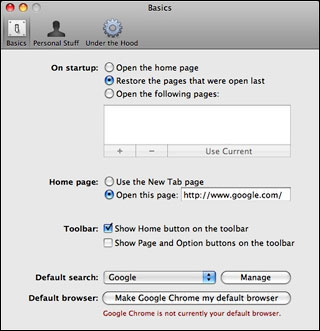
Chrome's preferences pane.
I very much like Chrome's preferences, which only have three panels and are very clear, sensible, and intuitive.
Like Opera and Safari, Chrome lets you get to your favorite websites with just a click from thumbnails of your most visited sites in its the New Tab page.
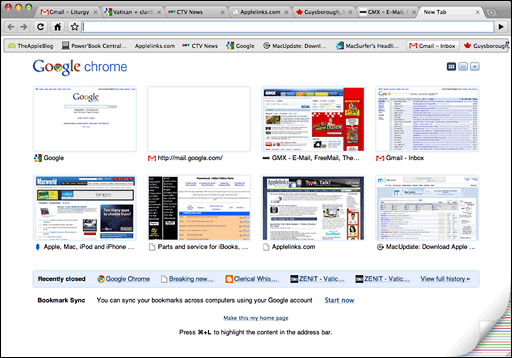
Chrome's "most visited sites" page.
I just love the tabs and the way they smoothly pop up when you summon a new one. Very cool. Indeed, I'm quite smitten with the Chrome interface already, which has a very clean attractive and functional look, and the minimalism - just the key features that you need and nothing more - also appeals.
I know I blow hot and cold on this latter matter, having long praised Opera and iCab for their deep feature sets, but there's a case to be made for either approach.
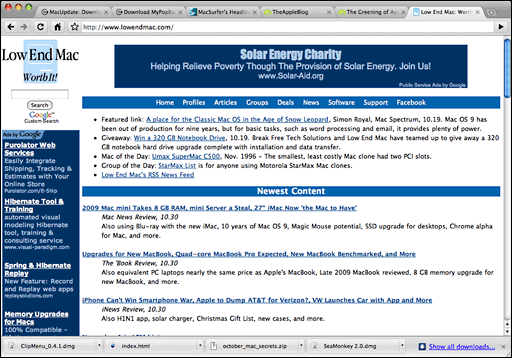
The Low End Mac home page as seen in Chrome for Mac.
Speaking of appearance, if you like something a bit more adventurous than the standard Chrome user interface, there is a selection of alternate "themes" you can download for free. I didn't count, but it looks like there would be maybe 75 to 100 choices. I decided to stick with the standard interface, which I find quite attractive and like a lot better than Safari's or Firefox's default look.
å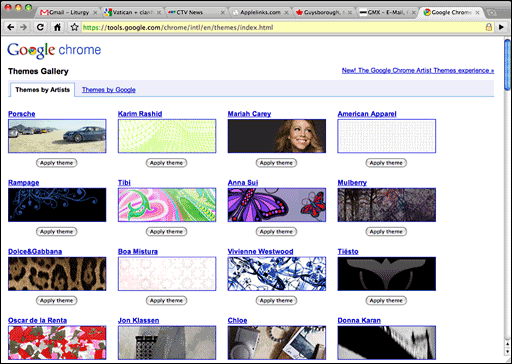
Chrome gives you dozens and dozens of themes to choose from.
Hallelujah! - drag and drop from Chrome into text apps works (it doesn't with Opera, which is one of the few things I don't like about that browser).
I've fallen in love with Chrome already, and I've only been using it for a few days. This is the fastest browser I've ever used, bar none. Wheeee!
I also love Chrome's tab implementation, especially the way it opens a page beside the referring page when you Command-click a link rather than way off to the right like other browsers. As for the tabs being at the top, it's not a big deal to me one way or the other. Top is fine, and Apple's ephemeral experiment with tabs in the menu bar with the Safari beta was lame compared with the slickness of Chrome's tabs. In Chrome's case, there's still plenty of menu bar to grab the top of the window and no sacrifice of vertical height in the content window.
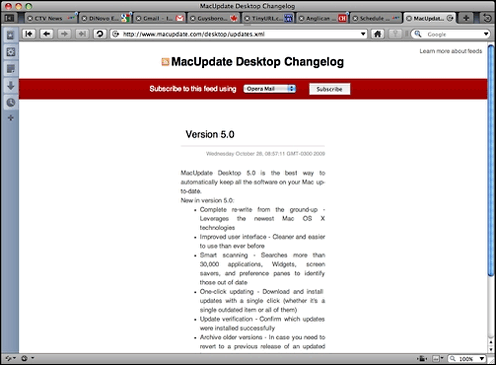
There are a few hiccups. Chrome doesn't always play well with Spaces in Leopard (i.e.: clicking on the Chrome icon in the Dock doesn't always bring forward the space where Chrome is), but that's a minor thing. It also doesn't handle PDF downloads particularly well, and some regular pages don't render well either. For example, here is the same page opened in Chrome and Opera 10.01 respectively.
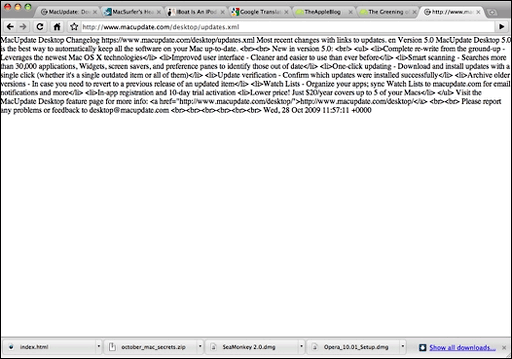
MacUpdate in Chrome (above) and Opera (below).
 The download manager is minimalist, with the progress
monitoring readout consisting of a small thumbnail in the bottom margin
of the interface window.
The download manager is minimalist, with the progress
monitoring readout consisting of a small thumbnail in the bottom margin
of the interface window.
However, it is expandable to give you more detailed information on download history, with a rather nice configuration.
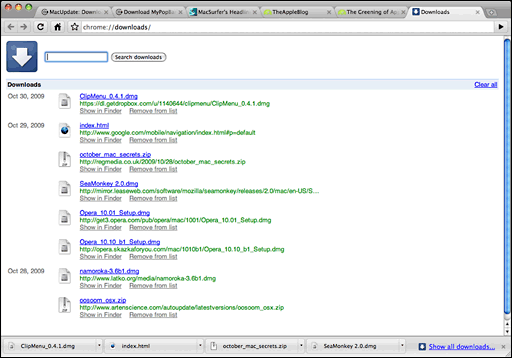
Chrome's download manager has a tab of its own.
However, in general I've been pleasantly surprised - blown away, really - by how stable and smooth-performing the Chrome alpha build is, and it's already become my browser of choice for most surfing, with the exception of tasks where security is an important priority (such as online banking or credit card purchases), since Google warns that this Mac build still "lacks certain privacy features, and is not appropriate for general consumer use."
Last week Google cofounder Sergey Brin said that he personally is using this pre-beta version of Chrome for the Mac. In my as-yet limited experience, Chrome has been handling everything I throw at it, aside from the few exceptions above-noted.
Google projects having a final build of Chrome for the Mac out the door by year-end. The performance I'm enjoying with this build makes that seem a very achievable objective.
Mac System Requirements:
- Intel CPU
- Mac OS X 10.5.6 or later
Join us on Facebook, follow us on Twitter or Google+, or subscribe to our RSS news feed
Charles Moore has been a freelance journalist since 1987 and began writing for Mac websites in May 1998. His The Road Warrior column was a regular feature on MacOpinion, he is news editor at Applelinks.com and a columnist at MacPrices.net. If you find his articles helpful, please consider making a donation to his tip jar.
Links for the Day
- Mac of the Day: PowerBook 500 Series, introduced 1994.05.16. 'Blackbird' includes a 25 to 33 MHz 68040 along with smart batteries and grayscale or color displays.
- Support Low End Mac
Recent Content
About LEM Support Usage Privacy Contact
Follow Low End Mac on Twitter
Join Low End Mac on Facebook
Favorite Sites
MacSurfer
Cult of Mac
Shrine of Apple
MacInTouch
MyAppleMenu
InfoMac
The Mac Observer
Accelerate Your Mac
RetroMacCast
The Vintage Mac Museum
Deal Brothers
DealMac
Mac2Sell
Mac Driver Museum
JAG's House
System 6 Heaven
System 7 Today
the pickle's Low-End Mac FAQ
Affiliates
Amazon.com
The iTunes Store
PC Connection Express
Macgo Blu-ray Player
Parallels Desktop for Mac
eBay

