
Miscellaneous Ramblings
Is Camino Now the Best Browser for Older Macs?
Charles Moore - 2009.01.13 - Tip Jar
One of the most vexing software issues associated with running elderly Mac hardware is web browsers, especially as we get drawn more and more into the "cloud".
Being still stuck with dialup Internet, I resisted switching my email activity to webmail for a long time, but the convenience of Gmail, which works with tolerable (albeit not scintillating) speed on dialup so long as you specify "Basic HTML" mode, has gradually roped me in, and it seems that I become more and more dependent upon Google for information retrieval with every passing day.
Web-based productivity software (e.g.: most online Google apps) run too sluggishly on dialup to be a practical proposition for me, but once I get broadband (promised here for later this year), I'll probably begin using them as well.
Anyway, for all of this web work, you need a good browser, and with my slow connection bottleneck, the faster the better. The problem is that most browsers are freeware (actually, that's not really a problem!), so there is little incentive for developers to invest time and energy maintaining backward compatibility for any but current or very recent OS versions and hardware.
Classic Mac OS holdouts have been struggling with this reality for some time now, and there is no really up-to-date browser available for Macs running OS 9 or earlier. Browser support is still very good for PowerPC machines running recent versions of OS X, with most major browsers remaining compatible with at least OS X 10.4 "Tiger" - and sometimes even 10.3 "Panther".
However, support of older version of the Mac OS is not comprehensive - for example, the new indie WebKit based browser Cruz, which features multiple page views within a single browser window or tab and a plugin architecture intended to facilitate easy feature additions, requires a Mac OS X 10.5 "Leopard".
Firefox Pros and Cons
More subtly, I've found that Firefox 3.x, which works great with my 17" PowerBook G4 running OS X 10.5, even though it nominally supports OS X 10.4, is not a happy camper on my 550 MHz G4 upgraded Pismo PowerBook, running sluggishly with a lot of hard disk activity, and, worse, seeming to slow down other web applications as well when it's running. I can't say what the cause of this is, but the behavior has persisted through several version updates, causing me to revert back to Netscape Navigator 9, which I've found very reliable on that system setup.
What I miss when using Navigator 9 is the improved load speed of the later Gecko browser engine versions and "session saving" - remembering what pages you were visiting when you quit and automatically loading them the next time you start - which I've become addicted to, and which is a major time and aggravation-saver when I reboot.
Camino
One workaround I experimented with was Camino, the Mac-only Cocoa interface browser that also uses Mozilla's Gecko engine, but which happily does not manifest the slowdown issues that plague Firefox 3 on my old, slow, somewhat memory-challenged Pismo. The Mac-themed interface is pleasant to work with as well.
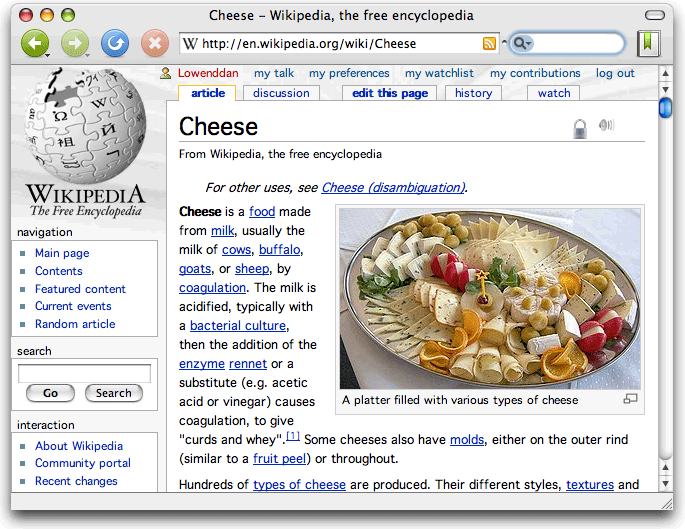
The problem with Camino has been that it seems to not be entirely comfortable with dragging text from the OS 9 applications that I still use for production work on that computer (in OS X Classic Mode) into web page forms, something that I do a lot of with web posting or, even more tiresome, it's cranky about answering clicks on its interface windows to bring it forward, especially when coming from Classic Mode applications.
However, I can happily report that these the issues seem to have been improved to a considerable degree in the latest Camino release (version 1.6.6 ), enough that I may finally have switched from Navigator 9. The functional advantages are that Camino is significantly quicker loading pages and supports session restores.
Camino 1.6.6, which upgrades to version 1.8.1.19 of the Mozilla Gecko rendering engine and includes several critical security and stability fixes, was released on December 16, at which time I downloaded it, but I never got around to installing and checking it out until last weekend.
The page clicking issue especially seems significantly improved. Dragging and dropping in text is still not as well (or at least quickly) received as it is in Navigator 9, but I consider that a tolerable tradeoff for the page speed and not having to manually restore sessions after a reboot. Cool.
It's early days yet, but so far I'm a lot happier with Camino than I was.
Changes in Camino 1.6.6 from version 1.6.5:
- Upgraded to version 1.8.1.19 of the Mozilla Gecko rendering engine, which includes several critical security and stability fixes.
- Upgraded the "Block flash animations" code to use Flashblock 1.5.7.
- Improved ad-blocking.
Complete Camino 1.6.x changelog: http://caminobrowser.org/releases/1.6.6/
For a full list of Camino 1.6.x features, visit: http://caminobrowser.org/releases/1.6/complete.php
System Requirements
- Mac OS X 10.3.9 or later
- Camino 1.6 is a universal binary and runs natively on both PowerPC- and Intel-based Macs.
Join us on Facebook, follow us on Twitter or Google+, or subscribe to our RSS news feed
Charles Moore has been a freelance journalist since 1987 and began writing for Mac websites in May 1998. His The Road Warrior column was a regular feature on MacOpinion, he is news editor at Applelinks.com and a columnist at MacPrices.net. If you find his articles helpful, please consider making a donation to his tip jar.
Links for the Day
- Mac of the Day: PowerBook 500 Series, introduced 1994.05.16. 'Blackbird' includes a 25 to 33 MHz 68040 along with smart batteries and grayscale or color displays.
- Support Low End Mac
Recent Content
About LEM Support Usage Privacy Contact
Follow Low End Mac on Twitter
Join Low End Mac on Facebook
Favorite Sites
MacSurfer
Cult of Mac
Shrine of Apple
MacInTouch
MyAppleMenu
InfoMac
The Mac Observer
Accelerate Your Mac
RetroMacCast
The Vintage Mac Museum
Deal Brothers
DealMac
Mac2Sell
Mac Driver Museum
JAG's House
System 6 Heaven
System 7 Today
the pickle's Low-End Mac FAQ
Affiliates
Amazon.com
The iTunes Store
PC Connection Express
Macgo Blu-ray Player
Parallels Desktop for Mac
eBay

