
Charles Moore's Mailbag
Jaguar for $28, Solid PowerBook 3400, Panther WallStreet Video Fix, Office 98 on OS X, and More
Charles Moore - 2005.02.03 - Tip Jar
- Low Cost Source for OS X CDs
- PowerBook 3400c - Solid
- Adjustment on Apple Optical Mouse
- BootCD Review
- Wallstreet I 13.3" Screen and Color w/ Mac OS X 10.3
- Office 98 on Panther
- PowerBook G5 Skeptic
- About Your iceKey
Low Cost Source for OS X CDs
From John Black
Charles,
I just read your response on Low End Mac to an iMac user's question about upgrading to OS X. You had a link to <http://www.wegenermedia.com/osxj.htm>. I noticed that they have Jaguar for $65. If you're not aware of it, OWC has much better prices on that software: $28 for Jaguar on CD. Here's the link: <http://eshop.macsales.com/shop/osx-center/software-and-more/>.
Thanks as always for your interesting articles and letters of response.
John Black
"Thanks for the link, John. That's the best price I've seen I think.
"Charles
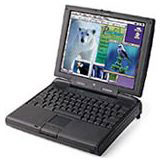
PowerBook 3400c - Solid
 From Brian Gray
Charles,
I always say this, but thank you for all your help! Anyway, I wanted to pass along a recent experience. Due to a recent accident that hit me financially, I decided to sell my Pismo. I wanted something cheap and still powerful, and decided on the 3400c. An eBay auction later I was the proud owner of a 3400c 180 MHz, with 48 megs of RAM and OS 9.1, all for $50!
This great laptop seems overlooked as a low end alternative. I think the low RAM in mine really hurts, but otherwise I think it's awesome. Just to test it out (since I got it so cheap), I've been pushing it's limits. I carry it around loose, toss it in my car, take it to the beach; it passes every test. It's just a rugged laptop, and I'm quite happy with it.
Anyway, I thought I'd pass my experience on if anyone was looking for a rugged, inexpensive PowerBook.
Thanks,
Brian
"Hi Brian,
"Thanks for the report, which squares with the 3400's reputation for ruggedness. One of the great PowerBooks.
"You got a great deal! The 3400 is still a very capable platform for email, word processing and Web surfing.
"Charles
Adjustment on Apple Optical Mouse
From Randall Venturini
Hey Charles
Just wanted to let you know in case you didn't know. The Apple Optical Pro Mouse has a "stiffness" adjustment on the underside of the mouse. You can turn the ring that is around the laser - it has three settings.
Randy
"Hi Randy,
"Thanks for the tip. I haven't had one of those mice since I sold my Cube in 2001, but I'll keep it in mind.
"Charles
BootCD Review
Charles,
You wrote [in Make a Bootable OS X Emergency CD with BootCD]: "However, my mode of choice for alternate system booting is to have another bootable system on another partition of the hard drive."
BootCD looks incredibly clever and interesting, but after some thought it seemed I wouldn't really have any use for it. As mentioned, booting from a CD is veerry slow. I have a special 2 GB partition on my Pismo with a basic OS X installation on it for troubleshooting, etc. But for client's Macs, I just use a FireWire drive. Most OS X capable Macs have FireWire ports, and you can boot from an external FireWire drive even more easily than you used to be able to do from a SCSI disk. DayStar sells what looks like a very nice little FireWire case for $35 (gonna get one when I do my Pismo upgrade); put a spare 2.5" HD (4 GB or larger) in it and install a basic OS X on it and you're ready to go. So far it'll run any FireWire-equipped Mac.
Andrew
"Hi Andrew,
"Yes, booting from CDs is definitely second- or third-class travel. I have the original 20 GB hard drive from my Pismo in a FireWire case. Works great.
"Charles
Editor's note: Two FireWire-equipped Macs that cannot boot from FireWire drives are the clamshell iBook (366 & 466 MHz) and blue & white Power Mac G3. [Correction: The FireWire-equipped clamshell iBooks can boot from a FireWire drive. The blue & white Power Mac G3 is the only Mac with FireWire that can't. dk]
Wallstreet I 13.3" Screen and Color w/ Mac OS X 10.3
From Eric
[Quoting from WallStreet Video - Finally, A Fix!, The Road Warrior, Mac Opinion, 2003.12.08]
"I restarted in OS 9.2.2, opened the Jaguar system library and removed the following extensions:
"ATIRadeon, ATIRadeon8500, ATIRadeon8500DVDDriver, ATIRageProGA, ATIRage128, ATIRage128GA, ATIRage128DVDDriver, ATIRadeon8500GA, ATIRadeon8500GLDriver, ATIRadeon9700, ATIRagePro, ATIRage128GLDriver, ATIRadeon9700DVDDriver, ATIRadeon9700GA, ATIRadeon9700GLDriver, ATIRadeonGA, ATIRadeonGLDriver, and ATIRadeonDVDDriver.
"Since removing these extensions, I've been able to repair permissions for the first time, import folders of photos into iPhoto, create a Movie and render it for 14 hours in Toast 6, and burn a DVD without a lock-up, color vertical lines, or a black screen - Hooray!"
A billion thank you's to Linda B. Miller and yourself for posting this info! I had color problems as well under Mac-on-Linux with my 250 MHz WallStreet I w/13.3 inch screen, and left the issue at Mac-on-Linux not being able to do 16-bit colors with the Wallstreet I video chipset.
Did an install of OS X without Linux, still had color problems, and found Linda's posting as I was about to give up. Deleted the extensions, and we're good.
Now lets see if I can get Mac-on-Linux going :)
Thank you - thank you - thank you - thank you!
Eric
Office 98 on Panther
From Tim Larson
Hello, gents,
You may remember some months ago I wrote asking how to get Office 98 (or even older* versions) to install under Panther (or maybe you saw me asking in online forums for comparisons between various free/OSS alternatives) so that I didn't have to buy the Office suite for a third time.** I wanted to let you know that I couldn't solve this problem, but I did manage to bypass it.
The problem is that while the software installs fine under Panther (you just drag it from the CD), the "first run" program does not run in Classic. When you try to launch an Office app, it starts up and immediately dies. To work around this, install Office 98 on a Mac running OS 8 or 9 - preferably a fresh install or at least one that Office hasn't been on before. Launch one of the programs so that "first run" executes. Quit the app.
Expand everything in the System Folder and look for newly created files. These need to be copied to the appropriate places in the System Folder on your Panther machine. (You'll need to be on a network and turn on sharing in the control panels and then enable sharing of the System Folder, unless you have removable media like a USB key or FireWire drive.)
If you still can't run the Office apps, also look for files with "Word", "Office", "MS", etc. in the name and copy those over - they might have the date the CD was created instead of when they were written to your drive. I suspect the lynch pin might be "Office Registration Cache" but didn't test this theory. I copied everything that seemed relevant simultaneously, so I couldn't identify the critical file touched by "first run" with certainty. I'd be interested if anyone else narrows it down.
Hope this can help anyone in a similar situation. A friend, Daniel,*** had told me that he's seen Office 98 working just fine under OS X and suggested the idea of just copying the system files across. This is confirmation that the approach works.
Thanks,
Tim
* In my limited experience so far, Word 5.1a works pretty well in Classic. Excel 4.0, however, doesn't. (I haven't tried my ancient version of PowerPoint.) The problem is that I couldn't get documents to launch Word properly when opening them. Having to launch the app and open the document from within it isn't terrible if you're using it as a conversion step, but is a nuisance if you intend to use it for day-to-day work.
** It's always seemed silly to me to pay more money to get back to the functionality I'd already paid for. [This bothered me immensely in earlier versions of OS X and is why I didn't upgrade until 10.2 solved most of the issues.] I like to maximize the return on my investments.
While I generally consider NeoOffice/Abiword/OpenOffice to be "good enough" for the word processing I do, my wife (a switcher from Win98 and Word 97) needs the familiarity and layout/formatting features of Word. Recognizing this as a valid concern (while still being, ahem, a tightwad) was sufficient reason to explore using an older office package. If MS were to carbonize Word 5/Excel 4, I'd be thrilled. :)
*** Daniel is selling a copy of Office v.X on LEM-Swap if you don't want to bother with MS Office in Classic.
"Hi Tim,
"Thanks for the tutorial. I'm sure others will find it helpful.
"Charles
PowerBook G5 Skeptic
From Eugene
My next laptop will likely be a new PowerBook, preferably a G5.
However, I must point out that the post about the 970GX seems like a rehash of what's already been written by the rumour sites, especially Think Secret. The only piece of "new" information is the bit about the 13" widescreen, but that has been a desired feature for the PowerBook for just about forever.
Furthermore, DigiTimes often is incorrect. For example, they predicted that the AluBooks would have a 15.4" 1280 x 800 screen.
Let's just say I'm skeptical this person has any real inside information.
Eugene
About Your iceKey
From: "M. R. Wilson"
Hello Charles,
I, like you, have become quite attached to my ailing iceKey keyboard. I was glad to find your article on resurrection.
My iceKey works fine for a few days, and then the keys start to press themselves, most notably the volume keys. The other keys are usually unresponsive once this starts happening, and I begrudgingly go back to using my stock keyboard.
Does this sound similar your keyboard's demise?
There may have been things dripped on it in the past, like condensation from glassware, but I don't recall any major spills. I had considered the nothing-to-lose approach of showering it to see if it would remove any gunk.
Is your keyboard still operational?
Thanks so much for any input you may have,
MR
"Hi MR,
"Unfortunately, the repair of my iceKey was short-lived, and the problem returned. In my case several of the keys would go dead. In the end, I gave the 'board to my son. I'm not sure whether he got it working again or not.
"With mine, the problem was definitely spill-related - two in a row.
"Charles
Letters sent may be published at our discretion. Email addresses will not be published unless requested. If you prefer that your message not be published, mark it "not for publication." Letters may be edited for length, context, and to match house style.
Join us on Facebook, follow us on Twitter or Google+, or subscribe to our RSS news feed
Charles Moore has been a freelance journalist since 1987 and began writing for Mac websites in May 1998. His The Road Warrior column was a regular feature on MacOpinion, he is news editor at Applelinks.com and a columnist at MacPrices.net. If you find his articles helpful, please consider making a donation to his tip jar.
Links for the Day
- Mac of the Day: PowerBook 500 Series, introduced 1994.05.16. 'Blackbird' includes a 25 to 33 MHz 68040 along with smart batteries and grayscale or color displays.
- Support Low End Mac
Recent Content
About LEM Support Usage Privacy Contact
Follow Low End Mac on Twitter
Join Low End Mac on Facebook
Favorite Sites
MacSurfer
Cult of Mac
Shrine of Apple
MacInTouch
MyAppleMenu
InfoMac
The Mac Observer
Accelerate Your Mac
RetroMacCast
The Vintage Mac Museum
Deal Brothers
DealMac
Mac2Sell
Mac Driver Museum
JAG's House
System 6 Heaven
System 7 Today
the pickle's Low-End Mac FAQ
Affiliates
Amazon.com
The iTunes Store
PC Connection Express
Macgo Blu-ray Player
Parallels Desktop for Mac
eBay

