
Charles Moore's Mailbag
Faster G3 vs. Slower G4 Upgrade, PB 1400 Manuals, OS 9 after SETI@home, and More
Charles Moore - 2004.06.01 - Tip Jar
- Pismo G3/900 vs. G4/500-550
- 1400 Service Manuals?
- 1400 Service Manual Posted
- Clamshell iBook Power Plug
- Modem Magic with OS 8.1?
- Media Organizers
- Drives Unmount
- OS 9 Distributed Computing after SETI@home?
From Robert T. Strong
Charles,
I saw the article in Low End Mac by Mark Nigara about the Pismo.
I have a Pismo G3/400 which I have upgraded with the PowerLogix G3/900 processors. I got it a few weeks after they began shipping. I have loved the increase in speed and think that it was a far superior choice than one of the G4/500-550 processors. I do run Photoshop Elements 2.0 and found that it was much quicker with the G3/900 - although a G4 would help, but I think you would need at least a G4/1.0 or 1.25 to really improve the speed.
I have been running Office X since I went to Mac OS X (10.1), and it works great. I have 1 GB of memory in my Pismo, and I have now had it since Oct/Nov 2000. The G3/900 has extended the life of the Pismo I figure at least another year. I have upgraded the CD/DVD drive with a Lite-On combo drive so I can now burn CDs. I am very happy with my system, although I feel that I will eventually upgrade to an aluminum PowerBook either later this year or next year. I thought that I would send this information to assist any who are debating as to what to do with their Pismo. I feel that the G3/900 or 1000 is the way to go since there is not enough VRAM to take advantage of the other features of the G4.
I am running OS 9.2.2 for Classic. I only have one application (Outlook 2001 for Mac) that I need Classic for my work email.
Bob
- Thanks for the input, Bob. Sounds like the 900 MHz upgrade is
doing the job for you splendidly.
However, you might find these articles interesting:
- PL BlueChip G3/1 GHz Pismo Upgrade Canceled (now 900 MHz as top speed)
- PowerBook G3 Pismo Owner Report on BlueChip G3/900 (750FX) Heatsink/Heatpipe Mods
- Just a note of personal observation; my Pismo upgraded to 550
MHz G4 is faster than my G3 iBook 700, even though the latter has
twice as much VRAM and supports Quartz Extreme. Both have 640 MB
of RAM and are running OS 10.3.2.
Charles
1400 Service Manuals?
 From
Joe Smith
From
Joe Smith
Hi Charles:
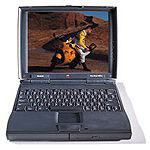
Well, I have a new baby, a very nice PB 1400/166 from eBay for the wonderful price of $51 - the battery was even good in it! I have to do a couple of cosmetic repairs on the port cover and the case back lid. Wondering what you can tell me (and your readers) about whether there's any Web source for the service manual for the 1400 series. I did a fair amount of scouting around, found that some of the SMs were still out there (like the 5300) but not the 1400.
Do you know of any Web resource where the 1400 manual can be found? I am pretty good at working on PowerBooks but found that my sweat factor decreases if I know where Apple has put little plastic catches and latches - the 5300 screen assembly being a perfect example of that. Thanks, as always, for your counsel.
P.S. The 1400 keyboard - wow - worth the wait.
- Hi Joe,
Yes, the 1400 is a great old machine and the keyboard is wonderful. My wife and daughter both use 1400s. The PowerBook Medic online store offers detailed take apart guides for various Apple portables. These manuals include detailed pictures and explanations of take apart procedures. They used to list one for the 1400, but it has disappeared from the Web page. However, you could check with them to see if they might still have one around. For more information, visit PowerBookMedic.com/.
A good PowerBook 1400 resource is Hewligan's PowerBook 1400 FAQ (last updated 2000).
Also check out the PowerBook 1400 Mega-Site.
Charles
Re: PB 1400 Service Manuals?
From Joe Smith
Thanks, Charles.
I think I'm striking out re the manual, I believe PowerBookMedic write me back this morning at home to let me know that they no longer had the 1400 service manual. Of course, none of the repair shops like PowerBook Guy or MacResQ would be inclined to share it - can't say I would either, if the shoes were reversed. Well, I may tackle my repairs on a wing and a prayer...
But I got my one broken 5300 working again today thanks to a screen transfusion - so all's not lost in "ancient PowerBook land!"
Thanks as always.
1400 Service Manual Posted
From Bruce Miller
I posted the 1400 Service Manual here for you: <http://homepage.mac.com/brucemillerphoto>
Clamshell iBook Power Plug
From Tom
My power plug needs to be lifted (& held) to get it to charge. I assume it's just a bad connection, which can only get worse - not a great design.
I've heard that the 2 recessed contacts on the bottom of the clamshell, near the battery, are for 3rd-party recharging stations (for classrooms/labs, etc.)
So do u know where I can find info on those contacts? Could I simply route the charger to those, bypassing the flimsy plug-in socket? Or are the contacts downstream from the charging circuit?
adTHANXvance
Tom
- Hi Tom,
You are correct that the two circular metal contacts located on the bottom of the iBook are charging contacts, intended to allow third-party developers to create a charging station that could charge several units simultaneously without the need to plug each unit into a wall socket, such as in schools.
The problem is that I'm not aware that any developer ever took the opportunity. If there is such a charger available, it's not been aggressively marketed.
Perhaps you could cobble something up yourself, but it would be at your own risk.
From the symptom you describe, it's possible that the power adapter socket has become partly dislodged from the motherboard. It could probably be resoldered, but the sticking point with iBooks is that they're a nightmare to take apart.
Charles
Modem Magic with OS 8.1?
From Tom Gabriel
Dear Mr. Moore,
I am thinking of trying Mac Modem Magic, which you reviewed and liked, and tried to check to see if my Mac, which runs OS 8.1, had Open Transport 1.1.1 or later, as recommended for that software. Searching around seemed to indicate that I had Open Transport or OT/PPP 1.0.1, which is too early a version. Then I saw on a Mac site that version 1.1.1 shipped with OS 7.5.3!
Do you know which version came with OS 8.1?
Thanks,
Tom Gabriel
- Hi Tom,
Mac OS 8.1 installs Open Transport v1.3, which contains a number of new features and bug fixes from earlier versions.
Charles
Media Organizers
From Roger Harris
When we were exchanging emails over the weekend I forgot to give you a heads-up on this media organizer to add to you list of tryouts. I have been using iView Media Pro for the last year. Although it gets very good reviews I don't care for it's complexity and propriety, not to mention the $200 price. I have just started trying QPict media organizer from Swedish company RuneLindman Development. It is looking very good so far and the $35 price is very good for a top notch application.
As I mentioned, I have only just started to use it but it looks very good so far. I didn't want to wait longer to tell you about the application since you have already started your media application project.
Roger Harris
- Hi Roger,
Thanks for the heads-up and link. I'll put it on my list.
Charles
Drives Unmount
From Lew
I thought that I was adept at this kind of component swapping. I am not, or I would not be seeking advice.
 I
have swapped SCSI drives in computers before and never had a problem.
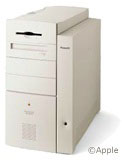
In both my 8500 with a 500 MHz G3
(OS X 10.2.8) and my 8600/300
(10.1.5), the drives I installed unmount and need to be remounted
with an OS start up CD after lengthy shutdown. On restarts it doesn't
happen.
I
have swapped SCSI drives in computers before and never had a problem.
In both my 8500 with a 500 MHz G3
(OS X 10.2.8) and my 8600/300
(10.1.5), the drives I installed unmount and need to be remounted
with an OS start up CD after lengthy shutdown. On restarts it doesn't
happen.
In fact that's how I ended up with the 8600. I had slapped together another 8500 (which I still have sitting in my archives; I have nine other Macs) with a different SCSI HD and had the same problem. So I thought the box was bad and bought the 8600 online. The drive I had in that 8500 that wouldn't stay mounted is now in a 7500/120 and is fine!
In the 8600 I thought perhaps that the termination was the problem, but no matter where I put a bigger drive in the series, it doesn't mount. A 1 gig running OS 9.1 that I took from a 7300 I have drive starts up in the same computer in the upper drive bay only (I then insert the OS disk and remount the lower drive and restart with the OS X drive).
The 8500 I use daily now has an 18 gig SCSI with an adapter to 50-pin as my only drive. Is this the SCSI voodoo I had read about, or is it a termination problem, the OS, or something I have just never heard of.
Please Advise
Lew
- Hi Lew,
I'm no expert in this matter. I had a battle royal with a Seagate Barracuda 7200 RPM SCSI drive in my UMAX S900, which manifested similar symptoms to what you describe. I finally gave up on it and replaced it with a Quantum 5400 RPM unit pulled from a Power Computing machine and have had no more problems.
One thing you could try is to go to the drive manufacturer's website and check out the configuration pin jumper options and then experiment with different settings.
Charles
OS 9 Distributed Computing after SETI@home?
From Kevin L. Knoles
Some time after the BOINC GUI is available for OS X, the OS 9 compatible Seti@home will be discontinued.
http://setiathome.berkeley.edu/boinc_transition_plan.html
This will leave a huge number of Macs running OS 9 without an easy to install and use distributed computing application. I was wondering if there are plans for any distributed computing apps to fill the void. It could be the Evolution@Home or Distributed.net clients with more user friendly GUIs, or possibly something entirely new, but there has to be something or OS 9 users will be left out and tons of potential computing power will be left unused.
Do you know if there will be something? I'm hoping that a new version of Evolution@Home will be ready in time.
- Hi Kevin,
I have no idea. Perhaps some of our readers will know.
Charles
Letters sent may be published at our discretion. Email addresses will not be published unless requested. If you prefer that your message not be published, mark it "not for publication." Letters may be edited for length, context, and to match house style.
Join us on Facebook, follow us on Twitter or Google+, or subscribe to our RSS news feed
Charles Moore has been a freelance journalist since 1987 and began writing for Mac websites in May 1998. His The Road Warrior column was a regular feature on MacOpinion, he is news editor at Applelinks.com and a columnist at MacPrices.net. If you find his articles helpful, please consider making a donation to his tip jar.
Links for the Day
- Mac of the Day: PowerBook 500 Series, introduced 1994.05.16. 'Blackbird' includes a 25 to 33 MHz 68040 along with smart batteries and grayscale or color displays.
- Support Low End Mac
Recent Content
About LEM Support Usage Privacy Contact
Follow Low End Mac on Twitter
Join Low End Mac on Facebook
Favorite Sites
MacSurfer
Cult of Mac
Shrine of Apple
MacInTouch
MyAppleMenu
InfoMac
The Mac Observer
Accelerate Your Mac
RetroMacCast
The Vintage Mac Museum
Deal Brothers
DealMac
Mac2Sell
Mac Driver Museum
JAG's House
System 6 Heaven
System 7 Today
the pickle's Low-End Mac FAQ
Affiliates
Amazon.com
The iTunes Store
PC Connection Express
Macgo Blu-ray Player
Parallels Desktop for Mac
eBay

