
Miscellaneous Ramblings
iceKey Redivivus: Bringing a Liquid-Damaged Keyboard Back to Life
Charles Moore - 2004.01.26 - Tip Jar
I've been using computers every day for a dozen years, and I had never spilled any thing on a keyboard until about six weeks ago, when I did it to the same board twice in one week. Just the law of averages catching up with me I guess.
On both occasions, the liquid that got sloshed was a solution of Grapefruit Seed Extract in water. GSE is highly acidic, so I figured I was fortunate the first time that the keyboard, a Macally iceKey Slim USB that I'm quite fond of, still worked after I dried it out. However, the second, somewhat more copious splash was too much of an insult for the board to weather, and after drying by the wood stove for a couple of days, it would no longer respond properly to key input.
I tried to be philosophical and mentally wrote the keyboard off. I pondered giving it a thorough soaking, but figured that if the problem was corrosion caused by the acid in the GSE, that probably wouldn't help.
However, on Sunday my son dropped by. He is completely fearless about taking things apart and extremely good at fixing them when he does. It took him about half an hour to strip the keyboard down, which involved removing about a dozen screws to get the case apart and the circuit board free, and then an astonishing 39 extremely tiny Phillips screws that held the steel bottom plate to the key switch and printed circuit membrane module.
Once the plate was free, lifting it off revealed a crop of small, springy, plastic nubbins, one under each key switch, all of which had to be removed and carefully set aside before finally getting to the printed circuit membrane, where we expected to find the problem.
That surmise was correct. The corrosive liquid had penetrated between the three thin clear plastic layers of the circuit membrane, shorting out the main in/out circuit. The trouble area was clearly visible through the transparent plastic.
My son carefully separated the plastic layers of the circuit module and used a soft cloth moistened with distilled water to clean the shorted area. The contamination was carefully scrubbed away, and reassembly commenced.
All of those little plastic nubbins had to be replaced in their holes - and then the 39 tiny screws. The keyboard module was returned to its outer case, the latter snapped and screwed back together, and the moment of truth arrived. We plugged in the USB cable, and the board worked perfectly. Hooray!
So if you slop some liquid on a keyboard and it malfunctions, it may not be irrevocably ruined. Quickly unplug the 'board and turn it upside down to dump out the liquid. If it's something sticky or gummy (like soda or milk), there's probably little to lose in flushing the board with clear water as quickly as possible. It must then be turned upside down and allowed to dry for several days before trying it again.
As for stripping a keyboard down, there are so many different types of 'boards that it is impossible to generalize as to the advisability of doing so. I've had a lot of keyboards apart over the years, and some have been very easy and intuitive to tear down - for example my Macally New Wave ADB keyboard.
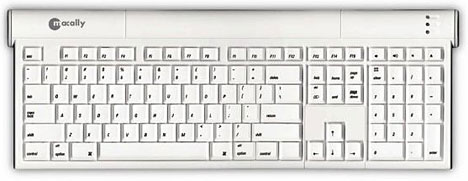
This iceKey was about the most challenging, not because it is a terribly complex design (it isn't), but all those tiny, easily lost parts made it a very fiddly venture. We managed to get it apart, repaired, and back together successfully, but it's not something I would recommend unless you are really confident about what you're doing (my son is; I'm not) and very careful about watching out for all those tiny little parts!
I figured I had nothing to lose, since the board was useless in its damaged state, and I'm very happy to have the iceKey working again.
Join us on Facebook, follow us on Twitter or Google+, or subscribe to our RSS news feed
Charles Moore has been a freelance journalist since 1987 and began writing for Mac websites in May 1998. His The Road Warrior column was a regular feature on MacOpinion, he is news editor at Applelinks.com and a columnist at MacPrices.net. If you find his articles helpful, please consider making a donation to his tip jar.
Links for the Day
- Mac of the Day: PowerBook 500 Series, introduced 1994.05.16. 'Blackbird' includes a 25 to 33 MHz 68040 along with smart batteries and grayscale or color displays.
- Support Low End Mac
Recent Content
About LEM Support Usage Privacy Contact
Follow Low End Mac on Twitter
Join Low End Mac on Facebook
Favorite Sites
MacSurfer
Cult of Mac
Shrine of Apple
MacInTouch
MyAppleMenu
InfoMac
The Mac Observer
Accelerate Your Mac
RetroMacCast
The Vintage Mac Museum
Deal Brothers
DealMac
Mac2Sell
Mac Driver Museum
JAG's House
System 6 Heaven
System 7 Today
the pickle's Low-End Mac FAQ
Affiliates
Amazon.com
The iTunes Store
PC Connection Express
Macgo Blu-ray Player
Parallels Desktop for Mac
eBay

