
Charles Moore's Mailbag
Power Mac Upgrades, RAM Disks, PowerBook Ethernet, USB on a 3400, iBook Hinge Woes, and More
Charles Moore - 2002.10.14 - Tip Jar
- Upgrading
- PowerBooks - your favorite RAM Disk user's guide?
- And I Had to Worry for Sept 30
- Upgraded PCI PowerMacs
- PowerBook 520 - Ethernet Dongle Adapter
- Please help: PowerBook 3400 USB Support
- iBook Hinge Woes
- G3 PowerBook (FireWire) Question
- Subject Mac WordPerfect
- Re: Sleep of Death
- No Sleep Bug
- Advice for Chris Smolyk
- WallStreet Heat Sink
Upgrading
From Niels Vølund
Hi Charles
I read your thoughts on upgrading - as a musician and Cubase user I could certainly do with a faster and less noisy Mac than my G3/400 upgraded Umax S900, but, as you write, lack of cash has the last word on every upgrade thought. I saw some very fine prices for last year's model of G4 as the new ones came out, but I have to feed my family, pay the rent, and have enough to buy fuel so I can go play my gigs.
Anyway, the day will come when I go to a G4 more than 400 [MHz] and hopefully a lot faster and stronger than my current setup, I can do about 20 audio tracks with a minimum of plugins as it is, and actually I can do anything I want as the sound is digital and has no loss of quality when bouncing down tracks, so making a new copy of one or more tracks is a possibility, so I can lay down more tracks, very time consuming though and I lose the ability to add a little more of this or that on the fly, as the sounds are made, when you bounce down.
Don't know if you can use this, just thought I would write it down, nice knowing someone reads your stuff
Niels
Thanks for sharing your thoughts, Neils. There's always the option of popping a G4 upgrade into the S900.
Charles
PowerBooks - your favorite RAM Disk user's guide?
From Thomas M Barclay
Hello Charles
I've just acquired a PB 190cs
with a battery that's good for about 90 minutes. I've got it up to 24
megs of RAM, 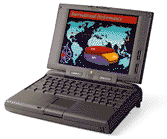 enough for use as a portable writer's tool, but I think
I should be using the RAM disk option for more battery life and
speed.
enough for use as a portable writer's tool, but I think
I should be using the RAM disk option for more battery life and
speed.
Do you have a favorite guide reference for setting up the options? And do I need to have my word processing app on the RAM disk as well?
Thanks for your consideration!
Tom Barclay
Hi Tom,
Check out Working with RAM Disks and Charles Moore Reviews AppDisk and ramBunctious RAM Disk Applications.
I used to run most of the time in a RAM disk on a PowerBook 5300 with 24 MB of RAM. I used a very stripped down version of System 7.1.2, a minimum installation of MS Word 5.1 and a few other bits. I could spin down the hard drive and compute in silence all day.
Charles
And I Had to Worry for Sept 30
From Alvin Chan
Hi.
And I had to worry and find a way to keep my .mac address and found out they extended it. Anyway, at least I don't have to worry about missing replies and informing people of a new address. I believe .mac is good value for a year. I see that they will offer more gifts in the gifts section. I don't even know they have Kodak prints, is that only for the US. I'm from the Philippines.
By the way, about CD-RW. If say I burnt a CD-RW media, can I burn it again the second or third time? Will it be compatible with normal CD-ROM drives?
God bless,
Alvin
Philippines
Hi Alvin,
Good luck with .mac. Personally, I only ever used the email, so I'm giving it a pass.
You should be able to burn a CD-RW a lot more than three times; I don't know what the practical limit is. CD-RWs should work in all recent CD drives, but not necessarily in older ones. They won't work in the WallStreet PowerBook drive for example.
Charles
Upgraded PCI PowerMacs
From Christopher Brown
Saw the email you received from the person who upgraded their 7300, I have also upgraded mine, possibly beyond the point of sanity. It was originally a 7300/180 with 32 MB of RAM and a 4 GB HD. But now it's a little different.
- Sonnet 450 MHz G4
- 512 MB RAM
- Sonnet Tango FireWire/USB
- Seagate 18.2 GB Barracuda
- Farallon 100 megabit ethernet
- ATI Radeon 7000
Not to mention the external peripherals. My only problem now is that I want a faster SCSI card, so I might give up the 100 megabit ethernet. Of course, I have realized for a while that all my upgrades are a little silly, since I could have purchased a new machine for about the same money. But then again, I just really like my 7300 and can't seem to part with it. My wife wants a new 17" iMac, and I will probably get her one, but I will probably still be using my little 7300.
Christopher Brown
Hi Christopher,
Think of how it would fly with one of those 700 MHz or 800 MHz Sonnet G4 upgrades.
Charles
PowerBook 520 - Ethernet Dongle Adapter
From Raymond P. Ausrotas
Hello
Found your recent article very timely.
I affectionately struggled with my PowerBook 520 as a home computer for eight years. A couple of years ago, I even tried (unsuccessfully) to upgrade its processor to a Newer Tech 167 MHz version. According to our local Mac store, the processor worked, but the board couldn't run it.
Finally, I broke down last week and got a new iMac, and I can't connect the two machines to share files and use the documents and extra memory still in the old girl's hard drive. Frankly, I'd still like to use her from time to time, but it has gotten so slow doing even simple tasks that even that may be a pipe dream.
Anyhow, Apple tells me I need a dongle adapter that will allow me to run an ethernet cable between the two, and then will be all set. Do you folks have any of these, or know where I can get one? Thanks!
- Ray
Hi Ray,
What you need is an Apple Attachment Unit Interface (AAUI) adapter. You can find one here on the Micromat website and often find them on eBay as well.
You will also need an ethernet crossover cable.
Charles
Please help: PowerBook 3400 USB Support
From Lorne Shapiro
Mr. Moore,
How do you do?
I am the fairly proud owner of a PowerBook 3400c and have recently run into a problem. I would like to buy a digital camera, although, of course, I have no USB port on my Mac. Many Mac dealers have told me that I am out of luck and should think about upgrading.
I was reluctant to accept this advice and turned to the Net. I came across a response that you gave to someone's query in the Miscellaneous Ramblings on Low End Mac in the July 22, 2002 issue, where you state, "However, PowerBook 3400s can be quite easily modified to support CardBus devices."
Needless to say, I am somewhat encouraged by these words and would be extremely grateful if you would be willing to tell me what is available on the market to make my old Mac USB compatible. I eagerly await your reply.
Thank you,
Lorne Shapiro
Hi Mr. Shapiro,
MCE does the CardBus upgrade modification to the PowerBook 3400, 3500 (original G3), and 2400 for US$99.
CardBus PC Card slots are 32-bit PC Card slots capable of handling superfast 32-bit PC Cards. Processing of these cards is handled by a dedicated CardBus microprocessor running at 33 MHz - independent of your PowerBook's CPU. CardBus cards can be are many times more powerful than the older 16-bit cards, since they have their own dedicated microprocessor and are 32-bit, not 16-bit. Also, the performance hit on your PowerBook is minimized, since your PowerBook's CPU is free to perform other tasks besides processing PC Card commands.
With the MCE CardBus Upgrade Service, MCE enables your system to recognize and utilize these 32-bit CardBus PC Cards at full 32-bit/33 MHz strength. You'll have 100% CardBus compliant slots. Once the upgrade is complete, you'll be able to use all of the same 32-bit CardBus PC Cards that previously only PowerBook G3 Series owners could use. These include FireWire CardBus Cards, USB CardBus Cards, 100Base-T Ethernet CardBus Cards, Ultra-SCSI and Ultra-Wide SCSI CardBus Cards, and the ixMicro Road Rocket video-out CardBus Card that allows you to have dual monitors (your LCD screen and a second monitor) and do true monitor spanning on your PowerBook G3 Wall Street, not simply mirroring.
The CardBus protocol is 100% backwards compatible with 16-bit PC Cards. As long as you could use that 16-bit card before, you will be still be able to use it after the CardBus Upgrade procedure is done.
You need to ship or bring your PowerBook to MCE's facility in Irvine, California. If needed, FedEx has free laptop boxes specifically for shipping laptop computers.
The only system requirement for the CardBus Upgrade Service is that your PowerBook must be running Mac OS 8.6 or later when you send in your PowerBook.
MCE also offers a USB ready bundle: a CardBus Upgrade and a Macally USB card for $149.95.
Charles
iBook Hinge Woes
From Tom Raworth
Dear Mr. Moore,
Has anyone come up with an answer to the iBook (dual USB) hinge problem? Mine was stiff, creaking, tight. The various Forum solutions (loosening screws on case bottom for instance) didn't work. The machine had to go back to Apple to have a faulty modem replaced. I mentioned the hinge problem, and when the machine returned, all was smooth and easy.
Now, two months later, the hinges again are tight and squeaking, and the screen base is strained when opening the iBook. As Apple won't say anywhere what they did to solve the problem, I'm at a loss. As this problem (according to letters) has been around for many for some time, if there's a simple solution, surely Apple should reveal it. In the meantime, as I don't wish to gunge up with oil, would the TiGlide (for PowerBook hinges) be a solution?
Thanks for your good work.
Tom Raworth
Hi Tom,
Lid hinges seem to be the Apple portable's Achilles heel.
TiGlide sounds like it's worth a shot, although that is a surmise and not based on experience.
Charles
G3 PowerBook (FireWire) Question
From Sotiri Makris
Hi Charles,
I found your [Tools of the Trade] article enlightening.
I was hoping you could help me with a problem I have on my PowerBook.
I recently bought a 3 port FireWire IEEE 1394 PCMCIA CardBus, and I can't seem to get it to work. I am running Mac OS 10.1.5. and trying to hookup my Canon Elura DV camera.
The FireWire card is a no name brand. <http://cgi.ebay.com/ws/eBayISAPI.dll?ViewItem&item=2057906006>,
Any help you can offer would be much appreciated. Thanks for your time.
Sotiri Makris
Hi Sotiri,
Have you tried booting from OS 9.x to see if the card will work under the old Mac OS (not just Classic mode in OS X). I'm also wondering if there is a necessary driver that you don't have for your no-name PC Card.
I had good performance from the Macally PC Card FireWire adapter in my WallStreet, and my son has had no problems with his KeySpan FireWire PC Card under OS X in his Lombard PowerBook.
Charles
Subject Mac WordPerfect
From Matt Blumberg
Saw the post below on your website; I'm also looking for the Mac WordPerfect download, but I can't find it anywhere, and the link to which you refer seems no longer active. Any suggestions where I might look now?
Thanks for any info.
Hi Matt,
Try these:
- http://acmfiles.csusb.edu/corel/wpmac.html
- http://hubcap.clemson.edu/~jdburto/wpmac35e.html
- http://www.deakin.edu.au/software/applications.php still has it, but you need a student password to initiate the download.
Charles
Re: Sleep of Death
From Eric Matthieu
Charles,
You and Bob Friede were commenting about the Pismo's apparent sensitivity in Sleep mode. If I'm not mistaken, the ability to wake from sleep by opening the lid was deliberately engineered into those machines (also a touted feature of iBooks of the same vintage, and you can put either to sleep by closing the lid). The feature to wake when opened can be disabled in the Energy Saver control panel.
Regards,
Eric
Hi Eric,
However, I don't think the lid has been closed more than a couple of times on my Pismo since it arrived here in October, 2001. ;-)
Charles
No Sleep Bug
From Robert Crone
Hi Charles,
I seem to have the opposite problem. Ever since I installed Jaguar, my computer wakes up at some random interval and won't go back to sleep without my intervention. I originally thought maybe a ping on my AirPort was waking up my eMac, but turning off my AirPort before putting the machine to sleep hasn't fixed the problem.
Rob C
Hi Rob,
Wish I could help, but I haven't a clue as to what this would be.
Charles
Advice for Chris Smolyk
From Adam R. S. Guha
Hello, I read Chris Smolyk's email in your latest article, and I remember having similar problems with a 6100. It turned out the hard disk drivers were corrupted; reinitializing the drive and doing a clean install of the OS fixed it, and the machine ran fine again. A low-level format is best, but it takes a long time to do, and not all Macs will give you the option. Hope that helps him.
Adam
WallStreet Heat Sink
From Peter J. Pedersen
Dear Sir,
You have several times mentioned in your articles that the heat sink became unsoldered on your WallStreet, for instance like this:
"However, when I removed the processor daughtercard, the CPU heat sink contact had become unsoldered from the CPU chip and fell off, which is more of an imponderable."
I don't quite understand what you mean by that. Is the "CPU heat sink contact" the shiny plate that you unscrew with two flat screws in order to get to the daughterboard/RAM/hard disk? When you take that off, a white gob of gum which has transferred heat from the to the shiny plate (which then transferred the heat to the underside of the keyboard) becomes unstuck. It is still somewhat sticky, however.
If this is what worried you, then you should know that I probably took the shiny plate off over a hundred times, making the gob gradually less sticky, before recently adding some "heat contact creamy something" on top of it. During that time I had no problems with heat whatsoever - except the always-present danger of having my thighs fried by the underside of the WallStreet.
You shouldn't worry - and you can always round one of those small utilities that show the CPU temperature. Also, you can be less lazy than I and actually get round to buying a tube of that "heat transfer creamy something" and apply it between the CPU shield top and the plate.
I hope this might make the option of buying one of those (reasonably priced) secondhand WallStreets instead of the recently deceased mythical monster-of-production. With a 500 MHz G3 PowerLogix upgrade, it will serve you for many years yet - its ability to house two PCMCIA cards is unbeatable among PBs.
Peter J. Pedersen
Hi Peter,
Nope; I've had the heat sink off my WallStreet and other many times as well, and I'm cognizant of the heat transfer gunk.
What came off the CPU is the disk-shaped top item that the heat sink contacts. Looks like a failed solder joint, but I suppose iy could be HY epoxy. I don;t know if this is a fatal issue or not, and the PMU has apparently died. In any case, the WS remains dead. If I can get parts to fix it cheaply enough (i.e.: probably a junker machine), I will try to revive it.
Charles
Editor's note: This stuff is called thermal paste, a compound especially designed to tranfer heat from one surface, such as a CPU, to another, such as a heat sink. There's an interesting comparison of various brands on TechWatch.com. dk
Join us on Facebook, follow us on Twitter or Google+, or subscribe to our RSS news feed
Charles Moore has been a freelance journalist since 1987 and began writing for Mac websites in May 1998. His The Road Warrior column was a regular feature on MacOpinion, he is news editor at Applelinks.com and a columnist at MacPrices.net. If you find his articles helpful, please consider making a donation to his tip jar.
Links for the Day
- Mac of the Day: PowerBook 500 Series, introduced 1994.05.16. 'Blackbird' includes a 25 to 33 MHz 68040 along with smart batteries and grayscale or color displays.
- Support Low End Mac
Recent Content
About LEM Support Usage Privacy Contact
Follow Low End Mac on Twitter
Join Low End Mac on Facebook
Favorite Sites
MacSurfer
Cult of Mac
Shrine of Apple
MacInTouch
MyAppleMenu
InfoMac
The Mac Observer
Accelerate Your Mac
RetroMacCast
The Vintage Mac Museum
Deal Brothers
DealMac
Mac2Sell
Mac Driver Museum
JAG's House
System 6 Heaven
System 7 Today
the pickle's Low-End Mac FAQ
Affiliates
Amazon.com
The iTunes Store
PC Connection Express
Macgo Blu-ray Player
Parallels Desktop for Mac
eBay

