Miscellaneous Ramblings
Restoring After Reformatting Your Hard Drive
Charles W. Moore - 2001.05.15
I'm finally getting my
PowerBook reconfigured the way I like it after last week's SuSE
Linux installation adventure. 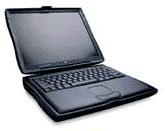 This is a task I always dread
following the erasure and reformat of my hard drive.
This is a task I always dread
following the erasure and reformat of my hard drive.
The way I have my machine set up is the culmination of nine years of tweaking and customization of the Mac OS and a bunch of third-party stuff that I depend on to get my work done efficiently, and it always takes several days of work and experimentation to restore the familiar order.
Despite your best efforts to the contrary, you also always manage to lose something. In this case, I had backed up my entire top partition, which includes my main operating system, as a Stuffit compressed file on the little Que M2 FireWire hard drive, a method I now don't recommend. This had worked for me before, but this time the Stuffit file somehow got corrupted during the unstuffing process when I was only down to "C" in the list of files, so I lost my production OS 9.1 system, including all preferences , plus my ICQ archives. Fortunately, my Eudora, Nisus, and SweetMail email archives were redundantly backed up in two other places.
Consequently, I dragged the OS 9.0 system folder I had been using last week on my backup Umax SuperMac S900 over to the PowerBook via ethernet, which restored most of the preferences for my working programs. Then I ran the 0S 9.1 installer on top of it.
One thing that occurred to me is that while this whole restoration task is extremely tedious, it would be substantially more frustrating with OS X. The flexibility of the classic Mac OS is amazing. That OS 9.0 System Folder was originally installed on the PowerBook in December 1999, upgraded to OS 9.0.4, hack-downgraded to 9.0 again when I didn't like 9.0.4 (by dragging the 9.0.4 specific files to the Trash and running the OS 9.0 Installer), dragged over to the S900, dragged back to the PowerBook, and upgraded again to 0S 9.1. I don't think we'll be able to drag OS X around like that.
It's always interesting to see what still works and what doesn't after one of these exercises.
Eudora and Tex Edit Plus started right up. I use a pop up folder with a bunch of application aliases displayed as buttons instead of using the Mac OS Launcher, and the aliases for Eudora and Tex Edit still worked despite all the dragging around.
On the other hand, Keystrokes 2.1, Netscape Communicator, Nisus Writer, Vicom FTP Client, and SpellTools all wanted reinstallation, and, where applicable, reentry of serial numbers, in order to work.
IBM ViaVoice was the worst, bespeaking its PC heritage. It required a full reinstall and even made me read it one of the training stories before I could get to the preferences and restore my back up voice profile. You can't drag ViaVoice or any of its components around from drive to drive without breaking it and going through another reinstall.
It's finally coming together. Unhappily, the process seems to have disabled the sound of output in the PowerBook's modem somewhere along the line. The modem still works - but in dead silence. Perhaps the Linux installation confused it somehow.
As for Linux, don't ask . I haven't had time to even boot it up again since installing it last Wednesday, For reasons outlined above, and being away on a 500 mi. road trip last Friday . I'll get to it someday.
MR Mailbag
From Rick Todd:
Subject: MAJOR OBJECTION
You wrote:
Thirdly, Linux is inexpensive. SuSE Linux 7.1 with the aforementioned bundled software and an excellent 500 page manual sells for a modest $49, compared with $129 for Mac OS X/OS 9.1. Lots of Linux software is free as well, such as Sun Microsystems' Star Office suite of business production applications.
Linux is free! (Source and binary!)
As a Mac and Linux user, I understand how misleading the above paragraph is to Mac people.
Linux is free!. What SuSE is selling is not Linux. That is not the business model. They are selling service and support.
Linux is free. So is almost all of the software bundled with it. Including most, if not all, of the software you mentioned in your article.
Your description of Linux misinforms your readers. It sounds like just another commercial software product, costing only $49. Wrong. They can download a full Linux distro for free and install it on as many systems as they please.
You never explained Open Source or Free Software. You never said where all the software that you were describing came from.
You never acknowledged the work that volunteers have done for 16+ years to accomplish this.
The Mac community has little clue. You could have educated them.
This reads like a flame, but it isn't. You did not really educate your readers. And the statement "Linux is inexpensive" was stupid. (BTW, Debian GNU/Linux also supports PPC, and is a non-profit. Download it today.) You should have done better.
Rick
- Hi Rick,
Thanks for your letter. I think you are being just a wee bit oversensitive.
I'm pretty confident that most Mac users are not quite as clueless as you suggest and are aware of the concept of Open Source, and that Linux itself is free, and that when you buy one of the Linux distributions you are buying the convenience of a less challenging installation experience, a software bundle, and, at least in the case of SuSE Linux, an excellent print manual.
While Linux is free for the download, I don't think that many Mac users would be well advised to try that route. I found the SuSE Linux installation, which is reportedly one of the more user-friendly ones, challenging enough.
Charles
From John:
Subject: Cube upgrades?
I am considering a G4 450 Cube, but the guy at the computer superstore says that on a G4 tower will be easier to upgrade the processor in the future. Is this correct? From what I have read, it looks like they take the type of upgrade.
John
- Hi John,
If you plan on upgrading the processor or adding PCI expansion cards, the G4 tower is the better choice, but few people actually do these things.
At this point, the Cube processor is non-upgradable.
You can upgrade the video card and RAM though.
Hope this helps.
Charles
From Michael W. Mosser:
Subject: Website for pricing used PowerBooks?
Dear Charles,
Do you have any idea of a website (besides eBay ) where I can find current information to price my PB1400/166? I am hoping to sell my trusty 1400 to help offset the cost of a new iBook for my wife.
Thanks much,
Michael Mosser
- Hi Michael,
You could check out these pages, which often have used 1400s, and check prices.
I'm guessing about $400
- Charles
From Robert de Lucca:
Subject: PBG4 supported by SuSE Linux package?
I'd like to know whether the TiBook's screen resolution is supported by this [SuSE] package.
Thanks.
Dr. Robert de Lucca
- Good question. The TiBook is not mentioned as either supported
or unsupported in the SuSE 7.1 Manual. The Pismo is supported, so I
would be hopeful, but the screen resolution is a conundrum.
Charles
From Scott Earleywine:
Subject: SuSE 7.1 full install
Do you know where the SuSE 7.1 full install image for PPC is at? I looked on SuSE's FTP server, and the most current version I could find is for 7.0.
Thanks! BTW, great article posted today on lowendmac.
Later,
SLE
- It probably hasn't/hadn't been posted yet. Keep checking
back.
Charles
From John Holmes:
Subject: StarMax 5500
Charles,
Have you published any articles for the StarMax 5500?
Also can you recommend a combined USB and FireWire PCI card for this machine? Will it support Mac OS 9.1 and possibly OS X with a Newer Tech accelerator in it?
What was the support website for StarMax users I cannot find it now.
Thanks
John Holmes
- Hi John,
Haven't done any pieces on the StarMax 5000.
Macally makes a PCI upgrade card with both USB and FireWire which should work fine. It will support OS 9.1. OS X is a big question mark. No official support, but possibly a hack in the future.
For support, try StarMax Home on the Motorola site.
You might also be interested in joining the StarMax email list.
Charles
From Michael T. Baxter:
Subject: RE: StarMax 3000/160 - question
I was cleaning out my inbox and realized I hadn't thanked you for your help. I got an Asante ethernet board and clean-installed Mac OS 9 a few weeks ago as per your instructions, and got the old StarMax up and running. Even with the 160 MHz CPU and 48 MB RAM, it's still a respectable machine. I've been doing a lot of Mac networking over the past month in this job and I think I'm becoming a Mac fan now. :) I'm impressed with how quickly one can pick this stuff up on the Mac OS. I'm looking forward to trying Mac OS X on one of the new G4s I just ordered.
Thanks,
Mike