
The Low End Mac Mailbag
The $399 Mac, eMac Redux, Palm Foleo Doomed, Compact Flash Options, and G4 Upgrade vs. Used G5
Dan Knight - 2007.06.05
- The $399 Macintosh
- Might Apple Bring Back the eMac?
- An Interesting Note about a Blue & White G3
- Foleo Keyboard
- Palm Foleo Will Bomb
- Foleo Hinge Looks Familiar
- Compact Flash Hard Drive Options
- MDD Processor Upgrade vs. Used G5
The $399 Macintosh
Tom Gabriel follows up on The Mac mini Replacement:
Dan,
Such a computer would be a huge hit for the crossover market, home or business. Picture this text in Web and magazine ads:
How Much Would You Pay For a Computer That Can Run Mac OS X and Windows Vista?
How About $399?
Introducing the New Macintosh
I really do hope somebody at Apple is watching Low End Mac - I want one of these!
Best Regards,
Tom
Tom,
At $299, Apple would own the low end - especially if they could bundle an OEM copy of Windows XP or Vista for an extra $99. At $399, they would make a big impact on Dell, Gateway, and the rest. At $499, the price of the original Mac mini, they would sell enough to increase the percentage of desktop vs. notebook sales, and a lot of Mac users would upgrade from old G3 and G4 models.
I envision a 7" cube (a shape we know Steve Jobs loves) with an internal power supply (unlike the Cube or Mac mini), two 3.5" drive bays, four memory sockets, and two PCI Express slots. It would have integrated graphics, 1 GB of RAM, and include a 16x dual-layer SuperDrive. There would be two FireWire 400 ports, one eSATA port, and four USB 2.0 ports on the back, two more on the front, and an iPod dock on top. Bluetooth would be standard, and AirPort Extreme optional.
Like the Mac mini, it need not include a mouse and keyboard. Build-to-order options could include larger hard drives, a second hard drive, the same video cards offered with the Mac Pro, up to 4 GB of RAM, and cost cutting options like a smaller hard drive (or perhaps none at all) and swapping a CD-ROM or Combo drive for the SuperDrive.
I'd say $399 would be the perfect price, with most buyers adding a mouse and keyboard, a fair number opting for a real video card, and a good number buying an AirPort Extreme card.
We'll keep dreaming....
Dan
Might Apple Bring Back the eMac?
Jared Baca says:
Hi,
After reading the article about no more Mac mini, and possibly dropping the 17" from the iMac line, what would the possibilities be if the they redesign the iMacs and keep the 17" form factor the same but rename it as the eMac. The 17" low-end iMac is what replaced the eMac originally, and that would leave a low priced Mac for schools and new buyers. Just some thoughts.
Jared
Jared,
I don't expect Apple to ever bring back the eMac name, and if the low-end 17" model is like an iMac in all respects except for screen size, it would only confuse the market not to call it an iMac.
Dan
An Interesting Note about a Blue & White G3
Alex Harris writes:
I got a 300 MHz educational model of the blue and white "Yosemite" G3 today from a seller on eBay, and it had all of the Revision 2 embellishments, including the redesigned heatsink, better hard disk mounting bracket, and the 402 IDE controller. Yet it had a Rage Pro graphics card with the old style Mac connector and S-video/composite video port, not the Rage 128 with VGA as on the mainstream models. And yes, I did check System Profiler, and it was 300 MHz even.
You may have other experiences, but it seems weird that someone would put a 300 MHz processor in a Revision 2 case and logic board. And it even backs up my findings on the back of the case, in the genuine Apple sticker.
Thank you for listening, and don't give up on those old Macs...
Alexander Frederick Harris
(Alex)
Alex,
We've never paid close attention to what differentiates education-only models from mainstream Macs. I'd guess that this unit may have had the motherboard replaced, as I haven't heard of a 300 MHz b&w shipping from the factory with a Rev. 2 motherboard.
Dan
Foleo Keyboard
Steven Hunter writes in response to What Does Palm's Subnotebook Foleo Mean for Mac Users?:
The keyboard has a split space bar with an extra key in the middle that I suspect is the mouse button.
If you look at the picture closely (the second one down on the right in your article), you'll see that it has a normal space bar, and below that are what appears to be two mouse buttons with what sort-kinda looks like a possible scroll wheel type device in the middle.
- Steven Hunter
Steven,
Thanks for writing. More recent articles I've read about the Foleo mention a scrollwheel. That's probably what it is.
Dan
Palm Foleo Will Bomb
After reading What Does Palm's Subnotebook Foleo Mean for Mac Users?, Kevin Foley writes:
Dan,
I don't know how the Foleo could succeed. The American market has continually wanted powerful, compatible notebook computers. The Windows CE machines that were of the subnotebook form factor were not successful. If it can't run Vista or OS X, I don't think that the market will accept it. With Treos and Blackberrys, the palm form-factor demands a radically different user interface, but with a reasonable size screen and a full size keyboard, I think the market would expect more.
Kevin Foley
Kevin,
I can't predict whether the Foleo will be the breakthrough subnotebook Palm hopes for or just another casualty. I think Palm's scheme of marketing it as a smartphone accessory probably dooms it.
For the most part, the Foleo makes me wonder what Apple could do in this space with a small, lightweight MacBook designed to complement (rather than replace) your desktop Mac.
Dan
Foleo Hinge Looks Familiar
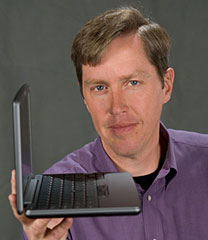 Christopher Laspa says:
Hi Dan,
Nice photos of this unit. I've been wondering when someone is going to help themselves to Apple's nifty laptop hinge that they pioneered on the original iBooks and perfected on their current range. Well, it appears now. Nice tidy little 'business persons Internet appliance' though.
Regards,
Christopher M. Laspa
Creative Director, Principal
999 Art Direction
Toronto, ON
Christopher,
You have a good eye. I hadn't noticed the similarity between the Foleo's hinges and what Apple has been using since the dual USB iBook G3 of May 2001.
As for the photos, they are PR shots provided by Palm.
Dan
Compact Flash Hard Drive Options
Jeffrey Bergier writes:
Dan,
I looked up the UDMA function of Compact Flash. Found one brand
that advertizes it. the Lexar Professional line. However, an
8 GB chip is around
160 dollars on Amazon. So I looked at other solutions. I found
this item: A Transcend brand 8 GB IDE [flash] drive< from Newegg.com. it is only $180, and I don't
need to buy the adapter. It also seems to have more error
protection. Do you think something like this is a good idea? Do you
have cheaper brand recommendations that you know are UDMA
compatible and relatively fast to use. I would hate myself if I
spent a bunch of money to do a flash upgrade and it took me 20
minutes to boot like that poor PowerBook guy.
Also, on the issue of my Pismo and PCMCIA. I found two more cards at a friend's house, a smart media adapter and a 10/100 ethernet adapter. They both make a little PC Card icon show up in OS X near the clock on my PowerBook g4, but only the ethernet adapter makes a PC Card icon show up in OS X on the Pismo. The other (now three) card readers do nothing in OS X, and in OS 9 they cause the Finder to crash on the Pismo. So strange. I really have no idea what could cause one card to work and three others to do nothing. Maybe someone on your site will know?
Thanks for your quick reply
on the last email,
Jeff
Jeff,
Wow, that Lexar is fast - it's rated at 300x! (1x = 0.15 MB/sec., the original CD-ROM speed, so 300x is 75 MB/sec. That's in the same range as a hard drive and faster than USB 2.0 or FireWire 400.)
Googling for "'compact flash' udma" I came across some information on SanDisk. All current SanDisk cards ship as removable - and SanDisk has a utility that lets the end user change the media bit to be changed to non-removable. I don't know whether this utility works on Macs or for other brands of Compact Flash.
Since most CF cards are used in digital cameras or simply for data storage, where it doesn't matter whether the card supports Ultra DMA or not, most vendors don't mention UDMA at all. UDMA is a faster version of the DMA protocol, so I suspect any CF card that supports DMA will work - UDMA ones will just be faster.
Transcend notes that their 80x, 120x, 266x, and industrial CF cards all support DMA. PQI doesn't say, but their CF card worked in my PowerBook 1400. While older, slower cards may support DMA, I'm guessing that it's an important factor for high speed cards. In my testing, both high speed cards were bootable, but the older, slower 128 MB and 256 MB cards I had did not.
dealram lists 8 GB Transcend 120x CF cards from $89 shipped. That plus the Addonics adapter would set you back about $120 - one-third less than Transcend's IDE flash drive.
BTW, I just visited the Addonics site and discovered that they have discontinued the single-card adapter and reduced the price of the dual-card adapter to $25.99.
Dan
MDD Processor Upgrade vs. Used G5
Michael Goodroe writes:
Hi! I enjoyed your review of MDD Dual G4 Processors options. I own an MDD Dual 1.25 G4 with 2 GB RAM and an 80 GB 7200 RPM HD (nearly full; 10 GB remaining) and additional Avid 7200 RPM FireWire HDs.
Will $600 for the Sonnet MDX Dual 1.8 Processor Upgrade noticeably help my ProTools system?
It runs great now . . . but it is nearly maxed out all the time and occasionally gives up. $1,200 will get me a Dual G5 on eBay but there will be incidentals (RAM, etc.) that will make it more like $1,600; plus the pitfalls of eBay. So the question is: Dual 1.25 G4 MDD vs. Sonnet MDX Dual 1.8. I think the upgrade will require that most of my plug-ins will have to be reauthorized, so this will not be a plug and play. Will I be surprised at the difference? I know you're guessing but your guess is much better than mine and greatly appreciated!
Very sincerely,
Michael Goodroe
P.S. PLAN B: Upgrade the system drive to 10,000 RPM as follows: Add an IDE to SATA adaptor card <http://sewelldirect.com/IDE-to-SerialATA-Converter.asp> then add an external 10,000 RPM 74 GB Raptor Serial Hard Drive (in its own case) for the OS X and ProTools application.
Michael,
This is a tough call. You'll trim maybe 25% from your processing time with the G4 upgrade, as it has no Level 3 cache. And a Power Mac G5 will have far better system throughput because of its very fast memory bus - 1/2 CPU speed vs. 167 MHz (1/7.5 the speed of your 1.25 GHz CPU, and just 1/10.8 the speed of the 1.8 GHz upgrade).
Let's say your current system could be sold for $800, which gives you a $1,400 budget. That could buy you a 1.8 GHz or 2.0 GHz dual processor G5 computer ($1,100-1,300) plus 3 GB of additional RAM. (You're already thinking about adding a hard drive, so we won't put that in the equation since you'll want it either way.)
The G5 is going to be faster. Bare Feats found a 2 GHz G4 was about 30% faster than a dual 1.8 GHz G4 upgrade in their Photoshop CS-MP Actions test. A 2 GHz G5 will probably be about 65% faster overall than your 1.25 GHz G4 system. And it already has onboard SATA, so no need to buy an adapter.
As for reauthorizing plug-ins, you probably won't have to do that with the Sonnet upgrade, since it doesn't change your motherboard - the only advantage I see to upgrading your current Mac.
Dan
Join us on Facebook, follow us on Twitter or Google+, or subscribe to our RSS news feed
Dan Knight has been publishing Low End Mac since April 1997. Mailbag columns come from email responses to his Mac Musings, Mac Daniel, Online Tech Journal, and other columns on the site.
Today's Links
- Mac of the Day: Power Mac 8200, introduced 1996.04.22. The minitower version of 7200 was never sold in America.
- Support Low End Mac
Recent Content
back to the Low End Mac Mailbag index
About LEM Support Usage Privacy Contact
Follow Low End Mac on Twitter
Join Low End Mac on Facebook
Favorite Sites
MacSurfer
Cult of Mac
Shrine of Apple
MacInTouch
MyAppleMenu
InfoMac
The Mac Observer
Accelerate Your Mac
RetroMacCast
The Vintage Mac Museum
Deal Brothers
DealMac
Mac2Sell
Mac Driver Museum
JAG's House
System 6 Heaven
System 7 Today
the pickle's Low-End Mac FAQ
Affiliates
Amazon.com
The iTunes Store
PC Connection Express
Macgo Blu-ray Player
Parallels Desktop for Mac
eBay

