
The Low End Mac Mailbag
The Optical ADB Mouse Letters
Dan Knight - 2006.08.15
I've had quite an education in mice, ADB, USB, and PS/2 ports in response to Optical ADB Mouse Wanted, but Who Will Build It?
ADB, PS/2, and USB ports all use 4 pins - one for power (5V), one for ground, and from there they diverge. ADB has a dedicated "power on" line so ADB Apples could be powered up from the keyboard in addition to a data line.
The PS/2 port used a 6-pin connector but only 4 lines for data. Although different from ADB, some mice are sold with an adapter so they can be used with both types of ports.
USB uses two lines for data, one + and one -. As noted in the Wikipedia article, they "use half-duplex differential signaling to combat the effects of electromagnetic noise on longer lines."
The differential signaling could make it challenging to adapt a USB mouse to an ADB port, and then there's the whole issue of data bits, peripheral IDs, data rates, and encoding. One suggestion has been a "reverse iMate" (Griffin's $40 device for connecting ADB devices to USB).
Finally, it seems that Kensington has updated their Mouse-in-a-Box ADB/USB to fully optical status, where it had been an opto-mechanical mouse in the past. I'll be ordering one and reporting back. - Tip Jar
- Mouse Power Requirements
- Early Optical ADB Mouse
- Mouse Systems Optical Mouse
- ADB Optical Mouse Technically Feasible
- Risk Assessment
- Kensington Mouse-in-a-Box USB/ADB
- Kensington Mouse-in-a-Box USB/ADB Now Optical
- More on Kensington Mouse-in-a-Box USB/ADB
- Again on Kensington Mouse-in-a-Box USB/ADB
- Optical ADB Mice vs. PCI USB Card & USB Mouse
- Goodsystems ADB Optical Mouse
- Stealth Adapter Most Economical Choice?
Mouse Power Requirements
Chris Seibold writes:
Hi Dan,
Checked into laser mouse power requirements, and from what I can tell most laser mice need 5V and 100 mA. Turns out that the ADB port provides, heh, 5 volts and devices are required to use only 100 mA (though the bus could supply up 500 mA). So running a laser mouse via ADB shouldn't be any problem at all. I suppose you'll lose the ability to yank the mouse out and plug something else in the ADB port though....
I'm also thinking that Wacom had laser mice with their tablets back when the things still plugged into the ADB port.
Chris
You're right, Chris, Wacom had optical mice that had to be used in conjunction with their tablet.
Thanks for the info on power requirements. I know my wireless mice all run comfortable with a pair of AA NiMH batteries, so about 2.4V.
Dan
Early Optical ADB Mouse
Marion Delahan writes:
I have used optical ADB mice with my older Mac. Of course they were the older kind that required use of a metal gridded mousepad, but I had two different ones over the course of my Mac life. Only button, and they looked like the even older "bar of soap" Mac mouse, but both worked a treat. I bought the second because I plain wore out the first.
Marion Delahan
Yeah, Marion, I remember those. I think it was A2 who made one way back in the early ADB era. Between that and Wacom, there were two optical ADB mice, but they each needed to be used with a special pad.
Dan
Mouse Systems Optical Mouse
Bill Brown writes:
Yo Dan,
I hold in my hand an optical ADB mouse. The logo on the top says "Mouse Systems". The label on the bottom reads:
- Mouse Systems
- A/3 Mouse
- Model No. 403243-001
- MSC 403243-001
- S/N: MSC ET 025049
- FCC ID: CWE-403243
- Made in Taiwan for Mouse Systems Corp.
- Fremont, CA. 94538
- U.S. Pat No 4751380
- HI 4920260
This mouse requires a specific aluminum mousepad with a fine mesh dot grid printed on it. The mousepad in hand reads "Mouse Systems" on top and on the bottom bears a sticker reading: NEQ 402631-001
My mousepad has a badly worn off grid pattern rendering the mouse near useless. However sufficient of the printed grid is present to demonstrate that this optical mouse works very well indeed.
I have tried this mouse with any number of surface patterns and textures. To date nothing other than the specific mousepad described above works, not even a hint of work. Replicating that grid is essential for this mouse to work.
It is a three button mouse in the classic lines of the mouse that came with the Mac SE and later Macs until the arrival of the oval ADB mouse. I am so one button oriented when using older Macs that I have no idea if the other two buttons do anything. I would suspect a driver is needed for the two extra buttons to do anything.
This mouse appears to be ADB powered. There is no apparent place to put a battery. It is ancient. It still works. I suspect ADB power.
This mouse works with any ADB Mac I have connected it to without driver software. I have connected it to my Beige G3 running Mac OS 10.4.6 Tiger via XPostFacto where it works fine.
I Googled "403243-001" and came up with a list of useful places to start.
My main Mac (either my Beige G3 or a Mac Mini) uses an early Microsoft wireless mouse with some sort of a proprietary receiver dongle that the mouse rests on. I am addicted to a scroll wheel and the wireless. I still have no feel for a "right click" at all.
I have two or three of these things somewhere in my basement that work. If you wish this one, I will mail it to you in exchange for a lifetime subscription to Low End Mac. Oh, and I want an option on one of those 500 new optical ADB mouses. A deal?
Bill Brown
Use it up; wear it out; make it do; do without.
It's a deal, Bill. Thanks to a couple of emails and some discussion on our PCI PowerMacs list, I've become reacquainted with Mouse Systems and their early optical mice. There was an A/2 before the A/3, which you have, and I know at one point I worked at a store where we had a bear of a time selling them. People didn't want to have to use a special mousepad.
Fortunately for us, the rest of the optical mouse industry went a different route, and today's optical mice work on just about everything except for mirrors and glass tabletops.
Dan
UPDATE: Bill sent me a very used A/3 mouse with a very worn mousepad, which I hope to report on later.
ADB Optical Mouse Technically Feasible
Marin Balabanov writes:
Hi,
I doubt that there is any technical reason for not producing an ADB optical mouse. I have an old Atari ST with a PS/2-Adapter and a regular optical PC-mouse. This works fine and it is attached to a joystick-port (MSX-standard).
The real reason is probably the low market share of ADB-equipped Macs.
Cheers
Marin
Risk Assessment
Let's say (incorrectly) that I'm a capable engineer/entrepreneur interested in your proposition.
Lessee... 500 mice X $25 = $12,500 retail, maybe $8,000 wholesale?
Some good fraction of that, maybe $7,000, would have to be for parts, leaving $1,000 gross margin. That's to design, test drivers on almost every ADB Mac ever made, contract for parts, assemble.... Hmmm, not looking too good yet.
OK, maybe some additional users will buy these. How many people there are who have been using their existing computers for more than four years without (yet) seeing the benefit from upgrading their mice at the $25 price that used to be out there. (Or has it been even longer since Apple sold ADB computers?) These users are on computers that sell for $100 or less on eBay, so you'd think that if they cared about a better working experience, they'd go for a Mac mini that runs 10x as fast. No, these guys have something that ain't broke and ain't gonna be fixed.
Oh, and BTW, this Mr. Knight might predictably have a hissy fit if I stick him with all these mice and then advertise 'em thru major Mac retailers (allowing him to guarantee a tiny production run, but cutting him out of any sales). I'm going to depend totally on the reach of LEM or (rightly) be accused of slimeball business tactics. If he turns out not to be good for his word, I probably write down a few months of work.
So, I can spend a few months of my life designing and risk my reputation & wallet by standing behind a product that one customer will buy, who will likely end up unhappy with all his unsold inventory, for $1,000 and maybe, if all the stars align properly, $5,000 - not enough to displace the income that I'd get for doing almost anything else more interesting that schlepping lattés at Starbucks. And maybe not even better than that. All downside and the risk of worse downside.
You don't need a technical evaluation of ADB, you need a course in Business 101.
Walt French
Thanks for your assessment.
I'm working on the assumption that it would be relatively trivial to modify the circuitry inside a PS/2 or USB mouse to work with ADB. All three use 5V with 100mA draw. USB uses differential signaling with two wires; ADB and PS/2 use a single data wire.
ADB uses a standard DIN connector, so it could be as simple as rewiring an existing design - or as complicated as having to modify some chip or another inside the mouse to "speak ADB". That I don't know.
As far as testing goes, ADB is ADB. It's a very simple, basic protocol. The bigger issue might be drivers, and I'm hoping I could find someone willing to modify existing drivers and license them at reasonable cost.
Low End Mac is the one entity on the globe likely to successfully tap into this market. We have over a quarter million site visitors per month, and we have over 600 subscribers on our Vintage Macs email list alone (every 680x0 Mac released since 1987 has ADB). Add another 150 with NuBus Power Macs and 220 with PCI Power Macs. Throw in a few PowerBook users and beige G3 owners for good measure. Figure some redundancy, and we have about 1,000 Mac users still wed to their pre-USB hardware on our mailing lists alone.
There are companies out there selling $4-5 mice. If an optical ADB mouse can be built using an existing design, I see no reason why it couldn't retail in the $20-30 range.
Best of all, it would be a unique product. Anyone looking for a new mouse for their beloved old Mac would probably be thrilled to have an optical one and eliminate all the headaches from degunking their old mechanical mice.
Or not. Still, it's a risk I'm willing to take. With a worldwide reach, I don't think we'd have any problem selling 500 optical ADB mice within a year.
Dan
Kensington Mouse-in-a-Box USB/ADB
Ray Steveson says:
There actually is a "current" optical ADB mouse, courtesy of Kensington:
Mouse-in-a-Box USB/ADB
The one big drawback of this mouse is that it's only one button. But, if the mouse includes a USB -> ADB adaptor, perhaps that would be useful with a two (or more) button mouse?
Have a nice day,
Ray Steveson
Thanks for writing, Ray, but the Mouse-in-a-Box USB/ADB is an opto-mechanical mouse. That means it has "optical technology", as stated on the Kensington page, but it has a mouse ball, so you've still got the old mechanical problems of gunk buildup and parts wearing out. (I had to download the PDF version of the manual to verify that.)
Dan
Kensington Mouse-in-a-Box USB/ADB Now Optical
Madison Nye writes:
Dan,
Kensington manufactures an optical mouse that is ADB compatible - I have one. The end of the cord is actually USB, and an adapter is included
that is similar to the USB > PS/2 adapters commonly included with PC peripherals, except it converts the USB to an ADB connector. I use the
mouse on a project computer of mine, an upgraded 9600 running 7.6.1, and it works like a charm. Here is a link to the mouse:
http://www.radioshack.com/product/index.jsp?productId=2259679
Best wishes,
Madison Nye
Thanks for writing, Madison, but while brief descriptions of this mouse talk about "optical tracking", all the detailed descriptions say it's a mechanical mouse with a mouse ball that uses a optical sensor to track movement of the mouse ball.
If Kensington has changed the mouse and made it completely optical, it's news to me. (And worth picking up at US$25 or less!)
Dan
More on Kensington Mouse-in-a-Box USB/ADB
Bernard Grobman says:
I have one, It's the latest generation of the Kensington Mouse-in-a-Box. It's optical and works with either ADB or USB. Check it out. It's great.
I keep hearing this, and Kensington's site says, "Now optical for more precise tracking." I'm going to have to investigate further.
Again on Kensington Mouse-in-a-Box USB/ADB
Douglas Carroll says:
So, I received my ADB optical mouse today in the mail . . . works great!! I can't understand why you don't reference this in your article...
Douglas
All I can say, Douglas, is that the last time I looked at the Kensington Mouse-in-a-Box ADB/USB, it was an opto-mechanical mouse. I'm going to have to order one online if the local CompUSA doesn't stock them.... (Update: They don't, but CompUSA does sell them for US$21.99 online.)
Optical ADB Mice vs. PCI USB Card & USB Mouse
Bob Forsberg writes:
Dan
I've admired Low End Mac for many years and read it daily. Your insight and product information has been a great help to me.
Until recently I've been using my old ADB mouse and M2980 Apple Keyboard on an old [Power Mac] 9500 running Mac OS 8.6, with a G3/400 card, 1.5 GB RAM & Panasonic CD burner. I use it exclusively for scanning slides (SCSII) to Photoshop 6 and burning to CD-Rs, mostly for family and friends.
My 1.25 GHz eMac has the standard optical mouse, and my 3.2 GHz Sony PC uses a great Microsoft Wireless Optical 2.0 setup that I will continue using when I get a Leopard Mac Pro 3.x to replace my eMac and PC sometime next spring.
The ADB mouse got clogged in the middle of editing photos, and I wanted to get the job done without cleaning the whole thing. I moved my eMac USB mouse over to the existing USB card I added [to the 9600] last year. The Apple optical worked immediately after a restart. I didn't need to add additional drivers or tweak anything.
An add-in USB card using existing optical mice inventory is the way to go. I'm a manufacturer of electronic test equipment to the electronics industry. ADB's are not simple to make an adapter for - not all that difficult either, but time consuming with no real profit motive for a dying market. Also the humanity motive doesn't exist either, since a viable substitute with a USB card/mouse works.
When ADB-only Macs with no expansion capabilities go for $10-$20 on eBay, you will be hard pressed to find anyone willing to invest engineering time and manufacturing costs to ship you a part that would cost more than the computers are selling for. I once thought of rewiring a 7100AV internally to have its USB port run thru the Geo port, but I ran out of play time and had to get back to work.
The only people I know of who make adapters for the Geo port to output USB is Addlogix. They might be able to help. Other than that approach, I believe ADB will RIP.
My Best,
Bob Forsberg
Thanks for sharing your thoughts, Bob. For those with PCI Macs, buying a $10 or so USB card makes sense - also because it's getting very hard to find printers that support Apple's old serial port.
I can't talk to the economics of adding a $25 mouse to a $10 computer, but I know a lot of Color Classic users are very passionate about their computers. I think Low End Mac attracts enough vintage Mac lovers to pull this off, but Kensington may have a solution. I've received several emails indicating that their Mouse-in-a-Box ADB/USB is now fully optical (it used to be opto-mechanical). I'm planning on buying one and testing it.
Dan
Goodsystems ADB Optical Mouse
 Charles
Broderick writes:
Charles
Broderick writes:
Hi Dan,
Somewhat coincidentally, last weekend, I dragged out an optical mouse I acquired via eBay, to use with my 1280 x 1024 LCD screen, as my beloved trackball just wasn't as precise as I needed (there is a long, involved low end mac story behind this, but I'll save that for another day . . . article maybe?).
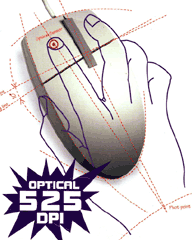
Anyway, after reading your piece, I have scanned in the box and the manual it came in, in case it helps out any. I did not see you mentioned this one in your addendum, the "Laser Pro" by Goodsystems (sadly, the website does not exist anymore). My mouse requires a special mousepad, the upper half is thinly spaced vertical lines, and the lower half is thinly spaced horizontal line, I assume to help it track.
It works beautifully! I wish I had an ADB mouse like this before. I love my trackball, but at higher monitor resolutions, this is the best option. By the way, in OS X and USB, I do not like the current Apple mouse. I still prefer a trackball.
HTH,
Charles
Thanks for sharing this info, Charles. A quick Google search shows a few postings about this mouse from 1999. This is one I'd never heard of.
Yes, I'd never heard of it either, until I got it.
According to the blurb on the box, it worked in System 7.5 and above. With three buttons, the middle emulating a double-click, and the right button keeping menus open, it would have been quite advanced in its day.
I was using it last weekend (in OS X on my Power Mac 8600, using XPostFacto). It was working "upside down and backwards." I thought it was "broken" under OS X. Then I realized I had the mousepad upside down! When I corrected that, it worked perfectly!
-Charles
Stealth Adapter Most Economical Choice?
Michael Winterstein says:
Assuming that Stealth ADB-PS/2 connector works as advertised (and you can still get one), wouldn't the easiest option be to go with that + a PS/2 optical? I picked up a two-button & scroll-wheel optical mouse for $5 that I still use on my Windows PC at work. As for a new ADB mouse, I think the technical hurdles are more likely in the communications protocol than in other requirements. Without a huge market, though, I don't know if it'd be much cheaper anyway.
Michael Winterstein
The Stealth adapter is certainly the easiest solution, and with USB mice cheap these days, it may be as economical as buying a genuine ADB optical mouse would be.
Join us on Facebook, follow us on Twitter or Google+, or subscribe to our RSS news feed
Dan Knight has been publishing Low End Mac since April 1997. Mailbag columns come from email responses to his Mac Musings, Mac Daniel, Online Tech Journal, and other columns on the site.
Today's Links
- Mac of the Day: Motorola StarMax 3000, introduced 1999.09.07. This inexpensive clone used lots of off-the-shelf parts.
- Support Low End Mac
Recent Content
back to the Low End Mac Mailbag index
About LEM Support Usage Privacy Contact
Follow Low End Mac on Twitter
Join Low End Mac on Facebook
Favorite Sites
MacSurfer
Cult of Mac
Shrine of Apple
MacInTouch
MyAppleMenu
InfoMac
The Mac Observer
Accelerate Your Mac
RetroMacCast
The Vintage Mac Museum
Deal Brothers
DealMac
Mac2Sell
Mac Driver Museum
JAG's House
System 6 Heaven
System 7 Today
the pickle's Low-End Mac FAQ
Affiliates
Amazon.com
The iTunes Store
PC Connection Express
Macgo Blu-ray Player
Parallels Desktop for Mac
eBay

