
MacInSchool
Macs for Schools: The eMac
Dan Knight
2001.05.08
There's been an ongoing debate about Macs for schools: Is the iMac too expensive? Does the iBook cost too much? It's an important question, because the economics of education are very different from those in the workplace or at home.
Economic Realities
Schools don't usually buy one or a dozen computers at a time; they buy them by the classroom, computer lab, school building, or even for the entire school system all at once. The recent order for 23,000 iBooks from Henrico County Public Schools is a case in point - at just $11 more per computer, the taxpayers would be paying another quarter million dollars for that contract. That amount of money pays for several teachers or a few administrators.
Another important point, one which Windows proponents try to ignore, is the total cost of ownership (TCO) and the average cost per year of use including support. When I launched MacInSchool three years ago, I heard from students who reported that one-quarter of the computers in their Windows lab were down at any given time - and those were new machines. Mac labs usually have 95-100% of the computers up and running, have an easier-to-reinstall OS, and need far less technical resources.
But in the end, while a Mercedes may have a lower TCO than a Kia, the cost of entry is a major obstacle. (For a lot more on the reasons schools should use Macs, see Should Our Schools (or Anybody Else) Have Macs or PCs?)
The eMac
Then entry level
iMac runs a 400 MHz G3 processor, has 64 MB of memory, a 10 GB hard
drive, a 24x CD-ROM, FireWire and USB ports, a 56k modem, an AirPort
slot, an internal 15" display, and memory expansion to 1 GB of
RAM. 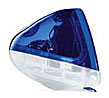 It sells for $899 on the retail market, $50 less to
individual educators, and $100 less to school systems (see Apple Education:
"I'm Not Dead," (Yet).)
It sells for $899 on the retail market, $50 less to
individual educators, and $100 less to school systems (see Apple Education:
"I'm Not Dead," (Yet).)
That's pretty darn cheap for an iMac, but Apple could do better if they offered an iMac designed for a network environment and ready to run Mac OS X out of the box. For simplicity, we'll call this the eMac and let the "e" stand for education, economy, or ethernet.
The first change is removing the 56k modem from the eMac. This is a networked computer, so the modem is unnecessary. (Those who need the modem can buy an iMac.) This might save anywhere from $10-30 from the selling price.
The second change is eliminating the internal CD-ROM drive with an optional external FireWire drive. The school could choose CD-ROM, CD-RW, DVD, a Combo Drive (CD-RW/DVD-ROM), or even the SuperDrive, which can also burn DVDs. Based on parts prices and typical markups, this could trim anywhere from $50-100 from the selling price of the eMac.
This would also eliminate the leading repair problem for slot-loading iMacs - nonstandard CDs stuck inside the mechanism. (No, you do not want to put a mini-CD in a slot-loading drive.)
The third change would be a range of BTO options for schools purchasing at least 20 eMacs at the same time and in the same configuration. Choices might include:
- installed RAM: 0, 64, 128, or 256 MB
- hard drive: 7, 10, or 20 GB
There isn't much else you can do to reduce to cost of the eMac. And by offering a zero RAM configuration, schools can shop around for the best price on Mac-compatible RAM - and Apple won't have to inventory it and mark up the price.
Apple may be able to economize by switching from the older G3 (PowerPC 750) processor to the newer 750cx, the same CPU used in the 500 and 600 MHz iMacs today.
The eMac would bring back the simplicity of the single-model iMac: one speed, one color, one base configuration with BTO options available only in large quantities. By eliminating the modem and making the CD-ROM an accessory, Apple could conceivably sell a 128 MB eMac with a10 GB hard drive for around $699 - $100 less than today's iMac.
Selling the eMac
We've created a very cost-competitive computer for education, but we need to sell it to schools. That's often an uphill battle, and I see no need to rehash the Mac vs. Windows debate (John Droz has done a great job with Should Our Schools (or Anybody Else) Have Macs or PCs?).
Instead, we need to address the peculiarities of the iMac/eMac vs. Wintel clones.
No Floppy
First, floppy drives are no longer considered essential in the Windows world. They are becoming an option on more models every month - a trend begun with the iMac in 1998.
Second, floppies make it very easy to transport files between home and school, which may mean unwanted or illegal transfer of software. By eliminating floppies, schools reduce the likelihood of software license violations and unwanted software on school property.
Third, for years floppies were the primary means for distributing viruses. By making the floppy an external option, it becomes that much more difficult to move a disk- or file-based virus between computers.
No CD-ROM (eMac only)
By not including a CD-ROM drive in the eMac, Apple would make it that much harder for students to install unwanted/unauthorized software on school computers. They wouldn't be tempted to rip MP3s from the favorite CDs. They wouldn't be able to bring in games from home.
By giving buyers the option of CD-ROM, DVD, CD-RW, etc., the school can decide which technologies are available and where. A classroom might have 2-3 CD-ROM drives for installing software and a Combo Drive so the teacher can archive files and run DVDs.
If anything, removing floppies and CD-ROM drives from school computers is a benefit: it protects the system setup, prevents unauthorized software transfers, and reduces the cost of the computer itself.
Only a 15" Monitor
Windows people live in a different world, one where fonts are much bigger. They really need a 17" monitor to see the same amount of information on the screen as iMac users have. A typical 17" display runs at 1024 x 768 pixels, while the 15" iMac display runs most comfortably at 800 x 600. But which displays more?
If you have access to both Windows and Mac OS machines, run a word processor with 12 point type and see which displays more, Windows at 1024 x 768 or Mac at 800 x 600. Do the same with a spreadsheet and any Web browser other than Internet Explorer 5.0 for the Mac (which is designed to give Mac users the same grossly large fonts that Windows users are used to).
You'll find that the Mac displays more information on the smaller screen than Windows does on a larger screen. It's not intuitive, but many aspects of the Mac/PC comparison are not intuitive.
All-in-one Design
Windows users might even protest that the eMac/iMac is an all-in-one design, which means that if the hard drive, processor, or monitor dies, the whole computer needs to be serviced. That's a straw man argument - a modular computer with a dead hard drive, processor, or monitor is no more useful than an all-in-one design with the same problem.
Where this argument does make sense is the world of Windows. Remember that PC lab where 25% of the computers were down at any given time? Well, if 5% were down with bad monitors and 20% with other problems, by moving monitors around, a few more systems would be functional. Of course, having even 10% of the Macs down in a computer lab is almost unheard of, so the all-in-one design is not a real problem.
Not only that, it's a real benefit. Instead of two power cords and a monitor cable, the iMac/eMac just needs AC electricity. That's two less cables to become unplugged and one less electrical outlet needed.
Mac Advantages
Perhaps the biggest plus for any current Macintosh - AirPort. By installing one or more base stations, any recent Mac accepts a $99 AirPort card for wireless networking. No need to pull wires. No need to put the computer where there's an ethernet port. This could save thousands upon thousands of dollars in wiring costs.
Nearly Perfect
The iMac is practically perfect as an education computer. Sure, a 17" display would be nicer, but it offers excellent performance, is built for networking, tends to be more reliable than Windows PCs, and is easier to set up.
Make a few changes to the iMac to create the eMac, and you've made it a more affordable networked computer. And if you think the $799 (school price) iMac is a good deal, a $699 eMac would be even more attractive to schools.

