
Monday, November 29, 1999, 7:15 a.m. – Despite my turkey hangover, I eagerly enter my classroom early, ready to face a challenging week of last minute placement conferences scheduled to beat some state or federal cutoff date. I tap the space bar of the 8550 file and print server to wake it from its peaceful holiday weekend slumber. I turn on the power strip and hit the start key for my workhorse 7500/G3 to begin printing Monday morning assignments and an IEP for an 08:00 a.m. case conference.
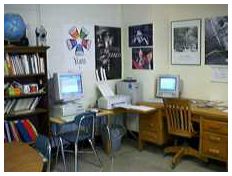 After making my usual classroom circle of turning on computers, unlocking cabinets, getting out supplies, etc., I return to the Power Mac 7500, which appears to be sleeping in on this day. I see the monitor has an amber light instead of green. The 7500’s power indicator is not lit. So I try it again. This time I hear the fan momentarily start before there is a click and nothing more.
It’s Dead, Jim
Had I known that the event above might have been the highlight of my week, I would have been tempted to slip away and call in sick for the whole week with a mild case of bubonic plague. As it was, I cranked up Claris Emailer on the server and informed the “Evil NT techie” that I thought the power supply of the 7500 had expired. I then began the process of removing components, one by one, and attempting to start the computer to determine if one of them was possibly causing the malfunction.
The external Zip drive went first, followed by the Orange Micro PCI card, the printer, the second internal hard drive, and then back in with the second drive and out with the first drive. I even pulled the Newer G3 card and replaced it with the original 601 card. I didn’t resort to swapping RAM chips, although placement of the chips can and does produce some weird results on various Macs. Since I wasn’t even getting the chimes of death, I knew what the problems was.
Three hours later, the techie arrived and pronounced the power supply indeed dead as a doornail. He had some power test gizmo in hand but said the only real test was to pull a good supply from another machine and swap out the supplies.
Back from the Dead
Our Power Mac 7200 gave its lifeblood, and the 7500 sprang back to life. Well, actually, the monitor lit. It took a good bit of resetting of this and that to finally convince the beast to once again become the indispensable classroom tool it has become over the last 11 months.
This experience made me realize just how much we’ve come to depend on our computers in the last five or six years. The Monday morning print list included:
- spelling/handwriting papers for several spelling groups
- vocabulary words for a reading group
- flash cards for another reading group (any other Project Read groupies out there?)
- an IEP for a case conference
While I could print the items above from any of the other Macs in the classroom, the 7500/G3 truly is “my” Mac. It’s set up to run the way I like, and, of course, has many critical files needed for each teaching day. I found myself casting about as to what to do until it was back up and running.
At any given time, there are usually one or more behavior logs open in the background for immediate documentation of various items. These logs usually end up in the hands of the physician handling a student’s medication or a psychologist or case worker of the child.
The addition of password protection (however wimpy it may be) to ClarisWorks (AppleWorks) saves hours of decrypting/encrypting these files. By law, confidential special ed files must be locked down. An unprotected student behavioral log brings to mind a scene of an apologetic teacher saying, “Your honor, I never thought about behavioral logs on the computer being accessed by someone other than me.” Have you ever had a snoopy and talkative substitute teacher? I have.
Other “teacher” jobs served up by the machine:
- Database record of regular ed classroom observations (a required part of the evaluation process for determination of a disability)
- Creation of sound files for spelling tests for use in several classrooms
- Creation, modification, and printing of math assignments for about one-third of my math students. (Yes, I do use my own shareware in my classroom. That’s why I wrote them.)
While the 7500 isn’t the first machine I assign kids to use in the classroom, the listing above is only of teacher use items. The 7500 also is in regular use by my students a good bit of the time. While the week really did seem to go downhill from the 7500’s failure, that was mostly just the downside of teaching special ed. On the Macintosh front, the week actually ended on a couple of upbeat notes.
Bob Titus wrote and passed along the good news that there is now a free Mac ISP available. Freei.Net [now part of NetZero] seems to have a good number of local dial-ups around the country. If you have free calling to a medium to large metropolitan area, chances are you’ll find a local number.
I gave Freei.Net a try and found the setup a bit difficult, but not unsolvable. Once configured properly, connecting actually seemed a bit better than my current ISP. Looks like NetZero hemmed and hawed a little too long on Mac support!
Bill Fox posted the following last week on Macs Only!:
SpellTools Fans, Good News! From Newer Tech’s Eric Dahlinger, “The author of SpellTools, Craig Marciniak, will be updating SpellTools to work with OS 9. It will become shareware from him, rather than a Newer Technology product.” SpellTools is an excellent spelling checker that originally was shareware. Later it came bundled free with Aladdin’s Spring Cleaning and thereafter NewerTech made it available free from their web site. I used it until Mac OS 9 broke it.
I can hardly wait. SpellTools is the last item that required I keep and occasionally use my old Mac OS 8.6 system folder. With the OS 9 update, I’ll be able to trim 346.5 MB from my hard drive. I’ll have to keep an eye out on Craig’s site for the shareware release. Maybe he’ll write another Read Me file as informative and entertaining as the one he wrote for GURU: “The GURU FAQ, or . . . Mrs. Marciniak wins a Saw Horse.”
What Happened to the Teacher Tools Series?
After the 7500 went down, things just sorta went from bad to worse for the week, with me spending most of my time out of the classroom in long, long case conferences instead of teaching. My evening hours were devoted to case conference and classroom preparations, so instead of another edition of the Teacher Tools series, this is what you get this week. That’s probably just as well, as I’m to the point that some of the teacher tools I’d like to cover are ones that can’t be easily described without doing the full learning curve.
If you have a favorite program for the classroom that I haven’t mentioned, please email me. But please remember that if I haven’t featured your favorite product, there may be a reason. Sometimes when I haven’t worked with a program extensively, it’s best to just give it a little time before commenting. Also, some apps, control panels, etc. that are really crummy in their 1.0 incarnation turn out to be splendid tools about version 1.5 or 2.1. I’m always delighted when I’ve had the self control not to jump on a maturing tool.
So Teacher Tools will be back on View from the Classroom sometime in the indefinite future. Of course, for we Mac folks, we don’t have to sweat a certain imminent date like folks on that other platform. 🙂
Short link: http://goo.gl/LRcJcP
