
1999 – While my job is to teach special education students, I still help out with various Mac maladies around our building. If you’ve read any of my previous school columns, you may remember that my elementary is heavily populated with LC 5200s with a lesser number of 5400s and 5500s. There always seems to be plenty of troubleshooting to be done.
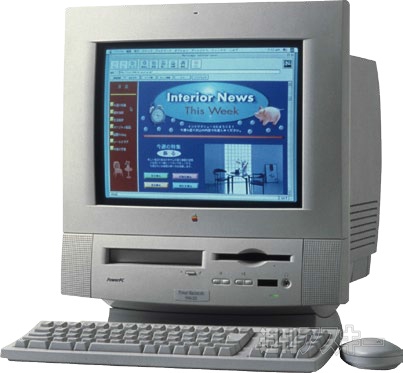 After school one Friday last month, my “neighbor” across the hall popped her head in my room and said her Mac was giving her the dreaded flashing question mark – and another staff member said I might be able to help. Wondering if this was to be the first test of Alsoft’s Disk Warrior on one of our 5400s, I grabbed the Norton Utilities 4.0 CD out of habit and hustled across the hall. Alas, Disk Warrior would have to wait to make its debut, as Norton solved the problems.
While waiting for the CD to finish, it turned out that the referring staff member’s Mac was also down. So, when we were done, Norton and I headed down the hall. A good utilities program can make you look like a real Mac guru!
When I arrived at the cubbyhole of my former summer school teaching assistant, it turned out that her 5400 was healthy. That was a relief, as we’d had a spate of 5400s, hers included, coming up with the blinking question mark about a year ago. While we saved the contents of many of the hard drives, some had been a total loss. They all had pretty severe directory damage that might have been the type Disk Warrior or the new Norton Utilities 5.0 could have repaired. As it was, initializing the drives and reinstalling everything got people computing again.
My previous aide’s ailing 5200 fired up from the Norton CD but didn’t recognize any hard drive. Having been through this routine before, I went back to my classroom for a Zip drive and startup Zip. Usually, Drive Setup will mount a missing drive and a driver update plus a dose of Disk Doctor put things right, but in this case, no dice. I horsed around trying several initialization apps, hoping something would recognize the drive when the 5200s “owner” said that she hadn’t fired up the machine all summer and this was her first attempt to use it this fall!
Let me digress and tell you about the beginning of my summer. A spring storm had rearranged part of our house with several giant limbs. The insurance company promptly wrote us a check, but I also induced the contractor, an old buddy of mine, to “repair” our front porch before it collapsed and tore the front off the house. The repair turned into a rebuild and blew the budget from the insurance check. Then the downstairs window air conditioner died after over ten years of faithful service. A quick trip to the local appliance store relieved me of any excess cash and available credit. The next day I put in the upstairs air conditioner and it just hummed when I turned it on. In frustration, I followed Grandma T’s advice that she applied equally on malfunctioning equipment and lazy grandchildren: “If it doesn’t work, give it a good rap.” I did, and it took off.
Bringing this story back to computers, we all know hard drives shouldn’t be jostled while in operation. I’d shut down the 5200, and as I restarted it one last time, I gave it a couple of good slaps upside its monitor (dangerous stuff – you can shake something else loose). As it started up, I noticed a blue startup screen. My Zip startup has the default gray startup screen. The hard drive of the 5200 spun up and worked fine. Apparently, like some non-computer machinery, after sitting a long time in disuse, parts can get stuck. So much for my technical expertise that day.
While later working with some lab 5200s that hadn’t been run since last May, the same thing happened several times and was corrected in a similar fashion. While I don’t recommend this technique, possibly removing the drive and giving it a gentle thump might occasionally be in order in situations such as I’ve described :-).
Keywords: #mactroubleshooting
Short link: http://goo.gl/KCBbiY
