
1999 – After a summer of swimming and camping, summer jobs, and/or just generally lounging about, kids across America have been back in our nation’s classrooms for several weeks. My school started back on August 16!
Parents have now had a chance to recover from buying pencils, notebooks, protractors, graphing calculators, and ever-more-expensive school clothes. Some have also paid school fees in states like mine that make a mockery of America’s promise of a “free” public education. Here in Indiana, our “enlightened legislature” decided to continue the practice of charging book and school fees of up to and beyond $100 per child in spite of a massive state budget surplus.
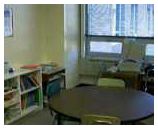 While I wasn’t ever really absent long from my classroom this summer, I didn’t teach summer school for a change and had time to better prepare for the coming school year than usual. Enrolling new special education students, preparing individual student schedules, updating IEPs, arranging furniture, logging in book orders, and preparing beginning lessons and materials are all part of the routine. Along with all of that, preparing our collection of classroom computers is always an interesting but challenging task.
 For the first time since we got involved with technology in the classroom, we started the school year with “more than adequate” computer hardware. My goal a year ago was to have five multimedia capable computers available for student use in the classroom. We actually were grateful to begin last year with a Power Mac 7200/75, a 25 MHz LC III, and a gaggle of SE and SE/30 castoffs from other classrooms. I’ve heard from many educators who are in far worse shape. The older units also provided grist for some good columns.
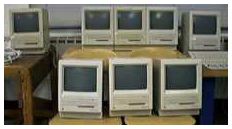 While we didn’t reach our goal last year, our classroom often looked like an antique Mac graveyard. This year we’ve progressed to a number of inexpensive but functional machines. We serve a diverse group of special education students with various disabilities and an age range of six years.
Our computers are an integral part of our instructional plan. We use them for drills in spelling, reading, and math, along with some direct instruction. They also offer high interest learning activities for students when regular assignments are completed or while they are waiting for direct instruction.
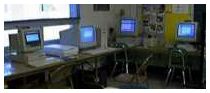 Our gracefully aging Power Mac 7200 and LC III are both still in regular use, with the LC III remaining the favorite of many of our students. I suspect its stability has something to do with that. The 7200 continues to be a workhorse, but I don’t spend much time on it as my teaching assistant has adopted it as “her” Mac. Also, repair and/or service time on it is about zero!
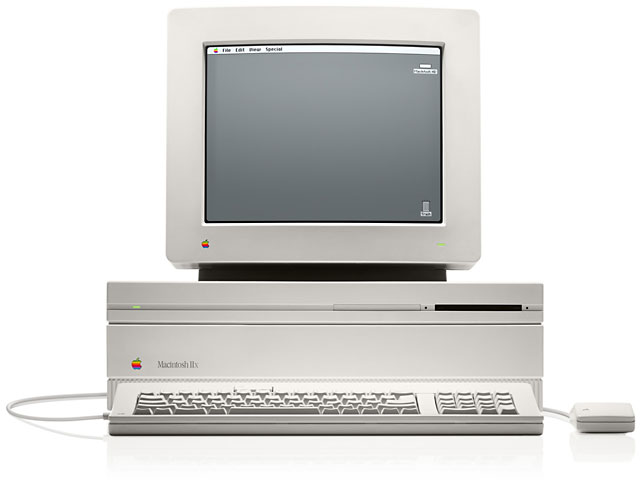 Last January we added a Power Mac 7500 upgraded with a NewPowr G3 card and my favorite, a Mac IIfx. The 7500/G3 has functioned well handling printing chores, housing an Orange Micro card, and handling the few heavy-duty applications we use. It actually crashed once last week – a truly rare occurrence.
The two applications it simply will not run are Samuel Davidoff’s excellent math application, Math Flash Bash (78K) and Jump Start Second Grade. Interestingly, the Jump Start Kindergarten, First, Third, and Fourth CD’s run without a hitch! Our school’s technology coordinator, sometimes known in my columns as the “evil NT techie,” casts unabashed looks of envy at the 7500/G3. He once remarked, “If I had a Mac like that one, I’d probably work on it…” before realizing what blasphemy his words were – for a Microsoft Moonie.
When I purchased the 7500 through an eBay auction, the seller, knowing I was going to use it in my classroom, also threw in a gift of a 20 MHz Mac IIsi. With a RAM upgrade to a whopping 17 MB, it now is the only machine in the classroom without a CD, but it was upgraded from a 40 MB hard drive with an old 250 MB drive that allows it to carry a number of valuable applications. It also came with a good Ethernet card allowing internet access and access to our school’s MacServer (which is now housed in my classroom . . . but that’s another story altogether). It inherited an Apple 14″ monitor and, for some reason, has the richest color saturation of any machine in the room.
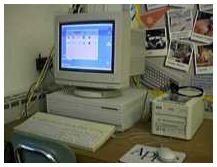 The IIfx was limited by SCSI problems and its lack of a CD-ROM player last year. The addition of an old, old JVC CD burner as a CD-player (which included a built-in 1 GB hard drive), the upgrade of the IIfx’s internal drive to 1 GB, and the addition of the proper SCSI termination have made it another classroom workhorse. It also does after school duty burning installer CDs for the elementary computer lab.
While I could easily switch the CD burner after school to one of the newer Macs, this is the machine that is my absolute favorite for just messing around on a Mac in the classroom. It’s surprisingly quick for 40 MHz, probably because it came to me with 68 MB of RAM. I suspect it truly deserved its 1990 description of “wicked fast.”
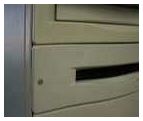 The surprise of the year came when the new art teacher (but an old friend) surplussed a Power Mac 8100 to our classroom. It came with a 250 MB hard drive and a dead floppy drive. While Steve Jobs and others may think the floppy is a thing of the past, we still get a lot of use from them. For those of you with sharp eyes, that really is a nail someone used to hold the floppy drive bezel in place!
During the second week of school, my sixth graders and I replaced the dead floppy drive with a rebuilt floppy, swapped the hard drive to a 500 MB Seagate that had originally come in the IIfx, and upgraded the RAM. The kids did the work under my supervision. There may be a future Mac engineer among them.
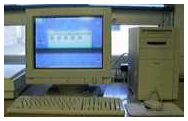 All of the classroom computers use the same desktop structure with applications – and in some cases documents – being activated through the launcher. While we have a site license for Apple’s At Ease and use it in the computer lab, I prefer the kids have full access to the finder when necessary. For some of the older students, aliases of their folder containing documents and needed application aliases appear in the Apple Menu.
One of the most difficult tasks I have is deciding what system and GUI add-ons (for which I have licenses) go on which machine. Given an unlimited budget, I’d run BeHierarchic on all of them and GoMac on all of the 17″ monitor machines. The systems range from all the way from System 7.0.1 on the occasional SE to System 8.6 on the 7500/G3. While I still believe Apple asks too much for its paid system upgrades, I’ve been able to add additional system licenses by buying multiple copies of each new release from the Apple Education Store for K-12 educators. I’m looking forward to receiving the two copies of OS 9 I pre-ordered from Apple Ed at $49 each.
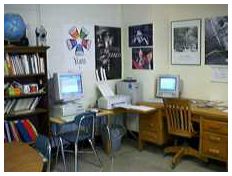 Towards the end of the summer, our school’s aforementioned techie suggested we move the then unused 8550 MacServer to my classroom. The idea was to relieve some storage and demand problems from the school’s main server and shift some of the load to the 8550. The elementary school’s AppleShare file server now sits beside my desk. It also serves as a network print server, driving a Color LaserWriter 12/600 that is located in another classroom.
The server runs on Mac OS 8.1, as AppleShare 5.0.2 doesn’t seem to agree with System 8.6. We chose not to update to AppleShare 6 and put our upgrade money into an 18 GB Barracuda drive and 160 MB of RAM. So far that has been an excellent decision, although I did wear my wife’s Dilbert T-shirt last Friday. It’s the one with a picture of Dogbert with a baseball bat and a shattered server, captioned, “The network is down! . . . But I’m feeling better.”
Someone shut off the network printer, someone else tried to print to it, the backup software had a disagreement with the security software, and I spent four days teaching from my desk while simultaneously trying to clean up the mess! Actually, the biggest problem with the server has been convincing the kids that it isn’t another computer for student use! Can they smell the quick 604e chip?
Along the way, I got a reminder of some of my own words. I’d published a column about wiring in classrooms last June on MacInSchool. During a spot inspection this fall, the state fire marshal looked like a shark in a feeding frenzy writing up notes on the “creative” solutions I’d employed in my marginally wired classroom. I prepared to simply unplug and cart home the machines that were mine, but was surprised when our tech coordinator said he and the school electrician were going to tour the building and find a way to fix the problems without my needing to remove equipment!
The big computer success so far this year has been the addition of text version stories from the kids’ readers in AppleWorks that can be read to them using Apple’s text-to-speech. I described what I did in a summer column, OmniPage, Fred, and… I’d hoped for some positive results from our younger learners, but the most positive response was from the older kids. After having read a story both silently and in reading group, they still ask to listen to it on the computer. Maybe they’re changing the voice to Bubbles or Hysterical when I’m not looking!
After writing as a freelance columnist for the last eight months, you may understand from the above how I feel as if I landed on my feet after accepting Dan Knight’s gracious invitation to write for Low End Mac and MacInSchool. I share Dan’s passions for older Macs and his desire to see classrooms adequately equipped with the technology the teachers’ want and their students’ need.
That doesn’t mean I’m a Macintosh Moonie. If our teachers want Wintel boxes, I support them in that, but at the same time I’m also the leading Mac advocate at our school, serving as a foil, friend, and Macintosh advisor for the “evil NT techie.” I’m looking forward to working with some of the old MacTimes gang here on Low End Mac with my school related and other columns.
Keywords: #macsintheclassroom
Short link: http://goo.gl/Itjzy6
