
1998 – ABV writes: Which version of the Mac OS would you recommend running on the following Quadra 630? The system has 20 MB of RAM, a 250 MB hard drive, an external Chinon 2x CD-ROM drive, 14″ Apple Trinitron Monitor, 33.6 kbps Supra Faxmodem, and a StyleWriter II inkjet printer. I want a version that will allow reliable Internet connections via modem and one that doesn’t take up unnecessary hard drive space.
Do you know of any tables which show how much hard drive space and RAM each Mac OS version uses?
Thanks for an excellent Mac website.
 Mac Daniel writes: You’re welcome.
The Quadra or Performa 630 will work very comfortably with Mac OS 8.1, which you can often buy for US$40 on CD-ROM. How much disk space it takes depends on how much you install – you can leave out a lot of things you don’t need, such as Internet Explorer, Personal Web Sharing, and more to keep it from taking over your hard drive.
This also gives you the last version of the Mac OS for your computer, so you’ll never again have to ask, “Should I upgrade my OS.”
ABV writes: I just bought a used Performa 630 CD including TV tuner, Connectix camera, HP DeskWriter 550c, LaCie Joule HD540, and RAM Doubler. If I want to upgrade to Mac OS 7.6 or 8.0 system, do I need to upgrade the RAM from 8 MB? What about the hard drives (200 MB and 500 MB)? Also, would you recommend what Mac stores I could buy these items.
Also I’d like to replace my Global Village modem (14.4) with new one 28 or 56 kb, do I need other hardware or software?
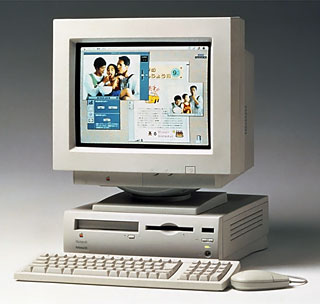
Mac Daniel writes: The Performa 630 was a nice family of computers (versions were available with CD-ROM, TV tuners, and even DOS cards). With a 33 MHz ‘040 CPU, it was a decent performer. The only real limitation by today’s standards is the 36 MB memory ceiling – and that’s only an issue for big Photoshop images.
If you’re going to upgrade the system, I suggest going all the way to Mac OS 8.1. There are always a few online dealers selling the 8.1 CD-ROM for about US$40. Mac OS 8.1 is very stable and fast on ‘040 Macs like your 630.
Yes, you will want more memory. I recommend holding off memory purchases until January or February, by which time the current high prices should be behind us. As I write this, you can go to maximum RAM in your 630 with a 32 MB 72-pin SIMM for under US$50. (There’s really no reason to buy less memory at these prices.)
I haven’t investigated modem options of Comm Slot v. external modems, but you may find the best value in pulling your 14.4 modem and going external. If you don’t have 56k service, the 28.8 and 33.6 modems are very inexpensive these days. And any software you need should come with the modem.
Update:Low End Mac’s Comm Slot FAQ, Tommy Yune, 2018.03.20
Keywords: #quadra630 #performa630 #lc630
Short link: http://goo.gl/ZX1VXN
