
1998 – Two readers ask about upgrades for their “Road Apple” Performa x200 models.
How Can I Speed Up a Performa 6300?
VR writes: My father owns a (European) Performa 6300, 48 MB RAM, 1.2 GB hard drive only half occupied. The only problem is performance. Could something not too expensive be done for such a computer?
M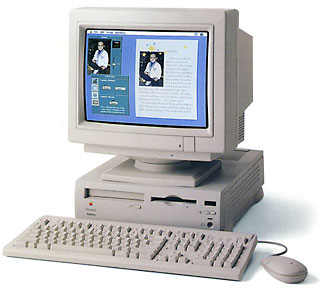 ac Daniel writes: According to Performa and Power Mac 5200, 5300, 6200, 6300 Issues by Scott L. Barber, the design of the 6300 was seriously compromised by Apple’s desire to cut costs – and the hardware was slightly different in Europe than in North America.
I have heard that the best upgrade for the Performa 6300 is Mac OS 8.1. This apparently improves stability and addresses some of the hardware issues that had hobbled the 6300 and its siblings. I suspect going to Mac OS 8.5 might further improve things.
Beyond that, my advice would be to look into a faster computer, perhaps a used Power Mac 7500 that can accept an inexpensive G3 card. But first give OS 8.1 a try – it might make all the difference in the world to your father’s computer.
VR writes: My 6300 with 48 MB of RAM and Mac OS 8.5 runs the best it has since I brought it in June of ’96.
With 8.5, there is a slight speed improvement that I notice.
The biggest improvements come with VM (Virtual Memory) and that you do not need as many third party extensions, which improves the start time. VM is greatly improved. With it on, I see very little memory leaks. The system memory also does not increase as much as it has with early OSes.
I Want to Upgrade My 5200
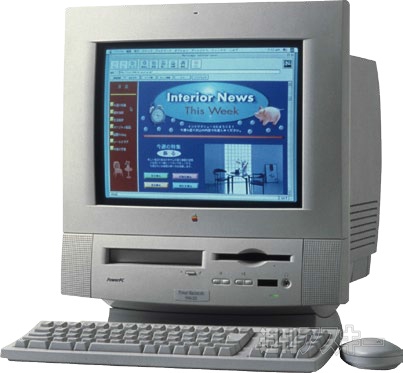 JS writes: I read your article about the Color Classic and was hoping that you could advise me about upgrading my beloved Performa 5200.
In the past, I have upgrade the RAM to 48 MB, the hard disk to 2 GB, and added a video/TV tuner card.
I was thinking about buying a new G3, but I really love being about to watch tele on my Mac!
Mac Daniel writes: Your 5200 suffers some of the same design limitations noted in my response to VR (above). My first advice is to upgrade to Mac OS 8.1 or 8.5 if you haven’t already done so. Users report it makes these models much smoother, more reliable performers.
Frankly, I haven’t paid any attention to TV tuners for the Macintosh. I use my computer as a tool, my TV for entertainment. (Admission: I do like the occasional game of SimCity 2000.)
The November 1998 issue of Mac Addict has a review of the ixTV card from ixMicro. They also mention that they reviewed ATI’s Xclaim TV card in the October issue. That gives you two options to look into.
Reader Feedback
DG writes: For people who have a 6300 (or older) and want to keep their beloved system more or less the same, there is an option . . . a logic board swap.
I have a 6200, so for $450 I can upgrade my system to a 6360, which has none of the infamous design problems of the older Performas. It involves a motherboard swap, which is easy because the motherboard of the Performa 62xx (and even the old 630) slides right out of the case. It also requires a power source upgrade, which might be a little tougher, but it shouldn’t be too bad. The price I’m quoting came from DT&T. They charge according to the system you want to upgrade to and the parts you are sending back. (Note: They are not interested in defective boards that do not pass Apple’s “52xx, 62xx” test.)
Now the bad news (sort of): The 6360 sports a PCI slot instead of the old PDS, which is great, but for people like me who have a PDS video card, it’s kind of a bummer. Also, the older Performas used SIMM memory, and the 6360 doesn’t, so any extra memory you bought before will be of no use to you.
For these reasons, I’m much better off saving my pennies until I can afford a G3. I can sell the ol’ gray mare for a few hundred bucks and end up spending about the same amount as it would take to get the 6360 up to the specs I want.
Still, for somebody who has a baseline 630, 6200, or even 6300, this might be a pretty darn good option.
JB writes: I have a suggestion for the chap looking for a speed boost for his Performa 6300. I desired the same for my Performa 6290. The answer: Slide out the logic board from the back, and slide in a Power Mac 6500/300 logic board. (Don’t forget to transfer the internal modem to the new logic board.) Once you reinstall the system software, all is perfect with no other modifications (physical or otherwise) needed. Now, I have a 300 MHz Performa 6290!
Update:Low End Mac’s Comm Slot FAQ, Tommy Yune, 2018.03.20
Keywords: #performa6300 #performa5200 #macos8
Short link: http://goo.gl/t1Dat6
