
1999 – What is a good medium for early Macs to store programs and data ?
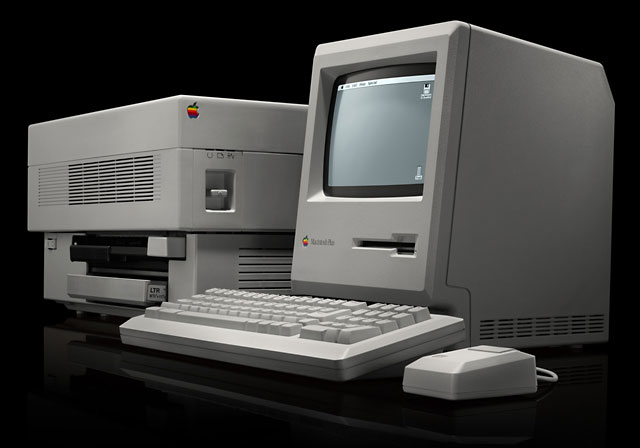
For the early low-end Macs like the Mac Plus, SE, and the Mac II, the best storage devices are still the ones that the machines used when they were new: hard drives and 800K floppies. For those Macs, software (including the System) was small enough to fit onto a floppy.
If you use a hard drive, even better – the System will load and run even faster. If you happen to have a Mac without a hard drive, it’s time to get one. Used Mac vendors and auctions like eBay will offer 100-1,000 MB SCSI drives for as little as $20.
Floppies are the best way to store backups of your files with smaller hard drives. One never knows if and when a hard drive will malfunction and render the data it stores beyond reach. With the advent of the iMac, the art of making backups to floppy disks may be dying – now that external data storage devices like a floppy drive are accessories that have to be purchased separately from the computer.
For more recent low-end Macs (anything built since August 1998), one has the option of storing data on 1.4 MB floppies rather than 800K floppies. This is a better option. 800K floppies are becoming a rarity these days. The main supplier of these disk in North America, Radio Shack, has discontinued the sale of their 10 pack preformatted double-density (DD) floppies. Other office supply vendors will likely follow suit. Radio Shack will still sell DD floppy disks in three-packs. This will probably continue as long as there are new DD floppies to fill the packs. (Radio Shack still sells the old 5-1/4″ floppies from the very early days of personal computers.)
In contrast, the 1.4 MB floppies will probably still be on sale in large quantities for another ten years or so. For small documents like memos, spreadsheets, and electronic slides, the 1.4 MB floppy disk is still the best way to carry them around in a physical form that does not require the use of paper.
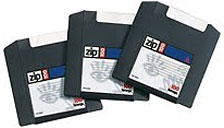 Most older Macs can also use more modern storage devices like CD-ROM and Zip drives. Early models of the Apple CD-ROM drive (1x-4x speed) operated with machines that used System 6.0.7. In the case of the Zip drive, it can be used on the Plus with a driver that is no newer than version 4.2. According to noted “Macnologist” Jag, Zip drives can be used to boot up the Mac Plus! The chief caveat that needs to be observed is that the Iomega driver software must be “unpolluted.” “Polluted” drivers cannot be used for bootup; they can only be used for storing data on Macs that have been already started up using a floppy or a hard drive.
For many old time Mac users, Zip drives may be be overkill in terms of storage, given the fact that the standard “100 MB” Zip disk holds 96 MB of data. Ninety-six megabytes is an enormous archive for a System 6 Mac. It is pretty big for even a System 7 Mac. Even today, with the G3 Macs being the standard, the typical Zip drive user is still the graphic arts person creating multimegabyte 3D art renderings using Adobe Photoshop and Illustrator.
Whichever media one uses to store data, keep an eye out for the cost of that media. Floppies and hard drives are inexpensive. CD-ROMS and Zip drives, while more up to date, cost more – sometime more than the value of the computer and monitor. Floppies and hard drives will also allow you to store information without the need for special drivers. Keep these facts in mind as you happily compute into the 21st century.
Keywords: #harddrive #zipdrive #floppydrive #zipdisk
Short link: http://goo.gl/9im4iP
