
1999 – What is System 6, and why is it the preferred system for 8 MHz compact Macs?
 System 6 was the operating system used by all front line Macs from 1989 through 1991. It came out in a variety of versions from 6.0 to 6.0.8L. It is considered the optimal system for the compact Macs like the Mac Plus, because it can run in as little as 500 KB of memory in a computer that may have only 1 MB of memory.
System 6 can be loaded onto an 800K floppy with enough room to hold an application program and allied files.
Back in the late 1980s, the standard Mac Plus had only 1 MB of memory, no hard drive, and a single built-in 800K floppy drive. Just about all that was needed in terms of software had to be packed into one floppy disk. As a consequence, System 6 had to be compact.
While one could get a hard drive, that would drive up the price of your Mac system significantly ($500-1,000 in those days). The big advantage to having a hard drive is that one can store System 6, applications, and allied files without having to use floppy disks. It was also much faster.
System 6 is very modular. The System and Finder are the two main items needed to operate the Mac. To increase the variety of features, such as additional fonts and Desk Accessories (DAs), one used a program called Font/DA Mover. This piece of software installed fonts like San Francisco, London, and New York, as well as DAs like Key Caps, Calculator, Scrapbook, and SuperClock. When the Mac user was finished configuring the System with the fonts and DAs, Font/DA mover could be deleted without impacting the Mac’s operation.
By designing System 6 in this modular manner, Apple was able to create a functioning operating system that could run in as little as 450 KB of memory. The remaining 550 KB of memory on a 1 MB machine could be used for programs like MacPaint, MacWrite, or PowerPoint 1.0. All of these programs could be run using 375-500 KB of memory. The end result – a fully functional computer operating with only 1 MB of memory!
If one chose to upgrade the standard Mac Plus or SE to 2, 2.5, or even 4 MB of memory, larger programs like Microsoft Works 2.0 (728 KB) could run.
Later OS versions, like System 7, need much more memory to operate, about 1.2 MB minimum. System 7 needs 2 MB as a minimum for the operating system and a small program. It was also not practical to run System 7 off a floppy because of the size of the OS and limited size of the floppy disk- not even a 1.4 MB high density disk (in a Mac that supportS it) is sufficient.
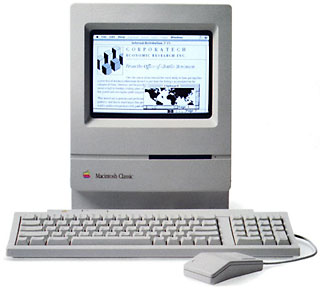 For the simple Macs like the 8 MHz 68000-based Plus, SE, or Classic, a memory upgrade was needed for System 7, as well as a hard drive.
Another issue is computer speed. System 7 slows down these 8 MHz compact Macs significantly, because it always runs in MultiFinder mode. (System 6 normally runs as a single application operating system; MultiFinder allows users to have more than one program running at a time.)
If you have a Mac Portable or PowerBook 100, System 6 will run very smoothly on the 16 MHz 68000 CPU – and so will System 7.
Because of all this, System 6 is still popular among classic Mac users, even though other software that was meant to replace it has come and gone.
Bonus: If you’re willing to forgo modifying the operating system, the Mac Classic can boot into System 6.0.3 stored on a ROM Disk inside the computer. Just hold down Cmd-Opt-X-O at startup. This gives you an entire floppy disk to store the programs and document files in the floppy-only low-end Classic.
Keywords: #system6 #macplus #macse #macclassic #8mhz68000
Short link: http://goo.gl/X9GtFE
