
1999 – RR writes: First of all, I’d really like to thank you for the service you (and others, obviously) are performing for the Mac community. You are a tremendous asset, and Mac aficionados the world over owe you a debt of gratitude.
 I have a Mac IIci with an internal 80 MB disk and an external 540 MB disk. Unfortunately, the power supply in the external drive is getting very unreliable, and I can’t leave it on for more than half an hour before it starts making funny (not humorous) noises and running erratically. Then I crash.
That sucks, so I decided to pull the 80 MB drive out of the IIci and replace it with the 540 MB mechanism from the external drive. I’ve made external drives into internal drives before. I added a Seagate Barracuda to my Power Mac 8500, and I swapped a 240 MB drive for the 80 MB drive in my niece’s IIsi. Those went well, and everyone is happy.
 Last night, I opened my IIci and went through my usual process (very carefully, as always), but it didn’t work out the way it usually does. After swapping the drives, I booted up but got a disk with a flashing question mark. I powered off and on again, and I zapped the PRAM twice. Then I booted again. The drive spun up and clicked once or twice, but it didn’t work. Maybe it wasn’t being recognized. I think it was at about this time that I got a sad Mac with the code 0000000F 00007FFF.
 I powered down the system and messed with the cables and stuff to be sure everything was okay. Then I tried it again and got the same thing.
Next, I swapped the 80 MB drive back in, and it booted fine, so I switched back to the 540 MB. No luck.
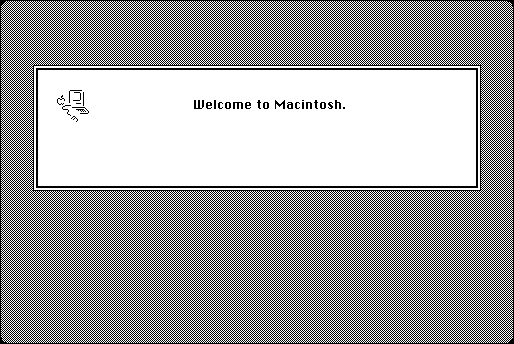
Then I decided to boot from a floppy. I got the Welcome to Macintosh screen, but before any INITs loaded, I got an error 1 (probably when it tried playing with the hard disk). I tried it numerous times with different floppies and any other variations I could think of. Nothing.
Today, I searched my hard disk and the Web to find out the meaning of sad Mac error codes starting with 0000000F. Wouldn’t you know it? The other error codes are discussed in detail but that one isn’t!
Is there a reason why I can’t use an internal 540 MB drive as a startup disk in a IIci? This disk works fine externally. I can even boot from it. If you think it should be okay, I guess I probably need to try different jumper settings.
The 540 MB drive is an IBM model DALS-3540, P/N 85G3869 (FRU P/N 82G5932), MLC E16092. It has eight significant jumpers that I can mess with (and four marked “unused”). The first three jumpers are for the SCSI ID. I left them all open, which should give me an ID of zero (normal for the internal drive). I don’t (currently) have any other SCSI devices attached.
There is also a jumper to “Disable Auto-Spin,” which I left open (it was open when this was an external disk). I also left the “Disable Unit Attn” pins open and the “Disable Sync Nego” closed.
Finally, I left the “Termination” pins open. Maybe this should be closed? I guess the internal part of the SCSI bus is permanently terminated. I’m not sure which way the “Termination” pins should be.
Could you suggest different settings (not just for Termination)? I could do trial and error all night long on this thing, but if I’m just barking up the wrong tree, I’d rather admit that I’m lost and ask you for help.
Thanks in advance for any help you can give me!
Mac Daniel replies: Thanks for the kind words. Like most Mac webmasters, I do this because I love the Mac and have information to share.
Since you can boot from the drive in the external case, I’m guessing the case provides termination or you have a terminator on the external drive. That means the drive itself isn’t terminated.
The internal drive in your IIci (or any Mac that uses SCSI) must be terminated, so jumper the terminator pins and try again. My guess is your system will come right up. (The 80 MB drive you pulled from your IIci will be terminated. If you put it in an external case, you’ll need to disable termination.)
RR sent a note to tell me that it was indeed a termination problem.
Keywords: #scsitermination
Short link: http://goo.gl/xfYqgp
