
1999 – We’re taking a look at upgrade and replacement options for 68030-based Macs today.
I Need an Older Mac for Legacy Software and Scanning
 OS writes: I’m looking for an intermediate unit to run some older software on. Specifically, I want to run MacDraw II (I haven’t been able to find a way to convert my old Mac SE files to ClarisWorks 4, and I haven’t ponied up for a PowerPC CAD package yet), Spaceship Warlock (I bought a used copy on eBay, but it’s the old version that doesn’t have sound on my 7200/90), and ScanMaker for the Microtek 600GZ (who cares if it isn’t compatible with the 7200 – I’ll figure something out!).
For under $200 (roughly), I seem to have the following choices:
- Dock II (with FPU) for my existing Duo 250 w/18 MB RAM (33 MHz ‘030)
- IIci (25 MHz ‘030)
- LC III (25 MHz ‘030)
- Low-end Quadra/Centris
I haven’t been able to find any benchmarks for the Duo or for the Duo/Dock combo. Can you give me some idea how these options compare speed wise? I’d guess that the Duo/Dock was fastest with the 33 MHz 68030, but the LC III should be just as fast as the IIci by that logic, and I don’t imagine that’s the case.
Note: I already have an extra color monitor. I enjoy (cheap) RAM/cache/coprocessor upgrades, but am not interested in logic board or accelerator upgrades for this old of a machine. Space for an internal CD-ROM would save me the cost of an enclosure. I’d like ethernet, but I can live without it.
 Mac Daniel writes: The LC III is a bit slower than the IIci, but it depends on what you’re testing. The LC III has better video, since it used VRAM instead of system RAM, but it loses out in the FPU department – and because most cards that fit the LC expansion slot are 16-bit, 16 MHz cards. I don’t have any experience with the Duo 250, but I expect performance would be comparable to the PowerBook 180: adequate, but nothing to write home about.
I’d go for the low-end Quadra. In the past year I sold my Centris 610 with DOS card for $200, bought a Quadra 650 for $150, and obtained a Centris 660av for $175. The extra horsepower these offer over a IIci or LC III is worth the small price difference.
Not only do Quadras have faster, more efficient 68040 processors, they also have better color output (more VRAM, 16- and/or 24-bit color, larger monitor support) and faster SCSI ports (3.4 MBps vs. 1.3-2.1 MBps on the Mac II series). Another advantage is that these machines support a lot more memory than the LC III, which tops out at 36 MB. And, if you’ve got several Macs, the presence of ethernet on most Quadras is another benefit when you want to network them.
With prices dropping below $200, the 68040-based Centris, Quadra, and Performa models represent some of the best bargains in used computers – and they can run Mac OS 8.1 very nicely.
BTW, we had a similar problem with an HP ScanJet at my day job – it refused to work on the Power Macs in our design department. It would work fine with a Quadra, but that was it. Our solution was a new color scanner, which offered a lot of benefits over the old 8-bit black-and-white scanner. But it was frustrating to have a scanner we simply couldn’t use.
Cost Effective Upgrades for 68030 Macs
Once the core of Apple’s Macintosh line, the 68030 is several generations from state of the art.
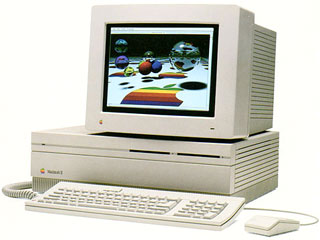 First used in the 16 MHz Macintosh IIx in 1988, it was also the driving force behind the “wicked fast” 40 MHz Macintosh IIfx in 1990. The 68030 was also used in the 16 MHz IIcx, SE/30, LC II, Classic II, Color Classic, and IIvi; the 20 MHz IIsi; the 25 MHz IIci and LC III; and the 33 MHz LC III+, Color Classic II, and IIvx. (Also several PowerBooks, but they have no acceleration options.)
In this era of 300-400 MHz Macs, even a 40 MHz IIfx sounds slow – despite the fact that it remains a perfectly usable computer.
But the ‘030s are long in the tooth. What can you do to speed them up?
Sonnet Technology and MicroMac still make accelerators for a lot of these computers, most of which provide a 68040 to replace the 68030 as your Mac’s main processor.
For instance, you can drop a 40 MHz 68040 with a 128 MB Level 2 cache into the cache slot of a Mac IIci and boost performance threefold and beyond. Recent benchmarks of the Sonnet Presto 040 show about 3.5x more CPU horsepower, over 3x faster graphics, and up to 8x faster math. (The Presto 040 works in the IIci, IIvi, IIvx, and Performa 600. With an adapter, it will also work in the IIsi and IIcx.)
Similar tests with a recently discontinued Sonnet Presto in a Color Classic show similar results. The 25 MHz 68LC040 (a 68040 without a math section) is about 3.5x faster than the stock 16 MHz 68030, graphics performance doubles, and even without a math section, the Presto more than doubles math performance.
Sonnet’s new Presto Plus provides a 33 MHz 68040 or 68LC040, 32 MB of memory, and an ethernet port for Macs with the LC processor direct slot. This includes the LC, LC II, LC III, LC III+, LC 520, LC 550, Color Classic, and Color Classic II. With a 32% faster processor, it should provide even more performance than the earlier Presto.
The Big Question: Is it Worth It?
At work, we chose the Sonnet Presto 040 to extend the life of our IIcis by maybe two years. At the time, a $375 investment would bring these from 8 MB of RAM to 20 MB and more than triple performance. Today, we’ve used them with the upgrade for almost two years – and I’m preparing to deploy them as replacements for LC IIIs.
Two years of additional use from very dependable computers makes that a worthwhile investment, especially considering the cost of used Quadras in mid-1997.
At home, we chose the Sonnet Presto for an LC and LC II (one was later moved to a Color Classic), because $150 made them much more useful. Although 16 MHz was fast in its day, that day is long past.
Considering the price of used Macs a year-and-a-half ago, that was also a good investment.
Although there are 68030-based accelerators, they don’t provide the same level of increase as 68040-based upgrades. The integrated cache, internal FPU on the full 68040, and other design improvements make it a much better CPU.
Upgrade prices haven’t changed much. The Presto 040 sells for $200 (no math section) or $300 (full 68040). The new Presto Plus, however, is $300 (no math section) or $400 (full 68040). But keep in mind that also includes ethernet and 32 MB of memory.
What has changed is the used Mac market. Last summer I bought a used Quadra 650 for $150. Over the winter, I picked up a Centris 660av for $175. These prices included a hard drive and memory. The Centris even had CD-ROM and a trackball.
Compared with that, $200-300 to upgrade a IIci might not make sense. Maybe if you have some specialized hardware, maybe then you could justify it.
Likewise, I wonder if Sonnet has priced itself out of the market with the Presto Plus. For some upgrade-challenged models, such as the Color Classic, you might be able to justify investing $300-400. For 4x the performance, 32 MB more memory, and ethernet, though, I can understand where users would be tempted. Of all the compact Macs ever made, there’s something especially seductive about the Color Classic and Color Classic II.
In the end, it’s your call. Will an accelerator give your computer the year or more of extra life you need to justify the expense? Or can you pick up a used Quadra or Power Mac for less, making acceleration a questionable investment?
Keywords: #68040upgrades
Short link: http://goo.gl/8MZ6Jl
