
What upgrades are practical for an older (pre-Power) Mac?
Although most of us, given the choice, would prefer a PowerBook G3, iMac, or the new Blue & White Power Mac G3, there are valid reasons for sticking with older Macs – financial concerns often being foremost.
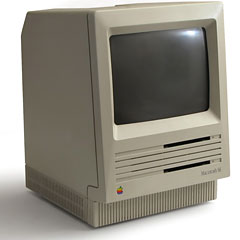
At home, we have a collection of Macs ranging from a Mac Plus and SE to a Umax SuperMac J700/180 and an S900/200. Except for the SuperMacs, they’re all 68K machines.
At work, I support a collection of Macs ranging from the IIci and IIsi through all the current models.
I’m familiar with the strengths and shortcomings of a lot of Macs.
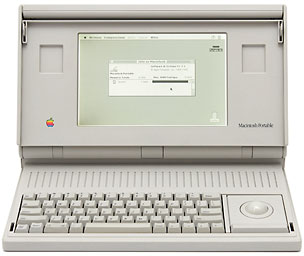 Although I’ve managed to get a 4 MB SE and 5 MB Mac Portable on the Web with MacWeb 1.1.1, the fact that they don’t display Web graphics really makes 68000-based Macs pretty obsolete as far as the Internet is concerned. They’re still great for word processing and some older games (I call my Portable the world’s biggest GameBoy).
What are the guidelines for practicality?
If you’re pretty much satisfied with your older Mac, you’re probably a candidate for an upgrade rather than replacement.
Does your SE/30 or LC III have too small a hard drive? For about US$100 you can drop in a 1.2 GB drive, solving that problem with room to spare.
Do you run out of memory trying to run Netscape or Internet Explorer on your LC II or Quadra 605? Try the 68K version of iCab – or invest in more memory. As I’m writing this, online sources list individual 4 MB SIMMs for the LC, LC II and a lot of older Macs at US$8 and up, and 32 MB 72-pin SIMMs for the LC III and most Quadras at US$53 and up.
(Last week I boosted my wife’s PowerBook 150 from 4 MB to 24 MB for well under $100, giving it a whole new lease on life.)
These are $100 upgrades. If you need more drive space or memory, you can probably make them fit your budget.
But what about speed?
A bigger, newer hard drive is a faster hard drive. And more RAM lets you increase the drive cache, which also helps improve hard drive performance.
You can tweak the system by removing this extension and that control panel. You can use the better disk cache in Speed Doubler.
But none of these make the CPU any faster. That calls for an upgrade card – and that calls for serious cost analysis.
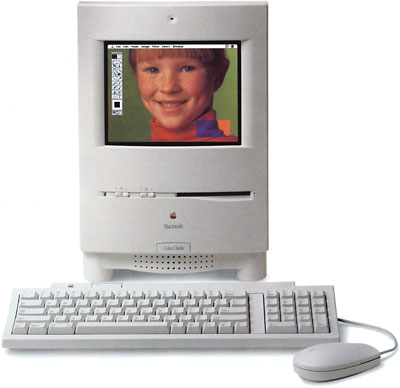 My son Brian has a Color Classic and loves it. I’m taken by it myself. With 10 MB of memory and an 80 MB hard drive, it’s a cute, moderately practical computer. But with a Sonnet Presto 25 MHz 68LC040 accelerator (see our review), it’s a cute and more practical computer.
For just $150, we took a great little computer and gave it a few more years of life. Problem is, with the Presto in the expansion slot, we can’t put the Color Classic on ethernet and access the Internet. (I’m looking for an inexpensive solution for connecting several LocalTalk-only Macs to ethernet so they can access a server and the Web.)
Sonnet promises the Presto Plus card will give us a faster CPU, more RAM, and ethernet – but at a projected price of $300-400, is it a valid investment in a computer worth far less than that? Maybe, especially in the case of the Color Classic. But maybe not in the case of an LC II, where that same $300-400 buys a very nice used Quadra 650 or Power Mac 6100.
Then there’s the IIci, a workhorse if ever there was one. Huge power supply, three NuBus slots, and a cache slot that readily takes a 68040 upgrade. Is it worth $200-300 to drop in a 40 MHz card? If you’re satisfied with the rest of the system, it probably is. But if you also crave more RAM and a bigger hard drive, the $400-500 you’d invest could buy a very nice used Power Mac 7100 or 7200.
On the Quadra front, Sonnet has a PrestoPPC in the works. Intended for the Centris 610 and 650, and Quadra 610, 650, 700, 800, 900, and 950 (the 610 requires an adapter), these reliable old workhorses can jump from 20-33 MHz 68040 processors to a 100 MHz PowerPC 601 with 1 MB Level 2 cache.
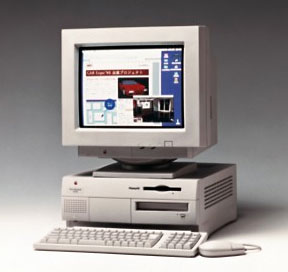 But will it be worth $400? Again, that depends on whether you’re mostly content with your Quadra but crave a lot more speed. If you have enough memory and a big enough drive, $400 could be a good investment. If not, $600 or so could have you into a nice used Power Mac 7500, one of my favorite Power Macs.
It’s all a matter of weighing what the computer is worth to you, what you want to add, how much that will cost, and whether something on the used market might be a better value.
With my Mac II, I’ve decided it no longer makes sense to invest in upgrades. The same goes for my LC. My Centris 610 and 660av have enough memory and drive space, as does the IIfx.
But for the Color Classic, the 500-series, and some other Macs, accelerators can be a very practical investment. (And I haven’t even mentioned the business that will upgrade, but will not invest in replacing an old working computer.)
Short link: http://goo.gl/DxM6Uk
