
1999 – NKM writes: You wrote in What about 7500 Upgrades? that, “There are also some nice G3 upgrades for the 6100, although I would find it difficult to justify that much expense on such a limited design.”
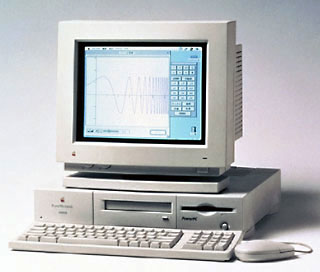 I have a Power Mac 6100 with a 24x CD-ROM and external 4 GB Seagate hard drive and a Zip drive, and I am considering a G3 upgrade. The math is inconclusive.
I’ve recently seen the Newer Technologies 240 MHz G3 upgrade card drop in price to US$549. That amount, plus what I could expect if I sold my computer, monitor, and peripherals (what? $500-600) would still be just shy of the $1,300 iMac, but it would leave me with no removable storage or transportable hard drive, a non-connectable printer, and with the short-term problem of how to transfer files to the new machine (I wouldn’t want to buy an ethernet transceiver and hub for this purpose alone).
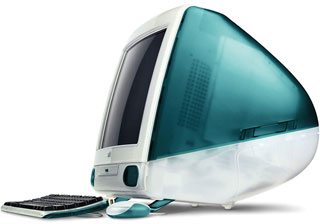 Also, I have reservations about the limitations of the iMac. What if I want more storage? Is USB really fast enough for a hard drive? Will USB peripherals eventually be priced as low as SCSI/Serial devices? Will there be any iMac upgrades?
On the other hand, the 6100 is clearly a limited system. The lack of card slots doesn’t really bother me – I haven’t needed any thus far and don’t expect to in the future. More disturbing by far is the 72M RAM limit and the speed of the SCSI bus.
It adds up like this:
- Upgrade: $549, 800%+ performance increase, live with existing limitations, done deal.
- iMac: $600-700, additional expense for removable storage, additional expense for printer connectivity, more expensive peripherals, hassle of file transfer and finding best buyer for existing equipment.
If the box itself were the only issue, the iMac would obviously be worth the couple of hundred extra dollars, but with the additional consideration of immediately rendering all my peripherals useless, the answer is less clear.
Is this as close of a call as I think it is? Are there issues I’m not considering? Any help would be appreciated.
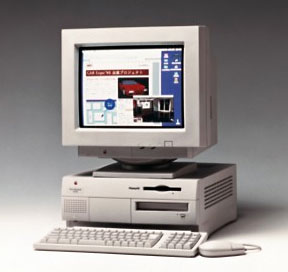 Mac Daniel writes: Compare your options with the one I discussed in that article – buying a used Power Mac 7500 for $550 or so (depending on features), and then add what you need.
In this scenario, you can pull the 4 GB hard drive and 24x CD-ROM from your 6100, swapping them for what’s in the 7500, leaving you with a working 6100 to sell. All your peripherals and your monitor will work with the 7500.
You leave behind the no expansion slot design of the 6100, the 30-33 MHz motherboard (the 7500 runs at 40-50 MHz depending on CPU speed), and DRAM video (the 7500 uses VRAM – and can accept an accelerated PCI video card). You gain access to dozens of CPU upgrade options going as high as a 400 MHz G3.
Let’s say you buy a pretty basic 7500 for $600, swap drives, and add a 233 MHz G3 card. You could do the whole thing for about $900, then sell your 6100 for $300-350.
Net cost: $600 or so, about what you’d pay to drop a G3 into your 6100 – which wouldn’t address RAM, video, and expansion slot limits.
At the same time, you could spend about $900 for a Revision B iMac (with limited expansion) – or just a bit more ($1,000-1,200) for a close-out Power Mac G3.
Keywords: #powermac6100 #performa6100 #imacg3 #powermac7500
Short link: http://goo.gl/TNSvCC
