
2000 – I am interested in doing digital video (DV) editing – as shown in the new iMac commercials. Is there any way I can do it with my older Mac by buying a FireWire card? If not, what Mac do you suggest for digital video editing?
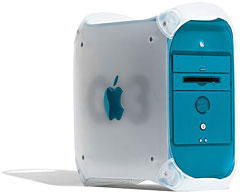 Unless you have a fast, recently retired Mac, you will probably not be able to buy a FireWire card and do digital video editing. The absolute minimum for Apple’s Final Cut Pro is a 300 MHz G3. In my experience, however, the minimum is a Blue and White G3 (any speed.)
I found that capturing over 20-30 minutes on the older machines, even the fastest Beige G3s, will sometimes result in dropped frames and other minor glitches. This may be due to the slower bus of the Beige G3s, which would also exclude any G3-upgraded Macs (like the 7500). Adobe Premier 5 has slightly lower processor requirements, but Beige G3s still just barely make the cut for DV editing over FireWire.
If you are seriously looking into doing digital video editing, I would suggest getting at least a Blue and White G3. They seem to be able to keep up with capturing over an hour straight of DV and are fast enough that you won’t need an external monitor to preview your work.
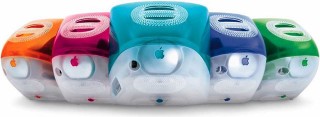 If you are looking to just try out DV editing, definitely look into the iMac DV. It comes with iMovie (basically Final Cut Pro with less features) and is cheaper than a G4 – and sometimes even Blue and White G3s.
If you have a digital video camera, you can still do capture through RCA video out or S-video out (most DV cameras have these outputs as well) to your older Mac. Many of the Macs Apple produced came with video capture capabilities, or had it as an option (7500, Beige G3s, Performas, Quadras, etc.) You won’t get near the quality of DV editing, but you can see if you enjoy video editing.
If you have not bought a video camera yet, make sure you know what kind of output the camera has so you don’t buy something you can use, or so you don’t buy extra features you don’t need.
Common Questions About DV and Video Editing
What is FireWire? FireWire is a standard interface that was developed for peripherals. Currently it’s transfer speed is up to 400 Mbps (30 times faster than USB.) It is hot-swappable and has been picked up as the preferred choice for transferring digital video to your computer (and to other devices). It is also referred to as “iLink,” “DV,” and “IEEE 1394.” DV is not really an good description of FireWire. DV stands for digital video, and DV is transferred over FireWire.
I don’t want to buy a new computer, but my current computer does not have any sort of video capture. What can I do? If you have a Macintosh with a PCI bus, then you can get a card like the Rage128 VR card, which has video capture and video out. There are other PCI video capture cards as well. NuBus owners are probably out of luck, unless you can find a used video capture card.
What is the difference between Digital8, Hi8, VHS, VHS-C, SVHS, 8mm and DV cameras?
- Digital8: These cameras record the video digitally (with digital hardware) and store the data on 8mm tapes. This is similar to the DV cameras in that they both capture digitally, however the Digital8 tapes are less expensive. Most Digital8s have the option of exporting the DV through FireWire. Most Digital8s can play regular Hi8 tapes (backwards compatibility.) Resolution is about 500 lines. Tapes hold around 2.5 hours (if recorded digitally).
- Hi8: The Hi8 records to 8mm tapes (like the Digital8) but the quality is much lower (with about 270 lines of resolution.) The Hi8 tapes can hold as much as 5 hours. Hi8’s never have DV/FireWire out.
- VHS: These cameras have one single advantage: the tapes can be played in your VCR (assuming you still don’t use Beta!) Resolution is 250 lines, and they can hold as much as 6 hours (in EP mode, if the camera supports it). These cameras tend to be very large and heavy. These never have DV/FireWire out.
- VHS-C: This camera uses a smaller version of the VHS tape which holds far less tape. The resolution is 250 lines (same as VHS.) VHS-C never has DV/FireWire out.
- SVHS: This camera uses the same size tape as the VHS, except the tapes are different inside. These can record a resolution of 400 lines, and the tapes must be played in a SVHS VCR to get the good quality (400 lines of resolution.) SVHS cameras never have DV/FireWire out.
- 8mm: This is a lot like the Hi8. It uses 8mm tapes and can record as much as 5 hours at 270 lines of resolution. 8mm cameras never have DV/FireWire out.
- Digital (DV): Records video digitally on to “mini-DV” tapes. The resolution is about 500 lines and is considered “broadcast quality” (at least until HDTV takes off a little more). Most DV cameras (but not all) have DV/FireWire out as well as S-video and/or RCA (composite) out. They stand out from Digital8 in that they tend to have better glass and/or three CCDs (image processing chips) compared to one CCD (in the Digital8s.) Digital8s use the 8mm tape format where as most other consumer Digital cameras use mini-DV tapes. Many mini-DV cameras have built-in video effects (sometimes video editing as well), and they are much more expensive. The cost varies depending on features ($800 to $9000+.)
Keywords: #digitalvideo #firewire #digital8 #hi8
Short link: http://goo.gl/uAbHYs
