


Mac Daniel's Advice
Pismo PowerBook a Good Value, but Better than Lombard?
Dan Knight - 2003.03.21
This week we're looking at each of these G3 PowerBooks in turn. As with all Macs, each has strengths and weaknesses. To simplify things, we'll typically use the street names Kanga, WallStreet, Lombard, and Pismo for these 'Books.
For a quick overview of the four lines, see our Guide to G3 PowerBooks.
Pismo
Lombard, introduced in
May 1999, was nice enough with 333 and 400 MHz CPU speeds, a 14" 1024 x
768 display, ATI Rage LT Pro graphics with 8 MB VRAM, a 66 MHz
bus, and room for up to 512 MB of RAM. But technology
progresses.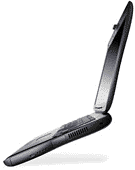
In February 2000, Apple introduced the PowerBook (FireWire), commonly known as Pismo, using the same solid case as Lombard. Processor speed started at 400 MHz and jumped from there to 500 MHz on a 100 MHz system bus - and with a 1 MB level 2 cache. ATI Rage Mobility 128 graphics offered even better performance, although the Rage 128 chipset is unable to unleash the power of Quartz Extreme. (The same goes for the early TiBooks.)
The 512 MB memory ceiling of WallStreet and Lombard gave way to a 1 GB maximum memory configuration on Pismo. Also added to the mix: an AirPort slot and FireWire, Apple's 400 Mbps serial bus for external hard drives, CD burners, and other accessories.
A 2x DVD-ROM drive was standard on Pismo, as is a slot for an AirPort card.
Used 400 MHz Pismos are generally closing for US$740-800 on eBay, and the 500 MHz version is usually in the $850-950 range, depending on configuration, condition, and how well the listing is written (some have gone for less, and a few for quite a bit more).
Compared with $650 or so for a 400 MHz Lombard, the 400 MHz Pismo may be a better buy for power users thanks to a faster bus, improved video, and the presence of FireWire. At roughly 15% more for the 25% faster 500 MHz model, the G3/500 Pismo is definitely a good value for those who need more power than a 400 MHz machine offers.
Compare with the PowerBook G4/400, which typically closes from $850 to $1,200, and the PB G4/500, which often goes for $1,000-1,500, Pismo is a good deal. It may be older, heavier, and have a smaller display (1024 x 768 vs. 1152 x 768), but it's much more solidly built, accepts two batteries at once, and has a drive bay. It also doesn't suffer from the limited AirPort range of the titanium PowerBook G4.
Especially if you don't plan on a CPU upgrade, Pismo is a lot of 'Book for the money. Even with an upgrade, it's competitive with the value of TiBooks.
Upgrades
Pismo shipped from the factory with a minimal 64 MB or a somewhat better 128 MB - adequate for OS 9, but insufficient for decent OS X performance. Like earlier models, Pismo has two memory slots. 128 MB modules sell for as little as $19 today (see ramseeker for the latest prices). 256 MB comes as low as $31 (compared with $46 for WallStreet and Lombard). 512 MB SO-DIMMs aren't cheap at $67.50 and up, but if you need more than 512 MB total RAM, they are available. There's hardly any excuse not to have 512 MB (two 256 MB modules) at these prices.
Today's 5400 rpm hard drives, especially the ones with 2 MB and 8 MB caches, can significantly improve hard drive performance. I put 20 GB in my PowerBook G4 last year for about $100, and prices are even better today. If you can afford it, skip right past the 4200 rpm drives to the faster ones.
If you need more horsepower, you can turn Pismo into a 500 MHz G4 machine with the PowerLogix BlueChip G4 "Pismo" upgrade for $279 - or really make it scream with their new 800 MHz G3 upgrade. The 500 MHz BlueChip includes a 1 MB backside cache. The 800 MHz upgrade uses the PowerPC 750fx processor, which has a 256 MB level 2 cache on the CPU that runs at full CPU speed.
Newer Technology also offers a G4/500 upgrade for the Pismo, which also has a 1 MB level 2 cache and is available exclusively through Other World Computing for $289.99.
Pismo is already an excellent computer for the classic Mac OS, but you definitely want to upgrade memory (especially at today's prices) if you plan on making it an OS X machine. If you're running out of drive space, replacing the older 4200 rpm drive with one of today's 5400 rpm drives makes a lot of sense, and I've been very happy with the TravelStar drive in my PowerBook G4, which is fast, spacious, and quiet.
It's harder to speak to the value of CPU upgrades. On the one hand, the G4 is superior under Mac OS X, where the Aqua interface and several applications benefit from the AltiVec velocity engine. Likewise, both G4/500 upgrades cost $100 less than comparable upgrades for WallStreet or Lombard. And further, the cost of a 400 MHz Pismo plus G4 upgrade make it a very viable alternative to the slimmer, lighter, wider PowerBook G4. (For a hands on review of a G4/500 upgrade, see PowerBook Pismo Finally Gets a G4 Upgrade - Is It Worth $299? at Bare Feats.)
But under the classic Mac OS, there's less reason for a G4. Unless you edit video or do extensive Photoshop work, you won't see much benefit from a G4 when using OS 9. In that case, you might want to look at the 800 MHz BlueChip G3 upgrade, which doubles the power of the 400 MHz Pismo and gives the 500 MHz version 60% more processing power.
Or maybe the best is yet to come. This is speculation, but since Pismo already starts out at 400 or 500 MHz, it sure would be nice to see a G4/800 option that would provide both a boost in MHz speed and the power of the AltiVec velocity engine.
Mac OS X
The low-end 400 MHz Pismo should be a comfortable performer under Mac OS X, although more speed always makes for a more enjoyable Jaguar experience. The video is an improvement over what Lombard offers, giving it another edge.
If you want to use OS X and have less than 256 MB of memory, going for one or two 256 MB SO-DIMMs is a no brainer at today's prices.
Regardless of what Apple claims about minimum system requirements, the 6 GB hard drive in the low-end Pismo is going to be barely adequate for OS X. If you have a 6 GB drive, look into a 10 GB hard drive as a practical minimum, and for the small difference in price, 20 GB probably makes even more sense. Definitely ante up for a 5400 rpm drive - virtual memory is always active in OS X, and you don't want the hard drive slowing you down.
If you already have a 500 MHz Lombard, it might not make economic sense to invest nearly $300 in a G4 upgrade. You'll hardly see any improvement in Mac OS 9.x, although the G4 will help the Quartz rendering engine in OS X. For a real speed boost on the 500 MHz model, the G3/800 upgrade may make more sense.
But if you've got a 400 MHz Pismo, that same upgrade gives you 25% more power most of the time along with the benefits of the AltiVec velocity engine in OS X and select applications. In fact, if you're buying with the intent of upgrading the CPU, go for the 400 MHz Pismo - it's far more economical than a used PowerBook G4/400 or 500.
Conclusion
Prior to OS X, I often stated that a 300-350 MHz G3 was all the power most users needed most of the time. By that standard, if you're still using the classic Mac OS, Pismo offers more than enough power for most users at a reasonable price.
However, OS X has increased demand on the hardware. I'm running a PowerBook G4/400 under Jaguar and find it just comfortably up to the task most of the time. Sometimes it feels a bit fast, more often it feels somewhat sluggish (with a lot of OS X native programs open plus the classic environment and lots of classic Mac OS programs as well). And that's with 512 MB of memory and a fast hard drive.
Whether at 400 MHz or 500 MHz, Pismo will run OS X competently, but it'll be no speed demon under the demands of this incredibly robust, resource hogging operating system. With a G4/500 upgrade, it will be a better OS X machine, although the G3/800 upgrade might produce a better overall performance improvement. (I haven't seen any test results or comparisons for the BlueChip G3/800 yet.)
Still, you have to put it in perspective. A refurbished 700 MHz 14" iBook or used 500-550 MHz PowerBook G4 is going to cost a lot more than a Pismo with either processor upgrade, and neither has the Pismo's expansion bay.
That said, unless you need FireWire or plan on running Mac
OS X, Lombard is probably the best buy in a used PowerBook for the
classic Mac OS, because 333-400 MHz is plenty of speed there. Under
OS X, the improved graphics, faster system bus, and availability
of a faster stock CPU and more processor upgrade options make Pismo a
very strong contender. And until prices settle down on early TiBooks,
Pismo looks like a better value than the slim PowerBook G4..

Join us on Facebook, follow us on Twitter or Google+, or subscribe to our RSS news feed
Not sure if you should upgrade your old Mac or replace it? Check the Mac Daniel index to see if we've already addressed your problem.
Today's Links
- Mac of the Day: PowerBook 190cs, introduced 1995.08.28. The last 680x0-based PowerBook could take a PowerPC upgrade.
- Support Low End Mac
Recent Content
About LEM Support Usage Privacy Contact
Follow Low End Mac on Twitter
Join Low End Mac on Facebook
Favorite Sites
MacSurfer
Cult of Mac
Shrine of Apple
MacInTouch
MyAppleMenu
InfoMac
The Mac Observer
Accelerate Your Mac
RetroMacCast
The Vintage Mac Museum
Deal Brothers
DealMac
Mac2Sell
Mac Driver Museum
JAG's House
System 6 Heaven
System 7 Today
the pickle's Low-End Mac FAQ
Affiliates
Amazon.com
The iTunes Store
PC Connection Express
Macgo Blu-ray Player
Parallels Desktop for Mac
eBay

