
When we published Flash Cards: A Solution for Low Memory Macs in June 2000, Maxwell Cabral suggested using CompactFlash (CF) for virtual memory. The scenario: Pop a CF card into a PC Card (formerly PCMCIA) adapter, plug that into the PC Card slot on your PowerBook, format it as a Mac volume, open the Memory control panel, and map Virtual Memory (VM) to the flash drive.
Clever. Unlike normal VM, it doesn’t use your hard drive, so it increases battery life. And it doesn’t require you to have a lot of free memory on your hard drive before turning on VM. And it’s probably faster, too.
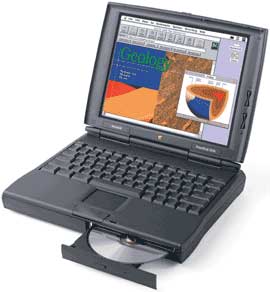 Cabral found the solution worked on both his PowerBook 190cs and PowerBook 1400. But recent discussion on the PowerBooks List shows that Mac users have gone way beyond using CompactFlash for virtual memory.
Boot Me
On November 1, Bruce Johnson speculated on the list that with a sufficiently large card, it might be possible to create a bootable flash disk. (The largest card Cabral had tried was 32 MB, which would be inadequate for anything beyond a stripped down System 7.x.)
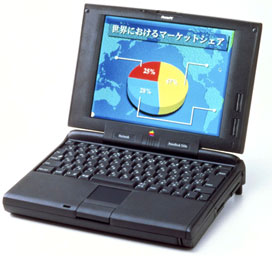 Not much later, Brian noted that he had created a bootable “emergency disk” using Norton Utilities and a 64 MB CompactFlash card. Robert Eye commented that he had never been able to boot his PowerBook 5300cs from such a disk, although he knew of PB 1400 users who were successful.
Brian reported that he had indeed used his CF boot disk with a PB 5300 and Mac OS 8.1. I’ve queried the list for more information on which models have been successfully booted. The following should work:
- PowerBook 190
- PowerBook 520/540/550 – We have received several reports from the field that the Blackbird models can boot from CF.
- PowerBook 1400
- PowerBook 2400
- PowerBook 3400
- PowerBook 5300 works with some brands of memory but not others
- Kanga PowerBook G3
- WallStreet PowerBook G3 Series
- PDQ PowerBook G3 Series II
- Lombard PowerBook G3
- Pismo PowerBook G3
- all PowerBook G4s with PC Card/CardBus slots
CF cards come in capacities from as low as 6 MB to as high as 1 GB, so you should have no trouble finding a card large enough to store any classic version of the Mac OS. (Mac OS X insists on 2 GB – and really wants more – so it’s out of the picture at present.) Except for the highest capacity cards, prices are pretty reasonable:
- 32 MB, often under US$20 mail order
- 64 MB, around $30 online
- 128 MB, $50 range via mail
Local camera shops will usually have a decent selection, although you will pay a bit more to cover the overhead of a brick-and-mortar operation. The shop where I work part-time sells 128 MB cards for $90.
If you don’t already have the CompactFlash PC Card adapter, one should cost no more than $15. You can also use this to read images from any CF digital camera into your computer, so it’s a good investment if your digicam uses CompactFlash.
The PC Card specification supports data transfer rates of up to 20 MBps, which is 40% as fast as FireWire and nearly 7x the speed of USB. But flash memory isn’t that fast.
CF cards come in different speeds (marked in x ratings, just like CD-ROM drives, where x = 150 KBps) and vary in performance. Testing by Digital Photography Review [broken link] found that read speeds peaked at about 4.2 MBps, writes at about 2.4 MBps. The slowest card tested had read speeds around 2 MBps and write speeds under 1 MBps, so it does pay to pick a faster card.
Why Do It?
With today’s huge hard drives, running out of drive space for using virtual memory is less of a problem than ever, and today’s faster 5400 rpm laptop drives reduce the penalty of using VM compared with older, slower 4200 rpm drives.
Still, they draw power every time the drive is accessed. CompactFlash is solid state memory; only electrons are moving, so it will reduce power consumption and increase battery life.
Further, flash memory is nonvolatile, unlike a RAM Disk. You don’t lose your data on power down. This means that you can write your working files to your flash drive, store them on your flash drive, and only copy them to your hard drive for backup. With the hard drive spun down, you can compute in almost complete silence, except for the click of the keys and taps of the trackball button.
Some ‘Books even have two PC Card slots, so you can have both a boot disk and a work disk on those machines if you so desire.
If you have a PowerBook with a PC Card slot and want longer battery life, silent operation, or just a way to use more virtual memory than your little old hard drive allows, CompactFlash could be the solution you’ve been looking for.
Update: Over the past 12 years, CF capacities have been extended to 512 GB and speeds to 1000x, so we now have possibilities never imagined in 2002.
Keywords: #compactflash
Short link: http://goo.gl/8tvCsx
searchword: cfpowerbook
