
In a lot of respects, the Dreamcast was ahead of its time. It was released in 1998 in Japan and 1999 in the rest of the world – a year before PlayStation 2 – and was the first 128-bit console gaming system ever. Sega, a Japanese company started by American expatriate David Rosen in the 1950s, seemed to have a real winner on their hands.
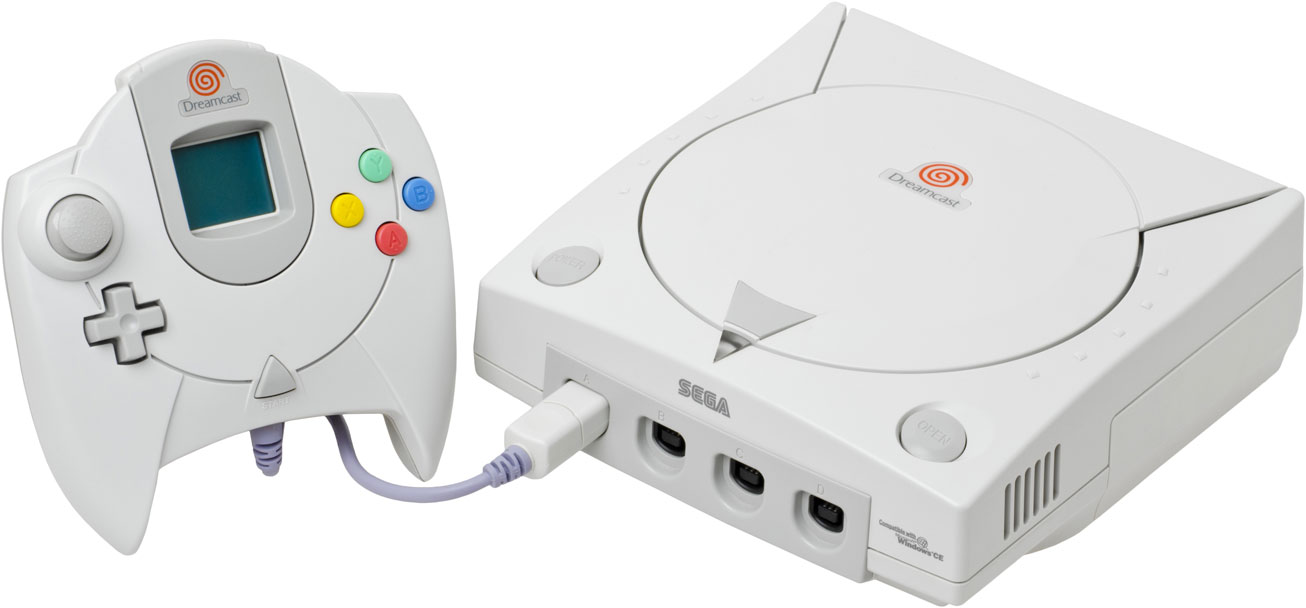
But somehow or other, the Dreamcast didn’t quite take hold, either in the US or in Japan. Sega had a huge overstock of consoles, and many of the major game designers were more interested in developing for market leaders Sony and Nintendo rather than Sega, a company which, conventional wisdom had it, was a has-been.
The conventional wisdom became a self-fulfilling prophecy, and Sega had to blow out its consoles quickly. In March 2000, they lowered the price to $100. And that November, the price dropped to an unheard of $50. That’s when my ears perked up, and I ordered one from Amazon.com.
Now the Dreamcasts are almost gone. You’re gonna have to go to your local stores and poke around – or pay a $10 premium to order one new from Gamestop.com. However, if you have one or can get your hands on one, there is a use for this machine you might not have thought about.
How to Get Granny on the Internet for $50 Plus ISP Charges
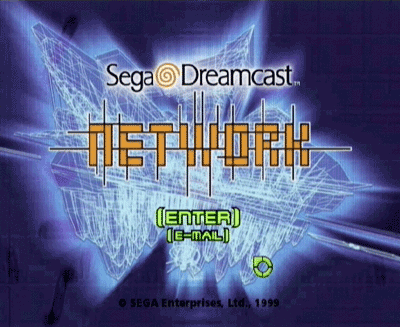
The Dreamcast came with a v.90 dialup modem and a disk that most Dreamcast junkies would throw away. However, this disk, the Sega Browser, is at the heart of this article. It includes three vital online functions: Web browser, email client, and Internet Relay Chat (IRC). It will do all this with any full-featured Internet Service Provider – you don’t need to use the default, AT&T Worldnet, or Sega’s own gaming-oriented ISP, Seganet. However, you are going to need all the pertinent details about this Internet account:
- Your name as you want the “world” to see it
- Your login ID
- Your login password
- Two dialup Point Of Presence telephone numbers that are local to you
- Your two Domain Name Service server IP numbers
- Your POP3 (Receive) email server address
- Your SMTP (Send) email server address
- Your return email address
- Your email ID
- Your email password
 The version of the Sega Browser you get with the Dreamcast is Version 2.0. However, there is apparently a new version, v3, just released in October. This new version includes updated Javascript support, Java support, and Flash support goosed up to support Version 4 Flash movies.
Version 2.0 is a bit rougher, doesn’t support Java, and its Flash support is sketchy at best. However, you get Version 2.0 for free with the Dreamcast, and you can certainly browse the Internet, send and receive email, and chat on IRC with it just fine.
I have tested it out, it works.
 It makes life easier to use a keyboard with Sega Browser. I bought a $15 keyboard adapter made by Mad Catz at Funcoland and used a PS/2 mini-keyboard I had hanging around. However, Sega makes a keyboard that is still available. There is a third-party keyboard, too, and people other than Mad Catz make PS/2 keyboard adapters. However, I was unable to make a Sega official mouse work with it – perhaps this is a limitation that will be remedied by getting Sega Browser v.3.
If you don’t have a keyboard, you will have to use the Dreamcast controller and the onscreen keyboard. It’s slow going and a pain in the neck, but you can subsist with it. It’s an awful lot like using the remote you get with a WebTV to type with. If you really want to be good to Granny, get her either a Dreamcast keyboard or buy a keyboard adapter and give her a decent keyboard.
With a keyboard, the Dreamcast controller takes on functionality akin to a mouse. The navigation aid the Sega Browser gives you is called the Command Cluster. The icons allow you to go back and forth in the browser, get your mail, add an address to the address book, reload a page, and exit the Sega Browser program.
Granny will also appreciate the fact that if you position the cursor arrow over an object and press the “Y” button, you get a virtual magnifying glass that magnifies whatever’s under the arrow.
Even though Dreamcast has been out of production for almost a year, and there is only one game left to come out for the platform (NHL 2K2), it’s hardly a dead platform. The beauty of Dreamcast is that a lot of the particulars were released about the hardware, and it can use multiple operating systems. Sega has its own proprietary OS, Windows CE will run on it, and there are now three Open Source operating systems which will run on it: Linux, NetBSD, and a fledgling game-oriented OS called KallistiOS. It’s a lot like the IBM PC in that so much is known about the internals of the system that people will be able to write new games and dream up new uses for the little box. The folks at Planetweb seem to believe in the box enough to come out with new versions of its browser.
So I strongly suggest joining the hunt for the remaining Dreamcasts. And when you do, buy one for Granny, too. If in a few months she starts talking about how high her scores have gotten in Crazy Taxi, you might have reason for concern. though. ;-)
Dreamcast Related Links
Many of these links have broken in the years since this article was first published. Where possible, we provide links to pages from late 2001 in the Internet Archive.
Dreamcast General Links
- http://www.sega.com/games/dreamcast/home_dreamcast.jhtml – Official Sega Dreamcast homepage
- http://www.sega.com/segascream/legacy/history.jhtml – History of Sega
http://www.atani-software.net/segabase/SegaBase-Dreamcast.html– History of the Dreamcast- http://www.howstuffworks.com/dreamcast.htm – How the Dreamcast works
- http://slashdot.org/article.pl?sid=01/03/28/1514211&mode=thread – Dreamcast Postmortem on Slashdot
- http://www.lik-sang.com/ – Lik-Sang…a company importing Dreamcast games and accessories
Planetweb and the Sega Browser
- http://www.planetweb.com/ – Planetweb, makers of the Sega Browser
- http://dreamcast.planetweb.com/ – Planetweb’s Dreamcast home page
- http://dreamcast.planetweb.com/upgrade/faq.html – Frequently Asked Questions about the Dreamcast upgrade – includes details on how to get Sega Browser v3.
Dreamcast Development
(NB: some of these sites have external links to Dreamcast cracking/piracy sites. I do not condone Dreamcast cracking/piracy. However, the sites themselves are legit, legal development sites, and have interesting clues to what direction future DC development is going in.)
- http://mc.pp.se/dc/ – Dreamcast Programming
- http://cs-people.bu.edu/artdodge/linux/dreamcast/ – Linux on Sega Dreamcast
- http://www.fivemouse.com/dclinux.html – Linux on Dreamcast: A beginners’ guide.
Keywords: #segadreamcast #dreamcastbrowser
Short link: http://goo.gl/VeEsDm
searchword: dreamcastbrowser
