
2000 – Today’s topic is essentially the beginning of the answer to the question: “Now that I have the Internet in my room, what do I do with it?”
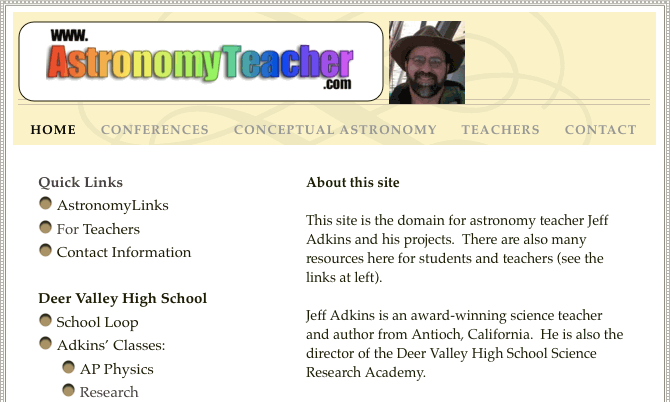
Jeff Adkins’ website – astronomyteacher.com
Today’s Agenda
Using the Internet in the Classroom
Today’s topic is essentially the beginning of the answer to the question: “Now that I have the Internet in my room, what do I do with it?” As with any adoption of technology, often the administration dumps equipment into a room without training, without time to experiment, and then expects that teachers will somehow know what they are supposed to do with it. After all, the hard part is just getting the equipment in the first place, right?
I’ve been using computers for many years. I began signing into bulletin boards back in the 1980s, before the explosion of the Internet allowed us to find information (some information, anyway) on virtually any topic. With as much experience as I have, you’d think I’d know the answer to the question I have posed.
The fact is, if you are a teacher worth keeping around, you never know the answer to everything. What you do know is that you must constantly strive to improve, seek new methods, improve old methods, and network with others so you can both share what you have and benefit from each other’s experiences. The Internet, or computers in the classroom, or graphing calculators, or any other technological fix is not a panacea that’s going to solve all your problems. It’s just another tool in the ongoing struggle to educate They Who Will Not Be Taught.
One thing I do know is that I don’t have all the answers. But I do know how some of the things I have tried have turned out. In today’s column I will share with you some of the interesting sites I have found and discuss how they are used in the classroom.
Ideas for Using the Internet in the Science Classroom
Research
This is probably the #1 use of the Internet in the classroom. Students are asked to “go look something up,” and they find information. I once had student groups do a bit of quick research on the discoveries of major names in astronomy history, and within an hour we were presenting our results for everyone to hear. That worked much better than me standing in front of the room lecturing the whole time. Students were engaged, and I still got to fill in the gaps in their research.
Over the past two years, I’ve collected many of the best links on the web regarding astronomy topics on Astronomy Links and Internet Resources. This is good because I don’t lose track of sites I’ve found, and bad because it discourages students from performing their own searches.
If students want to learn more about the solar system, they could go to Bill Arnett’s Nine Planets site, which is arguably the best solar system website on the planet bar none – including NASA.
This site has a page on every significant body in the solar system, including pictures, statistics, history of the name and mythology, plus up-to-date reports on current space probe discoveries. It has won several awards, and I highly recommend you adding a bookmark to this page if you have any interest, professional or personal, in the solar system.
When students use a site like this to do research, often they simply print out a page and glue it to a poster and claim that is a report. So instead of assigning a report on Mars, which lends itself to such abuse, teachers should require research that requires processing and decision making about the information they are likely to find. For example, you could ask them to research which planets in the solar system could have life on them (you’ll be surprised to see how many fail to mention Earth). Then they have to justify their responses.
Also, students should be asked to explicitly state precisely where they got information for reports, whether it be from a CD-ROM, a website, or (gasp) a book. Many of the citations I receive look like this:
Information gathered from
- Webster’s Dictionary
- Microsoft Encarta
- Nine Planets Web Site
So students must be told to make the citations specific enough that another person could find the information, including editions and dates:
- Websters’ Dictionary (Collegiate 1995 edition), entry on “Mars”
- Microsoft Encarta 1999 entry on “Mars” by I.M. Makingthisup
- http://nineplanets.org/mars.html (Nine Planets website) as of December 2, 2000.
Some schools have a style sheet which details the format for such citations. If your school does not have one, ask the English department or the librarian to create one.
Finally, since so much information on the Internet is questionable, students should be reminded to find information from multiple sources to confirm the validity of what they find.
Demonstration & Simulation
When the teacher wants to show an animated cartoon or interactive simulation of a process, the computer can be directed to the site that has the simulation. Sometimes, waving your hands in the air and doodling on an overhead just doesn’t cut it.
This simulation (requires Java) shows an animation of Ptolemy’s model of the solar system.
Measurement
Most teachers don’t know that the computer can be used to remotely observe and measure scientific phenomena. What do you get when you cross a webcam with a remotely-controllable telescope? A remote-control observatory, of course!
MMSD Planetarium & Observatory has an example of a remote control observatory I found with a simple Dogpile metasearch. I can’t testify that this one actually works, but it seems to be complete and ready for applications.
Of more common interest to science teachers perhaps is this link, which leads to a commercial site soliciting schools to set up weather stations on the roof and transmit data to the vendor – and you, of course, have access to the data.
Communication
Our district currently prohibits student access to email at school but simultaneously requires that we teach students about email (somebody tell Scott Adams). However, there are loopholes. Students can leave messages on bulletin boards as long as they are doing so for a legitimate educational purpose. Boardhost is a free bulletin board hosting service I use.
You can leave messages that start threads just like you see on the bottom of some news articles. Perhaps I’ll get around to setting up a board for the Mac Lab Reports sometime in the future.
Feedback Request
Do you have a favorite science website you just have to tell other people about? If so, drop me a note (astronomyteacher@mac.com) and put “Mac Lab Report science links” in the subject line. When writing, type in the complete URL and classify the link as a Reference or Research page, Communication page, Simulation and Modeling page, Measurement page, or specify another category I’ve overlooked. I’ll compile the links and create a reference page for a future column.
Thanks for reading. Next time I plan to write about using the computer to do real-time data collection. This will be a serious set of articles that will be a primary reference for staff development at my school (and yours too!), so be sure to come back next time.
Keywords: #internetintheclassroom #astronomyteacher
Short link: http://goo.gl/l5tihk
