
Continuing the saga begun in last week’s column, at the end of my first year at my new school I had installed a small network of aging 680×0 machines in my room.
Today’s Agenda
Building a More Modern Computer Lab
Continuing the saga begun in last week’s column, at the end of my first year at my new school I had installed a small network of aging 680×0 machines in my room. My classroom had a set of network ports, but at first they were not connected to the network – or even to each other via a hub. A few requests to the right people eventually got most of the ports activated – the district has been pretty good to me about this kind of request – and so I was able to set up a local file sharing network.
The kind of attention you get when you start doing this stuff on your own starts to cascade. People talk, and when they see that they have unused gear better than what you are using, often they will give it to you.
 At first it was an LC here, a Quadra there, and an SE/30 donated by parents of my students.
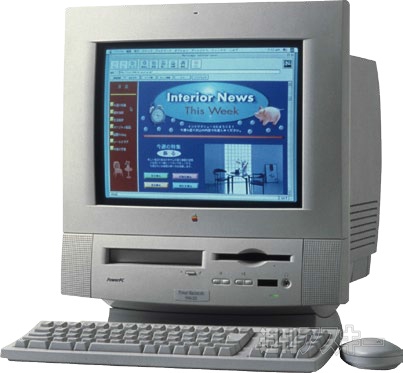 Next, I actually started to get some Power Macs, as administrators and secretaries, frustrated by the ultraslow response of their Power Mac 5200s (given a Road Apple with good reason, in my opinion) purchased new G3s and (wince) a few Wintel boxes, the leftover gear found itself to my room via a sympathetic vice-principal, IT manager, and former science teacher (thanks, Paul), and so I began to accumulate some Power Macs.
Next, a large donation of SEs, IIcxs, IIcis, and Quadras came from a Pac Bell division that was cleaning house, thanks to a parent of a student who told the horrors of using the aging computers in science class (back then I even had the old Atari ST up and running as a typing station).
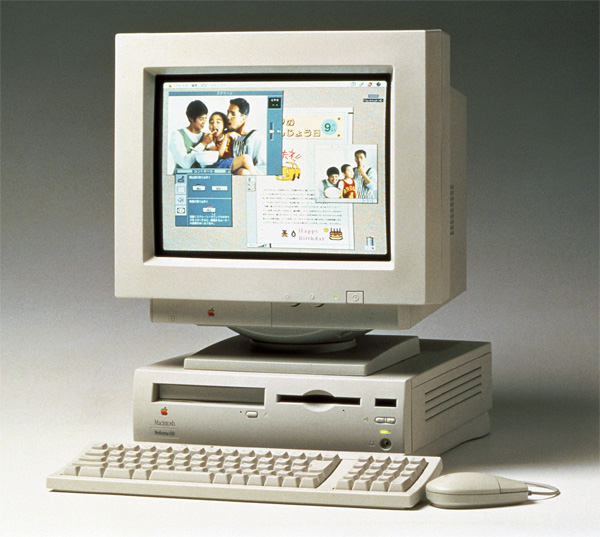 I cleaned up most of these machines with my standard software suite mentioned in last week’s column, and I still have five or six stripped hulks waiting for new hard drives, RAM, or both. I hung on to the Quadras at first, especially the 630s and the 700 (which I especially liked because you could set it on its side). Something I read somewhere about upgrading.
 Then I started hitting the “big time.” An empty classroom was used as a storehouse for broken machines, unbeknownst to me. This included about half a dozen Power Mac G3 All-in-Ones in various states of repair, and nearly a dozen Power Mac 5200s, many of which had suffered at the hands of a power surge that knocked them out of commission.
Paul said that if there were any usable machines there, I should help myself. So I did. I took them all.
The G3 All-In-Ones, a precursor to the iMac, mostly just needed hard drives wiped and software installed. One needed a new CD, and another needed a new floppy, which I obtained from other machines. I wish I had discovered Low End Mac by then (about two years ago), because I nearly took one of the things completely apart before I discovered the front panel would come off.
One machine had a defective power supply, and so I finally utilized the district’s tech support services and had the thing hauled away for repair.
As for the 5200s, they were a mess. Most of them were power supply deaths – you could tell from the tick-tick-tick of the machine when it was trying to boot – but some had bad motherboards, bad CD drives, bad floppies, you name it. By swapping parts with the older machines, cleaning drives, and the like, I resurrected more than half of the machines.
And I promptly gave most of them away. By that time I had inherited two Power Mac 7200/90s, two Power Mac 9500/136s, a Workgroup Server 6100, and – as my benefactor was walking out the door for his new job – a Beige Power Mac G3 tower with AV ports. That machine sits on my desk today and drives my connection to my classroom TV set for demos. I gave away all the G3 All-In-Ones, except for the one sent away for repair. When it returned, I kept it (for the time being anyway).
I no longer needed the 5200s or any of the 680×0 machines. I distributed them to several teachers, and in fact this year three teachers have more or less complete labs of machines for typing reports, running our interface software from Vernier, and, in the case of the Power Macs, surfing the Web. There are still things left to be done, but progress is being made.
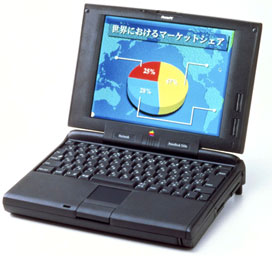 My lab is completely Power Mac, which simplifies things a little. A student donated a PowerBook 5300/100cs with a cracked screen. I made the rare step of spending my own money to replace the screen – purchased at MacResQ, which is near where I live. (I recommend those folks highly. They were helpful and knowledgeable, and the price was definitely right.)
In next week’s column, I’ll describe how these new machines were networked via FoolProof and given access to the Internet, and tell how I obtained a Blue and White G3 – but I had to pay a price for it.
We’re still accepting donations, by the way. When time permits, I’m going to refurbish as many of the 680×0 machines as I can and check them out to students to take home for the semester.
Go to Appendix 2: Converting a Quadra 630 into a Power Mac 5200
Short link: http://goo.gl/URjIAV
