
Low End Mac Reader Specials
TypeStyler For Mac OS X is Now Shipping! Download The Free Fully Functional 60 Day Tryout at www.typestyler.com
Don't install Parallels to play poker online! Poker Mac will show you how
to download and install a native Mac poker application such as Full
Tilt Poker Mac.
Compare products like desktop computers, apple laptops, apple macs, and LCD Monitors side by side! All the information and reviews to make the best purchasing decision for new mobile phones, sat nav systems, or MP3 players. The Ciao online shopping community makes searching products easy for you.
Mac Lab Report
How to Infect a Mac with a Virus or Other Malware
- 2007.01.30
It's not as easy as you might think to infect a Mac with a virus or other malware program.
I became curious about the fact that while there are malware programs for OS X, I hadn't ever seen any. I wondered if it would be possible to find out how to get infected so I could pass on to you, dear reader, how to avoid the scourge of virii/viruses and Trojans that are lurking out there just waiting for an innocent Apple user.
I did what any good Net user would do: I asked Google, "How do I get infected with a Mac virus or Trojan?"
This is what I found out.
Malware for Macs
According to one website, a Trojan was discovered maybe a year ago that is theoretically capable of infecting applications on an OS X computer. In order to have your Mac infected by this "Oompa-Loompa" Trojan, you have to (quoting now):
- Are somehow sent (via email, iChat, etc.) or download the "latestpics.tgz" file
- Double-click on the file to decompress it
- Double-click on the resulting file to "open" it
...and then for non-Admin users, it fails to infect most applications."
The writer goes on to say that he refuses to send the casual reader (that would be me) a copy of the Trojan to play with, because we are not (obviously!) computer security professionals. I suppose I could lie, try a little social engineering, and see what happens, but I guess I would be caught at it pretty easily.
Here's another resource. This document hasn't been updated since the year 2000. This one's a little more interesting; it leads (among other places) to the Viruses and the Mac FAQ>, which purports to have a virus "test file" that will allow you to test your virus scanning software. It will register as a false positive (showing a virus infection), but the file itself is nothing more than a header set to trigger virus scanners.
Scanning for Viruses
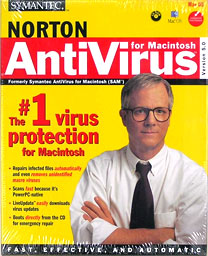
Before I try something like that, it's time to run Norton Anti-Virus. I had to find it with Spotlight, because I can't remember the last time I opened the program. Then get a virus definition update. The latest update is from January 1, 2007. Apparently the last time I ran the program according to the log was sometime in August 2006; I really don't recall running it.
While I'm waiting for the scan to complete, I go back to Google: The next hit is about "opener", which I gather from a quick read is some sort of startup script requiring physical access to the computer or someone who is using the same password for email as for login on the machine. (Here's a tip: don't do that!)
The scan's complete: I'm apparently clear of Mac and PC viruses, and I surf the Web every day.
The next hit's about a virus that only attacks phones, and the next one is about how McDonald's gave away some sort of spyware-infected toy. The last one on the first page deals with AIM viruses, and the link leads to a page where the term "Mac" doesn't even appear.
You Have to Install Them Yourself
It seems that if you were aggressive about it on a non-production machine, you could find a couple of OS X Trojans to infect yourself with primarily by asking someone to email them to you. I couldn't find any Mac malware that is self-propagating. Maybe they exist, but none come up in my search.
You can also work hard at disabling all the security built in to OS X by doing things like always logging in as root (something the average user doesn't know how to do in the first place) or by using machine passwords that are identical to your clear-text email passwords. Or maybe you could set your Mac up in a busy shopping mall (with a Kensington security cable, of course) with a big INFECT ME sign and the password printed on the screen in magic marker.
I don't mean to be too flippant about security. After all, it's a huge issue for the general computer user, and no one deserves to have valuable work or files deleted (backup backup backup) by some virus or spyware or malware. My point is that it's pretty hard to get your Mac infected in January 2007 even if you go looking for your personal Typhoid Mary.
At work, my employer uses a virus scanner on all incoming email, and there are usually 5 or 6 infected files in my mailbox that would infect a PC if I insisted on overriding the security software's recommendation. I expect that some the stuff sitting in my Junk mail folder has viruses and other malware attached, but I haven't actively downloaded the files - and I'll erase them eventually.
Getting infected on a Mac is kind of hard. It's not impossible, though. And overconfidence will someday be the downfall of Mac users so smug they completely ignore security issues.
It's still good etiquette to get yourself a copy of a virus scanner, if for no other reason than to prevent the spread of PC viruses.
I think most PC users are probably having more issues with
spyware and adware slowing down systems than out-and-out viruses
these days. Still, that doesn't change my tried-and-true response
to anyone who ever asks me how to fix the malware problem on their
PC: "Get a Mac."
Jeff Adkins is a science teacher who isn't afraid to state his preferences in computing platforms. In his classroom he has everything from a beige All-in-One to a a G4 XServe, and they all work together nicely. He calls himself the "poster child for technology integration" in the classroom. He was the 2006 Outstanding Educator of the Year for the California Computer Using Educators (CUE) organization. He also maintains a site for astronomy teachers at www.AstronomyTeacher.com.
Recent Mac Lab Reports
- Microsoft Word 2004 vs. iWork Pages 1.0 for writing a book, 01.10. Microsoft Word is great for technical writing, powerful yet slow, while Pages lets you concentrate on just writing, making it great for novels.
- iWeb a great tool for quickly creating an attractive website, 09.11. Apple's iWeb software isn't just easy to use, it also integrates nicely with .mac and other programs in the iLife bundle.
- Use your Bluetooth phone to control your Mac? Maybe, 02.27. Salling Clicker software turns many Bluetooth phones into remote controls for Bluetooth-equipped Macs.
- Two more markets the iPhone could conquer, 02.01. How Apple could redefine the ebook and calculator markets with a pair of free apps for the iPhone.
- More in the Mac Lab Report index.
Links for the Day
- Mac of the Day: iMac Core2, Sep. 2006 - Apple introduced the biggest screen ever in an iMac with a 24" Core2 Duo model at 2.16 GHz.
- Group of the Day: G-List is for Power Mac G3, G4, and G5 users.
- March 21 in LEM history: 00: The compelling Mac - 01: All that for $129? - PowerBook 100 - 02: Improving AppleWorks - 03: The G3 ain't dead yet - Pismo a good value - Western Digital drive issues - 05: iPod halo effect - 06: Rip DVDs so you can watch them on your iPod - 07: Maximum drive size in older Macs - 08: Safari 3.1 fastest browser?
- Support Low End Mac
Recent Content on Low End Mac
- Does iPhone OS Need Multitasking?, iCab Comes to iPhone, Canada's Proposed iPod Levy, and More, iNews Review, 03.19. Also the iPad paradox, Freescale demos $200 tablet, gardening apps, aluminum iPhone stand, steel iPhone case, and more.
- Could iPad Replace the Mac?, Mac Sales Up in 2010, Avoiding Windows 7 'Whenever Possible', and More, Mac News Review, 03.19. Also why your next Mac may be an iPad, science blogger abandons Apple, the benefits of standing while working, and more.
- The Mobile System Stampede, Lithium Battery That Can't Explode, Affordable SSD Options, and More, The 'Book Review, 03.19. Also June 2007 MacBook Pro external display issue, laptop stands, 1 TB ultraportable hard drive, Mini DisplayPort/HDMI adapter, and more.
- How to Zoom Your Browser for a More Readable Web, Steve Watkins, The Practical Mac, 03.18. Instructions for zooming text and pages in Safari, Firefox, Camino, and Opera.
- CardBus WiFi, the Shiira Browser, Ridding the Web of Flash, and Macs vs. PCs, Charles W. Moore, Miscellaneous Ramblings, 03.18. Mac longevity, Shiira speed, ambidextrous Mac and Windows use, and how Flash benefits Apple.
- How Ad Blocking Hurts Your Favorite Websites, Charles W. Moore, Miscellaneous Ramblings, 03.18. Ad income keeps the Web free. Blocking online ads hurts your favorite websites.
- Taking Apart the 12" PowerBook, John Hatchett, Recycled Computing, 03.17. There are a lot of steps involved in disassembling a 12" PowerBook. Proceed with caution.
- More links in our archive.
Recent Deals
- Best Intel iMac Deals, 03.17. Used 17" from $600; 20" from $750; 24" from $825; refurb 21.5" nVidia, $999; new, $1,099; refurb Radeon, $1,299; new, $1,399; refurb 27" 3.06, $1,499; more.
- Best G5 iMac Deals, 03.17. 17" 2.0 GHz, $380; 1.9 GHz iSight, $479 shipped; 20" 1.8 GHz, $509 shipped; 2.1 GHz iSight, $549 shipped.
- Best Time Capsule Deals, 03.17. Close-out 500 GB, $140; new 1 TB, $279; used 2 TB simultaneous dual-band, $400; new, $455. Shipping included.
- Best iPad Deals, 03.16. 16 GB iPad, $499; 32 GB, $599; 64 GB, $699; 16 GB with 3G, $629; 32 GB 3G, $729; 64 GB 3G, $829. Free ground shipping.
- Best iPod classic Deals, 03.12. Used 20 GB, $119; 40 GB, $139; 60 GB, $159; 30 GB video, $129; 60 GB, $159; 80 GB, $169; refurb 120 GB, $189; new, $214; 160 GB, $228 shipped.
- Best G3 iBook and AirPort Card Deals, 03.12. 366 MHz 12" clamshell, $89; 466, $125; 500 white CD, $100; 600, $199; 800 Combo, $239; 14" 900, $225.
- Best Xserve Deals, 03.12. Used 1 GHz dual G4, $499; 2.0 dual G5, $599; 2.3, $749; refurb 2.26 4-core Nehalem, $2,499; new, $2,699; 8-core, $3,449; refurb 2.66, $4,299; new, $4,799; more.
- More deals in our archive.
About LEM | Support | Usage | Privacy | Contacts
Navigation
Used Mac Dealers
Apple History
Video Cards
Email Lists
Favorite Sites
MacSurfer
MacMinute
MacInTouch
MyAppleMenu
InfoMac
Macs Only!
The Mac Observer
Accelerate Your Mac
RetroMacCast
PB Central
MacWindows
The Vintage Mac
Museum
DealMac
DealsOnTheWeb
Mac2Sell
ramseeker
Mac Driver Museum
JAG's House
System
6 Heaven
System 7 Today
the pickle's Low-End
Mac FAQ
Abandonware
Petition
Mac vs. PC Info
Affiliates
The Apple
Store
Mac
Connection
B&H
MacMall
TechRestore
ExperCom
Crucial
Memory
batteries.com
MacMinute
MacInTouch
MyAppleMenu
InfoMac
Macs Only!
The Mac Observer
Accelerate Your Mac
RetroMacCast
PB Central
MacWindows
The Vintage Mac
Museum
DealMac
DealsOnTheWeb
Mac2Sell
ramseeker
Mac Driver Museum
JAG's House
System 6 Heaven
System 7 Today
the pickle's Low-End
Mac FAQ
Abandonware
Petition
Mac vs. PC Info
Mac Connection
B&H
MacMall
TechRestore
ExperCom
Crucial Memory
batteries.com
