
Mac Lab Report
The Logo Creator: Useful but Quirky Design Software
- 2004.04.02
I occasionally make a stab at trying to learn some sophisticated drawing program so I can create logos and graphics for my various websites. Invariably I get bogged down by two facts: I don't have the artistic skills to create beautiful graphics in any medium, and I have trouble with some simple feature of the software - like I can't figure out how to rotate the image without jaggies.
What I need is a simple Mac application specifically geared toward the generation of logos.
While browsing in the largest mall I've ever been in (South Coast Plaza in Costa Mesa, California), I went in the Apple Store, and lo, there was The Logo Creator. I purchased the boxed copy containing the usual installer CD and booklet for about $35.
If it worked as the box described it, it would be good enough to let my planetarium students design products for a future gift shop we plan to start.
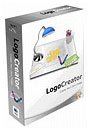 I found the software capable of making
interesting logos, even if you restrict yourself to the kind of
repetitive components that are available in the default installation.
The program also contains templates with generic pre-made logos that
you can disassemble and edit.
I found the software capable of making
interesting logos, even if you restrict yourself to the kind of
repetitive components that are available in the default installation.
The program also contains templates with generic pre-made logos that
you can disassemble and edit.
Logos are constructed from text and objects, such as the ubiquitous "swoosh" and any number of spheres and boxes. The logo is created using a custom format, but it can be exported to any of a number of typical outputs. You will need to use the custom format if you want to edit your logo in the future.
Several logo sets are included which contain components and sample logos for you to modify. When selected, a large window appears with several samples to choose from. A large page turning arrow button leads you to believe you have access to dozens more, but only one more page is provided within each category of logos. You have to pick a drop down menu to get to the category, and a button to switch pages.
This is typical of the major flaw in The Logo Creator - an inconsistent and clumsy interface. It feels like a good piece of shareware that is being released for comments prior to officially offering it for sale. Maybe that's being unfair to beta shareware. I've used some great shareware in the past. Paid for some of it, too.
If I'd tried this as shareware, I don't know that I would have paid for it. Since most people only need a few logos, it was probably smart not to make it shareware.
When opening or choosing a logo, it takes several seconds to render the logo, even in the native format. I'm using it on a 1 GHz machine, and it feels sluggish during this step.
The program has odd conventions that are nonstandard choices for how the interface allows you to manipulate objects. Clicking on an object does not provide "sizing squares" or even highlight the object clicked. Consequently, you can accidentally move things without realizing it.
There is no "snap to grid" or alignment tool, such as the excellent guides you find in Keynote. I've experienced other odd problems, such as the fact that sometimes the menus at the top of the screen disappear. That's happening right now as I use the program to write this review. Restarting the program fixes it, but why does it happen in the first place?
I don't think The Logo Creator is robust enough to use in a classroom, although if the interface were redesigned to be a little more conventional, I would like it better. Maybe with small groups.
I do a lot of research oriented stuff, so I'm used to having to deal with computers that tank (even Macs) when you sneeze on them. A lot of research software written for specific purposes has odd interfaces and can be unstable under certain circumstances. I can forgive that in a research program, but in a commercial art program you buy in a box?
Don't forget to update the software using the built-in updater. I wish the updater would ask me if I want to install it now or if I'm sure before it just unceremoniously launches into the download when selected. It seems stupid to complain about something many people find annoying - the tendency of programs to always pause before doing the thing you just told them to do - but since everyone does it all the time, the lack is kind of startling.
The Logo Creator definitely needs some controls for alignment and individual kerning of letter pairs. A few more sample logos per category wouldn't hurt, although I like the ones provided. The big scroll arrows make me feel like I've bought a great big box that turns out to contain a little product.
Sometimes the kerning is inconsistent on fonts that behave normally in other programs. You can control the overall spacing but not the spacing between two specific letters.
I think the program has a lot of potential to be a serious tool, but for now I wouldn't recommend it for serious production work - it just doesn't feel finished.
In a large company, specialists more skilled than I would use professional drawing programs to generate logos. This program is better suited to small business and education, which is why the interface is so important.
One might ask "How many logos do you need?" If you run a lot of websites, maybe several. If you have an office supply store, maybe not so many. Or like a lot of things, maybe you'll find a use for it making special logos for St. Patrick's Day or Easter or whatever.
A sample of a The Logo Creator logo is on my ESPACE Academy home page located.
I'll say this: Without the program I would have been seriously challenged to create the same logo in another program. If it meets your needs, go for it.
System Requirements:
- Macintosh OS 9.2 through OS X (Panther and Jaguar)
- 400+ MHz
- 125 MB or more of installed RAM
- 30 MB of available disk space
- 16-bit color monitor (thousands of colors) capable of 800 x 600 resolution
Windows version available as well.
Join us on Facebook, follow us on Twitter or Google+, or subscribe to our RSS news feed
is a longtime Mac user. He was using digital sensors on Apple II computers in the 1980's and has networked computers in his classroom since before the internet existed. In 2006 he was selected at the California Computer Using Educator's teacher of the year. His students have used NASA space probes and regularly participate in piloting new materials for NASA. He is the author of two books and numerous articles and scientific papers. He currently teaches astronomy and physics in California, where he lives with his twin sons, Jony and Ben.< And there's still a Mac G3 in his classroom which finds occasional use.
Today's Links
- Mac of the Day: Motorola StarMax 3000, introduced 1999.09.07. This inexpensive clone used lots of off-the-shelf parts.
- Support Low End Mac
Recent Content
About LEM Support Usage Privacy Contact
Follow Low End Mac on Twitter
Join Low End Mac on Facebook
Favorite Sites
MacSurfer
Cult of Mac
Shrine of Apple
MacInTouch
MyAppleMenu
InfoMac
The Mac Observer
Accelerate Your Mac
RetroMacCast
The Vintage Mac Museum
Deal Brothers
DealMac
Mac2Sell
Mac Driver Museum
JAG's House
System 6 Heaven
System 7 Today
the pickle's Low-End Mac FAQ
Affiliates
Amazon.com
The iTunes Store
PC Connection Express
Macgo Blu-ray Player
Parallels Desktop for Mac
eBay

