
2002 – Here are four free (not shareware) programs you might find handy when teaching math, physical science, astronomy, or biology. Everything works under Mac OS X either natively or in Classic Mode except as noted. Enjoy!
Graphing Calculator
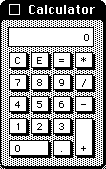
original Mac calculator
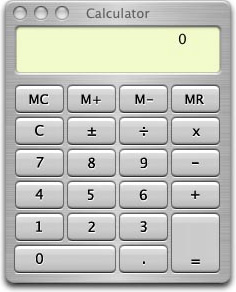
OS X calculator
If it weren’t for Graphing Calculator, the only option open to a Mac user fresh-out-of-the-box is the all but useless Calculator app that has been on every Mac since before time began.
Did you know that Graphing Calculator, which has been included with every new PowerPC Mac since 1994, can animate the display of the graphs you generate? Want to show the effect of a changing slope on a graph? Make the slope a variable that can be manipulated by the slider control, and you’ve got a real-time, computer animated demo. You just can’t do that with chalk. That’s what it’s all about, baby: What can the computer do for you that you can’t do otherwise?
Check out the website for additional features and resources. My older copy runs fine in Classic mode.
- Graphing Calculator 1.1, System 7 through Mac OS 9, 680×0 and PowerPC
- Graphing Calculator 3.2, System 7 through Mac OS 9, PowerPC only
Update: Graphing Calculator 4.0 is a commercial program and can be purchased for $20 for a one year, one computer license, $60 for a single-user permanent educational license, or $100 for anyone else.
Digital Oscilloscope
This must-have utility displays the sound input data on your Mac as a real-time oscilloscope. If the inputs are properly scaled, you could use Digital Oscilloscope as a real oscilloscope (just don’t exceed the power input limits of your Mac’s sound input port). It can display sounds from any input source your Mac recognizes, such as a CD or internal microphone. This program hasn’t been updated in some time (frankly, it hasn’t needed it). Use this to show sounds from tuning forks, electric organs, whistling, etc., to show the relationship between frequency and wavelength, and the fact that louder sounds have larger amplitudes.
This is the only application on this list that didn’t operate properly in OS X 10.0.3; it couldn’t detect the sound input devices in Classic Mode. It ran well enough, however, to tell me there were no sound input devices before shutting down.
NIH Image
I recently became involved in a program called Teacher Leaders in Research Based Science Educationbased at the University of Arizona. They provided to participants, among other things, a freeware application from the National Institutes of Health called NIH Image. This image processing software allows you to analyze the pixel information in a picture, including displaying histograms of the color distribution, measure the distance between two points, calculate the surface area of objects, and many many other functions. Not only useful for astronomy, NIH Image can also be used to enhance your pictures to reveal hidden information, count cells in a microphotograph, and apply false color to show contrasting details where none were visible before.
This program has lots of documentation, and several sites are dedicated to exploring the possibilities of what you can do with it. This program runs in Classic Mode.
Chipmunk BASIC
Every computer should have a BASIC interpreter, says the author of this fine program, and I tend to agree. It’s too bad that any professional programmer sneers when you say you know how to program in BASIC. BASIC can do a lot, and Chipmunk BASIC is more than a bad port of an obsolete language – it’s actually a pretty good environment in which to program. With it you can write simple video games, create interactive text programs, open windows, and even access the Mac Toolbox to some degree. It has recently been ported to Mac OS X, and versions exist for many different platforms, although the emphasis seems to be on the Mac. The site also includes extensive reference lists, a history of BASIC, and a link list to virtually every type of BASIC ever written. Lots of sites, including Sky and Telescopearchive programs written in BASIC because it is so universal.
Keywords: #freeware #calculator #maccalculator #graphiccalculator #oscilloscope #digitaloscilloscope #nihimage #chipmunkbasic
Short link: http://goo.gl/i3vkm6
