
2001 – For those of you new to this series, this is a look at the old 75 Macintosh Advantages brochure put out by Apple in the pre-iMac days. Many of the advantages still exist, but some have fallen by the wayside. There are references to OS X here, but my general attitude is that if it isn’t shipping as the default OS on Apple’s machines, there’s still work to be done on it. Thus most of these comparisons are between Mac OS 9.1 and Windows XP.
 I tend to get a lot of mail following one of these postings, everything from “great series, keep ’em coming” to “it’s obvious you’re a biased idiot.” If I’ve slipped up here somewhere, post a note in the forum. If you’re convincing, I might change my evaluation of the advantage noted below.
Also, several of the advantages I originally reviewed have been revised based on reader feedback, so the tables displayed in earlier articles may not match the table below.
Here is an index of the entire series so far:
- 75 Mac Advantages, Part 1
- 75 Mac Advantages, Part 2
- 75 Mac Advantages, Part 3
- 75 Mac Advantages: Part 4

- Faster Performance
- PowerPC Over Pentium MMX
- Built-in Scripting
- Superior Mobile Computing
- WorldScript
- Fewer Viruses
- Powerful Applications
- Better Printing
- Component Technologies
- Multiprocessing
- Better Hard Drive Management
- Dependable Battery Management
51. Macintosh computers are faster – and getting faster yet.
Independent tests prove that today’s Power Macintosh computers, with the RISC based PowerPC processor, outperform comparable machines based on the Intel Pentium processor. The PowerPC processor is based on RISC technology, which provides tremendous performance at extremely low cost. For more details see www.apple.com/whymac.
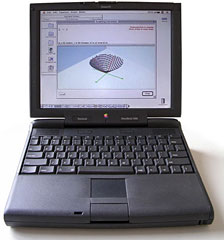 And because the PowerPC uses much less power and runs much “cooler” than a Pentium processor at the same speed, Apple is able to build the PowerBook 3400 computer, which utilizes a blisteringly fast 240 megahertz processor.
Update: Much has been written about the Megahertz Wars. Let me summarize the Standard Talking Points for you.
- Intel, AMD, and other processors that run Windows have a higher megahertz (MHz) number than the Motorola PPC processors that run Macs.
- The Power PC (PPC) processors on Macs are Reduced Instruction Set Chips (RISC) which operate more efficiently than Pentiums from Intel and other CPUs, so they doesn’t need as many MHz to get the same job done.
- A PPC chip running at the same MHz as a Pentium chip will get most tasks done faster.
- On some tasks, Pentiums are faster than Power PCs. On other tasks, Power PCs are faster than Pentiums.
- Motorola plans to catch up to Intel in the MHz Wars any day now.
- No PC user really believes that a PC is actually slower than a Mac, because the PCs response on ordinary screen duties such as opening and closing windows and applications is faster than it is on a Mac.
- The SETI at home project, an odd standard if there ever was one, reveals that overall, PowerPC-based Macs take much less time to crunch a data set than do Windows computers. They do not, however, outrun higher-level workstations or Unix. (We’re looking at Mac OS 9.1 here.)
Everything else is just details for us mundane users.
Advantage: This is a hotly debated point, and comments from the likes of me are not going to settle it. However, in my opinion, the PowerPC’s technical advantages are neutralized in the commercial space by its lower MHz number – so I personally view this as a neutralized advantage.
Got a different opinion? Email me.
52. The PowerPC processor offers many significant advantages over the Intel Pentium MMX processor.
The PowerPC processor doesn’t need special instructions to implement the newest multimedia technology. To try and catch up with the PowerPC processor, Intel needed to add new MMX instructions to their Pentium processors. Unfortunately, PC users will need to buy not only new software written to utilize MMX, but also a new computer that has the MMX chip and the new BIOS chip needed to work with it.
The PowerPC processor provides a superior notebook solution because of its small size and low heat output. Unfortunately, because the Pentium MMX chip is nearly 50 percent larger than a regular Pentium processor, it generates an enormous amount of heat, making it a poor choice for notebook computers.
Also, the PowerPC processor speeds up every multimedia application, not just certain ones. On the other hand, only specific operations can benefit from the MMX instructions that were added to the Pentium chip.
Update: Leaving out the paragraph about heat output – which is still true – this advantage has embarrassingly flip-flopped. Read this alternate-universe version:
The Pentium doesn’t need special instructions to implement the newest multimedia technology. To try and catch up with the Pentium processor, Motorola needed to add new AltiVec (Velocity Engine) instructions to their PPC processors. Unfortunately, Mac users will need to buy not only new software written to utilize AltiVec, but also a new computer that has the PowerPC G4 chip to work with it.
Also, the Pentium processor speeds up every multimedia application, not just certain ones. On the other hand, only specific operations can benefit from the AltiVec instructions that were added to the PowerPC chip.
Spooky, ain’t it?
Advantage: Partially neutralized due to Velocity Engine strategy. A mild advantage still remains because of the heat output argument.
53. The Mac OS has AppleScript automation.
A big part of the next generation of personal computing is end-user automation – giving users the ability to automate their computers and tasks using plain English and point-and-click commands. AppleScript, the built-in, system-wide scripting capability of the Mac OS, lets you automate routine and highly complex tasks, giving you extremely powerful ways to extend and customize the features of the Macintosh.
Windows does not include any system wide scripting or automation capability.
AppleScript is certainly harder to learn than a batch file for a series of DOS commands you had to know how to type anyway back in the Windows 3 era, but AppleScript has any number of advantages that pay off for the extra effort required to learn it: standalone applications can be written, sophisticated logic can be written into the programs, the latest version works over networks and the Internet, and so on.
AppleScript’s biggest flaw, in my experience, is that full support is not built into every application, so the recording feature doesn’t always work. This is something that Apple cannot force third party developers to support. Apple’s showcase application, the scriptable Finder, is fun to play with.
Advantage: Macintosh
54. The Mac OS is superior to Windows NT for mobile computing.
Macintosh PowerBook computers feature better PCMCIA card management, such as their hot-swappable operation. Windows NT has no hot swapping of PCMCIA cards and limited drivers for such cards, which makes Windows NT a poor choice for portables.
The Macintosh is also more efficient with battery power. Unlike computers running the Mac OS, there are no power management/sleep features in Windows NT. Also, because of the way Windows NT uses virtual memory, hard disk drive access is increased dramatically, quickly depleting battery power in Windows NT notebooks.
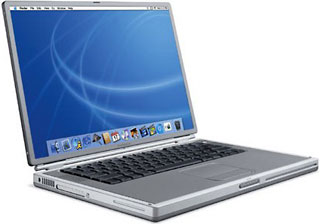 Update: Do PC users use NT on portables? I have no idea. What I do know is that the tech press often chides Apple for leaving out PCMCIA cards in the iBook; they also occasionally mention that the PowerBook G4 has “only one” PC Card slot. That is because Apple takes the strategy of including everything a typical user needs already installed in the machine; USB, FireWire, modem, ethernet, and video out are already there, so you don’t need to use a PC Card to provide the function. Apple thinks, correctly in most cases, if you can afford a new TiBook, then you’re not going to quibble over getting an external FireWire drive to replace the aging SCSI drive you’d otherwise connect to it. Hence, you don’t need the extra PC Card slot for a SCSI card or whatever. (Okay, wireless carrier access through a wireless modem is one thing you might need. So get a PowerBook.)
With regard to the hot-swappable issue, I found only a few references to the problem at the Microsoft website, including Windows 95 Hangs with Two PCMCIA Network Adapters.
This seemed to be the only really relevant reference to the problem. This particular page describes a hot-swappable problem in Win95 for a particular third party PC Card driver, so it’s not fair to call it a flaw in the OS.
Perhaps our current PC-portable users out there could enlighten us regarding whether or not hot-swapping works in Windows portables (NT or not). Feel free to email me.
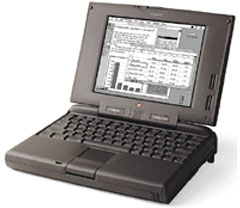
I had a PowerBook 5300cs that had a PC Card installed. When it was stolen, the only thing remaining was the dongle. Which is the big disadvantage of PC Cards: They always have that second part that is a pain to keep track of.
On to battery performance: Recent press does seem to suggest that even the Wintel folks are impressed with PowerBook G4 battery performance. Most of them say something like, “Well, it’s not what Apple claimed, but it’s better than brand X.”
I ran across a review in PC World that describes an NEC portable as having an 8-hour battery life, but it’s at the cost of having no backlight for the LCD screen. It also uses a Transmeta chip instead of a Pentium, which is noted for low power consumption. It’s advertised (get this) for “outdoor use.”
Another article describes a much more typical Dell Inspiron notebook, which calls 2-1/2 hours “respectable” on a computer that doesn’t really stack up too well compared to the PowerBook G4’s features – smaller hard drive, no FireWire, iBook-scale screen, and an external DVD player. If Apple could compete at the same level on desktops, there’d be no contest at all.
Advantage: Macintosh. The hot-swappable PCMCIA card problem seems to have faded into the past, but Mac portables are still more efficient users of battery power. And the addition of the new iBook shows that Apple competes at every level on the price/performance equation for laptops.
55. WorldScript technology makes the Mac OS a better global solution.
AppleDesigned Macintosh to be the first truly international personal computer, so it offers a variety of support technologies for languages that use non Roman alphabets. A unique OS level technology called WorldScript enables the Macintosh to support the complexities of many languages, including “twobyte” character sets, graphics, line layout, and even typing direction. Apple even offers a series of software “Language Kits” that provide fonts and system software for a variety of languages.
Apple also recently released the Chinese Language Dictation Kit, a groundbreaking speech dictation system that converts Mandarin (Putonghua) speech into either simplified or traditional Chinese text. It’s the most affordable Chinese dictation product on the market, and requires no additional hardware to operate on a Power Macintosh computer.
Update: As far as I can tell from the Microsoft website, support for multiple languages such as Simplified Chinese has been available with Windows for several years, including all of the features described above. I couldn’t find anything on the Microsoft site about Chinese Language Dictation – but I couldn’t find it on Apple’s site either.
If you have experience using native language support on both platforms, drop me a line and let me know how they compare.
Advantage: Neutralized; difficult to see what the difference between the OS’s are from a monolingual perspective. Little information available at apple.com regarding WorldScript except for a couple of oblique references.
56. The Mac OS has fewer viruses.
Macintosh hosted viruses are much less common than viruses specific to Windows and DOS. The Anti-virus Research Centre, a Symantec web site dedicated to tracking existing viruses on both Macintosh computers and PCs, shows that there are more than 8,000 PC viruses in existence, with two or three new ones appearing every day. In contrast, there are currently only 47 known viruses specific to the Mac OS.
Update: Hoo-boy.
Whenever someone says, “There’s more software for the PC,” I always say, “Yes, and a sizable percentage of them are viruses.”
According to the source cited above, there are now officially 49,250 viruses for the PC.
There are so few viruses for the Mac that the main freeware virus checker we all grew up with, Disinfectant (download), is no longer updated.
Mac users are able to carry Word macro viruses, which are viruses embedded in Microsoft Word documents that cause Microsoft’s own software to infect your computer. The PC community continuously rants about how Microsoft should not leave the “features” of Office enabled that encourage the spread of macro viruses, since most ordinary users don’t used them; but that hasn’t deflected the MS juggernaut one whit.
Generally, Mac users can carry macro viruses – that is, they can receive and then resend the viruses – but many strains rely on Windows to cause real damage and thus do nothing on a Mac.
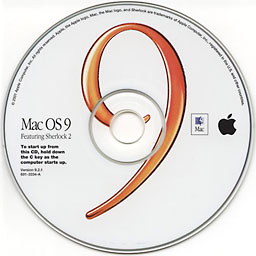 At the present time, the most secure computer in the world is a “classic” Mac OS computer with no Microsoft products installed on it, QuickTime AutoPlay disabled, and file sharing turned off. Your data is as secure as the Alien Holding Tank at Area 51.
Generally, Mac users have been blessed in the past because of their relatively small share of the market. Virus writers want to wreak havoc, so the culture and support system for hackers, virus writers, and others that exists in the PC world has gradually died out for the Mac.
The really irritating thing is that when a new virus alert comes out, all the information is PC-centric, and it invariably fails to mention that the virus doesn’t attack Macs.
Apple doesn’t blow its own horn on this topic very often, on the theory that making the Mac seem impregnable will make it a challenge for some bored PC-oriented virus writer who will spread havoc among the mostly undefended Mac faithful. That could be true, but it doesn’t change the fact that, for the time being, the Mac continues to enjoy a lack of attention from virus writers that PC users can only dream about.
That may change with the Unix foundation of OS X, because there are more Unix hackers than Mac hackers out there.
In the meantime, however, who can doubt that the advantage lies with Macintosh?
57. Macintosh computers have many unique, powerful applications.
The power of the PowerPC processor and the Mac OS is enabling software developers to create products that offer capabilities that simply weren’t possible before. As a result, the Macintosh has gained a clear lead over PCs in terms of powerful applications; from three dimensional rendering, to flight simulators, to speech recognition.*
The speed of the PowerPC processor also gives Macintosh applications a performance advantage in digital video, component software, and software emulators.
* A list of Macintosh only applications is available at http://www.apple.com/whymac
Update: The list of Mac-only applications is long gone from Apple’s website, and it’s no secret that many applications that originated on the Mac have been sucked into the black hole of Windows-only applications. Other applications get ported to the PC, and the Mac version becomes hard to find or not available in all venues. For example, I ran across a box at Costco for the new Myst III game, which not only had no Mac version included, it actually bragged in the system requirements “No QuickTime Required!” (I know you can buy a Mac version of Myst III; just not at Costco [which openly despises Macs – when they can get them to sell].)
There are, of course, some Mac-only applications. I just don’t know of a compiled list of them. If you do, email me. There are iMovie and iTunes, of course, but even AppleWorks is available as a cross-platform application, and FileMaker’s website seems almost ashamed of its Mac roots. The main homepage mentions that FileMaker is now OS X compliant and, by the way, we also are available on Windows (without skipping a beat). The FileMaker enterprise page has this interesting paragraph:
FileMaker, the most popular desktop database for workgroups, has strengthened its integration with enterprise systems and IS/IT administration. In addition to adding two-way ODBC connectivity, Windows 2000 logo-certification, Linux and Mac OS X, the new products give IT managers more options for balancing application and data control vs. the workgroup’s need for rapid “self-service” application development.
Sounds like they’re not as excited about the OS X rollout as the rest of Apple.
Those points aside, the rest of this advantage deals with the advantages of Macintosh related to digital video (in which Apple is generally recognized as the ease-of-use leader) and software emulation. It is true that a powerful Mac can run almost anything in emulation; take a look at emulation.net to get some idea of what is available.
As noted earlier in this series, Apple has essentially abandoned speech recognition to third party developers; any perceived lead in this arena has been essentially neutralized by advances in Windows. It is true that Apple’s Speakable Items is user-independent and doesn’t need to be trained; but it is also true that it’s hit vs. miss ratio is too high for anything but trying out the technology.
Since this advantage is kind of a mixed bag, you have to look at the overall issue: It says that “Macintosh computers have many unique, powerful applications” is an advantage, and the fact of the matter is PC users have many more unique, powerful applications than are available on the Mac. It’s still true that the proportion of crappy software for the PC is higher, and a good Mac program (like iTunes) is still head and shoulders above the best PC version around, but this advantage is about quantity, not quality.
Advantage: neutralized due to larger volume of PC software available.
58. Printing functions are more powerful on a Macintosh.
The new LaserWriter software included with Mac OS 7.6 and Mac OS 8 provides many advanced printing capabilities, including inverted or flipped images, color matching, automatic border printing, and mixing of paper types within one document. For those who rely on Adobe PostScript, print jobs can be saved as a PostScript file.
As a print job is queued, an icon of the printer appears on the Macintosh desktop with a visual image of the file that’s printing, so with one glance a user can see how far along a print job is. If a different printer is needed, one can be selected from a convenient menu on the menu bar.
Windows users will find that few of these options are available to them. Worse yet, every application may have its own printer options, making it more difficult to produce high quality output.
Update: Since Apple stopped producing its own printers, the primary argument used to promote Apple as a system – smooth integration – has not been as compelling as it once was. It used to be, to get a printer to work smoothly with your app, you were better off getting an Apple printer. Nowadays you have to make sure you have a driver, just like the Windows folks do – although it is true that more printers are available today thanks to the adoption of USB as a generally universal printer interface. Most of the Windows serial-port-only printers I see now are in discount catalogs or in tumble bins at CompUSA. .
And it is still true that having multiple drivers and printers in the Mac OS is not as much of a pain as it would be in Windows.
My experience with printers – admittedly short of what might be experienced in a graphics shop of any kind – indicates that Apple’s printer interface might still have an edge, but due to the lack of preemptive multitasking on the classic Mac OS, Windows machines always seem to have a snappier response to print commands. My perception is that a PC prints sooner, faster, and allows cancellation of print jobs in a more timely fashion. On the other hand, the Mac seems closer to WYSIWYG than the PCs I have used.
The old Windows 3.1 paradigm of having each individual application provide its own printer drivers has essentially fallen by the wayside in the modern Windows OS, since most applications now use the Windows printer driver. Older DOS programs used to insist on having individual drivers, but that is no longer a valid argument for Mac users to use against the Windows hegemony.
Advantage: mostly neutralized due to improvements in Windows. However, some advantages remain for both platforms.
59. Apple component technology provides unique benefits.
With OpenDoc, Apple is providing powerful component software in Mac OS 7.6 and Mac OS 8. The idea behind component technology is to get away from large, monolithic programs that are difficult to develop and even more difficult to use by creating smaller programs with more specific functionality which users could combine to create their own custom solutions.
Apple has consistently taken an open approach toward components, offering our component technology as an open, non proprietary cross-platform standard, as well as working actively with a variety of industry partners to ensure its widespread proliferation. In contrast, although Microsoft recently announced that it was “opening” its component architecture (originally called OLE and now known as ActiveX), it is in fact retaining control of a number of key component technologies.
 Update: OpenDoc and CyberDog get installed when you run a full install off the old OS 8 disks. New Mac users would probably be mystified by the references to them here. They are notably missing from the install when you install OS 9. There’s a reason for that: Component technology didn’t catch on. For example, a 1996 Apple document, Strategy Mosaic: Making the Transition to OpenDoc, indicates the central focus of OpenDoc and related technologies to Apple. However, I could find no easily locatable references to OpenDoc dated after 1997, and there is nothing in the Apple Site Map about it. I’d call that as abandoned as HyperCard. Heck, at least you can still find HyperCard’s page at Apple.
Advantage: neutralized due to Apple abandoning OpenDoc technology.
60. The Mac OS supports multiprocessing.
Numerous advanced applications for the Mac OS can support multiprocessing; the ability to use the power of multiple PowerPC microprocessors in the same Macintosh computer.
 For example, the Power Macintosh 9600/200MP has two 200 megahertz PowerPC processors for maximum processing capability. While Windows NT supports multiprocessing, Windows 95 has no multiprocessing support.
Update: This is still true, with the caveat that applications prior to OS X had to have multiprocessing support built into them. With OS X, the system itself can apportion processing power to separate applications.
Windows 2000, the replacement for Windows NT, does in fact support multiprocessing. If you do a search on the Microsoft website for “multitasking,” you find a list of hundreds of links, mostly citing different ways you can generate the Blue Screen of Death on a multiprocessing PC running Windows 2000. Many of these involve doing things like starting a normal Windows application.
The biggest concern I’ve seen in Mac owners of multiprocessing machines is that the software doesn’t take advantage of the second processor. However, I’ve not seen a lot of documentation on people having operating system level problems due to the extra processor.
Along the way, I found this very interesting article on Microsoft’s site for those of you wishing to compare Windows 95, 98, and 2000 – Win32 Platform Differences.
This advantage still seems to be firmly planted in the Macintosh field.
61. The Mac OS makes much better and more effective use of hard disk drives than Windows NT.
The extensive use in Windows NT of virtual memory and “swap files” (files that are stored briefly on the computer’s hard disk drive and then deleted) means that Windows NT needs a rugged, high speed hard disk drive to achieve acceptable performance. The constant creation and subsequent deletion of these swap files can cause hard disk drive fragmentation, which in turn will degrade hard disk drive performance, since it causes the computer to skip around to various locations to access a complete file.
The Mac OS is a much more efficient operating system than Windows NT and does not need to use nearly as much virtual memory and do as much “swapping” to operate effectively.
Update: In researching this item, I found plenty of information about what virtual memory is (temporary hard drive storage of information that should be in RAM) and helpful tips (don’t turn off virtual memory completely on a PowerPC machine) but not much that helps me determine if the use of virtual memory is more or less efficient than on a PC. I am therefore going to leave this item blank for the time being.
Here are some factoids to chew on: PC users get a defrag utility with their machines. Mac users do not get a defrag utility; they have to purchase it third party. Most Mac users have never defragmented their drives and do not know when or how to do it. (The simplest way to defrag a drive – if you can do it – is to copy the entire thing to a second drive, erase the original, and copy everything back.) Fragmentation slows down a computer’s response time, because the files are split up into several locations. Macs go nuts when they run out of hard drive space. Many longtime users run their drives right up to the limit of available space. You should keep a good chunk of your drive’s capacity free (at least 10%) so the operating system doesn’t run out of space when using virtual memory.
If you have any meaningful contribution to this item, email me and I may reevaluate the advantage later.
Advantage: Still being researched.
62. PCs can lose valuable information if their batteries fail.
Basic information about the setup of a PC is stored in a chip whose contents are maintained by battery power. In the case of a battery failure, a PC might lose information about its hard disk drive, causing it to be unable to access the drive for startup. But on a Macintosh, no vital information depends on battery power, so you can still use your system even if battery power is lost.
Update: This advantage refers to the computer’s BIOS (Basic Input Output System) on a PC, which, among other things, tells it what drives are attached and supplies driver information for them. A corrupted BIOS can make your computer forget that it has a CD-ROM attached, for example, making reinstallation of your OS via CD-ROM, let us say, troublesome.
On a Mac, however, there’s not much stored in the Parameter RAM (PRAM), the closest equivalent to the PC’s BIOS data. On a Mac, the PRAM includes such things as the network connection preference (ethernet or AppleTalk), current clock time, mouse tracking speed, and so on.
Since the batteries that supply power to the PRAM last 5-10 years, many older Macs are now exhibiting behavior such as forgetting certain control panel settings or forgetting the time you set during your last session (if you’re Mac thinks it’s 1956, it needs a new battery). On a Mac, this is an annoyance, but you can still work. On a PC, this might mean you can’t even turn your computer on.
BTW, if you do have an older Mac exhibiting this behavior, all Macs except the very earliest models have a battery clip on the motherboard for holding this battery. You can replace it yourself.
Some of the early compact Macs are even easier – you replace the battery through a small door on the back of the computer, eliminating the need to take the computer apart.
On the Mac II, the battery is soldered to the motherboard, so you will either need some skill or a technician to replace it.
Advantage: Macintosh
Summary
We’ve moved the summary to a separate page, which also functions as an index to this series of articles.
Keywords: #75macadvantages #macadvantages #applescript
Short link: http://goo.gl/pBn2WN
searchword: 75macadvantages
